Building a new PC in South Africa? You’ve picked your CPU, but now you’re staring at that little fan in the box. Is it enough to handle the heat, or will your rig sound like a jet engine during a Durban summer? The stock vs aftermarket cooler debate is crucial for your budget and performance. Let's break down which option is right for your build, helping you spend your Rands wisely for a cool, quiet gaming experience. ✨
What is a Stock CPU Cooler?
A stock cooler is the cooling unit that the manufacturer—like Intel or AMD—includes for free right inside the CPU box. Think of the AMD Wraith series or Intel's Laminar coolers. They are designed to do one job: keep the processor from overheating under its standard, out-of-the-box specifications.
The Good and The Bad
Pros:
- It's Free: This is the biggest advantage. It saves you money that can be put towards a better graphics card or more storage.
- Guaranteed Compatibility: It’s designed by the CPU maker, so you know it will fit your motherboard and case without any clearance issues.
- Simple Installation: They are typically very straightforward to install.
Cons:
- Basic Performance: It will keep your CPU within safe operating temperatures, but just barely. It offers almost no headroom for overclocking.
- Noise Levels: Under heavy load, like during an intense Warzone match, the small fan has to spin incredibly fast, which can get loud.
The Case for an Aftermarket Cooler
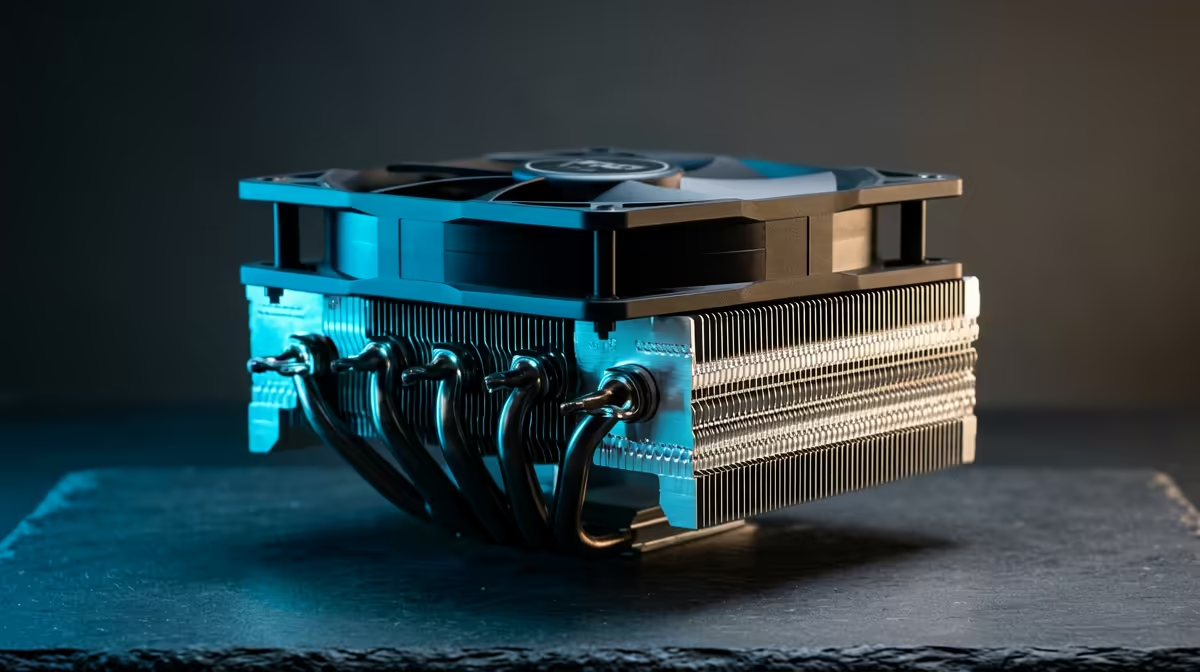
An aftermarket cooler is any cooling solution sold separately by a third-party company like Cooler Master, Noctua, or Deepcool. They are engineered specifically for superior performance, quieter operation, and better aesthetics. The debate of stock vs aftermarket cooler often ends here for enthusiasts who demand more from their hardware.
There are two main types you'll find:
- Air Coolers: These use a combination of a metal heatsink and fans to draw heat away from the CPU. Modern tower-style air CPU coolers offer incredible performance for their price, often competing with more expensive liquid options.
- All-In-One (AIO) Liquid Coolers: These use a closed loop of liquid to transfer heat from the CPU to a radiator, where it's expelled by fans. CPU liquid coolers generally provide the best cooling performance and a clean, high-tech look. 🚀
Stock vs Aftermarket Cooler: The SA Budget Breakdown ��
So, which is right for your South African build? It all comes down to your CPU and your budget.
The "Just Gaming" Build (R8,000 - R15,000)
If you're building with an entry-level or mid-range CPU like an Intel Core i5-12400F or an AMD Ryzen 5 5600, the included stock cooler is often sufficient. For 1080p gaming and general use, it gets the job done without adding cost. Your money is better spent on the GPU.
The "Performance Sweet Spot" Build (R15,000 - R25,000)
This is where an aftermarket cooler becomes a brilliant investment. For a modest R500 to R900, you can get a tower air cooler that will run circles around the stock option. It will keep your CPU boosting higher for longer, resulting in smoother gameplay, and will be significantly quieter. It's one of the best value-for-money upgrades you can make. Check out some of the best CPU cooler deals to find a perfect fit for your budget.
Cooler Installation 101 🔧
't forget thermal paste! While most coolers come with it pre-applied, a tube of quality paste is a cheap and effective upgrade. It ensures perfect contact between your CPU and heatsink for optimal heat transfer. Check out our full range of [complete thermal solutions](https: www.evetech.co.za PC-Components thermal-solutions-402) to maximise your cooling.
The "No Compromises" Rig (R25,000+)
When you're running a high-end, power-hungry CPU like a Core i7/i9 or a Ryzen 7/9, an aftermarket cooler isn't a choice... it's a necessity. The stock cooler (if one is even included) simply can't handle the heat generated. A high-performance air cooler or an AIO liquid cooler is essential to unlock the full potential of your processor and prevent thermal throttling. Take your time to explore our wide range of CPU coolers to find the perfect match for your beastly build.
The Final Verdict: Is an Aftermarket Cooler Worth It?
For the vast majority of PC builders and gamers in South Africa, the answer is a resounding yes.
While a stock cooler is a functional, no-cost starting point, even a budget aftermarket cooler provides a noticeable improvement in temperatures, noise, and sustained performance. It’s an investment in the health and longevity of your CPU. The choice between a stock vs aftermarket cooler ultimately comes down to your specific needs, but upgrading is a decision you're unlikely to regret.
Ready to Beat the Heat?
The stock vs aftermarket cooler choice depends on your build and budget. For maximum performance, quieter operation, and peace of mind, an upgrade is one of the smartest investments you can make. Explore our massive range of PC components and find the perfect cooling solution for your rig today.