

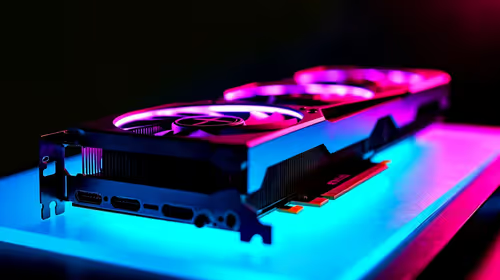
Best Intel GPU Under R3000 in SA 2026
Top Intel GPU Under R3000 picks evaluated on performance, value & SA availability with current Rand pricing from Evetech.
Read moreUFS Laptops Under R8000: Q2 Report. Full parts list, Rand pricing & expected performance. Build confidently with SA-available components.

Finding a capable laptop under R8,000 for UFS (University of the Free State) is genuinely challenging in Q2 2026, as the Rand price of imported hardware has continued to rise. That said, the R8,000 bracket still holds some solid options for students managing coursework, research, and remote learning on a tight budget.
Are there good laptops under R8,000 for UFS students in Q2 2026? Yes, but choices are limited. The R8,000 bracket delivers entry-level AMD Ryzen 5 or Intel Core i5 laptops with 8GB RAM and 256–512GB SSD - adequate for Microsoft Office, Moodle, Teams, and light research tasks. Gaming and video editing are not realistic at this price.
Before evaluating laptops, it helps to know what UFS’s academic workload demands:
For most faculties, 8GB RAM and a 256GB SSD is the floor. RAM is often upgradeable; prioritize that option when choosing at this price point.
The honest reality of the under-R8,000 bracket in Q2 2026:
| Component | Realistic Spec |
|---|---|
| CPU | AMD Ryzen 5 5500U / Intel Core i5-1235U |
| RAM | 8GB DDR4 (single channel common) |
| Storage | 256GB or 512GB SSD |
| Display | 15.6" FHD 60Hz TN or IPS |
| GPU | Integrated (Radeon 610M or Intel Xe) |
| Battery | 38–45Wh (4–6 hours real use) |
| Build | Plastic chassis, entry-level keyboard |
The good news: AMD’s integrated Radeon graphics in Ryzen 5 chips handles lightweight tasks - spreadsheets, web browsing, HD video streaming - without issue. The bad news: 8GB single-channel RAM will feel sluggish with many browser tabs and Teams open simultaneously. If the laptop has a free RAM slot, budgeting R350–R500 for an additional 8GB stick is money well spent.
1. Prioritise RAM upgradability. A laptop with a single 8GB stick and an open slot is worth more than one with 8GB soldered. The difference between 8GB and 16GB is the difference between a functional and a frustrating university experience.
2. Choose SSD over HDD. Any laptop at this price point still sold with a spinning hard drive should be avoided. Boot times, app launches, and file access on an HDD in 2026 are unacceptably slow.
3. Check wireless card specs. If you’re in UFS res or private digs in Bloemfontein, Wi-Fi 5 (802.11ac) is the minimum. Wi-Fi 6 is a bonus for stability on busy campus networks.
4. Bring your own mouse. Laptop trackpads at this price are functional but basic. A wired or wireless mouse makes essay writing and research significantly more comfortable.
5. Consider refurbished business laptops. Refurbished ThinkPads or Dell Latitudes in the R7,000–R8,000 range often offer superior build quality, keyboard feel, and battery life compared to new entry-level consumer laptops at the same price.
Does NSFAS cover laptops for UFS students? NSFAS provides a laptop allowance as part of its bursary package. The allowance amount has been approximately R5,200 historically, though students should confirm the current figure with UFS’s financial aid office directly. This may cover most of or contribute toward a budget laptop.
Is 8GB RAM enough for UFS engineering or science students? For engineering and science students using MATLAB, AutoCAD, or simulation software, 8GB is tight. These applications recommend 16GB minimum. At R8,000, this is a compromised solution - if your faculty requires heavy software, try to push your budget higher or look for a laptop with an available RAM slot.
Can a sub-R8,000 laptop handle video calls for online lectures? Yes. Any Ryzen 5 or Core i5 laptop with a built-in webcam and microphone handles Zoom and Teams video calls without issue. Ensure you have a stable internet connection - MTN, Telkom, or a campus Wi-Fi connection works fine; the laptop is rarely the bottleneck for video calls.
Browse Laptop Specials and Graphics Card Deals at Evetech to find the right laptop for your needs and budget.
Ready to Find Your Perfect Match? Shop at Evetech
UFS Laptops Under R8000: Q2 2026 Report available at Evetech.co.za with local warranty and fast delivery.
UFS Laptops Under R8000: Q2 2026 Report - check Evetech for latest stock and SA pricing.
Depends on your use case. UFS Laptops Under R8000: Q2 20 offers good value at current Rand pricing.
Top Intel GPU Under R3000 picks evaluated on performance, value & SA availability with current Rand pricing from Evetech.
Read more
Top AMD GPU Under R5000 picks evaluated on performance, value & SA availability with current Rand pricing from Evetech.
Read more
Top RTX 4090 Under R5000 picks evaluated on performance, value & SA availability with current Rand pricing from Evetech.
Read more
Top Samsung GPU Under R15000 picks evaluated on performance, value & SA availability with current Rand pricing from Evetech.
Read more
Top RTX 4060 Laptop Under R30,000 picks evaluated on performance, value & SA availability with current Rand pricing from Evetech.
Read more
Snapdragon X2 NPU Explained: How 80 TOPS Changes. Plain-English explanation of what it means, why it matters & how it affects your buying decisions in SA.

HBM? High Bandwidth Memory Used in GPUs and AI. Plain-English explanation of what it means, why it matters & how it affects your buying decisions in SA.

How much should you spend on sim racing accessories in South Africa for a realistic setup? We break down budgets by quality tiers, so you buy smart gear and avoid overspending 🎮💸

G-Sync and FreeSync? Variable Refresh Rate. Plain-English explanation of what it means, why it matters & how it affects your buying decisions in SA.

AMD Laptop: Value. SA-focused analysis with local pricing data, real-world insights & actionable buying advice.

How MacBook Neo Handles 30+ Chrome Tabs with Only. SA-focused analysis with local pricing data, real-world insights & actionable buying advice.

Why Apple Put 8GB RAM in MacBook Neo: The A18 Pro. SA-focused analysis with local pricing data, real-world insights & actionable buying advice.

Upgrade your work laptop with a New Motherboard. Step-by-step instructions with SA-specific tips, common pitfalls to avoid & expert recommendations.

Glorious Keyboard Switches Explained: Which. Plain-English explanation of what it means, why it matters & how it affects your buying decisions in SA.

Winter Keyboard Buying Guide. Everything you need to know with SA pricing, step-by-step instructions & expert recommendations.

Keyboard Buying Guide. Everything you need to know with SA pricing, step-by-step instructions & expert recommendations.

LGBTQ+ Gamers Keyboard Guide: January Edition. Everything you need to know with SA pricing, step-by-step instructions & expert recommendations.