

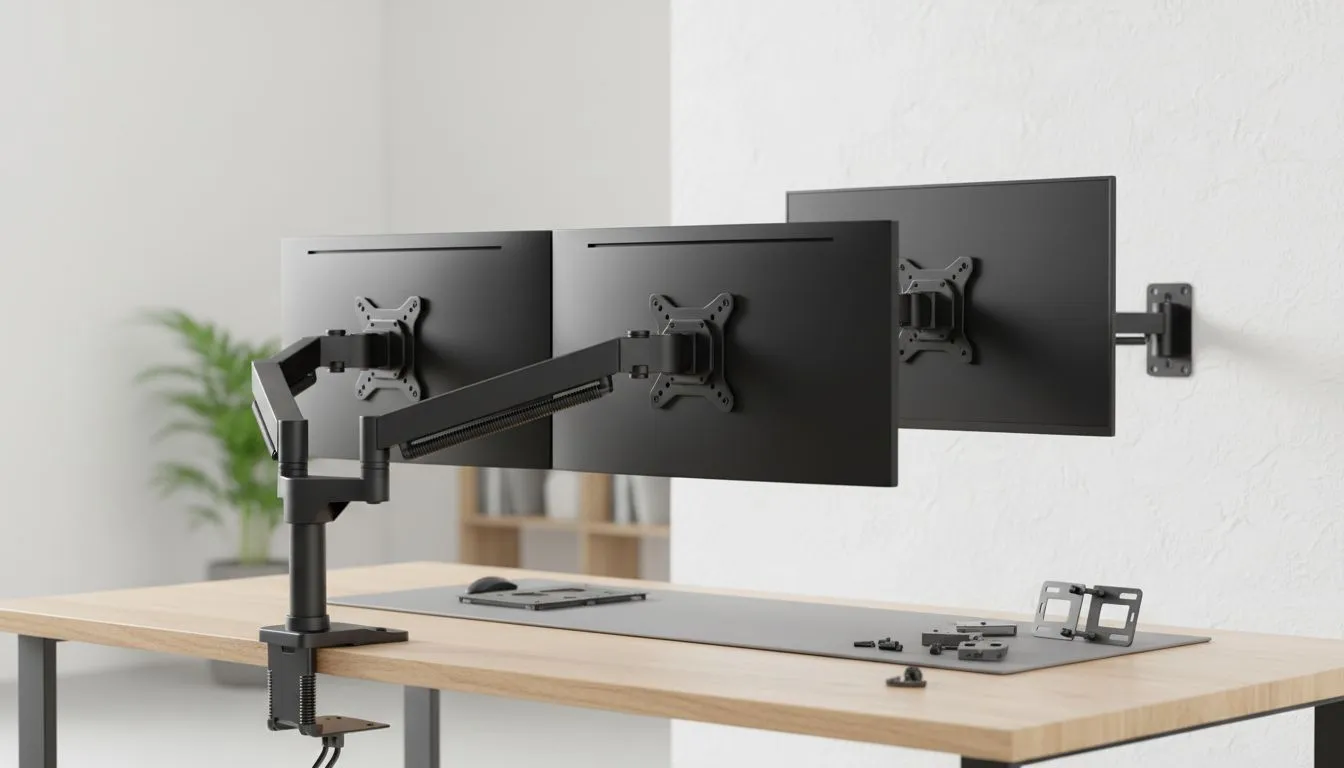
If you have ever looked at your desk and wondered where all the space went, the culprit is likely that chunky plastic stand. VESA Mounting: Wall Mounts vs Desk Arms is a debate every South African gamer faces when upgrading their setup. Freeing up desk real estate isn't just about aesthetics... it is about ergonomics and better gameplay. Let's break down which mounting solution suits your lifestyle. 🔧
Understanding the VESA Standard
Before you start drilling holes or tightening clamps, you need to check your screen. VESA is the distance between the four mounting holes on the back of your display. Most PC monitors use a 75x75mm or 100x100mm pattern. If your screen has a flat back, you are likely ready to go.
When choosing between flat screen monitors for your office or high-refresh displays for gaming, ensuring VESA compatibility is the first step toward a cleaner workspace.
The Case for Desk Arms: Flexibility First
Desk arms are the most popular choice for South African gamers. They clamp onto the edge of your desk, providing incredible range of motion. You can tilt, swivel, and rotate your screen with a simple touch. This is especially useful for curved gaming monitors where finding the perfect viewing angle is vital for immersion.
Ergonomic Pro Tip ⚡
Position the top of your monitor at or slightly below eye level. Your eyes should be looking slightly downward when viewing the middle of the screen. This reduces neck strain and keeps you in the game for longer sessions without discomfort.
If you frequently switch between sitting and standing, or if you share your desk, a gas-spring arm is a lifesaver. It allows for effortless height adjustments. This flexibility ensures that whether you are using G-Sync (NVIDIA) displays for competitive shooters or editing photos, your posture remains perfect.
The Case for Wall Mounts: Maximum Space
Wall mounts are the ultimate "clean desk" solution. By removing the monitor from the desk entirely, you regain every square centimetre of surface area. This is ideal for smaller rooms where a large desk might not fit.
Wall mounts are incredibly sturdy. If you have a heavy ultrawide with IPS panel technology, a fixed wall mount offers peace of mind that no desk wobble will affect your view. However, keep in mind that once it is bolted into the brick, moving it requires a drill and some Polyfilla.
Performance and Aesthetics
Your mounting choice shouldn't just look good... it should support your hardware's features. A stable mount prevents screen shake during intense gaming moments. This is crucial when you are relying on FreeSync (AMD) monitors to provide tear-free visuals.
Whether your screen supports Adaptive Sync or features a high-end HDR panel, the way you mount it dictates your comfort. Desk arms offer the best versatility for multi-monitor setups, while wall mounts provide a sophisticated, floating look that transforms any room into a high-tech hub. ✨
Ready to Elevate Your Setup? Choosing the right mount is just the beginning of your ergonomic journey. For the best visual experience and the latest display technology in South Africa, we have you covered. Explore our massive range of monitor specials and find the perfect screen to pair with your new mount today.











