

Should You Buy a 240Hz monitor or Build a PC in South Africa?
Should You Buy a 240Hz monitor or Build a PC. Full parts list, Rand pricing & expected performance. Build confidently with SA-available components.
Read moreThink you know your video editing PC requirements? 🤔 From CPU cores to GPU power and RAM speed, the right components are crucial for a smooth workflow. Take our quiz to see if you're a post-production pro or a rendering rookie. Discover key insights and build your dream machine! 🎬
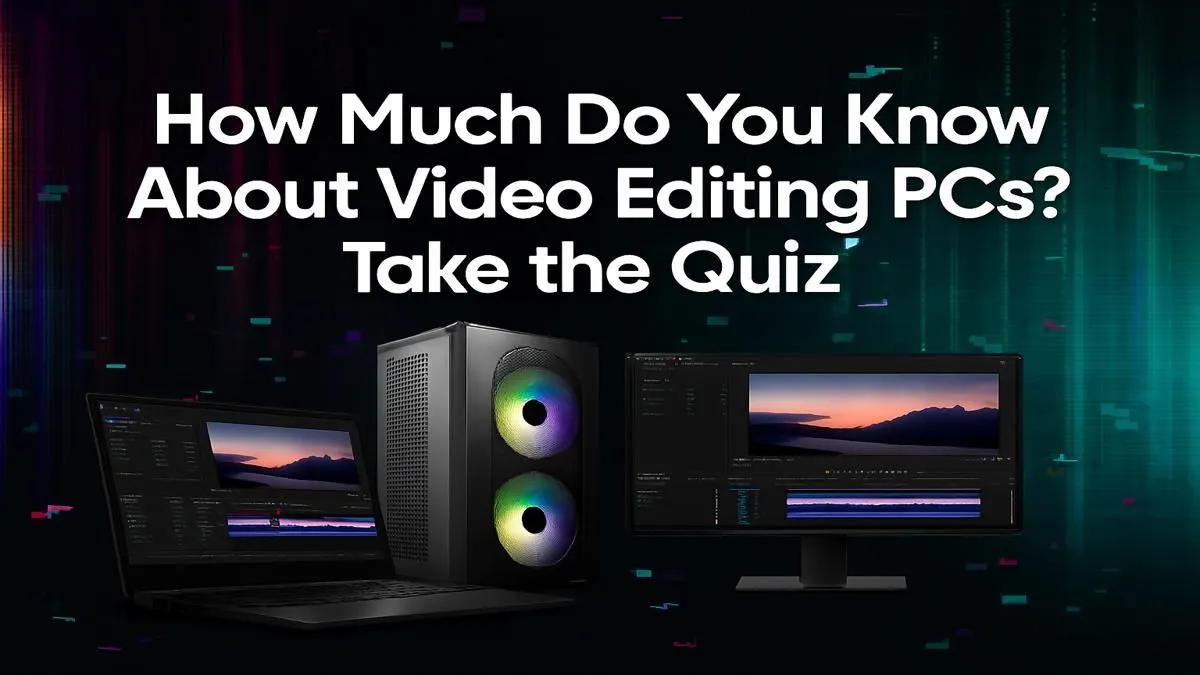
So, you’ve captured some epic footage. The lighting was perfect, the action was intense, and you’re ready to create a masterpiece. You fire up your editing software, drop the clips onto the timeline, and… the lag begins. The playback stutters, and the render time looks like a phone number. Sound familiar? In South Africa's growing creator scene, understanding video editing PC requirements is no longer a luxury—it's essential for turning your vision into reality without the frustration.
When it comes to the core requirements for a video editing PC, the Central Processing Unit (CPU) is king. It handles tasks like decoding video files, running the software itself, and processing instructions. Look for two key things: core count and clock speed.
More cores mean your PC can handle more tasks simultaneously, which is brilliant for multitasking and faster rendering. A higher clock speed (measured in GHz) means it processes each task faster. For 1080p editing, a modern 6 or 8-core CPU is a great starting point. If you're tackling 4K footage or complex visual effects, stepping up to a 12 or 16-core beast will save you hours. Both the latest powerful Intel Core processors and AMD's Ryzen lineup offer incredible performance for creators.
While the CPU does the heavy lifting, the Graphics Processing Unit (GPU) is your rendering and effects specialist. Modern editing software like Adobe Premiere Pro and DaVinci Resolve uses GPU acceleration to speed up rendering, apply effects, stabilise footage, and export your final video.
A dedicated graphics card is a non-negotiable part of any serious video editing PC's requirements. The amount of VRAM (video memory) on the card is crucial, especially for high-resolution timelines. For 4K editing, aim for a GPU with at least 8GB of VRAM. Whether you choose from the feature-rich options in our NVIDIA GeForce PCs or the excellent value offered by AMD Radeon-powered systems, a capable GPU will dramatically shorten your export times.
If your system still struggles with 4K or 6K footage, create low-resolution 'proxies'. Most editing software can generate smaller, easier-to-handle versions of your files for smooth editing. When you're ready to export, the software automatically links back to the high-quality original files for the final render. It's a workflow trick that can make an older PC feel brand new.
Think of RAM (Random Access Memory) as your computer's short-term memory or desk space. The more you have, the more applications and larger files you can work with at once without slowdowns. While 16GB is the absolute minimum, 32GB is the new sweet spot for a smooth video editing experience, especially with 4K files.
For storage, speed is everything. A fast NVMe Solid-State Drive (SSD) is essential for your operating system, software, and active project files. It will make your entire system feel snappier and dramatically reduce loading times. You can use a larger, more affordable Hard Disk Drive (HDD) for long-term storage and archiving completed projects.
Meeting all these video editing PC requirements can seem daunting, but it’s about finding the right balance for your specific needs and budget. Are you a professional creating content for clients daily? Then investing in one of our purpose-built professional workstation PCs will pay for itself in saved time and productivity. Just starting your YouTube channel or editing family videos? You can find an incredibly capable machine within our range of pre-built PC deals that will get the job done beautifully.
The key is to prioritise your components based on your workflow. A powerful CPU, a capable GPU, and plenty of fast RAM and storage are the pillars of a great editing experience.
Ready to Build Your Creative Powerhouse? Stop letting slow hardware kill your creative flow. Understanding these PC requirements is the first step. The next is finding a machine that fits your vision and budget. Explore our powerful range of custom-built PCs and configure the ultimate rig for your video editing journey today.
A powerful multi-core CPU, a dedicated GPU with ample VRAM, at least 32GB of fast RAM, and speedy NVMe SSD storage for your OS, apps, and active project files.
Often, yes. Gaming PCs have strong GPUs and CPUs that benefit video editing. However, an ideal editing rig prioritizes more CPU cores and higher RAM capacity over raw GPU speed.
For 4K video editing, 32GB of RAM is the recommended minimum for a smooth experience. For complex projects with heavy effects, 64GB or more is ideal to prevent bottlenecks.
Both are crucial, but the CPU handles encoding, decoding, and rendering tasks, making it arguably more critical. The GPU accelerates effects, playback, and rendering in supported software.
A mid-range dedicated GPU is sufficient for most 1080p and some 4K editing. High-end GPUs become important for color grading, complex visual effects, and faster rendering times.
Use a fast NVMe SSD for your operating system and applications, a second NVMe SSD for active project files and cache, and a larger HDD or SSD for long-term storage and archiving.
Should You Buy a 240Hz monitor or Build a PC. Full parts list, Rand pricing & expected performance. Build confidently with SA-available components.
Read more
Should You Buy a VA monitor or Build a PC. Full parts list, Rand pricing & expected performance. Build confidently with SA-available components.
Read more
Every spec on PCIe 5.0 explained in plain English. What matters for gaming and creator work in 2026, what's marketing fluff, and how each number translates to real-world performance.

A head-to-head look at WiFi 7: real-world performance, ZAR pricing and which option delivers better value for SA builders. The clear answer — no fluff.

Everything you need to set up and tune PCIe 5.0 properly: the prep work, the settings that actually matter, and the mistakes to skip. Written for SA builders in 2026.

Everything you need to set up and tune X870E Motherboard properly: the prep work, the settings that actually matter, and the mistakes to skip. Written for SA builders in 2026.

Wondering what a 512GB SSD capacity really holds? This guide breaks down how many games, photos, and documents fit on 512GB, with real-world ranges 📦💾

Every spec on vrm explained in plain English. What matters for gaming and creator work in 2026, what's marketing fluff, and how each number translates to real-world performance.

Every spec on motherboard explained in plain English. What matters for gaming and creator work in 2026, what's marketing fluff, and how each number translates to real-world performance.

Premium vs Midrange Motherboards in South Africa: real-world performance, SA pricing, power draw and which one delivers better value for your build for SA buyers. The clear answer — without the fluff.
Wondering what a 512GB SSD capacity really holds? This guide breaks down how many games, photos, and documents fit on 512GB, with real-world ranges 📦💾
Every spec on PCIe 5.0 explained in plain English. What matters for gaming and creator work in 2026, what's marketing fluff, and how each number translates to real-world performance.
A head-to-head look at WiFi 7: real-world performance, ZAR pricing and which option delivers better value for SA builders. The clear answer — no fluff.

Every spec on USB4 explained in plain English. What matters for gaming and creator work in 2026, what's marketing fluff, and how each number translates to real-world performance.