

Best Nvidia GPU Under R15000 in SA 2026
Top Nvidia GPU Under R15000 picks evaluated on performance, value & SA availability with current Rand pricing from Evetech.
Read moreCurious about what is BIOS and why it matters for your gaming rig? 🤔 This guide breaks down everything a beginner needs to know, from its core functions to essential settings like XMP that can unlock your PC's true potential. Get ready to master your machine's foundation! 🚀
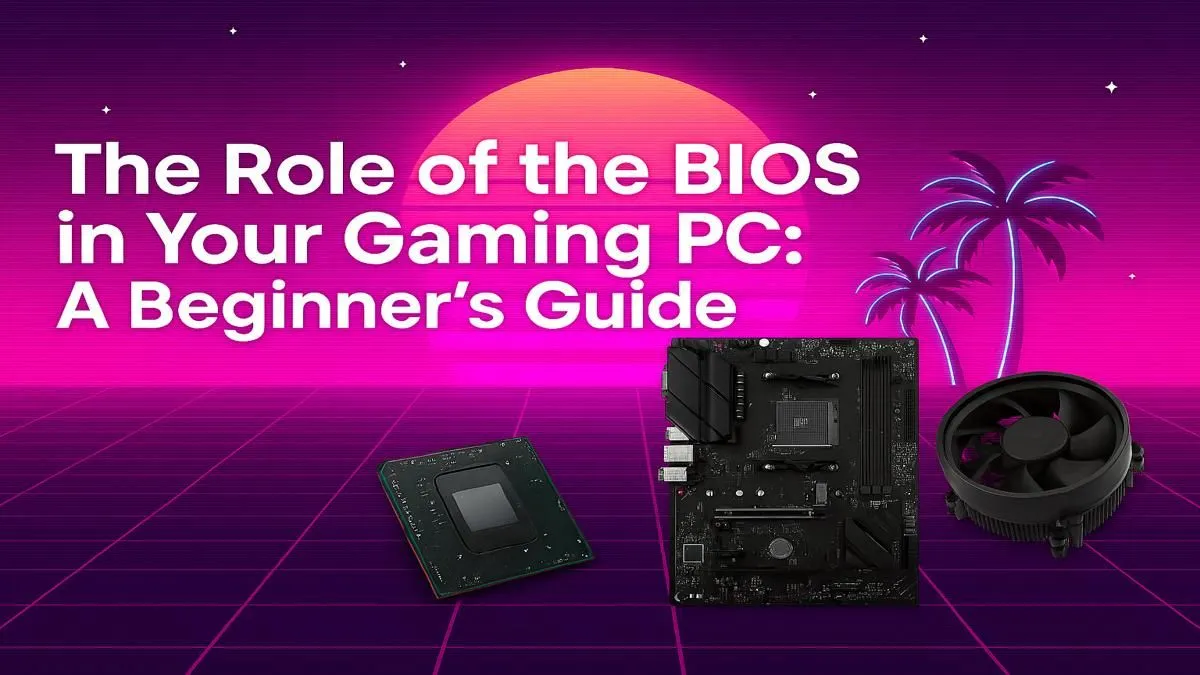
Ever hit the power button on your gaming rig, only to be met with a black screen and a cryptic error message? Or maybe you've heard fellow gamers in Mzansi talking about "enabling XMP" for more FPS and felt a bit lost. The key to solving these mysteries often lies in a hidden part of your computer: the BIOS.
Don't worry, it's not as scary as it sounds. This guide will explain what the BIOS is and why it's your PC's secret weapon.
Think of the BIOS (Basic Input/Output System) as your PC’s mission control. It’s the very first piece of software that runs when you press the power button, living on a small chip on your motherboard. Its job is to wake up all your hardware—your CPU, RAM, graphics card, and storage drives—and make sure they’re all communicating correctly before handing over control to Windows. ✈️
Modern PCs often use something called UEFI (Unified Extensible Firmware Interface), which is basically a newer, more powerful version of the classic BIOS with a friendlier, mouse-driven interface. For simplicity, we’ll use the term BIOS to cover both.
So, why should you, a gamer, care about this pre-startup screen? Because it’s where you can unlock your PC’s true potential. The BIOS is the control panel for your hardware, allowing you to fine-tune performance.
This is a big one. Your high-speed gaming RAM often runs at a slower, standard speed by default. The BIOS is where you enable its XMP (Extreme Memory Profile) to unlock the full speeds you paid for. Even on powerful yet affordable gaming PCs under R20k, simply enabling XMP can give you a noticeable FPS boost.
Curious if your CPU is running hot during a long session of Helldivers 2? The BIOS is the ultimate source of truth for hardware temperatures, fan speeds, and voltages. It's a great tool for a quick health check to ensure everything is running cool and stable.
For enthusiasts who want to squeeze every last drop of performance from their hardware, the BIOS is where the magic of overclocking happens. By carefully adjusting frequencies and voltages, you can push your CPU beyond its factory settings. This is advanced stuff, though... and it’s why many gamers who want guaranteed performance opt for expertly tuned performance PCs over R20k, built and tested by pros.
Getting into the BIOS is simple. Just restart your computer and, as it boots up, repeatedly press a specific key. The most common keys are Delete, F2, F10, or F12. The correct key will flash on the screen for a moment during startup and depends on your motherboard manufacturer (like MSI, ASUS, or Gigabyte).
Can't hit the key in time? No stress. In Windows 10 or 11, go to Settings > System > Recovery. Under "Advanced startup," click "Restart now." Your PC will reboot to a blue menu. From there, choose Troubleshoot > Advanced options > UEFI Firmware Settings. This will take you directly into your BIOS on the next restart!
Once you're in, you'll see a menu full of settings. It might look a bit intimidating, but don't panic. The most important rule is: if you don’t know what a setting does, don’t change it! Randomly tweaking things can prevent your PC from starting up.
This is another reason why many gamers prefer the peace of mind that comes with our pre-built PC deals. Our technicians handle all the optimal BIOS configurations, so your machine is perfectly set up for elite gaming right out of the box. ✨
Let's say you changed a setting and now your PC won't boot. It happens! Luckily, there’s an easy fix. Every motherboard has a way to reset the BIOS to its factory defaults. You can usually find an option in the BIOS menu itself called "Load Optimized Defaults" or "Load Fail-Safe Defaults."
If you can't even get into the BIOS, you'll need to do a physical reset by clearing the CMOS on the motherboard. This usually involves moving a small plastic jumper or temporarily removing the coin-cell battery. If that sounds like a hassle, you're right. It's why starting your PC journey with one of our reliable budget gaming PCs is a fantastic, stress-free way to get into the action.
Understanding what the BIOS is gives you more control over your gaming PC. It's the key to unlocking performance and troubleshooting problems. But you don't need to be an expert to have an incredible gaming experience. In fact, some of the best gaming PC deals in South Africa are built so you can just plug in, play, and dominate. 🚀
Ready to Skip the Tweaking & Start Gaming? Understanding your PC's BIOS is powerful, but Evetech's expertly built systems handle all the complex setup for you. Get maximum performance and stability, guaranteed right out of the box. Explore our massive range of gaming PCs and find the perfect rig to conquer your world.
The BIOS (Basic Input/Output System) is firmware that initializes your hardware during startup. It performs a Power-On Self-Test (POST), finds your operating system, and passes control to it.
To access the BIOS, restart your PC and press a specific key during the initial boot screen. Common keys are Del, F2, F10, or F12, depending on your motherboard brand.
Updating your BIOS can improve stability, add support for new hardware like a new CPU, and sometimes fix bugs, which can indirectly enhance gaming performance and security.
UEFI is the modern successor to the traditional BIOS. It offers faster boot times, better security features, and support for larger hard drives. Most modern PCs use UEFI.
XMP (Extreme Memory Profile) is a setting that allows your RAM to run at its advertised higher speeds. Enabling XMP in the BIOS is a simple way to get more performance from your memory.
Yes, most modern BIOS/UEFI interfaces have a section for hardware monitoring where you can adjust fan curves and speeds to optimize cooling and noise levels for your gaming sessions.
Top Nvidia GPU Under R15000 picks evaluated on performance, value & SA availability with current Rand pricing from Evetech.
Read more
Top Crucial GPU Under R40000 picks evaluated on performance, value & SA availability with current Rand pricing from Evetech.
Read more
Top Valorant Settings for RTX 5070: FPS Optimisation picks evaluated on performance, value & SA availability with current Rand pricing from Evetech.

RDNA 3.5 Graphics in Ryzen AI 400? Can You Game. Plain-English explanation of what it means, why it matters & how it affects your buying decisions in SA.

GPU Price Index : December Report. Current stock data & price tracking for SA buyers. See what is available and where prices are heading.

RX 9070 XT Elden Ring Nightreign at 4K: FPS. Real-world benchmark data, FPS numbers & performance analysis. What SA gamers can actually expect.

Core i5-14600K + B760 + RTX 5060 Build Under. Full parts list, Rand pricing & expected performance. Build confidently with SA-available components.

RX 7600 Apex Legends at 4K: FPS Benchmark. Real-world benchmark data, FPS numbers & performance analysis. What SA gamers can actually expect.

RX 7900 XTX GTA 6 at 4K: FPS Benchmark & Optimal. Real-world benchmark data, FPS numbers & performance analysis. What SA gamers can actually expect.

Head-to-head comparison of RTX 5070 vs RX 9070 XT: Gaming Performance for SA gamers. Performance benchmarks, Rand pricing & which delivers better value.

Top RTX 5070 Under R25,000 picks evaluated on performance, value & SA availability with current Rand pricing from Evetech.
Core i5-14600K + B760 + RTX 5060 Build Under. Full parts list, Rand pricing & expected performance. Build confidently with SA-available components.

Top Monitor for RX 9070: Resolution & Refresh Rate picks evaluated on performance, value & SA availability with current Rand pricing from Evetech.

Valorant Settings on RX 9060 XT: Performance. Real-world benchmark data, FPS numbers & performance analysis. What SA gamers can actually expect.