

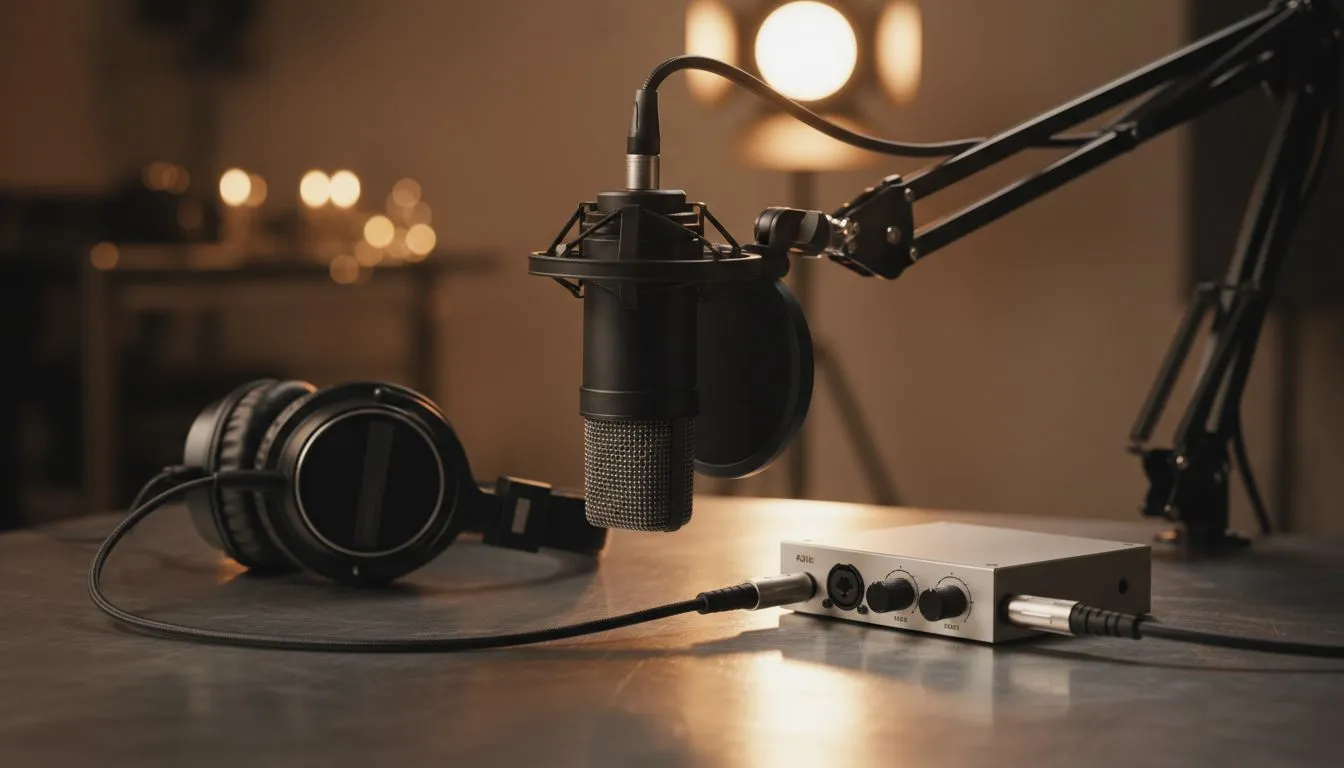
Master Your Audio with a Simple XLR Workflow
So, you’re tired of your voice sounding like you’re trapped in a tin can during your Friday night streams? Moving to an XLR Podcast Mic Setup for Beginners is the single best way to level up your audio quality. While USB mics are convenient, a simple XLR workflow gives you that rich, broadcast depth that South African listeners love... without needing a degree in sound engineering. 🚀
Understanding the Simple XLR Workflow
Unlike USB microphones that plug directly into your PC, an XLR setup uses a three-pin analogue connection. This signal needs to be converted into digital data that your computer can understand. This is where an audio interface comes in. It acts as the bridge between your voice and your recording software.
The beauty of this system is modularity. If you want a different sound later, you only replace the microphone, not the entire setup. It is a cleaner, more professional way to manage your desktop audio.
Essential Gear for Your First Setup
To get started, you need a few core components. You can find most of these streaming essentials at Evetech to ensure compatibility. You will need:
- An XLR Microphone: Dynamic mics are usually best for home setups because they ignore background noise... like that noisy fan or distant traffic.
- An Audio Interface: This powers your mic and connects via USB to your PC.
- An XLR Cable: Don't skimp here... a shielded cable prevents unwanted hum.
For those who want a seamless experience, choosing CORSAIR streaming gear often provides the best software integration. Their ecosystem allows you to control your gain and monitoring levels with ease, which is vital when you are mid-game. 🔧
Pro Gain Staging Tip ⚡
When setting up your interface, speak at your loudest expected volume. Adjust the gain knob until the lights flicker green but never hit red. If you "clip" into the red, your audio will distort... and no amount of editing can fix a crunchy, distorted voice later.
Creating a Professional Visual Space
A great XLR Podcast Mic Setup for Beginners deserves a space that looks as good as it sounds. If you are recording video podcasts or streaming on Twitch, your background matters. Adding some Cololight ambient lighting can add a professional "studio" colour pop to your room for just a few hundred ZAR. ✨
Finally, do not let a blurry image ruin your high-fidelity sound. Investing in one of our premium webcams ensures your viewers see every expression in crisp 1080p or 4K. When your audio and video align, your production value skyrockets instantly.
Why the Upgrade is Worth It
In South Africa, the local podcasting and streaming scene is growing fast. Listeners are becoming more discerning about quality. An entry-level XLR setup might cost anywhere from R2,500 to R5,000 depending on your choices... but the professional edge it gives you is permanent. You won't just sound like a gamer; you will sound like a broadcaster.
Ready to Level Up Your Audio? Don't let poor sound quality hold your content back. Whether you are starting a new podcast or upgrading your stream, we have the hardware to make you sound like a pro. Explore our massive range of streaming gear and find the perfect XLR setup to conquer your world.











