


Core Ultra 5 245K Gaming Performance: Full Optimization
Core Ultra 5 245K Gaming Performance: Full. Real-world benchmark data, FPS numbers & performance analysis. What SA gamers can actually expect.
Read moreDetachable USB-C keyboard setup reduces cable clutter and makes your desk easier to move and clean. Enjoy fewer tangles, quick swaps, and flexible routing for a tidier work area. ✅🧼
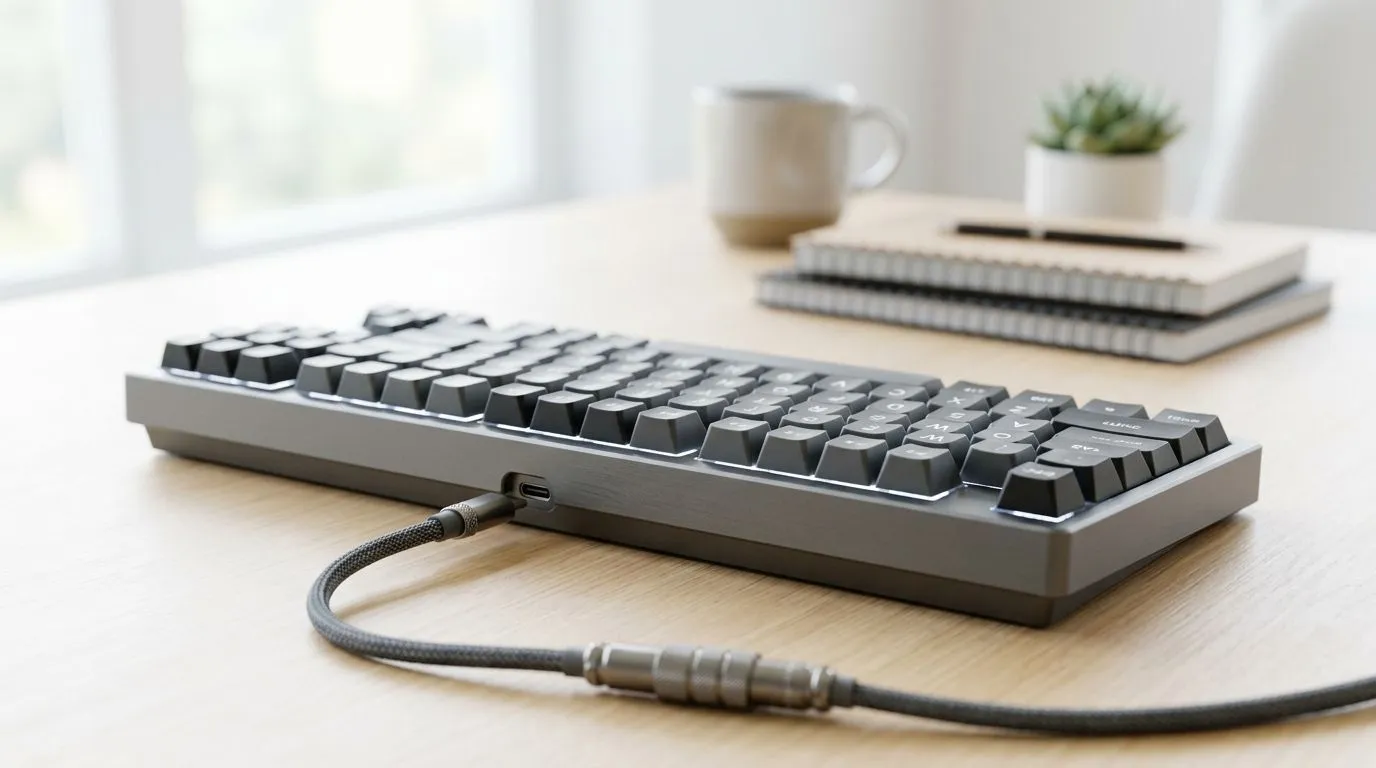
If your setup looks like spaghetti, you’re not alone. 🔧 In SA homes, power strips are stretched, HDMI runs are tight, and every extra cable steals desk space. A detachable USB-C keyboard setup can cut the mess fast, without sacrificing comfort for ranked sessions or work calls. Why keep fighting your cables every time you move your laptop, dock, or monitor? Let’s make it simple, cheaper than you think, and easier to upgrade.
Detachable USB-C keyboards usually mean the cable connection is quick to disconnect at the keyboard end. That matters when you:
With USB-C, you get a reversible connection and a modern port standard, which is great for buyers who already have USB-C everywhere. The key is compatibility: wired vs wireless, and how the keyboard pairs with your devices.
Wired is often “plug in and forget”. Wireless is often more desk-friendly. But the best choice depends on your workflow and latency tolerance.
For gaming-focused buyers, check our current keyboard deals:
And if you’re comparing by connectivity, use these pages to narrow your options:
A detachable keyboard is only “clean” if the rest of your desk behaves. Here’s a practical way to set it up in under 15 minutes.
Start with a rule: one cable per device. If your keyboard cable can stay attached to the laptop/dock only, your keyboard becomes a separate “module”. That lets you tuck cables behind the desk when you detach.
Also consider:
On Windows, use the PowerToys FancyZones utility to create custom snap layouts for your windows. It's a lifesaver for managing multiple apps on an ultrawide monitor, letting you organise your timeline, preview window, and asset folders perfectly for video editing.
Before you commit, confirm:
If you’re building a full setup, pairing can also reduce cable chaos:
Picture this: you’re switching from a gaming chair session to couch streaming. Detach the keyboard, carry it like a controller, plug it back at your desk. No tugging. No pulling your monitor cables. No “why is the USB port loose again?” moments.
And if you’re shopping on budget, you’ll still want quality. A good keyboard is worth the spend, but the right combo of connectivity and ergonomics decides whether it stays on your desk long-term.
For more options, start here:
A detachable USB-C keyboard setup is one of those small changes that makes your whole desk feel calmer. ⚡ Fewer cables. Faster transitions. Easier upgrades. And if you’re balancing gaming with school or work, that time saved adds up.
Ready to Find Your Perfect Match? The Mac vs Windows debate is complex, but for maximum power, choice, and value in South Africa, Windows is hard to beat. Explore our massive range of laptop specials and find the perfect machine to conquer your world.
A detachable USB-C keyboard setup uses a removable USB-C cable, so you can route, clean, and move your keyboard without leaving a permanent cable run.
Yes. With a detachable USB-C keyboard cable, you can disconnect and reorganize cables quickly, reducing tangles and improving cable management on your desk.
In most designs, detachable USB-C connections are built for frequent plug and unplug cycles, keeping a secure link for everyday typing and gaming.
Definitely. You can unplug the detachable USB-C cable, then clean behind and around the keyboard without wrestling tangled cords.
Use short cable paths, route with clips or a sleeve, and leave the keyboard-side connection as the last segment so reconnecting stays fast.
Yes. A detachable USB-C keyboard setup lets you unplug and move the keyboard quickly, keeping your desk cable layout intact.
Confirm the port type is USB-C, verify the cable or connector type, and check whether the keyboard supports standard detachable USB-C cabling for easy swaps.
Core Ultra 5 245K Gaming Performance: Full. Real-world benchmark data, FPS numbers & performance analysis. What SA gamers can actually expect.
Read more
Huawei MatePad Range : Which Model Should You Buy. Complete product range with SA pricing, key specs & recommendations for different budgets.
Read more
Are Wireless Gaming Peripherals as Good as Wired in 2026 Detailed answer with SA data, expert analysis & practical recommendations for local buyers.
Read more
Are Big And Tall Gaming Chairs Good for Long Gaming Sessions Detailed answer with SA data, expert analysis & practical recommendations for local buyers.
Read more
PCIe Bandwidth Saturation: Multiple GPU Issue. Diagnosis steps, proven fixes & when to seek professional help. SA-specific support info included.
Read more
Intel Keyboard: Value. SA-focused analysis with local pricing data, real-world insights & actionable buying advice.
Read more
MacBook Pro for Machine Learning in 2026: Can Apple Silicon Compete Detailed answer with SA data, expert analysis & practical recommendations for local buyers.

Choose the Right SATA SSD for machine learning. Step-by-step instructions with SA-specific tips, common pitfalls to avoid & expert recommendations.

Overwatch 2 Competitive Settings Servers. Tested & verified settings for best FPS and visual quality on SA hardware budgets.

League of Legends Settings for 144Hz Gaming. Tested & verified settings for best FPS and visual quality on SA hardware budgets.

Every AMD CPU Ranked for Gaming: Tier List. SA-focused analysis with local pricing data, real-world insights & actionable buying advice.

Easter Family Bundles: Monitors. Hand-picked gift ideas at every budget tier. SA pricing & Evetech availability included.

Ryzen 7 9800X3D Running 100 Degrees: Cooler. Diagnosis steps, proven fixes & when to seek professional help. SA-specific support info included.

Most Affordable Laptops : Starting from R8,000. Full parts list, Rand pricing & expected performance. Build confidently with SA-available components.

HBADA Chairs : Range and Pricing. Complete product range with SA pricing, key specs & recommendations for different budgets.

Ryzen 7 9800X3D for Music Production: Performance. Real-world benchmark data, FPS numbers & performance analysis. What SA gamers can actually expect.

Winter Cooling Management: Headsets. SA-focused analysis with local pricing data, real-world insights & actionable buying advice.

AKRacing Gaming Chair Range: Which Model Is Right. Complete product range with SA pricing, key specs & recommendations for different budgets.