


Unisa Student Tech Preferences: Q1 2026 Report
Unisa Student Tech Preferences: Q1 Report. SA market intelligence with local buyer data, pricing shifts & actionable insights for smart purchasing.
Read moreFix audio issues with a 3.5mm headset jack on a gaming controller fast—no guessing. Check settings, wiring, and compatibility to restore clean sound and a working mic 🎧✅.
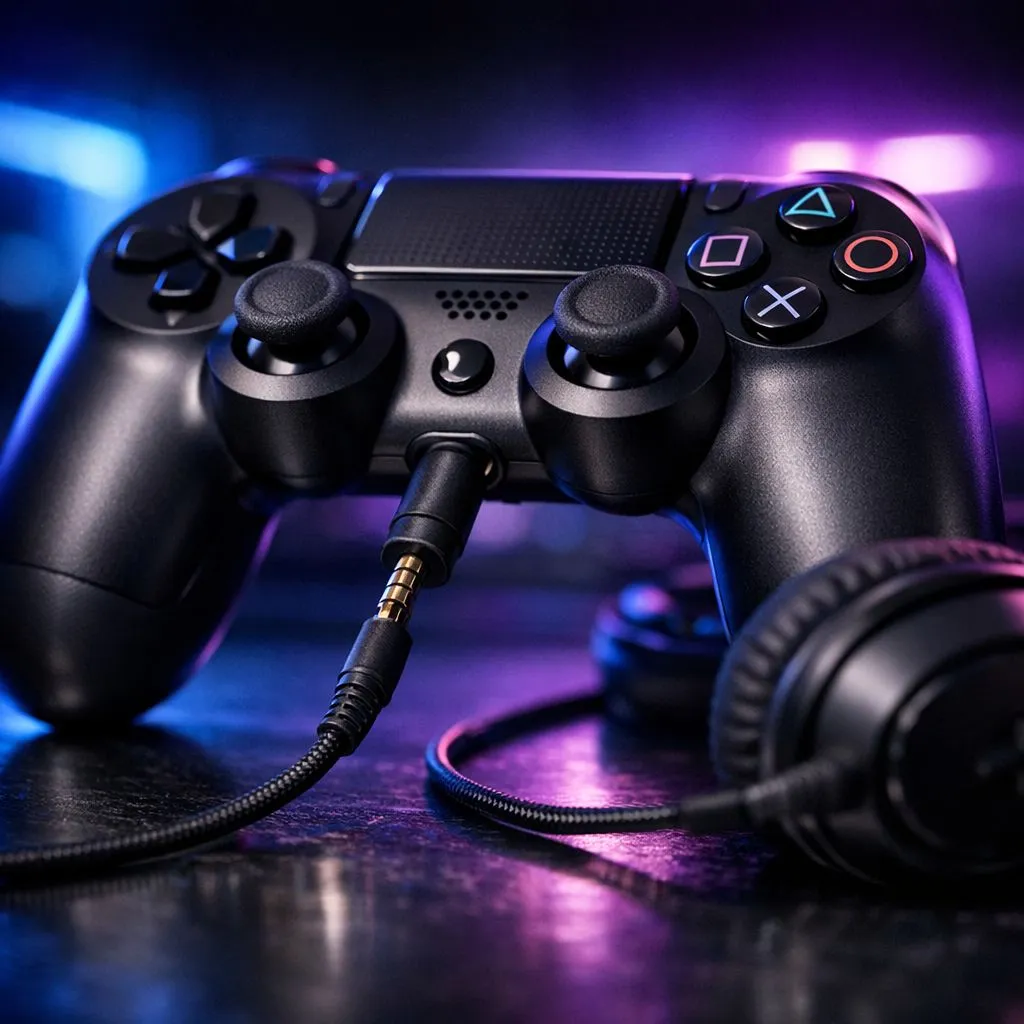
Gaming on a South African night shift… then your headset suddenly goes quiet. No mic. No sound. Just that awful “why now?” feeling. Before you assume your headset is dead, check the controller’s 3.5mm headset jack. A loose connection or a bit of dust can turn full-volume audio into nothing. Let’s troubleshoot the right way, fast, and with less guesswork.
Most audio problems with a 3.5mm headset jack fall into a few buckets:
I’ve seen this exact scenario in SA households with winter layering. A headset mic suddenly stops working… because the plug was knocked half-out by a hoodie sleeve. Once it’s fully seated and the jack is cleaned, everything returns.
If reseating doesn’t fix it, do a gentle clean:
On Windows, run a quick sound test in Settings to confirm your headset’s input output device before changing controller settings. If Windows picks the wrong “default communication device,” your mic can look broken even when it’s fine.
Sometimes the controller jack isn’t the problem at all. Chat audio issues can be caused by routing:
If you’ve tested the headset on another device and confirmed the plug is fully seated, it’s time to think about controller condition. A worn jack can cause crackling, cut-outs, or “works only at a certain angle”. At that point, replacing the controller is often the sensible move, especially if you’re gaming daily.
If you want a controller that’s built for long sessions and competitive play, consider something designed with solid audio and comfort. For example, the Razer Wolverine V3 Tournament Edition 8K is a strong option to look at before you waste time chasing a faulty connection. Check it here: Razer Wolverine V3 Tournament Edition 8K best deal.
Looking for the right fit? Start by browsing controllers that suit your platform and playstyle:
Ready to Find Your Perfect Match? If your audio keeps cutting out, don’t settle for frustration. Shop with confidence in South Africa and pick a gaming controller that matches your platform, your comfort needs, and your budget. Explore our massive range of laptop specials and level up your setup today.
It’s usually a controller compatibility or output setting issue. Verify the headset type (TRRS), the controller audio output, and try a firm re-seat.
TRRS headsets support both audio and mic on many controllers. TRS may play sound but not capture mic, causing “mic not working” symptoms.
Check the controller’s voice/chat input, mic monitoring, and whether it’s set to the 3.5mm headset. Also re-seat the plug and test another headset.
Confirm the controller’s audio output is set to headset, increase headset volume, disable mute, and test for a loose 3.5mm connection or damaged plug.
Crackling often comes from a partially inserted jack, debris in the port, or a faulty cable. Power cycle, re-seat, clean gently, and retest.
Yes. Some controllers require a specific headset wiring standard for combo ports. Ensure you’re using a compatible TRRS gaming headset.
It can. If audio detection or headset settings behave inconsistently, check for controller firmware updates and retest after installing.
If multiple headsets fail on the same controller, or the plug only works when angled, the 3.5mm port may be worn or damaged and needs repair.
Unisa Student Tech Preferences: Q1 Report. SA market intelligence with local buyer data, pricing shifts & actionable insights for smart purchasing.
Read more
Mouse Stock Levels in Pretoria: June Report. Current stock data & price tracking for SA buyers. See what is available and where prices are heading.
Read more
Is Gen 5 NVMe Faster Than Gen 4 for Gaming Detailed answer with SA data, expert analysis & practical recommendations for local buyers.
Read more
Core Ultra 9 285K for Streaming: Performance. Real-world benchmark data, FPS numbers & performance analysis. What SA gamers can actually expect.
Read more
Tax & Customs on Imported PSUs. Practical breakdown of costs, regulations & whether it makes financial sense for SA buyers.
Read more
Is Ryzen 9 9950X Compatible with Core Ultra 7 265K Detailed answer with SA data, expert analysis & practical recommendations for local buyers.
Read more
MacBook Pro for Machine Learning in 2026: Can Apple Silicon Compete Detailed answer with SA data, expert analysis & practical recommendations for local buyers.

Choose the Right SATA SSD for machine learning. Step-by-step instructions with SA-specific tips, common pitfalls to avoid & expert recommendations.

Overwatch 2 Competitive Settings Servers. Tested & verified settings for best FPS and visual quality on SA hardware budgets.

League of Legends Settings for 144Hz Gaming. Tested & verified settings for best FPS and visual quality on SA hardware budgets.

Every AMD CPU Ranked for Gaming: Tier List. SA-focused analysis with local pricing data, real-world insights & actionable buying advice.

Easter Family Bundles: Monitors. Hand-picked gift ideas at every budget tier. SA pricing & Evetech availability included.

Ryzen 7 9800X3D Running 100 Degrees: Cooler. Diagnosis steps, proven fixes & when to seek professional help. SA-specific support info included.

Most Affordable Laptops : Starting from R8,000. Full parts list, Rand pricing & expected performance. Build confidently with SA-available components.

Storage Stock Levels in Port Elizabeth: December. Current stock data & price tracking for SA buyers. See what is available and where prices are heading.

Ryzen 7 10800X3D Apex Legends Gaming Performance. Real-world benchmark data, FPS numbers & performance analysis. What SA gamers can actually expect.

Mouse Technology: 2023- Evolution in Gaming. Technology trajectory, what it means for SA buyers & how to future-proof your next purchase.

FAQ: Is my hard drive failing Detailed answer with SA data, expert analysis & practical recommendations for local buyers.