


Headset Stock Levels in Bloemfontein: January 2026 Report
Headset Stock Levels in Bloemfontein: January. Current stock data & price tracking for SA buyers. See what is available and where prices are heading.
Read moreGaming backpack packing tips for maximum gear protection during daily commutes—so your laptop, controller, and accessories arrive unshaken. Use smart compartments, padding, and placement to prevent drops and pressure. 🎮🛡️
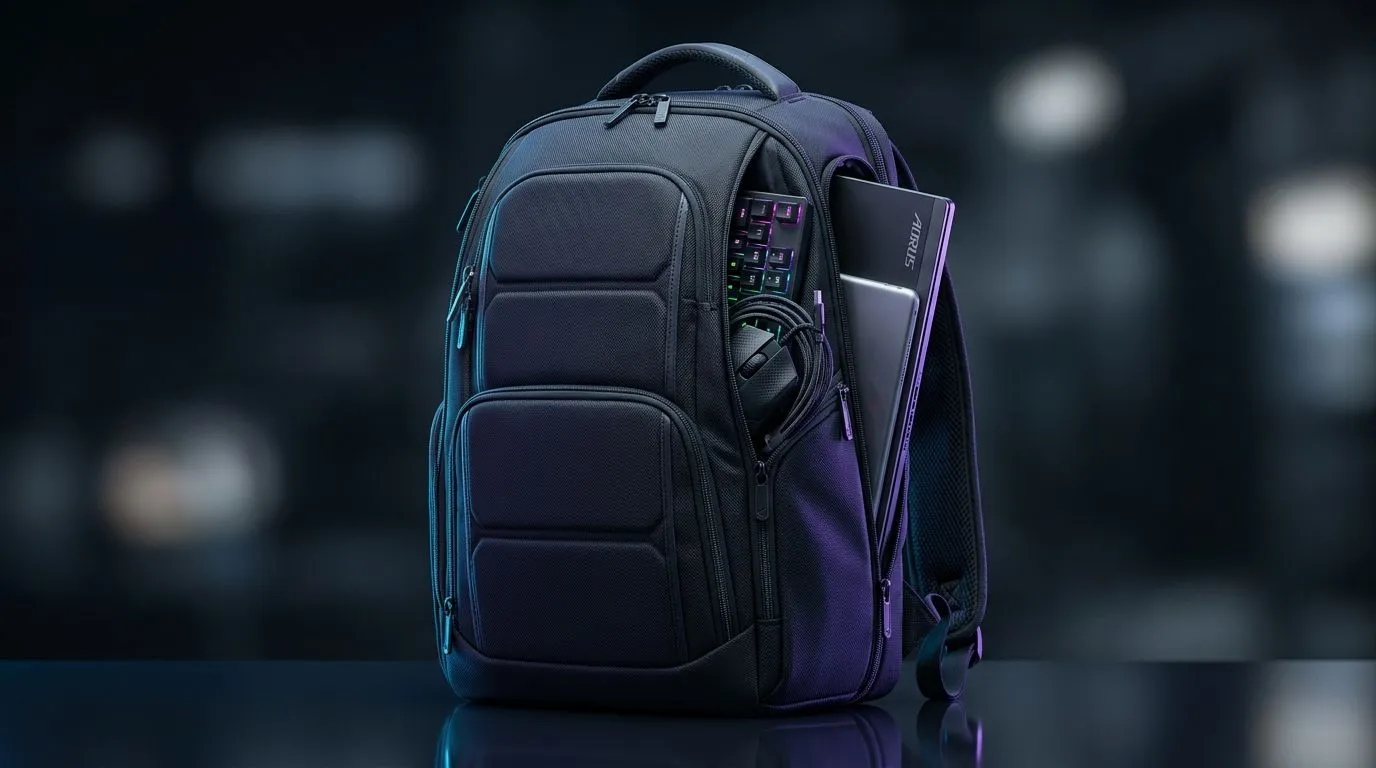
South African gamers know the struggle: keeping your pricey gear safe on the move is critical. Whether you’re heading to a tournament or a LAN with your squad, proper gaming backpack packing ensures your laptop, peripherals, and accessories stay in pristine condition. With a thoughtfully packed bag, you'll dodge scratches, jolts, and downtime. Let's dive into some top tips to maximise your gear’s protection and keep your gaming rig battle-ready. 🔧
The backbone of gear protection starts with your backpack choice. Laptop backpack designs made for gamers or tech buyers offer padded compartments tailored for laptops and gadgets. For example, check out the general selection of laptop backpacks at Evetech—they’re built with durability and convenience in mind.
If you prefer brand-specific features, brands like Promate offer sleek, compact designs with extra cushioning. Meanwhile, the HP range balances style and sturdy construction. Both give solid padding to prevent shocks on uneven roads or public transport.
Place your laptop first and secure it in its padded compartment to prevent movement. Accessories like your mouse, headset, and power bricks should follow, ideally in separate smaller pockets or padded pouches.
Use smaller mesh or zippered bags for loose cables and USB drives—this stops them from scratching your gear and getting tangled. This layering keeps your valuable hardware from rubbing against harder items or each other.
Make sure your backpack doesn’t feel heavier on one side. Spread out heavier gear towards the back panel to reduce strain on your shoulders and improve balance. This practice not only protects your gear but also keeps your back comfortable during long trips.
Wrap delicate peripherals in microfiber cloths or soft pouches. This extra layer guards against bumps and reduces noise from rattling parts during travel.
Adding foam inserts or padded dividers between your gear can create customised compartments. This prevents movement and significantly reduces the risk of damage from jolts.
South Africa's roads and public transport can be unpredictable. Protecting your gaming rig means accounting for bumpy rides and cramped spaces.
For gamers hunting for a decent yet affordable backpack, Evetech offers options from under R650. These are quality backpacks ensuring your kit is safe without breaking the bank.
Additionally, for those who want to support local tech, Evetech’s own brand backpacks combine South African craftsmanship with pragmatic designs tailored for our unique needs.
After each outing, give your backpack a quick clean and check the padding integrity. Look for tears or compressed cushioning that may no longer protect as well. Consider replacing worn bags—gear safety isn’t worth compromise.
With these actionable packing strategies and smart backpack choices, you’ll keep your gaming gear safe, comfortable to carry, and ready for every match or stream session.
Secure Your Gaming Setup Today Protect your investment with premium backpacks tailored for gaming. Shop now at Evetech to keep your gear safe and perform with confidence.
Use a dedicated padded sleeve, keep the laptop centered, and add shock-absorbing padding around it to reduce movement and impact.
Wrap the controller in a soft cloth, place it in a fixed pocket or pouch, and avoid stacking heavy items on top to prevent pressure damage.
Bundle cables with Velcro ties, use a small organizer pouch, and keep connectors protected so they do not snag or stress ports.
Yes for daily commutes—add foam or a shock-absorbing insert, especially around the laptop and any loose, hard accessories.
Use a hard-shell case or padded pouch, keep them in a top or side compartment, and separate them from heavier items.
Place the laptop first with cushioning, add heavier accessories next, then soft items last—keeping fragile items isolated from impact points.
Fill gaps with microfiber cloths or foam, secure pouches with dividers, and ensure the backpack feels snug when you shake it gently.
Headset Stock Levels in Bloemfontein: January. Current stock data & price tracking for SA buyers. See what is available and where prices are heading.
Read more
iMac for Medical Practice: Patient Management. SA-focused analysis with local pricing data, real-world insights & actionable buying advice.
Read more
RTX 5060 Fortnite Ultra Settings at 1080p: FPS. Real-world benchmark data, FPS numbers & performance analysis. What SA gamers can actually expect.
Read more
Headset Stock Levels in Cape Town: August Report. Current stock data & price tracking for SA buyers. See what is available and where prices are heading.
Read more
Eskom Load Shedding During Video Call: Solutions. SA-focused analysis with local pricing data, real-world insights & actionable buying advice.
Read more
LoL Performance on Extreme Gaming PC. Real-world benchmark data, FPS numbers & performance analysis. What SA gamers can actually expect.
Read more
MacBook Pro for Machine Learning in 2026: Can Apple Silicon Compete Detailed answer with SA data, expert analysis & practical recommendations for local buyers.

Choose the Right SATA SSD for machine learning. Step-by-step instructions with SA-specific tips, common pitfalls to avoid & expert recommendations.

Overwatch 2 Competitive Settings Servers. Tested & verified settings for best FPS and visual quality on SA hardware budgets.

League of Legends Settings for 144Hz Gaming. Tested & verified settings for best FPS and visual quality on SA hardware budgets.

Every AMD CPU Ranked for Gaming: Tier List. SA-focused analysis with local pricing data, real-world insights & actionable buying advice.

Easter Family Bundles: Monitors. Hand-picked gift ideas at every budget tier. SA pricing & Evetech availability included.

Ryzen 7 9800X3D Running 100 Degrees: Cooler. Diagnosis steps, proven fixes & when to seek professional help. SA-specific support info included.

Most Affordable Laptops : Starting from R8,000. Full parts list, Rand pricing & expected performance. Build confidently with SA-available components.

HBADA Chairs : Range and Pricing. Complete product range with SA pricing, key specs & recommendations for different budgets.

Ryzen 7 9800X3D for Music Production: Performance. Real-world benchmark data, FPS numbers & performance analysis. What SA gamers can actually expect.

Winter Cooling Management: Headsets. SA-focused analysis with local pricing data, real-world insights & actionable buying advice.

AKRacing Gaming Chair Range: Which Model Is Right. Complete product range with SA pricing, key specs & recommendations for different budgets.