


Core Ultra 5 245K Gaming Performance: Full Optimization
Core Ultra 5 245K Gaming Performance: Full. Real-world benchmark data, FPS numbers & performance analysis. What SA gamers can actually expect.
Read moreGPU Backplate Too Close: PCIe Slot Issue. Diagnosis steps, proven fixes & when to seek professional help. SA-specific support info included.
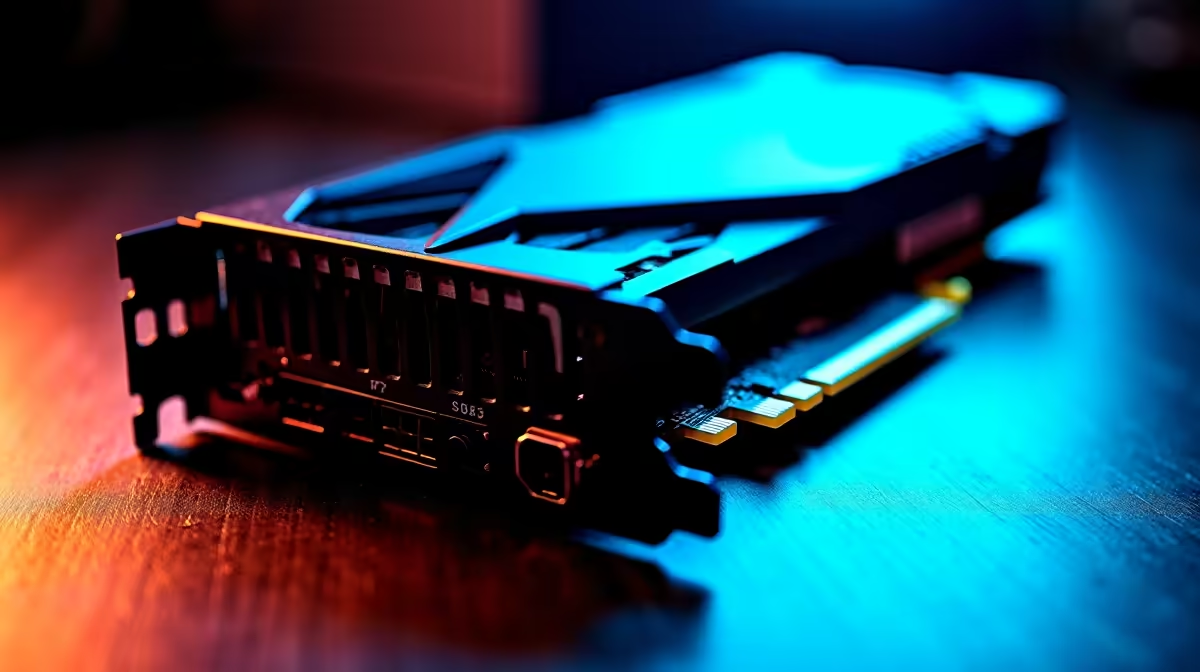
Are you upgrading your gaming rig and suddenly hitting a wall with the GPU backplate too close to your PCIe slot? This common problem can frustrate even the savviest gamers and PC builders in South Africa. A graphics card that doesn’t fit properly or blocks neighbouring slots can throttle your build’s performance or limit future upgrades. Let’s dive into how you can avoid these headaches while optimising your next GPU installation.
When the GPU backplate sits too close to the PCIe slot—or even presses against surrounding components—it might damage the slot or cause connectivity issues. South African gamers working with compact cases or high-end multi-GPU setups often encounter this. The backplate isn’t just for looks; it also protects circuits and helps cooling. But if it’s physically cramped, you risk warping the card or impairing airflow.
For those scouting for a new graphics card that fits just right, check out the detailed specs and sizes on Evetech’s buy graphics cards page. Evetech offers industry-leading brands that balance power with build-friendly dimensions to suit many PCIe layouts.
Before settling on a GPU, verify your PC case’s motherboard layout and PCIe slot spacing. Some motherboards place slots closer together for compact builds, so a thick backplate could overlap neighbouring slots or block critical connectors.
Not all graphics cards have bulky backplates. For example, some models streamline the backplate design to drop inches where every mm counts. Explore Evetech’s best gaming PC deals to find rigs optimised for component fit and airflow, with smart GPU choices already installed.
If your GPU backplate is borderline tight, try installing your GPU one slot lower to free adjacent slots. Also, consider angled PCIe risers for better clearance.
One avid Evetech customer shared how upgrading to a high-TDP GPU initially blocked two nearby PCIe slots on their mini-ITX board. By switching to a GPU from Evetech’s curated pre-built PC deals, they got a slimmer design that preserved slot access while boosting gaming performance.
If you’re juggling GPU upgrade options alongside portability or work-from-home setup needs, consider the growing range of powerful laptops offered by Evetech’s notebooks for sale section. It’s a convenient way to dodge PCIe slot conflicts altogether.
Balancing power, size, and budget is vital. Evetech’s specials give savvy South African buyers access to GPUs and components priced in ZAR that won’t cramp your build or your wallet. Stay within your limits and get a reliable rig with the right clearance for future upgrades.
Ready to Upgrade Your GPU and Avoid PCIe Slot Issues? Don’t settle for a cramped setup that throttles your rig. Shop now at Evetech for top graphic cards designed to fit your build perfectly.
GPU Backplate Too Close: PCIe Slot Issue available at Evetech.co.za with local warranty and fast delivery.
GPU Backplate Too Close: PCIe Slot Issue - check Evetech for latest stock and SA pricing.
Depends on your use case. GPU Backplate Too Close: PCIe offers good value at current Rand pricing.
Core Ultra 5 245K Gaming Performance: Full. Real-world benchmark data, FPS numbers & performance analysis. What SA gamers can actually expect.
Read more
Huawei MatePad Range : Which Model Should You Buy. Complete product range with SA pricing, key specs & recommendations for different budgets.
Read more
Are Wireless Gaming Peripherals as Good as Wired in 2026 Detailed answer with SA data, expert analysis & practical recommendations for local buyers.
Read more
Are Big And Tall Gaming Chairs Good for Long Gaming Sessions Detailed answer with SA data, expert analysis & practical recommendations for local buyers.
Read more
PCIe Bandwidth Saturation: Multiple GPU Issue. Diagnosis steps, proven fixes & when to seek professional help. SA-specific support info included.
Read more
Intel Keyboard: Value. SA-focused analysis with local pricing data, real-world insights & actionable buying advice.
Read more
MacBook Pro for Machine Learning in 2026: Can Apple Silicon Compete Detailed answer with SA data, expert analysis & practical recommendations for local buyers.

Choose the Right SATA SSD for machine learning. Step-by-step instructions with SA-specific tips, common pitfalls to avoid & expert recommendations.

Overwatch 2 Competitive Settings Servers. Tested & verified settings for best FPS and visual quality on SA hardware budgets.

League of Legends Settings for 144Hz Gaming. Tested & verified settings for best FPS and visual quality on SA hardware budgets.

Every AMD CPU Ranked for Gaming: Tier List. SA-focused analysis with local pricing data, real-world insights & actionable buying advice.

Easter Family Bundles: Monitors. Hand-picked gift ideas at every budget tier. SA pricing & Evetech availability included.

Ryzen 7 9800X3D Running 100 Degrees: Cooler. Diagnosis steps, proven fixes & when to seek professional help. SA-specific support info included.

Most Affordable Laptops : Starting from R8,000. Full parts list, Rand pricing & expected performance. Build confidently with SA-available components.

HBADA Chairs : Range and Pricing. Complete product range with SA pricing, key specs & recommendations for different budgets.

Ryzen 7 9800X3D for Music Production: Performance. Real-world benchmark data, FPS numbers & performance analysis. What SA gamers can actually expect.

Winter Cooling Management: Headsets. SA-focused analysis with local pricing data, real-world insights & actionable buying advice.

AKRacing Gaming Chair Range: Which Model Is Right. Complete product range with SA pricing, key specs & recommendations for different budgets.