


HBADA Chairs Available in South Africa 2026: Range and Pricing
HBADA Chairs : Range and Pricing. Complete product range with SA pricing, key specs & recommendations for different budgets.
Read moreIntel Arc B580 Thermal Performance: Temperature. Real-world benchmark data, FPS numbers & performance analysis. What SA gamers can actually expect.
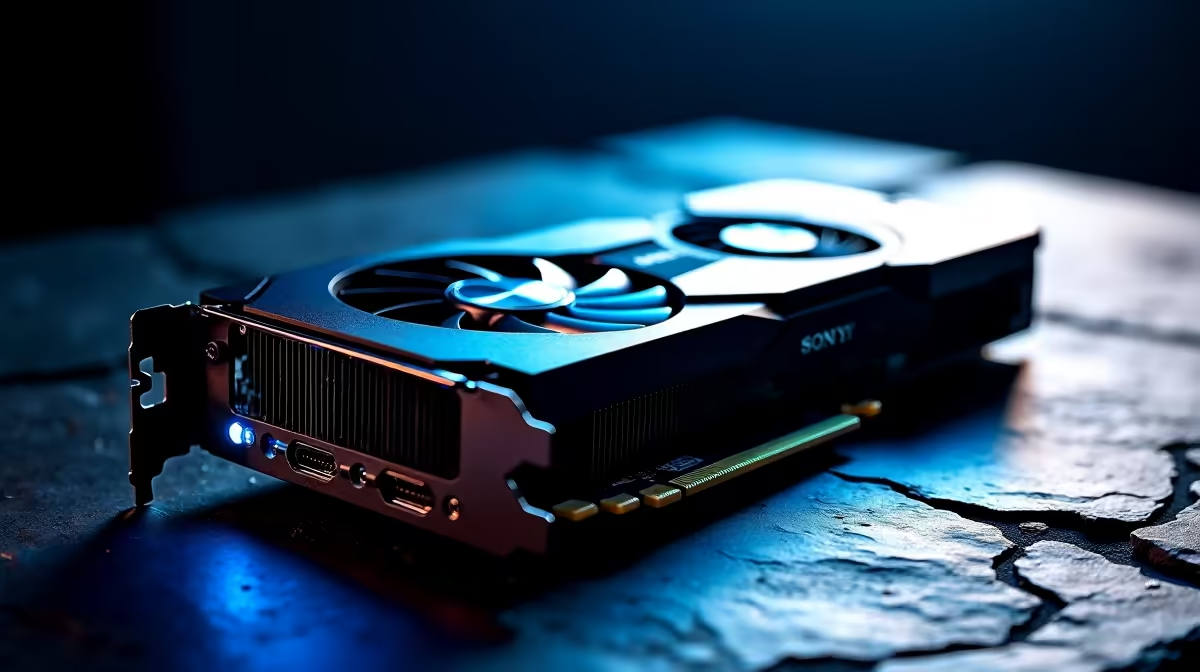
The Intel Arc B580 runs surprisingly cool for a mid-range GPU, with well-tuned thermal behaviour both at idle and under sustained load. Understanding its thermal profile helps you plan your case airflow and decide whether aftermarket cooling changes are worth the effort.
What are the Intel Arc B580's temperatures under load and at idle? At idle the Arc B580 sits between 30–40°C in a reasonably ventilated case. Under sustained full load, reference and partner board designs typically land in the 75–83°C range, which is within Intel's safe operating window and does not cause thermal throttling.
Most Arc B580 partner cards use semi-passive fan curves that stop the fans entirely below a set temperature threshold - typically around 55°C. This means at the desktop, browsing, or light productivity work, the card is completely silent and sits comfortably in the 30–40°C range depending on ambient room temperature and case airflow. South African summers can push ambient temperatures higher, so expect idle temps 3–5°C warmer during hot months compared to a climate-controlled environment.
During extended gaming sessions at 1440p, the Arc B580 typically stabilises between 75°C and 82°C depending on the specific board partner and fan curve aggressiveness. Stress tests using tools like FurMark push the card to its upper thermal ceiling, where most cards sit around 83°C before the fan curve ramps aggressively to pull temperatures back. These numbers are safe - Intel's thermal junction maximum for the Battlemage architecture sits at around 100°C, leaving substantial headroom. Clock speeds remain stable at these temperatures, confirming no thermal throttling occurs under typical gaming loads.
Case airflow has an outsized impact on Arc B580 temperatures. A case with strong front intake and rear exhaust can reduce GPU load temperatures by 5–8°C compared to a restrictive chassis. If you are building in a compact ATX or mATX case, prioritise cases with mesh front panels. Aftermarket thermal paste replacement on the GPU die is an advanced option that can shave a few degrees for enthusiasts comfortable with the process. For most users, focusing on good overall case airflow delivers the best thermal improvement per rand spent.
Does the Intel Arc B580 thermal throttle during gaming? Under typical gaming loads, the Arc B580 does not thermal throttle. Sustained temperatures in the 75–83°C range are well within safe limits and clock speeds remain stable throughout.
How loud is the Arc B580 fan under load? Fan noise depends on the specific partner board. Most cards become audible during heavy gaming but are not intrusive. Semi-passive idle mode keeps the card silent during light use, which many users appreciate in a quiet workspace.
What case should I pair with the Arc B580 for best thermals? A mid-tower with a mesh front panel and at least two front intake fans provides excellent airflow. Good case selection often matters more than any other thermal upgrade for GPU-limited systems.
Evetech stocks Intel Arc B580 Gaming PCs and All Graphics Cards — shop online with fast delivery across South Africa.
Ready to Find Your Perfect Match? Shop at Evetech
Intel Arc B580 Thermal Performance: Temp available at Evetech.co.za with local warranty and fast delivery.
Intel Arc B580 Thermal Performance: Temp - check Evetech for latest stock and SA pricing.
Depends on your use case. Intel Arc B580 Thermal Perform offers good value at current Rand pricing.
HBADA Chairs : Range and Pricing. Complete product range with SA pricing, key specs & recommendations for different budgets.
Read more
Ryzen 7 9800X3D for Music Production: Performance. Real-world benchmark data, FPS numbers & performance analysis. What SA gamers can actually expect.
Read more
Winter Cooling Management: Headsets. SA-focused analysis with local pricing data, real-world insights & actionable buying advice.
Read more
AKRacing Gaming Chair Range: Which Model Is Right. Complete product range with SA pricing, key specs & recommendations for different budgets.
Read more
Tax & Customs on Imported Cases. Practical breakdown of costs, regulations & whether it makes financial sense for SA buyers.
Read more
AMD CPU Prices Across : Q3. Current stock data & price tracking for SA buyers. See what is available and where prices are heading.
Read more
MacBook Pro for Machine Learning in 2026: Can Apple Silicon Compete Detailed answer with SA data, expert analysis & practical recommendations for local buyers.

Choose the Right SATA SSD for machine learning. Step-by-step instructions with SA-specific tips, common pitfalls to avoid & expert recommendations.

Overwatch 2 Competitive Settings Servers. Tested & verified settings for best FPS and visual quality on SA hardware budgets.

League of Legends Settings for 144Hz Gaming. Tested & verified settings for best FPS and visual quality on SA hardware budgets.

Every AMD CPU Ranked for Gaming: Tier List. SA-focused analysis with local pricing data, real-world insights & actionable buying advice.

Easter Family Bundles: Monitors. Hand-picked gift ideas at every budget tier. SA pricing & Evetech availability included.

Ryzen 7 9800X3D Running 100 Degrees: Cooler. Diagnosis steps, proven fixes & when to seek professional help. SA-specific support info included.

Most Affordable Laptops : Starting from R8,000. Full parts list, Rand pricing & expected performance. Build confidently with SA-available components.
HBADA Chairs : Range and Pricing. Complete product range with SA pricing, key specs & recommendations for different budgets.
Ryzen 7 9800X3D for Music Production: Performance. Real-world benchmark data, FPS numbers & performance analysis. What SA gamers can actually expect.
Winter Cooling Management: Headsets. SA-focused analysis with local pricing data, real-world insights & actionable buying advice.
AKRacing Gaming Chair Range: Which Model Is Right. Complete product range with SA pricing, key specs & recommendations for different budgets.