


Core Ultra 5 245K Gaming Performance: Full Optimization
Core Ultra 5 245K Gaming Performance: Full. Real-world benchmark data, FPS numbers & performance analysis. What SA gamers can actually expect.
Read moreMacBook Neo Small Business: Affordable Apple for. SA-focused analysis with local pricing data, real-world insights & actionable buying advice.
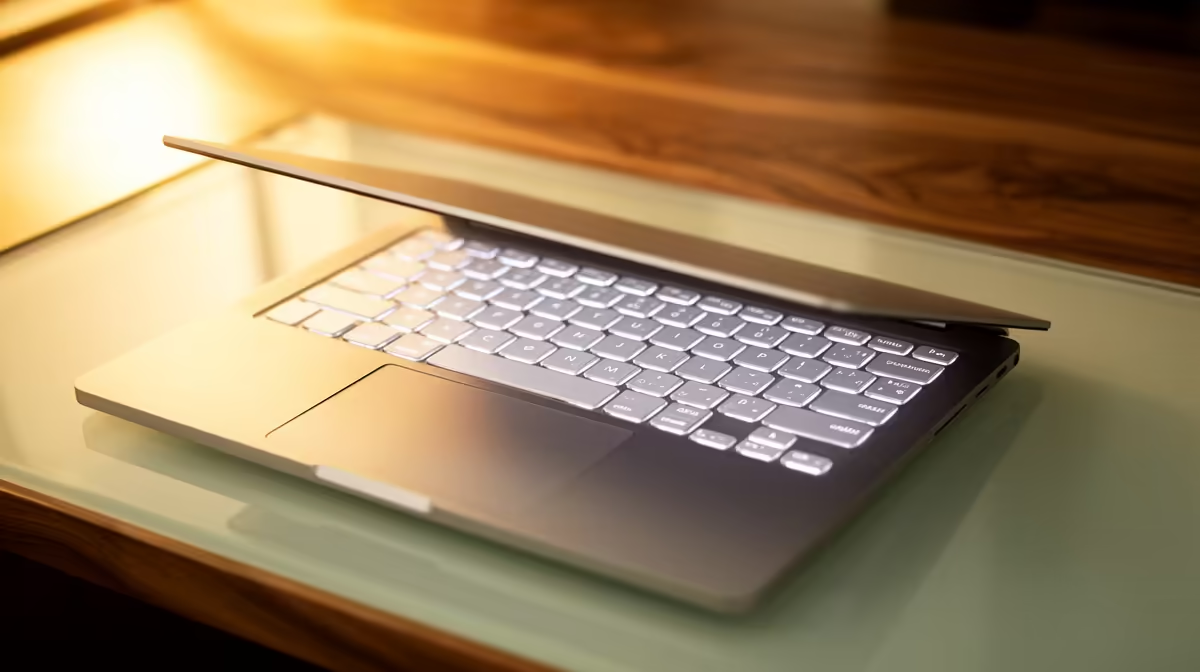
The MacBook Neo (M4, 13-inch) at R11,999 is an excellent choice for South African side hustles and small business owners who need a reliable, professional laptop without the R24,999+ price tag of larger Macs. Whether you're freelancing in design, writing, consulting, or e-commerce, the Neo delivers enough power for most small business workflows while remaining portable and affordable. Let's break down whether it's right for your specific hustle.
Freelance writers, journalists, bloggers: The Neo is perfect. Google Docs, Substack, Microsoft Word—all perform flawlessly. The 13+ hour battery means you can work at a café all day without hunting for power. Silent fanless operation keeps you professional during client Zoom calls. For R11,999, it's hard to beat.
E-commerce and online shop owners (Shopify, WooCommerce): Managing an online store involves admin dashboards (usually web-based), email, spreadsheets, and occasional video content. The Neo handles all of this easily. The 256GB storage is tight if you're storing high-resolution product photos locally, but paired with a USB-C SSD (R1,000), you're sorted.
Freelance consultants and coaches: Calendar management, email, Zoom consultations, client documentation—the Neo sails through this workload. The professional aluminium design looks polished on video calls, and the integrated webcam is better than most laptop webcams. Good first impression matters for consultants.
Graphic design and web design (light workload): This is where the Neo gets borderline. Adobe Creative Suite (Photoshop, Illustrator, InDesign) runs on the Neo, but rendering and file-saving are noticeably slower than on a MacBook Air M5. If you're doing logo design or basic social media graphics, the Neo suffices. If you're designing brand identities or handling 50MB+ PSD files, upgrade to the Air (R24,999+).
Accountants and bookkeepers (SME): Excel, Pastel, QuickBooks—all work without hiccups on the Neo. The integrated calculator and quick calculation are powerful on macOS. For SME accounting (under 500 transactions/month), the Neo is rock-solid.
Content creators (YouTube, TikTok, Instagram): Do not buy the Neo for video editing. If you're planning to edit 4K YouTube videos or create high-production-value content, the Neo's M4 will frustrate you. Rendering times are 2–3x longer than an Air M5. If you're creating short TikTok clips (720p, < 1 minute) or editing simple Instagram Reels, the Neo works. For anything longer or higher quality, save for the Air.
Morning routine (2 hours): Email (Gmail), calendar management (Google Calendar), client messaging (Slack, WhatsApp). Zero strain. Battery drops 5%.
Midday work (4 hours): Document editing (Google Docs or Word), spreadsheets (Excel/Sheets), Zoom client calls, research (10+ browser tabs). Smooth. Battery drops 20%.
Afternoon admin (2 hours): Invoicing (Wave, FreshBooks), accounting software, social media scheduling (Buffer, Later), email. All web-based, no strain. Battery drops 10%.
Evening wrap-up (1 hour): Backup files to external SSD, review daily revenue/metrics. Battery drops 5%.
Total: 9 hours of solid work, battery remaining ~60%. You can charge overnight and start fresh.
This workflow is typical for freelancers and small business owners. The Neo handles it without stress, without overheating (fanless means no thermal throttling), and without noise (no fan whirring during client calls).
256GB is adequate if:
512GB is better if:
For most SA small businesses, 256GB + external SSD (R1,000) is the smart choice. You save R3,000–R4,000 at purchase and gain flexibility with an external drive.
8GB is sufficient if:
16GB is essential if:
For consultants, writers, and e-commerce owners, 8GB is fine. For developers and designers, spend the R3,000–R4,000 extra for 16GB.
The MacBook Neo includes FileVault (full-disk encryption), built-in antivirus protection (Gatekeeper), and regular security patches via automatic macOS updates. This is standard on all Macs and requires no extra software. Your client data and business files are encrypted at rest and in transit. For most SA small businesses, this is sufficient.
For sensitive industries (legal, medical, financial), consider adding AppleCare+ (R3,500–R4,500) for 3 years of insurance against hardware failure or theft. Data loss during a hardware failure can kill a freelance business.
The MacBook Neo supports Wi-Fi 6 and Bluetooth 5, which are standard in 2026. However, SA internet reliability varies widely. If your business depends on stable connectivity (e.g., customer calls, real-time collaboration), pair your Neo with:
If you're an SA freelancer setting rates, remember that your MacBook Neo is an investment in client experience and professional image. A silent, long-battery laptop allows you to:
This justifies charging slightly premium rates vs. freelancers using budget laptops. The R11,999 investment pays for itself within 2–3 months of freelance work at professional rates.
up Time Machine backups to an external USB-C SSD the day you buy your Neo. Automatic daily backups mean if your laptop is stolen, fails, or is damaged, you can restore your entire business (client files, invoices, tax records) to a replacement device within hours. For freelancers, this is non-negotiable insurance. Cost: R1,000 for the SSD, zero per month.
The MacBook Neo at R11,999 is the right choice for most SA small business owners and freelancers. It's affordable, reliable, and professional. Unless your work is heavy video editing, 3D design, or machine learning, the Neo delivers everything you need. Spend the money you save (vs. upgrading to Air or Pro) on security, backup systems, and business growth instead.
{{CALLTOACTION:
Ready to level up your side hustle with a professional Mac?
{{CALLTOACTION:
Ready to level up your side hustle with a professional Mac? The MacBook Neo at R11,999 is the business owner's best friend. Pair it with backup storage and you're ready to work a
MacBook Neo for SA Small Business: Affor available at Evetech.co.za with local warranty and fast delivery.
MacBook Neo for SA Small Business: Affor - check Evetech for latest stock and SA pricing.
Depends on your use case. MacBook Neo for SA Small Busin offers good value at current Rand pricing.
Core Ultra 5 245K Gaming Performance: Full. Real-world benchmark data, FPS numbers & performance analysis. What SA gamers can actually expect.
Read more
Huawei MatePad Range : Which Model Should You Buy. Complete product range with SA pricing, key specs & recommendations for different budgets.
Read more
Are Wireless Gaming Peripherals as Good as Wired in 2026 Detailed answer with SA data, expert analysis & practical recommendations for local buyers.
Read more
Are Big And Tall Gaming Chairs Good for Long Gaming Sessions Detailed answer with SA data, expert analysis & practical recommendations for local buyers.
Read more
PCIe Bandwidth Saturation: Multiple GPU Issue. Diagnosis steps, proven fixes & when to seek professional help. SA-specific support info included.
Read more
Intel Keyboard: Value. SA-focused analysis with local pricing data, real-world insights & actionable buying advice.
Read more
MacBook Pro for Machine Learning in 2026: Can Apple Silicon Compete Detailed answer with SA data, expert analysis & practical recommendations for local buyers.

Choose the Right SATA SSD for machine learning. Step-by-step instructions with SA-specific tips, common pitfalls to avoid & expert recommendations.

Overwatch 2 Competitive Settings Servers. Tested & verified settings for best FPS and visual quality on SA hardware budgets.

League of Legends Settings for 144Hz Gaming. Tested & verified settings for best FPS and visual quality on SA hardware budgets.

Every AMD CPU Ranked for Gaming: Tier List. SA-focused analysis with local pricing data, real-world insights & actionable buying advice.

Easter Family Bundles: Monitors. Hand-picked gift ideas at every budget tier. SA pricing & Evetech availability included.

Ryzen 7 9800X3D Running 100 Degrees: Cooler. Diagnosis steps, proven fixes & when to seek professional help. SA-specific support info included.

Most Affordable Laptops : Starting from R8,000. Full parts list, Rand pricing & expected performance. Build confidently with SA-available components.

HBADA Chairs : Range and Pricing. Complete product range with SA pricing, key specs & recommendations for different budgets.

Ryzen 7 9800X3D for Music Production: Performance. Real-world benchmark data, FPS numbers & performance analysis. What SA gamers can actually expect.

Winter Cooling Management: Headsets. SA-focused analysis with local pricing data, real-world insights & actionable buying advice.

AKRacing Gaming Chair Range: Which Model Is Right. Complete product range with SA pricing, key specs & recommendations for different budgets.