


Headset Stock Levels in Bloemfontein: January 2026 Report
Headset Stock Levels in Bloemfontein: January. Current stock data & price tracking for SA buyers. See what is available and where prices are heading.
Read moreMacBook Overheating? Causes and Fixes for Every. SA-focused analysis with local pricing data, real-world insights & actionable buying advice.
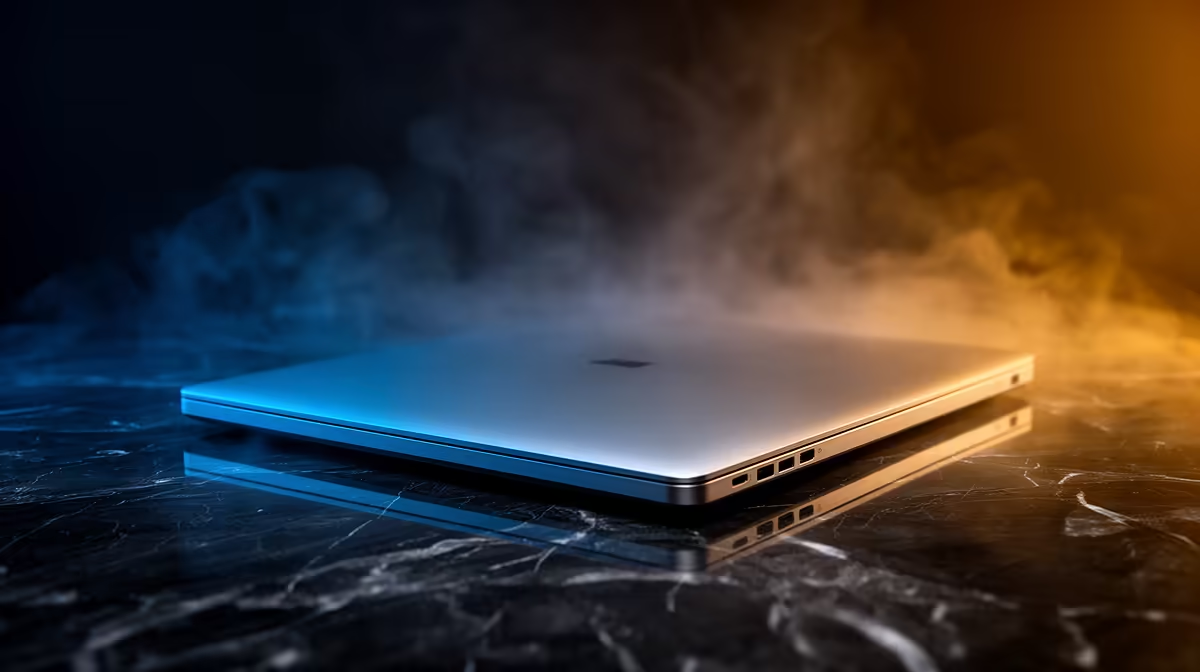
South African gamers and tech buyers, does your MacBook heat up like it’s training for a marathon? Overheating isn’t just uncomfortable—it can slow your device, risk damage, and disrupt your work or gameplay sessions. Whether you own a MacBook Air or Pro, understanding why your MacBook overheats is the first step to keeping it cool and performing optimally.
Factors like intense processor workloads, blocked vents, and ageing thermal paste typically cause overheating. To prevent your Mac from burning out, you need clear fixes tailored for every model. Let’s explore what’s behind those rising temperatures and how you can keep your MacBook running cool 🔧.
MacBooks use different cooling designs depending on the model and year. For instance, newer MacBook Airs rely on passive cooling without fans—great for silence but tricky under heavy tasks. The MacBook Pro has active fans but tight internals can still heat up under pressure.
If you game or edit videos on your Mac, know this: macOS throttles performance when the chip hits a temperature limit. It protects hardware but hinders your experience. So, pinpoint the overheating cause first—software strain, clogged vents, or hardware failure—to find the best fix.
Your Mac needs free airflow to cool properly. Using it on soft surfaces like beds or laps can block vents, causing heat buildup. Try placing your MacBook on hard, flat surfaces to allow air to circulate. A simple cooling pad can also help lower temperatures during heavy sessions.
Check your Activity Monitor for apps hogging CPU or memory. Background processes and browser tabs can stress your Mac silently. Closing unnecessary apps reduces heat and improves battery life. Even Safari can become a resource monster if overloaded with tabs.
Older MacBooks may dry out their thermal paste—the compound transferring heat from chips to the heatsink. Replacing it is a task for certified technicians but can dramatically improve heat dissipation. If your MacBook is years old, this service might be well worth it.
If you’re on the hunt for cooling-friendly gear, consider checking out the best gaming PC deals at Evetech. A well-cooled desktop or laptop designed for heavy use can take the pressure off your MacBook when gaming or streaming.
Raise your MacBook’s rear slightly using a stand or even a book. This little lift improves airflow beneath and can instantly drop temperatures by a few degrees. Also, lowering screen brightness when possible reduces heat from the display components.
Sometimes repairs aren’t enough, especially if you own an older MacBook model struggling with modern tasks. Evetech offers a wide range of new notebooks for sale in South Africa, including powerful laptops that handle heat efficiently.
Alternatively, if your workload involves heavy multitasking, video editing, or gaming, consider building or purchasing a custom rig. Browse our pre-built PC deals to find options optimised for performance and cooling.
Graphics cards generate a lot of heat but investing in a good GPU with efficient cooling does wonders. Upgrade your system with the latest graphics cards available to keep gaming temperatures in check and enjoy smoother gameplay.
Evetech often runs specials that include cooling pads, laptop stands, and performance parts. These deals are perfect for gamers and professionals looking to optimise their setups without breaking the bank.
Keep Your MacBook Cool and Powerful Don’t let overheating slow you down. Shop now at Evetech for laptops and gear that stay cool under pressure and perform at their peak.
MacBook Overheating? Causes and Fixes fo available at Evetech.co.za with local warranty and fast delivery.
MacBook Overheating? Causes and Fixes fo - check Evetech for latest stock and SA pricing.
Depends on your use case. MacBook Overheating? Causes an offers good value at current Rand pricing.
Headset Stock Levels in Bloemfontein: January. Current stock data & price tracking for SA buyers. See what is available and where prices are heading.
Read more
iMac for Medical Practice: Patient Management. SA-focused analysis with local pricing data, real-world insights & actionable buying advice.
Read more
RTX 5060 Fortnite Ultra Settings at 1080p: FPS. Real-world benchmark data, FPS numbers & performance analysis. What SA gamers can actually expect.
Read more
Headset Stock Levels in Cape Town: August Report. Current stock data & price tracking for SA buyers. See what is available and where prices are heading.
Read more
Eskom Load Shedding During Video Call: Solutions. SA-focused analysis with local pricing data, real-world insights & actionable buying advice.
Read more
LoL Performance on Extreme Gaming PC. Real-world benchmark data, FPS numbers & performance analysis. What SA gamers can actually expect.
Read more
MacBook Pro for Machine Learning in 2026: Can Apple Silicon Compete Detailed answer with SA data, expert analysis & practical recommendations for local buyers.

Choose the Right SATA SSD for machine learning. Step-by-step instructions with SA-specific tips, common pitfalls to avoid & expert recommendations.

Overwatch 2 Competitive Settings Servers. Tested & verified settings for best FPS and visual quality on SA hardware budgets.

League of Legends Settings for 144Hz Gaming. Tested & verified settings for best FPS and visual quality on SA hardware budgets.

Every AMD CPU Ranked for Gaming: Tier List. SA-focused analysis with local pricing data, real-world insights & actionable buying advice.

Easter Family Bundles: Monitors. Hand-picked gift ideas at every budget tier. SA pricing & Evetech availability included.

Ryzen 7 9800X3D Running 100 Degrees: Cooler. Diagnosis steps, proven fixes & when to seek professional help. SA-specific support info included.

Most Affordable Laptops : Starting from R8,000. Full parts list, Rand pricing & expected performance. Build confidently with SA-available components.

HBADA Chairs : Range and Pricing. Complete product range with SA pricing, key specs & recommendations for different budgets.

Ryzen 7 9800X3D for Music Production: Performance. Real-world benchmark data, FPS numbers & performance analysis. What SA gamers can actually expect.

Winter Cooling Management: Headsets. SA-focused analysis with local pricing data, real-world insights & actionable buying advice.

AKRacing Gaming Chair Range: Which Model Is Right. Complete product range with SA pricing, key specs & recommendations for different budgets.