


Core Ultra 5 245K Gaming Performance: Full Optimization
Core Ultra 5 245K Gaming Performance: Full. Real-world benchmark data, FPS numbers & performance analysis. What SA gamers can actually expect.
Read morePlug and play adapters for South African classrooms and boardrooms make setup quicker, reduce cable fuss, and help you connect devices with confidence 📚✅. Great for lessons, presentations, and hybrid teaching.
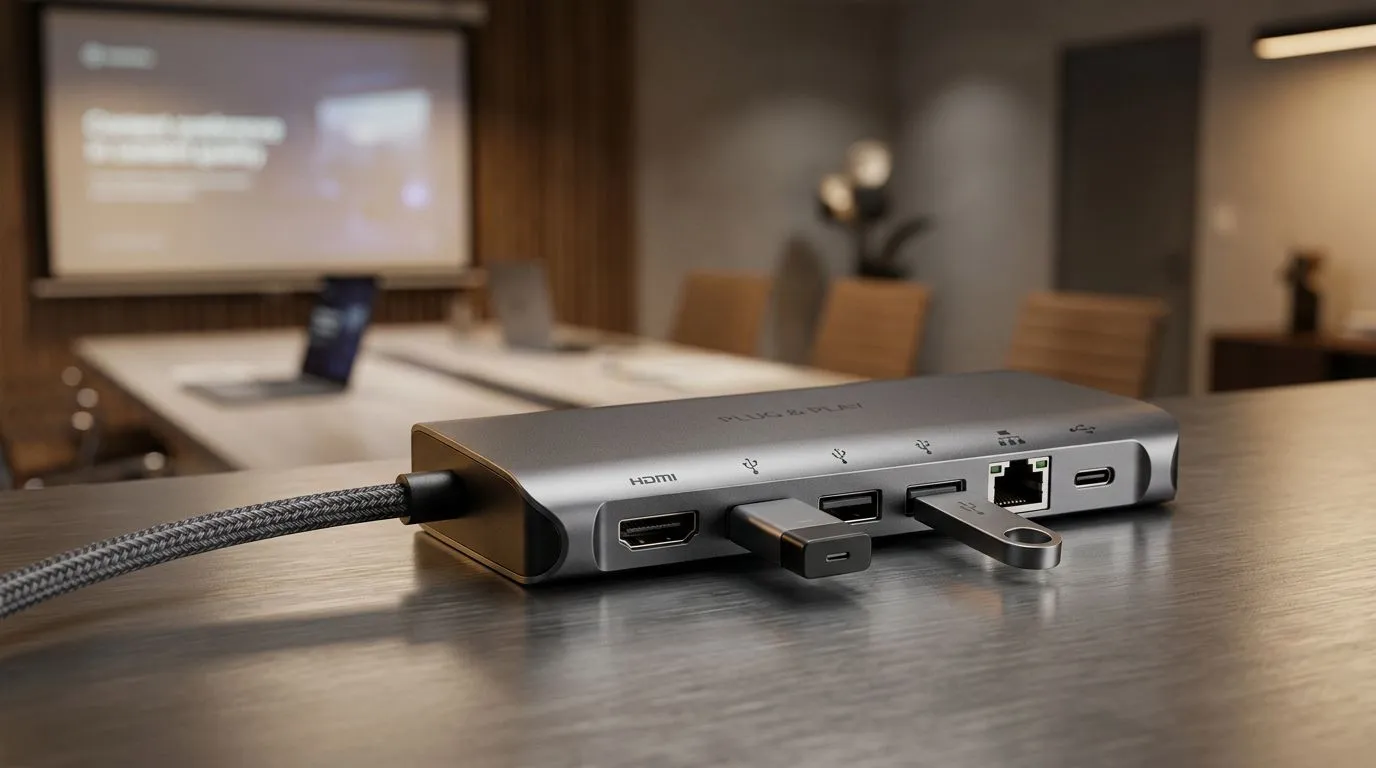
If you’ve ever tried to connect a laptop, tablet, or desktop to a classroom projector or interactive display… and it all worked until it didn’t, you’ll get this. South African schools are often modernising hardware while keeping existing AV equipment. That’s where plug and play adapters for South African classrooms matter. They reduce cable chaos, cut downtime, and help you standardise what you roll out across grades.
In this Daily Drop, we’ll break down what to look for, which adapters are most useful locally, and how to avoid the “wrong port” mistake that costs you a full lesson.
“Plug and play” should mean you can connect and the device recognises the signal without installing extra drivers or hunting through settings. In practice, it depends on three things:
A common classroom scenario: a teacher shows a slideshow from a laptop, then switches to a video. If the adapter or port doesn’t support the display format, you’ll get black screens or “No Signal” prompts. The goal is to keep it simple and repeatable across devices.
For most classroom displays in South Africa, HDMI is the safest target. Many teachers and learners use Windows laptops, which usually output HDMI or can output video over USB-C that supports DisplayPort Alt Mode (more on that below).
For buyers: prefer adapters that clearly state they support the common display standard you need. If you’re not sure what your school uses, check the back of the projector or interactive screen. Ports are usually printed in plain sight.
USB-C is the most flexible port in many modern classrooms. But not every USB-C port behaves the same. You want a USB-C port that can carry video. On laptops, that capability is often referred to as DisplayPort Alt Mode.
If your laptop supports Alt Mode, a USB-C to HDMI adapter is usually the cleanest “one cable” setup. If it doesn’t, that same adapter won’t magically create an HDMI signal.
On Windows laptops, open Settings → System → Display after connecting your adapter. Then use Multiple displays to choose Duplicate for teaching, or Extend for grading and note-taking. This prevents the dreaded first-minute scramble where the projector stays on the previous screen layout.
Before assembly day, test the exact combination:
Even a 3-minute test can save you from 30 minutes of downtime.
Classrooms don’t fail because technology is “too hard”. They fail because cables are inconsistent. The best adapter strategy is the boring one: standardise.
Here’s what we recommend for schools and admin teams:
If you manage multiple classes, it’s worth treating adapters like consumables. They get borrowed, moved, and occasionally dropped. A small, organised stock prevents disruption when the unexpected happens.
Start with the ports you actually have:
If your devices are mixed, a curated set of the most common plug and play adapters will cover most situations.
For accessory shopping, you can browse ideas like these here:
When you’re buying plug and play adapters for South African classrooms, verify:
If you’re choosing for a school, don’t just buy one “maybe it works” adapter. Buy the adapter that matches the dominant classroom standard. That’s how you get consistent results across staff and learners.
Want a quick way to avoid returns? Match connector types first, then confirm video capability second. Most issues trace back to connector mismatch or USB-C that only charges.
Once you’ve got the right adapter types, the benefits show up immediately:
And when tech is stable, teachers can focus on teaching, not troubleshooting.
Ready to Find Your Perfect Match? The Mac vs Windows debate is complex, but for maximum power, choice, and value in South Africa, Windows is hard to beat. Explore our massive range of laptop specials and find the perfect machine to conquer your world.
Plug and play adapters simplify projector and display connections in classrooms, reducing setup time and helping teachers get presentations working fast.
Yes. Plug and play adapters are designed to connect common devices reliably, making them a practical fit for South African classrooms and boardrooms.
A plug and play HDMI or USB C to HDMI adapter is often best for projector connection adapters, especially when moving between laptops and displays.
Match your laptop or device output (USB C, HDMI, DisplayPort, or VGA) to your screen input. Confirm supported resolutions for smooth results.
Many VGA to HDMI plug and play adapters are driver-free, but performance depends on the adapter model and supported video standards.
They help reliability by minimizing configuration steps, which reduces the chance of connection errors during presentations and calls.
Yes. Plug and play adapters support hybrid teaching by quickly connecting laptops, external monitors, and projectors for online and in-room sessions.
Core Ultra 5 245K Gaming Performance: Full. Real-world benchmark data, FPS numbers & performance analysis. What SA gamers can actually expect.
Read more
Huawei MatePad Range : Which Model Should You Buy. Complete product range with SA pricing, key specs & recommendations for different budgets.
Read more
Are Wireless Gaming Peripherals as Good as Wired in 2026 Detailed answer with SA data, expert analysis & practical recommendations for local buyers.
Read more
Are Big And Tall Gaming Chairs Good for Long Gaming Sessions Detailed answer with SA data, expert analysis & practical recommendations for local buyers.
Read more
PCIe Bandwidth Saturation: Multiple GPU Issue. Diagnosis steps, proven fixes & when to seek professional help. SA-specific support info included.
Read more
Intel Keyboard: Value. SA-focused analysis with local pricing data, real-world insights & actionable buying advice.
Read more
MacBook Pro for Machine Learning in 2026: Can Apple Silicon Compete Detailed answer with SA data, expert analysis & practical recommendations for local buyers.

Choose the Right SATA SSD for machine learning. Step-by-step instructions with SA-specific tips, common pitfalls to avoid & expert recommendations.

Overwatch 2 Competitive Settings Servers. Tested & verified settings for best FPS and visual quality on SA hardware budgets.

League of Legends Settings for 144Hz Gaming. Tested & verified settings for best FPS and visual quality on SA hardware budgets.

Every AMD CPU Ranked for Gaming: Tier List. SA-focused analysis with local pricing data, real-world insights & actionable buying advice.

Easter Family Bundles: Monitors. Hand-picked gift ideas at every budget tier. SA pricing & Evetech availability included.

Ryzen 7 9800X3D Running 100 Degrees: Cooler. Diagnosis steps, proven fixes & when to seek professional help. SA-specific support info included.

Most Affordable Laptops : Starting from R8,000. Full parts list, Rand pricing & expected performance. Build confidently with SA-available components.

HBADA Chairs : Range and Pricing. Complete product range with SA pricing, key specs & recommendations for different budgets.

Ryzen 7 9800X3D for Music Production: Performance. Real-world benchmark data, FPS numbers & performance analysis. What SA gamers can actually expect.

Winter Cooling Management: Headsets. SA-focused analysis with local pricing data, real-world insights & actionable buying advice.

AKRacing Gaming Chair Range: Which Model Is Right. Complete product range with SA pricing, key specs & recommendations for different budgets.