


Core Ultra 5 245K Gaming Performance: Full Optimization
Core Ultra 5 245K Gaming Performance: Full. Real-world benchmark data, FPS numbers & performance analysis. What SA gamers can actually expect.
Read moreRTX 4060 Crimson Desert Competitive Settings. Real-world benchmark data, FPS numbers & performance analysis. What SA gamers can actually expect.
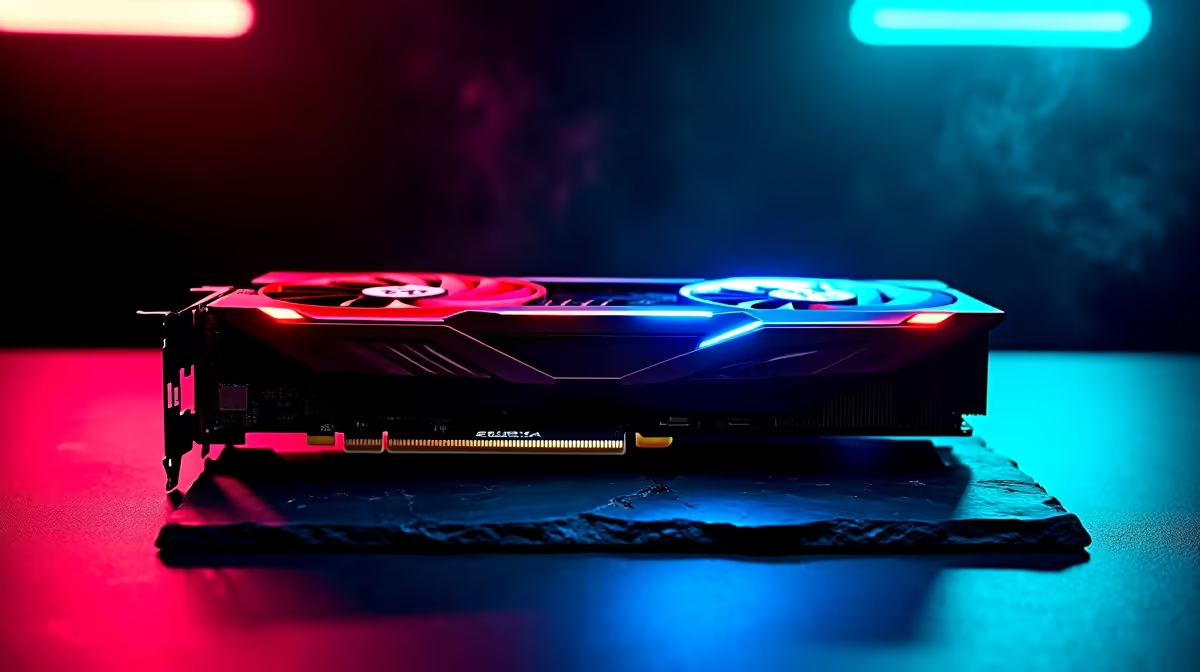
Crimson Desert is finally dropping, bringing a brutal open world that will absolutely punish older hardware. If you are running an RTX 4060, you might be wondering if it can handle the chaos of Pywel at 1080p. As we step into 2026, optimising your hardware is more critical than ever. We tested the highly anticipated RPG to find the sweet spot between visual fidelity and frame rates. Let us dive into the ultimate RTX 4060 Crimson Desert competitive settings for smooth gameplay.
Pearl Abyss has built a gorgeous but demanding engine. To get those crucial frames during intense mercenary battles, you need to optimise smartly. For South African gamers looking to maximise their ZAR, the RTX 4060 offers incredible value. However, pushing every single graphical slider to ultra will quickly tank your FPS.
Instead, we focus on competitive settings that keep the game looking crisp while maintaining a steady 60+ FPS. If your current rig is struggling to even boot the game, it might be time to upgrade your graphics card to handle modern 2026 titles.
For the best RTX 4060 Crimson Desert FPS results in 2026, start by setting your resolution to native 1080p. Turn on DLSS 3 with Frame Generation... this is where the RTX 40-series architecture truly shines. Set your DLSS to 'Quality' mode. You will barely notice a drop in visual clarity, but your frame rate will jump significantly.
Mobile gamers are not left out either. Modern gaming laptops available in South Africa equipped with RTX 4060 GPUs deliver remarkably similar performance to their desktop counterparts, making them perfect for gaming on the go.
Drop volumetric clouds and shadow quality down to medium. These settings are notorious resource hogs in massive open-world RPGs. Keep texture quality on high to appreciate the intricate armour details without maxing out your 8GB VRAM limit. Water physics and tessellation should also be kept on standard settings to ensure stability.
Turn off motion blur and depth of field. These cinematic effects look great in trailers but hinder your reaction time during boss fights. If tweaking settings sounds like too much hard work, you can always grab one of our premium gaming PC deals that come pre-optimised for modern heavyweights.
Always enable NVIDIA Reflex when using Frame Generation in Crimson Desert. It drastically reduces system latency, ensuring your parries and dodges register instantly during fast-paced combat sequences.
So, what are the final numbers? With these competitive settings, the RTX 4060 comfortably pushes between 75 and 90 FPS at 1080p. In crowded villages, it might dip closer to 65 FPS, but combat remains incredibly fluid. Your 1% lows should hover around the 55 FPS mark, meaning you will not experience jarring stutters when unleashing heavy magic attacks.
If you want guaranteed frame rates without the stress of building it yourself, exploring our latest pre-built PC setups is a smart move. Do not forget to keep an eye out for exclusive tech specials to score a massive ZAR saving on your next big upgrade.
Ready to Conquer Pywel? Crimson Desert demands serious hardware for the best experience. Whether you need a fresh GPU or a complete system overhaul, Evetech has the best prices in South Africa. Explore our massive range of gaming PC specials and find the perfect machine to conquer your world.
RTX 4060 Crimson Desert Competitive Sett available at Evetech.co.za with local warranty and fast delivery.
RTX 4060 Crimson Desert Competitive Sett - check Evetech for latest stock and SA pricing.
Depends on your use case. RTX 4060 Crimson Desert Compet offers good value at current Rand pricing.
Core Ultra 5 245K Gaming Performance: Full. Real-world benchmark data, FPS numbers & performance analysis. What SA gamers can actually expect.
Read more
Huawei MatePad Range : Which Model Should You Buy. Complete product range with SA pricing, key specs & recommendations for different budgets.
Read more
Are Wireless Gaming Peripherals as Good as Wired in 2026 Detailed answer with SA data, expert analysis & practical recommendations for local buyers.
Read more
Are Big And Tall Gaming Chairs Good for Long Gaming Sessions Detailed answer with SA data, expert analysis & practical recommendations for local buyers.
Read more
PCIe Bandwidth Saturation: Multiple GPU Issue. Diagnosis steps, proven fixes & when to seek professional help. SA-specific support info included.
Read more
Intel Keyboard: Value. SA-focused analysis with local pricing data, real-world insights & actionable buying advice.
Read more
MacBook Pro for Machine Learning in 2026: Can Apple Silicon Compete Detailed answer with SA data, expert analysis & practical recommendations for local buyers.

Choose the Right SATA SSD for machine learning. Step-by-step instructions with SA-specific tips, common pitfalls to avoid & expert recommendations.

Overwatch 2 Competitive Settings Servers. Tested & verified settings for best FPS and visual quality on SA hardware budgets.

League of Legends Settings for 144Hz Gaming. Tested & verified settings for best FPS and visual quality on SA hardware budgets.

Every AMD CPU Ranked for Gaming: Tier List. SA-focused analysis with local pricing data, real-world insights & actionable buying advice.

Easter Family Bundles: Monitors. Hand-picked gift ideas at every budget tier. SA pricing & Evetech availability included.

Ryzen 7 9800X3D Running 100 Degrees: Cooler. Diagnosis steps, proven fixes & when to seek professional help. SA-specific support info included.

Most Affordable Laptops : Starting from R8,000. Full parts list, Rand pricing & expected performance. Build confidently with SA-available components.

HBADA Chairs : Range and Pricing. Complete product range with SA pricing, key specs & recommendations for different budgets.

Ryzen 7 9800X3D for Music Production: Performance. Real-world benchmark data, FPS numbers & performance analysis. What SA gamers can actually expect.

Winter Cooling Management: Headsets. SA-focused analysis with local pricing data, real-world insights & actionable buying advice.

AKRacing Gaming Chair Range: Which Model Is Right. Complete product range with SA pricing, key specs & recommendations for different budgets.