

Core Ultra 5 245K Gaming Performance: Full Optimization
Core Ultra 5 245K Gaming Performance: Full. Real-world benchmark data, FPS numbers & performance analysis. What SA gamers can actually expect.
Read moreRTX 5060 Ti Thermal Throttling: Temperature Fix. Causes, detection methods & cooling solutions to keep your hardware at safe temps in SA.
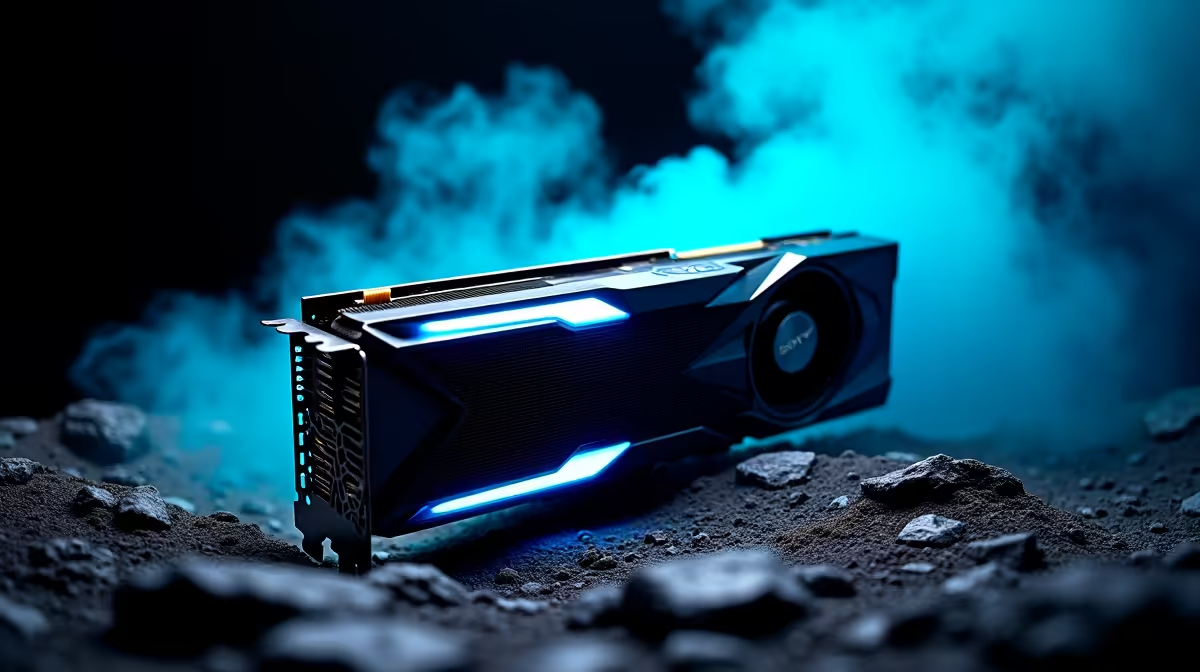
RTX 5060 Ti thermal throttling happens when the GPU core temperature exceeds 83 to 88 degrees Celsius under sustained load, causing the card to reduce clock speeds to protect itself. The fix involves improving case airflow, reapplying thermal paste on older cards, and ensuring the GPU fans are not obstructed. Most thermal throttling issues on the RTX 5060 Ti are resolved by addressing case ventilation rather than the card itself.
Before attempting any fix, confirm that thermal throttling is actually occurring. Download GPU-Z or MSI Afterburner and monitor the following values while running a demanding game or benchmark for 10 to 15 minutes: GPU Temperature, GPU Clock, and Power Limit Throttle or Thermal Throttle status in the readings panel.
If the GPU clock drops noticeably (for example, from 2800MHz down to 2400MHz or lower) while the temperature simultaneously sits at 83 degrees Celsius or above, thermal throttling is confirmed. If clocks drop but temperature is low and the Power Limit value is at 100 percent, you may have a power limit throttle rather than a thermal issue, which requires a different approach.
The RTX 5060 Ti junction temperature (the hotspot reading, not the die average) can run 10 to 20 degrees Celsius above the average GPU temperature shown in most tools. Some throttle triggers are based on junction temperature, so a card showing 78 degrees average may have a 95 degree hotspot that triggers throttling.
The majority of RTX 5060 Ti thermal throttling complaints trace back to poor case airflow rather than a faulty card. The RTX 5060 Ti uses a dual-fan blower or dual-fan open-air cooler depending on the AIB variant. Open-air cooler designs exhaust heat into the case interior, which requires the case to remove that heat via exhaust fans.
Check that your case has at least one front or side intake fan and one rear exhaust fan. If you have only one fan in total or have intake and exhaust fans on the same side, airflow is recirculating hot air and temperatures will climb under sustained load. Add fans so that cool air enters from the front or bottom and exits from the rear and top.
For South African summer conditions with ambient temperatures above 30 degrees Celsius, adequate cooling requires more than the minimum fan configuration. Three intake fans at the front and two exhaust at the rear and top is a practical configuration for year-round thermal headroom on a system with an RTX 5060 Ti.
Loadshedding causes additional thermal stress because frequent power cycles during generator switchover can cause incomplete fan spin-up sequences. Monitor fan speeds in GPU-Z to confirm the GPU fans are reaching full speed under load and not stalling.
Undervolting the RTX 5060 Ti reduces the voltage the card uses to sustain its boost clocks without reducing performance in most cases. Using MSI Afterburner, open the Voltage/Frequency curve editor, find the voltage point that corresponds to around 950mV to 1000mV, and drag all points to the right of that voltage down to the same frequency value. Apply and test with a benchmark. If stable, reduce voltage slightly further until instability appears, then add 25mV back as a safety margin.
A successful undervolt on the RTX 5060 Ti typically reduces temperatures by 5 to 12 degrees Celsius under sustained load while maintaining 95 to 100 percent of the original performance. This is the recommended approach for users who want the best combination of thermal performance and clock speed without replacing their case fans.
Does thermal throttling damage the RTX 5060 Ti permanently? No. Thermal throttling is a protection mechanism, not a damage event. The GPU reduces performance to stay within safe temperature limits. Sustained operation near throttle limits over years can contribute to accelerated component aging, but a card throttling occasionally under peak gaming load is not being damaged.
Can I fix thermal throttling by increasing fan speed in Afterburner? Yes, a custom fan curve that increases fan speed earlier and more aggressively keeps temperatures lower. Set the fans to reach 80 percent speed at 70 degrees Celsius rather than waiting for the default curve to ramp them up at 80 degrees. The trade-off is more fan noise, but temperatures drop by 5 to 8 degrees in most cases.
Should I repaste the RTX 5060 Ti if it is new? Not immediately. Factory thermal paste on a new card is typically sufficient for its warranty period. Repasting is recommended if the card is over two years old and temperatures have increased compared to when it was new, or if you purchased the card second-hand and have no history of its thermal paste condition.
Ready to Find Your Perfect Match? Upgrade to a cooler, more powerful GPU and browse the full Nvidia graphics card range at Evetech.
RTX 5060 Ti Thermal Throttling: Temperat available at Evetech.co.za with local warranty and fast delivery.
RTX 5060 Ti Thermal Throttling: Temperat - check Evetech for latest stock and SA pricing.
Depends on your use case. RTX 5060 Ti Thermal Throttling offers good value at current Rand pricing.
Core Ultra 5 245K Gaming Performance: Full. Real-world benchmark data, FPS numbers & performance analysis. What SA gamers can actually expect.
Read more
Huawei MatePad Range : Which Model Should You Buy. Complete product range with SA pricing, key specs & recommendations for different budgets.
Read more
Are Wireless Gaming Peripherals as Good as Wired in 2026 Detailed answer with SA data, expert analysis & practical recommendations for local buyers.
Read more
Are Big And Tall Gaming Chairs Good for Long Gaming Sessions Detailed answer with SA data, expert analysis & practical recommendations for local buyers.
Read more
PCIe Bandwidth Saturation: Multiple GPU Issue. Diagnosis steps, proven fixes & when to seek professional help. SA-specific support info included.
Read more
Intel Keyboard: Value. SA-focused analysis with local pricing data, real-world insights & actionable buying advice.
Read more
MacBook Pro for Machine Learning in 2026: Can Apple Silicon Compete Detailed answer with SA data, expert analysis & practical recommendations for local buyers.

Choose the Right SATA SSD for machine learning. Step-by-step instructions with SA-specific tips, common pitfalls to avoid & expert recommendations.

Overwatch 2 Competitive Settings Servers. Tested & verified settings for best FPS and visual quality on SA hardware budgets.

League of Legends Settings for 144Hz Gaming. Tested & verified settings for best FPS and visual quality on SA hardware budgets.

Every AMD CPU Ranked for Gaming: Tier List. SA-focused analysis with local pricing data, real-world insights & actionable buying advice.

Easter Family Bundles: Monitors. Hand-picked gift ideas at every budget tier. SA pricing & Evetech availability included.

Ryzen 7 9800X3D Running 100 Degrees: Cooler. Diagnosis steps, proven fixes & when to seek professional help. SA-specific support info included.

Most Affordable Laptops : Starting from R8,000. Full parts list, Rand pricing & expected performance. Build confidently with SA-available components.

HBADA Chairs : Range and Pricing. Complete product range with SA pricing, key specs & recommendations for different budgets.

Ryzen 7 9800X3D for Music Production: Performance. Real-world benchmark data, FPS numbers & performance analysis. What SA gamers can actually expect.

Winter Cooling Management: Headsets. SA-focused analysis with local pricing data, real-world insights & actionable buying advice.

AKRacing Gaming Chair Range: Which Model Is Right. Complete product range with SA pricing, key specs & recommendations for different budgets.