


Headset Stock Levels in Bloemfontein: January 2026 Report
Headset Stock Levels in Bloemfontein: January. Current stock data & price tracking for SA buyers. See what is available and where prices are heading.
Read moreRTX 5070 + Core Ultra 9 285K Combo Compatibility. Diagnosis steps, proven fixes & when to seek professional help. SA-specific support info included.
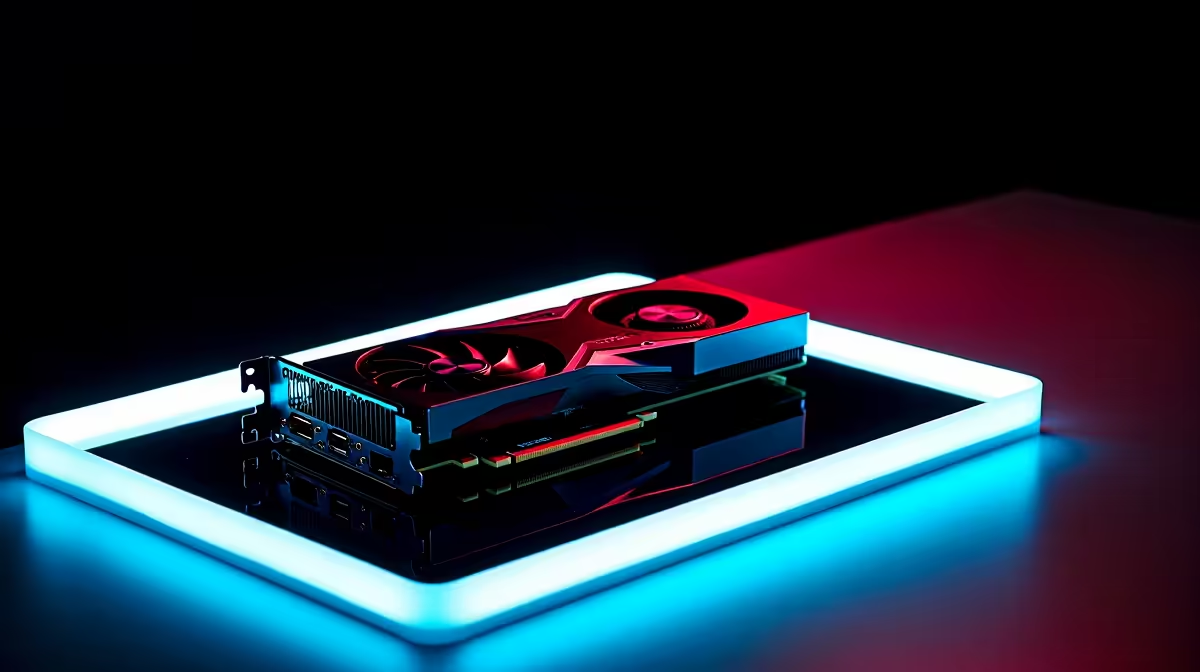
South African gamers hitting a bottleneck with your RTX 5070 and Core Ultra 9 285K setup? You’re not alone. This combo promises power but can run into compatibility hiccups that throttle your performance and cause frustrating crashes. Let’s unpack how to fix these issues so you can maximise your PC’s full potential without compromise. The right tweaks will get your rig firing at peak efficiency in no time. 🔧
Compatibility issues with the RTX 5070 paired to your Core Ultra 9 285K often stem from firmware conflicts or driver mismatches. These two high-tier components must align perfectly on BIOS and chipset support to sync well. An outdated motherboard BIOS or improper GPU driver installations can lead to system crashes, artefacts in games, and reduced frame rates.
Upgrading your system’s BIOS ensures it recognises the latest PCIe standards and optimises resource allocation between the CPU and graphics card. Evetech customers commonly find that flashing the newest BIOS from the motherboard vendor’s website solves many of these syncing problems.
If you’re still looking to upgrade your gaming core, explore our range of processors built to handle advanced GPUs like the RTX 5070 flawlessly.
Start by downloading the latest drivers directly from NVIDIA’s website—generic drivers can cause unexpected errors. Also check if your RTX 5070 has a firmware update available via manufacturer tools. Keeping software current smooths out compatibility kinks and often adds performance boosts.
A stable, high-quality power supply is critical. The RTX 5070 is power-hungry, especially under load, so any shortage can cause random shutdowns or reboot loops. Evetech’s selection of certified PC components includes PSUs designed to meet high demand. Consider upgrading if your power solution is below 650W or low-efficiency.
Older BIOS versions often lack optimisations for the latest CPUs and GPUs. Update to the latest stable BIOS version recommended by your motherboard manufacturer. This often resolves PCIe compatibility conflicts impacting your RTX 5070 and Core Ultra 9 285K synergy.
Disable unnecessary background apps and ensure your power plan is set to 'High Performance'. This frees up resources and prevents throttling during intense gaming sessions.
Lower your fan curve by 5 % to shave off 2 °C... quieter rig, same FPS. A well-ventilated case reduces thermal throttling which can mimic compatibility issues.
For those looking to upgrade or replace parts, Evetech offers a curated range of graphics cards compatible with the Core Ultra 9 285K platform and ready for future-proofing your PC build.
You might also check our pre-built PC deals that resolve these compatibility headaches before they start. Pre-built rigs come stress-tested for hardware harmony—great for quick plug-and-play setups.
For gamers on the move, our notebooks for sale in South Africa offer portable power, optimised for smooth gaming and streaming alike.
And if budget’s a factor, explore our best gaming PC deals to get maximum bang for your rand. Evetech’s deals take the guesswork out of balancing price and performance.
Upgrade For Smooth RTX 5070 + Core Ultra 9 285K Performance Don’t let compatibility issues hold you back. Shop now at Evetech for powerful components that deliver stable, lag-free gaming every time.
RTX 5070 + Core Ultra 9 285K Combo Compa available at Evetech.co.za with local warranty and fast delivery.
RTX 5070 + Core Ultra 9 285K Combo Compa - check Evetech for latest stock and SA pricing.
Depends on your use case. RTX 5070 + Core Ultra 9 285K C offers good value at current Rand pricing.
Headset Stock Levels in Bloemfontein: January. Current stock data & price tracking for SA buyers. See what is available and where prices are heading.
Read more
iMac for Medical Practice: Patient Management. SA-focused analysis with local pricing data, real-world insights & actionable buying advice.
Read more
RTX 5060 Fortnite Ultra Settings at 1080p: FPS. Real-world benchmark data, FPS numbers & performance analysis. What SA gamers can actually expect.
Read more
Headset Stock Levels in Cape Town: August Report. Current stock data & price tracking for SA buyers. See what is available and where prices are heading.
Read more
Eskom Load Shedding During Video Call: Solutions. SA-focused analysis with local pricing data, real-world insights & actionable buying advice.
Read more
LoL Performance on Extreme Gaming PC. Real-world benchmark data, FPS numbers & performance analysis. What SA gamers can actually expect.
Read more
MacBook Pro for Machine Learning in 2026: Can Apple Silicon Compete Detailed answer with SA data, expert analysis & practical recommendations for local buyers.

Choose the Right SATA SSD for machine learning. Step-by-step instructions with SA-specific tips, common pitfalls to avoid & expert recommendations.

Overwatch 2 Competitive Settings Servers. Tested & verified settings for best FPS and visual quality on SA hardware budgets.

League of Legends Settings for 144Hz Gaming. Tested & verified settings for best FPS and visual quality on SA hardware budgets.

Every AMD CPU Ranked for Gaming: Tier List. SA-focused analysis with local pricing data, real-world insights & actionable buying advice.

Easter Family Bundles: Monitors. Hand-picked gift ideas at every budget tier. SA pricing & Evetech availability included.

Ryzen 7 9800X3D Running 100 Degrees: Cooler. Diagnosis steps, proven fixes & when to seek professional help. SA-specific support info included.

Most Affordable Laptops : Starting from R8,000. Full parts list, Rand pricing & expected performance. Build confidently with SA-available components.

HBADA Chairs : Range and Pricing. Complete product range with SA pricing, key specs & recommendations for different budgets.

Ryzen 7 9800X3D for Music Production: Performance. Real-world benchmark data, FPS numbers & performance analysis. What SA gamers can actually expect.

Winter Cooling Management: Headsets. SA-focused analysis with local pricing data, real-world insights & actionable buying advice.

AKRacing Gaming Chair Range: Which Model Is Right. Complete product range with SA pricing, key specs & recommendations for different budgets.