


Core Ultra 5 245K Gaming Performance: Full Optimization
Core Ultra 5 245K Gaming Performance: Full. Real-world benchmark data, FPS numbers & performance analysis. What SA gamers can actually expect.
Read moreRTX 5070 Ti Gaming Optimization: Drivers and. Tested & verified settings for best FPS and visual quality on SA hardware budgets.
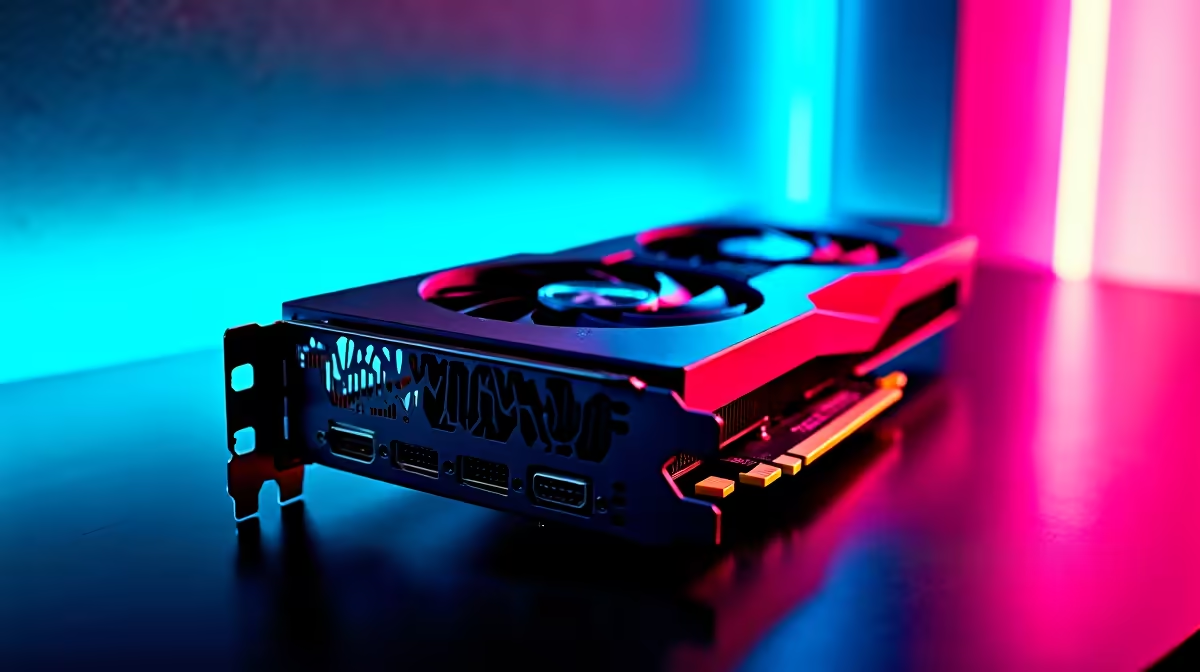
If you’ve just grabbed an RTX 5070 Ti or are thinking about investing, you want every bit of performance for your rand. South African gamers don’t have time for choppy frames or overheating rigs. Optimising your RTX 5070 Ti with the right drivers and settings can transform your gameplay from “meh” to smooth and responsive. Let’s dig into how to get the best out of this powerful card — whether you game at high-res or stream live.
The foundation of smooth gaming with the RTX 5070 Ti is keeping your drivers fresh and up to date. Nvidia frequently releases driver updates tailored for new games and bug fixes. Given South Africa’s diverse fibre and mobile internet speeds, optimising driver updates can sometimes require scheduling for off-peak times.
Visit Evetech’s graphics card section to explore all Nvidia options if you’re thinking about upgrading your GPU. Fresh drivers reduce crashes and maximise frame rates — critical for competitive titles or AAA story-driven games.
Balancing settings is key on the RTX 5070 Ti to maintain ideal frame rates without sacrificing texture sharpness or ray-tracing benefits. Start by enabling Nvidia’s DLSS (Deep Learning Super Sampling) for a noticeable FPS boost. It intelligently upscales resolution so you keep crisp images without heavy GPU load.
Adjust game settings like shadows and reflections down a notch but keep ray tracing enabled on medium to preserve that immersive feel. Many South African gamers find 1440p resolution the sweet spot; it’s less strain on your card compared to 4K but looks great on most monitors.
Check local deals in Evetech’s best gaming PC deals to pair your RTX 5070 Ti with a CPU and RAM combo that won’t bottleneck your performance.
Try adjusting power management mode in the Nvidia control panel to "Prefer maximum performance" for consistent gaming speed. This small tweak keeps clocks stable under load and avoids downclocking mid-game.
In South Africa’s summer heat, your GPU’s cooling setup is as important as software tweaks. Make sure your PC airflow supports your RTX 5070 Ti with quality intake and exhaust fans. Overclockers here often install extra case fans or upgrade to premium thermal paste to shave temperatures down.
When shopping, Evetech’s pre-built PC deals often include optimised cooling setups matching the GPU’s demands. And if mobile gaming is your style, shop from Evetech’s notebooks range featuring RTX 5070 Ti options with powerful cooling and battery life.
Monitoring your GPU temperature with tools like MSI Afterburner can alert you early if tweaks are needed — helping you avoid thermal throttling during intense sessions.
Optimising your RTX 5070 Ti experience goes beyond software. New peripherals or SSD upgrades can slash load times and improve streaming quality. Evetech’s specials page regularly features ZAR-friendly discounts on gaming gear that complement your GPU perfectly.
Whether it’s a faster NVMe SSD or a high-refresh monitor, matching your RTX 5070 Ti with the right kit ensures you enjoy every frame glitch-free. South African gamers, in particular, appreciate value and reliability — this is where Evetech excels.
Maximise Your RTX 5070 Ti Experience Ready to take your gaming to the next level? Shop now at Evetech for unbeatable deals on GPUs and components that bring your RTX 5070 Ti to life.
RTX 5070 Ti Gaming Optimization: Drivers available at Evetech.co.za with local warranty and fast delivery.
RTX 5070 Ti Gaming Optimization: Drivers - check Evetech for latest stock and SA pricing.
Depends on your use case. RTX 5070 Ti Gaming Optimizatio offers good value at current Rand pricing.
Core Ultra 5 245K Gaming Performance: Full. Real-world benchmark data, FPS numbers & performance analysis. What SA gamers can actually expect.
Read more
Huawei MatePad Range : Which Model Should You Buy. Complete product range with SA pricing, key specs & recommendations for different budgets.
Read more
Are Wireless Gaming Peripherals as Good as Wired in 2026 Detailed answer with SA data, expert analysis & practical recommendations for local buyers.
Read more
Are Big And Tall Gaming Chairs Good for Long Gaming Sessions Detailed answer with SA data, expert analysis & practical recommendations for local buyers.
Read more
PCIe Bandwidth Saturation: Multiple GPU Issue. Diagnosis steps, proven fixes & when to seek professional help. SA-specific support info included.
Read more
Intel Keyboard: Value. SA-focused analysis with local pricing data, real-world insights & actionable buying advice.
Read more
MacBook Pro for Machine Learning in 2026: Can Apple Silicon Compete Detailed answer with SA data, expert analysis & practical recommendations for local buyers.

Choose the Right SATA SSD for machine learning. Step-by-step instructions with SA-specific tips, common pitfalls to avoid & expert recommendations.

Overwatch 2 Competitive Settings Servers. Tested & verified settings for best FPS and visual quality on SA hardware budgets.

League of Legends Settings for 144Hz Gaming. Tested & verified settings for best FPS and visual quality on SA hardware budgets.

Every AMD CPU Ranked for Gaming: Tier List. SA-focused analysis with local pricing data, real-world insights & actionable buying advice.

Easter Family Bundles: Monitors. Hand-picked gift ideas at every budget tier. SA pricing & Evetech availability included.

Ryzen 7 9800X3D Running 100 Degrees: Cooler. Diagnosis steps, proven fixes & when to seek professional help. SA-specific support info included.

Most Affordable Laptops : Starting from R8,000. Full parts list, Rand pricing & expected performance. Build confidently with SA-available components.

HBADA Chairs : Range and Pricing. Complete product range with SA pricing, key specs & recommendations for different budgets.

Ryzen 7 9800X3D for Music Production: Performance. Real-world benchmark data, FPS numbers & performance analysis. What SA gamers can actually expect.

Winter Cooling Management: Headsets. SA-focused analysis with local pricing data, real-world insights & actionable buying advice.

AKRacing Gaming Chair Range: Which Model Is Right. Complete product range with SA pricing, key specs & recommendations for different budgets.