

Unisa Student Tech Preferences: Q1 2026 Report
Unisa Student Tech Preferences: Q1 Report. SA market intelligence with local buyer data, pricing shifts & actionable insights for smart purchasing.
Read moreRTX 5090 BIOS Not Detecting: Solutions. SA-focused analysis with local pricing data, real-world insights & actionable buying advice.
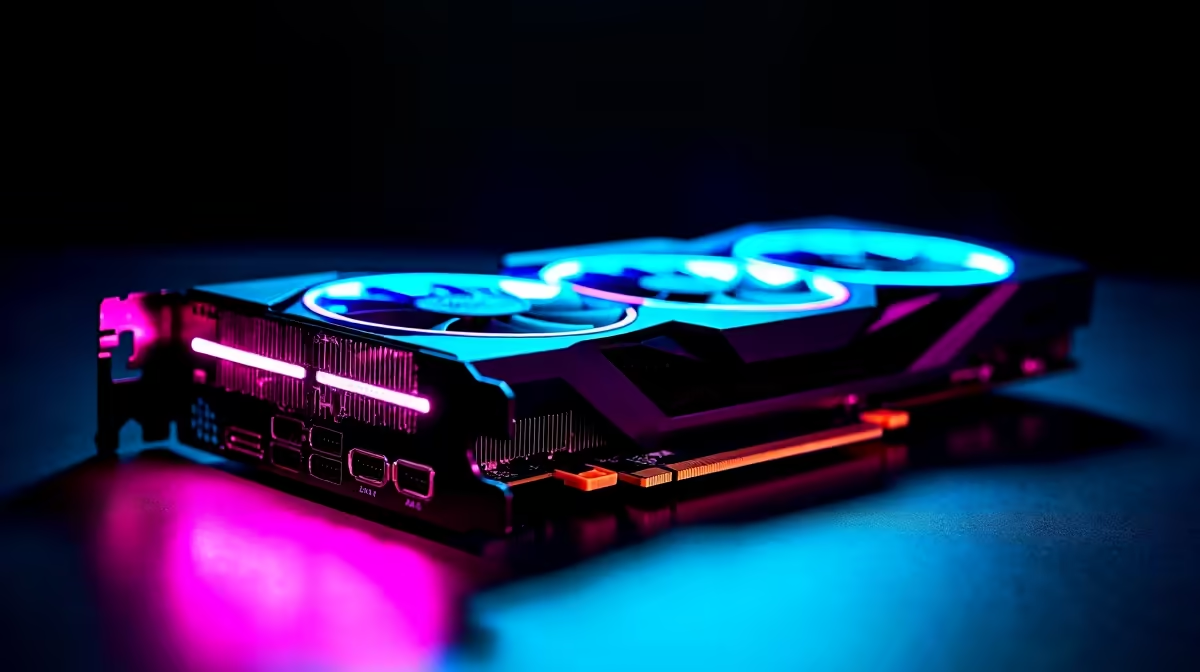
You just dropped a small fortune in ZAR on the ultimate graphics card. You slot the beast into your rig, hit the power button, and... nothing. A black screen stares back at you. If you are dealing with an RTX 5090 BIOS not detecting issue, do not panic just yet. Before you box it up for a return, let us walk through the most common fixes.
The RTX 5090 is incredibly power-hungry. If your system cannot deliver stable wattage, your motherboard simply will not see the card. Ensure your power supply is up to the task. If you need an ATX 3.1 compliant upgrade, browse our massive range of graphics cards and power supplies.
Check your 12V-2x6 power cable. It must click firmly into place. A loose connection often leads to the BIOS ignoring the hardware completely.
Next up is your motherboard firmware. Older boards often struggle to recognise brand-new GPU architectures. Grab a flash drive and download the latest BIOS version from your manufacturer.
Tired of troubleshooting hardware conflicts? Sometimes starting fresh is easier. You can always check out our best gaming PC deals for a system that works right out of the box.
Always use the rear USB port labelled 'BIOS' or 'Flashback' when updating your motherboard. It provides the most stable connection during the update process, preventing a bricked board.
The RTX 5090 is massive. Sometimes, the sheer weight prevents the gold pins from making proper contact in the PCIe slot. Lay your PC flat on its side and reseat the card. Listen for the click of the retention clip.
If the card works while flat but fails upright, you need a support bracket. Skip the build stress entirely. Our pre-built PC deals offer incredible value with pro cable management and guaranteed GPU support.
Occasionally, the RTX 5090 BIOS not detecting error is actually a display handshake issue. Try plugging your monitor into a different DisplayPort. You can also switch to HDMI to force a signal.
Testing this on a secondary setup? Maybe you need a portable powerhouse while your main rig is down. Browse our notebooks for sale in South Africa to keep your gaming streak alive.
Also, ensure your monitor is turned on before booting the PC. Modern GPUs can be picky about detecting active displays during the startup sequence.
If you have tried different cables, updated your firmware, and reseated the beast, test the GPU in another system. If the RTX 5090 BIOS not detecting problem persists, it might be a rare factory defect. Keep an eye on our daily specials if you decide to pivot your build strategy or need replacement parts.
Ready for a Hassle-Free Upgrade? Troubleshooting high-end hardware can be stressful. If you want maximum performance without the headache of compatibility issues, Evetech has you covered. Explore our custom-built gaming PCs and let our experts build your dream rig today.
RTX 5090 BIOS Not Detecting: Solutions available at Evetech.co.za with local warranty and fast delivery.
RTX 5090 BIOS Not Detecting: Solutions - check Evetech for latest stock and SA pricing.
Depends on your use case. RTX 5090 BIOS Not Detecting: S offers good value at current Rand pricing.
Unisa Student Tech Preferences: Q1 Report. SA market intelligence with local buyer data, pricing shifts & actionable insights for smart purchasing.
Read more
Mouse Stock Levels in Pretoria: June Report. Current stock data & price tracking for SA buyers. See what is available and where prices are heading.
Read more
Is Gen 5 NVMe Faster Than Gen 4 for Gaming Detailed answer with SA data, expert analysis & practical recommendations for local buyers.
Read more
Core Ultra 9 285K for Streaming: Performance. Real-world benchmark data, FPS numbers & performance analysis. What SA gamers can actually expect.
Read more
Tax & Customs on Imported PSUs. Practical breakdown of costs, regulations & whether it makes financial sense for SA buyers.
Read more
Is Ryzen 9 9950X Compatible with Core Ultra 7 265K Detailed answer with SA data, expert analysis & practical recommendations for local buyers.
Read more
MacBook Pro for Machine Learning in 2026: Can Apple Silicon Compete Detailed answer with SA data, expert analysis & practical recommendations for local buyers.

Choose the Right SATA SSD for machine learning. Step-by-step instructions with SA-specific tips, common pitfalls to avoid & expert recommendations.

Overwatch 2 Competitive Settings Servers. Tested & verified settings for best FPS and visual quality on SA hardware budgets.

League of Legends Settings for 144Hz Gaming. Tested & verified settings for best FPS and visual quality on SA hardware budgets.

Every AMD CPU Ranked for Gaming: Tier List. SA-focused analysis with local pricing data, real-world insights & actionable buying advice.

Easter Family Bundles: Monitors. Hand-picked gift ideas at every budget tier. SA pricing & Evetech availability included.

Ryzen 7 9800X3D Running 100 Degrees: Cooler. Diagnosis steps, proven fixes & when to seek professional help. SA-specific support info included.

Most Affordable Laptops : Starting from R8,000. Full parts list, Rand pricing & expected performance. Build confidently with SA-available components.

Storage Stock Levels in Port Elizabeth: December. Current stock data & price tracking for SA buyers. See what is available and where prices are heading.

Ryzen 7 10800X3D Apex Legends Gaming Performance. Real-world benchmark data, FPS numbers & performance analysis. What SA gamers can actually expect.

Mouse Technology: 2023- Evolution in Gaming. Technology trajectory, what it means for SA buyers & how to future-proof your next purchase.

FAQ: Is my hard drive failing Detailed answer with SA data, expert analysis & practical recommendations for local buyers.