

Core Ultra 5 245K Gaming Performance: Full Optimization
Core Ultra 5 245K Gaming Performance: Full. Real-world benchmark data, FPS numbers & performance analysis. What SA gamers can actually expect.
Read moreRTX 5090 Gaming Optimization: Drivers and Settings. Tested & verified settings for best FPS and visual quality on SA hardware budgets.
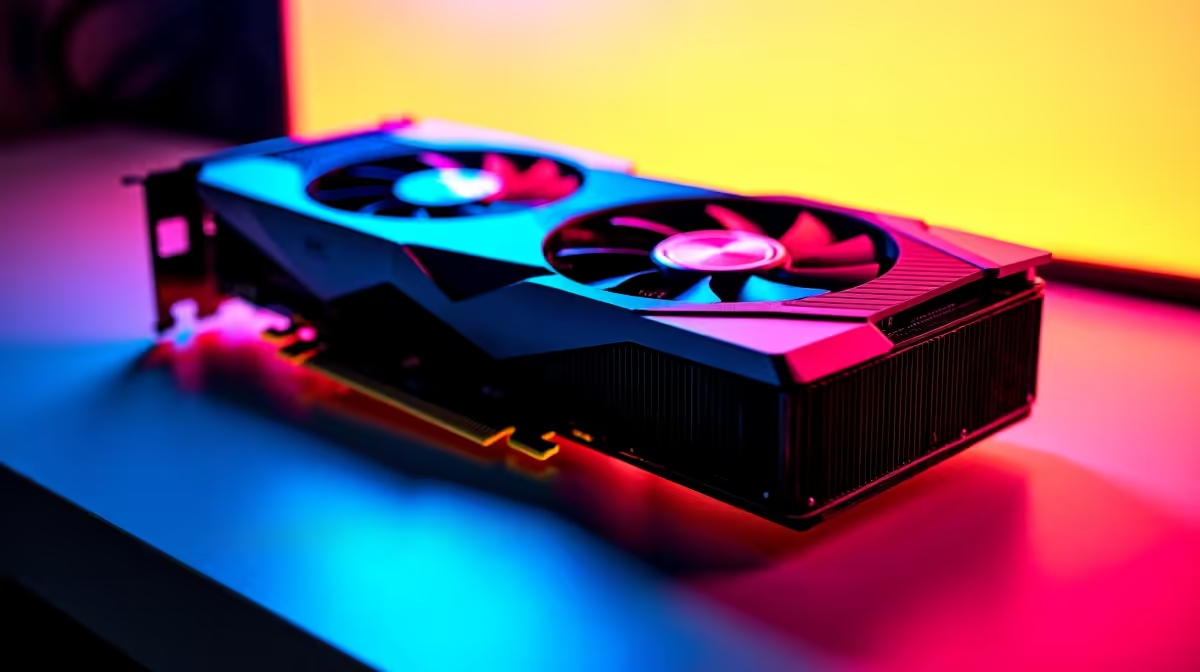
South African gamers, listen up. You just dropped serious ZAR on the ultimate flagship GPU. But simply plugging it in is only half the battle. If you want maximum frame rates and glorious colour depth, you need the right tweaks. Let us dive into the best RTX 5090 gaming optimization, covering drivers and settings to unleash absolute performance. 🚀
Before you boot up your favourite titles, start with a clean slate. Outdated software can bottleneck even the most powerful hardware. If you are upgrading your graphics card from an older generation, a fresh driver install is mandatory.
Download the latest NVIDIA App. It is lighter and faster than the old GeForce Experience. Keeping your software updated ensures you get the latest performance patches for day-one game releases.
Always use Display Driver Uninstaller (DDU) in Safe Mode before installing your new RTX 5090 drivers. It wipes all leftover files from your previous GPU, preventing weird crashes and stuttering in your favourite games.
Proper RTX 5090 gaming optimization means diving into the control panel. First, head to the Manage 3D Settings tab. Change your Power Management Mode to Prefer Maximum Performance. This stops your GPU from downclocking during intense moments.
Pairing this beastly card with a premium gaming PC ensures your CPU does not hold you back. Make sure Resizable BAR is enabled in your motherboard BIOS. This gives your processor full access to the massive VRAM pool. ⚡
The sheer raw power of the 5090 is staggering. But NVIDIA's AI tech takes it to another level. Always turn on NVIDIA Reflex to crush input latency. This is vital for competitive shooters.
If you bought a high-end pre-built desktop to push 4K resolution, use DLSS Quality mode. It renders the game at a slightly lower resolution and upscales it flawlessly. You get massive FPS boosts without losing visual fidelity. ✨
Even if you prefer high-end gaming laptops for portability, these same DLSS rules apply to mobile RTX chips.
You spent a lot of hard-earned ZAR on this setup. Good RTX 5090 gaming optimization also includes thermal management. Custom fan curves in MSI Afterburner keep temperatures low. A cooler card boosts higher and lasts longer.
If you need better airflow, check out our massive tech specials for premium cases and cooling solutions. Keep your rig frosty and your frame rates high.
Ready to Build the Ultimate Rig? Getting the best RTX 5090 performance requires a balanced system. If your current PC is bottlenecking your new GPU, it is time for an upgrade. Explore our latest pre-built PC deals and find the perfect Evetech machine to conquer your world.
RTX 5090 Gaming Optimization: Drivers an available at Evetech.co.za with local warranty and fast delivery.
RTX 5090 Gaming Optimization: Drivers an - check Evetech for latest stock and SA pricing.
Depends on your use case. RTX 5090 Gaming Optimization: offers good value at current Rand pricing.
Core Ultra 5 245K Gaming Performance: Full. Real-world benchmark data, FPS numbers & performance analysis. What SA gamers can actually expect.
Read more
Huawei MatePad Range : Which Model Should You Buy. Complete product range with SA pricing, key specs & recommendations for different budgets.
Read more
Are Wireless Gaming Peripherals as Good as Wired in 2026 Detailed answer with SA data, expert analysis & practical recommendations for local buyers.
Read more
Are Big And Tall Gaming Chairs Good for Long Gaming Sessions Detailed answer with SA data, expert analysis & practical recommendations for local buyers.
Read more
PCIe Bandwidth Saturation: Multiple GPU Issue. Diagnosis steps, proven fixes & when to seek professional help. SA-specific support info included.
Read more
Intel Keyboard: Value. SA-focused analysis with local pricing data, real-world insights & actionable buying advice.
Read more
MacBook Pro for Machine Learning in 2026: Can Apple Silicon Compete Detailed answer with SA data, expert analysis & practical recommendations for local buyers.

Choose the Right SATA SSD for machine learning. Step-by-step instructions with SA-specific tips, common pitfalls to avoid & expert recommendations.

Overwatch 2 Competitive Settings Servers. Tested & verified settings for best FPS and visual quality on SA hardware budgets.

League of Legends Settings for 144Hz Gaming. Tested & verified settings for best FPS and visual quality on SA hardware budgets.

Every AMD CPU Ranked for Gaming: Tier List. SA-focused analysis with local pricing data, real-world insights & actionable buying advice.

Easter Family Bundles: Monitors. Hand-picked gift ideas at every budget tier. SA pricing & Evetech availability included.

Ryzen 7 9800X3D Running 100 Degrees: Cooler. Diagnosis steps, proven fixes & when to seek professional help. SA-specific support info included.

Most Affordable Laptops : Starting from R8,000. Full parts list, Rand pricing & expected performance. Build confidently with SA-available components.

HBADA Chairs : Range and Pricing. Complete product range with SA pricing, key specs & recommendations for different budgets.

Ryzen 7 9800X3D for Music Production: Performance. Real-world benchmark data, FPS numbers & performance analysis. What SA gamers can actually expect.

Winter Cooling Management: Headsets. SA-focused analysis with local pricing data, real-world insights & actionable buying advice.

AKRacing Gaming Chair Range: Which Model Is Right. Complete product range with SA pricing, key specs & recommendations for different budgets.