


Young Professionals Hardware Preferences: June 2026 SA Market Report
Young Professionals Hardware Preferences: June. SA market intelligence with local buyer data, pricing shifts & actionable insights for smart purchasing.
Read moreRX 7900 XTX Not Recognised After Windows Update. SA-focused analysis with local pricing data, real-world insights & actionable buying advice.
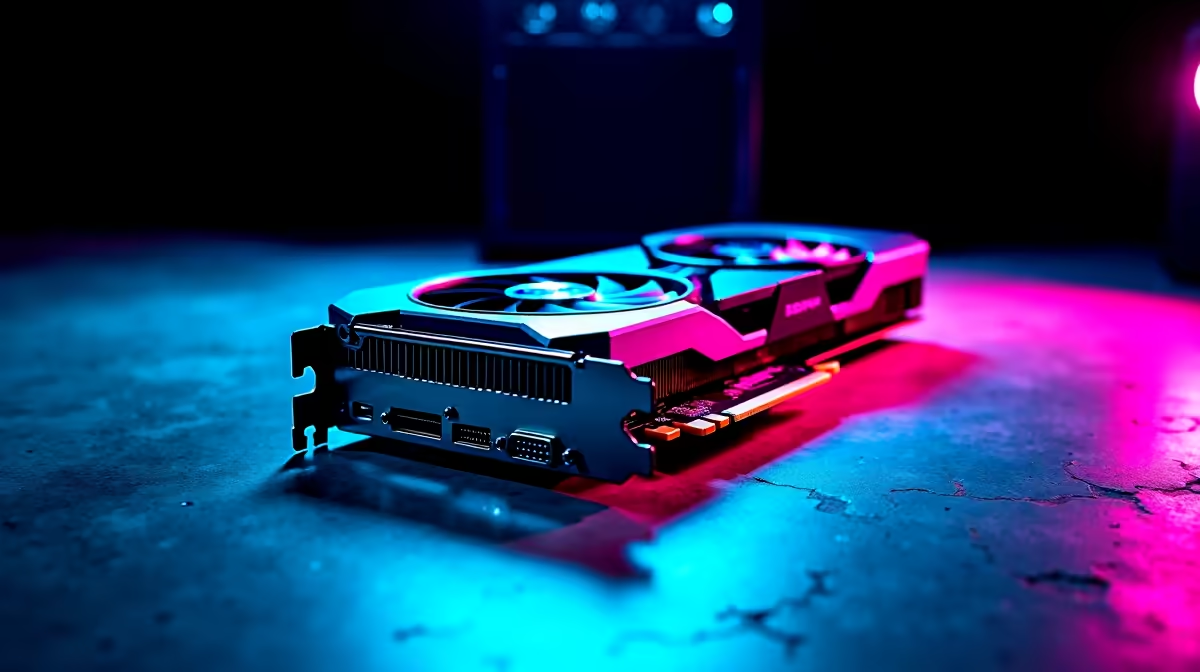
If your RX 7900 XTX disappears from Device Manager after a Windows update, the fix in nine out of ten SA cases is a clean AMD driver reinstall using DDU in Safe Mode, followed by the latest Adrenalin package. A loose PCIe power cable or a BIOS resizable BAR toggle that flipped during the update accounts for most of the rest.
Cumulative Windows updates frequently swap the working AMD WDDM driver for a generic Microsoft Basic Display Adapter, especially on builds shipped between January and March 2026. The card is still physically detected by the board, but the OS refuses to load the proper kernel driver, so it vanishes from Device Manager or shows a yellow exclamation mark. Loadshedding-induced hard reboots during an update can also leave the driver store in a half-written state.
Boot into Safe Mode (hold Shift while clicking Restart, then Troubleshoot, Advanced Options, Startup Settings, F4). Run Display Driver Uninstaller, choose AMD, and pick Clean and Restart. Once back in Windows, install the latest Adrenalin 25.x WHQL driver downloaded directly from amd.com. Reboot, then confirm the card appears as Radeon RX 7900 XTX under Display Adapters. If it still doesn't show, reseat both 8-pin PCIe cables and check that PCIe slot 1 is set to Gen4 x16 in BIOS.
If DDU and a fresh driver don't help, try the card in another PCIe slot or another PC. Check the 12V rail with a multimeter or PSU tester, particularly if you're running a 750W unit on a card AMD recommends a 850W minimum for. Bad weather and surges during loadshedding restoration are a common killer of GPU power stages, so plug the rig into a surge-protected line interactive UPS going forward.
The issue is almost always software-side. A DDU clean install in Safe Mode plus the newest Adrenalin driver resolves it without RMA in most local cases reported to our workshop.
Reliability is solid when paired with a quality 850W+ 80 Plus Gold PSU and a UPS to ride out loadshedding transitions, which protect the VRMs from dirty power events.
Yes, Evetech builds and ships pre-tested gaming PCs with AMD and NVIDIA flagships, all backed by local warranty, so you can swap the rig out if a card has truly failed.
Ready to Find Your Perfect Match? If a clean driver install hasn't saved your build, browse battle-tested replacements today. View gaming PC deals at Evetech
RX 7900 XTX Not Recognised After Windows available at Evetech.co.za with local warranty and fast delivery.
RX 7900 XTX Not Recognised After Windows - check Evetech for latest stock and SA pricing.
Depends on your use case. RX 7900 XTX Not Recognised Aft offers good value at current Rand pricing.
Young Professionals Hardware Preferences: June. SA market intelligence with local buyer data, pricing shifts & actionable insights for smart purchasing.
Read more
Are There Gaming Communities and LANs in South Africa Detailed answer with SA data, expert analysis & practical recommendations for local buyers.
Read more
CS2 Tournament Market Data: August. SA market intelligence with local buyer data, pricing shifts & actionable insights for smart purchasing.
Read more
Ryzen 7 10800X3D for Streaming: Performance. Real-world benchmark data, FPS numbers & performance analysis. What SA gamers can actually expect.
Read more
RTX 4060 Cyberpunk 2077 Ultra Settings at 1440p. Real-world benchmark data, FPS numbers & performance analysis. What SA gamers can actually expect.
Read more
Jupyter Notebook on Mac: Python Data Science Setup. Clear setup instructions with SA-specific considerations, troubleshooting tips & recommended components.
Read more
AMD RX 9050 XT: Rumoured Specs, Price & Release. SA-focused analysis with local pricing data, real-world insights & actionable buying advice.

Can RTX 4080 Super Run AI Workloads for SA Developers Detailed answer with SA data, expert analysis & practical recommendations for local buyers.

Can RTX 4090 Run AI Workloads for SA Developers Detailed answer with SA data, expert analysis & practical recommendations for local buyers.

Top Settings for Intel Arc B580 at Ultrawide 1440p picks evaluated on performance, value & SA availability with current Rand pricing from Evetech.

RTX 4060 CS2 Low Settings at 1080p: FPS Results. Real-world benchmark data, FPS numbers & performance analysis. What SA gamers can actually expect.

Visual Artifacts: Possible GPU Issue Issue #1. Diagnosis steps, proven fixes & when to seek professional help. SA-specific support info included.

Can the RTX 4090 Handle 1440p 144Hz Gaming. Performance testing verdict with real data & practical recommendations for SA buyers.

Top ASUS GPU Under R15000 picks evaluated on performance, value & SA availability with current Rand pricing from Evetech.

GTA 6 Max Settings on RTX 5070. Tested & verified settings for best FPS and visual quality on SA hardware budgets.

Cyberpunk 2077 Max Settings on RTX 5080. Tested & verified settings for best FPS and visual quality on SA hardware budgets.

Starfield Max Settings on RTX 5070 Ti. Tested & verified settings for best FPS and visual quality on SA hardware budgets.

Top RTX 5090 Under R5000 picks evaluated on performance, value & SA availability with current Rand pricing from Evetech.