


GPU Setup Guide for SA Gamers
GPU Setup Guide Gamers. Clear setup instructions with SA-specific considerations, troubleshooting tips & recommended components.
Read moreGet maximum airflow with 120mm case fans by placing them correctly for balanced intake and exhaust. Cut heat buildup, improve GPU temps, and reduce fan noise efficiently 🔧🌬️
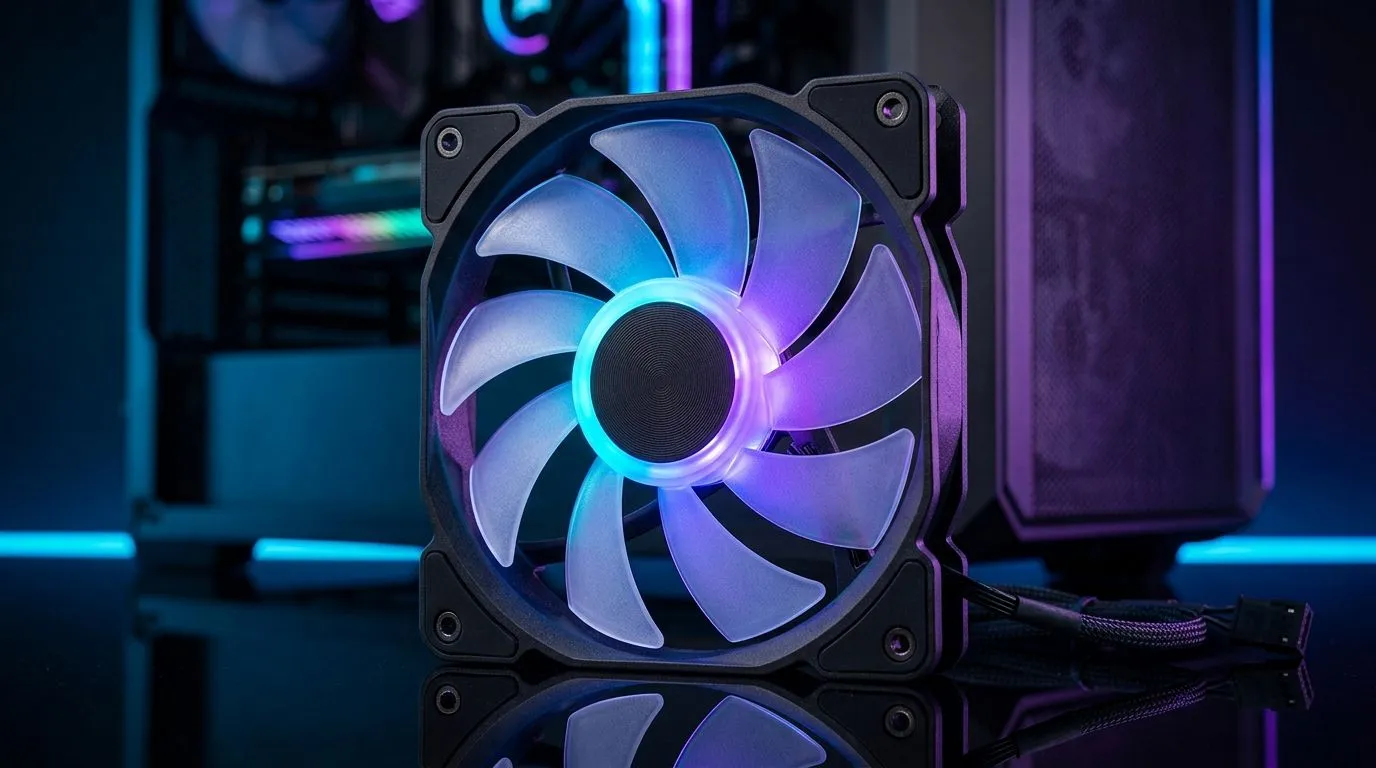
South African gamers know every degree counts when running high-performance rigs under our blazing summer heat. The right airflow setup with 120mm case fans can slash temps and boost stability—no thermal throttling in sight! But positioning those fans well? That’s where many trip up. Learn how to organise your 120mm cooling fans for efficient airflow that keeps your PC chill and your frames smooth. 🔧
Proper fan placement balances intake and exhaust airflow, pushing hot air out and pulling fresh air in. A 120mm case fan is versatile—perfect for chassis intake, exhaust, or even CPU cooler setups. Generally, front and bottom-mounted 120mm fans pull cool air in. Rear and top-mounted fans push hot air out. This natural convection works best when airflow paths don’t clash or stagnate.
You can explore various 120mm case fans from brands like CORSAIR that deliver both airflow and quiet operation, ideal for intense gaming sessions in confined spaces.
An intake fan brings cool air inside the case while an exhaust fan expels hot air. Placing multiple 120mm case fans as intakes at the front or bottom ensures your GPU and CPU get fresh air. Use exhaust fans on top or rear to vent heat upwards and away.
However, too many intakes or exhausts can disrupt airflow and dust control. For example, pairing a couple of high-static-pressure 120mm fans as intakes with a quieter exhaust fan can maintain balanced airflow and noise levels.
Check out Deepcool 120mm case fans known for their solid airflow-to-noise ratios, excellent for South African gamers seeking reliable PC cooling.
} Identify fan direction by the frame supports—air flows from open side toward the side with plastic braces. Position your intake fans pulling fresh air in, and exhaust fans pushing heat out.
Fans aren’t only functional—they’re also about style. RGB 120mm case fans let you customise your rig with vivid lighting effects, matching your gaming setup’s vibe. Opting for RGB fans at the front can showcase captivating colour effects while still performing solid airflow.
For minimalists, a no-RGB fan may mean quieter operation and a cleaner aesthetic. South African users can browse both options based on personal preference.
For a wide selection, discover the subtle glow or full RGB spectrum with RGB 120mm case fans or opt for simpler models with no RGB lighting.
Some gamers consider mixing fan sizes for airflow optimisation. Placing larger 140mm fans upfront or at the top can push more air at lower RPM, reducing noise. Meanwhile, 120mm fans offer flexibility in tight spots or around CPU coolers.
South Africa’s gaming PCs can benefit from this thoughtful mix. Find diverse sizes at Evetech in both 120mm case fans and 140mm case fans selections.
Balanced, well-directed airflow prevents hotspots near your GPU and VRMs, enhancing overclocking potential safely.
} Regularly remove dust from fan blades and filters. Even a thin dust layer can cut airflow by up to 30%, raising temperatures noticeably.
Upgrade Your Cooling Setup Today Keep your rig cool and efficient with premium 120mm case fans from Evetech. Shop now at Evetech for performance that leaves lag in the dust.
Aim for intake bringing cool air in and exhaust pushing hot air out. Use consistent 120mm case fan direction to avoid recirculating warm air.
In most gaming PC cases, front 120mm intake and top 120mm exhaust works well. It creates a clean path for heat to escape through the top.
Keep fan spacing clear, avoid blocking intakes with cables, and align fans to form a single airflow route. This improves 120mm case fans airflow positioning.
For radiators, choose higher static pressure 120mm fans. For open mesh areas, higher airflow fans can move more air with less restriction.
Start with a balanced intake/exhaust set, often 3 to 5 fans depending on your case. Prioritize placement before adding more 120mm case fans.
Yes. Reversed fans or unbalanced intake vs exhaust can trap warm air, raising CPU and GPU temps and sometimes increasing fan noise.
Positive pressure often helps reduce dust ingress when intake exceeds exhaust slightly. Test your airflow balance for your case and temps.
GPU Setup Guide Gamers. Clear setup instructions with SA-specific considerations, troubleshooting tips & recommended components.
Read more
When Will the RTX 6090 Launch in South Africa Detailed answer with SA data, expert analysis & practical recommendations for local buyers.

Top Valorant Settings for RTX 5070: FPS Optimisation picks evaluated on performance, value & SA availability with current Rand pricing from Evetech.

RDNA 3.5 Graphics in Ryzen AI 400? Can You Game. Plain-English explanation of what it means, why it matters & how it affects your buying decisions in SA.

GPU Price Index : December Report. Current stock data & price tracking for SA buyers. See what is available and where prices are heading.

Core i5-14600K + B760 + RTX 5060 Build Under. Full parts list, Rand pricing & expected performance. Build confidently with SA-available components.

RX 7600 Apex Legends at 4K: FPS Benchmark. Real-world benchmark data, FPS numbers & performance analysis. What SA gamers can actually expect.

RX 7900 XTX GTA 6 at 4K: FPS Benchmark & Optimal. Real-world benchmark data, FPS numbers & performance analysis. What SA gamers can actually expect.

Head-to-head comparison of RTX 5070 vs RX 9070 XT: Gaming Performance for SA gamers. Performance benchmarks, Rand pricing & which delivers better value.
GPU Setup Guide Gamers. Clear setup instructions with SA-specific considerations, troubleshooting tips & recommended components.

Top RTX 5090 Under R12000 picks evaluated on performance, value & SA availability with current Rand pricing from Evetech.

Call of Duty Warzone 2 Settings on RX 7600. Real-world benchmark data, FPS numbers & performance analysis. What SA gamers can actually expect.

GTA 6 Settings on RTX 5070 Ti: Performance. Real-world benchmark data, FPS numbers & performance analysis. What SA gamers can actually expect.