


GPU Setup Guide for SA Gamers
GPU Setup Guide Gamers. Clear setup instructions with SA-specific considerations, troubleshooting tips & recommended components.
Read moreLearn 120mm PWM fan curves for a 360mm radiator to balance cooling and noise. Set smooth ramp points, reduce fan whine, and keep temps stable. 🔧😌
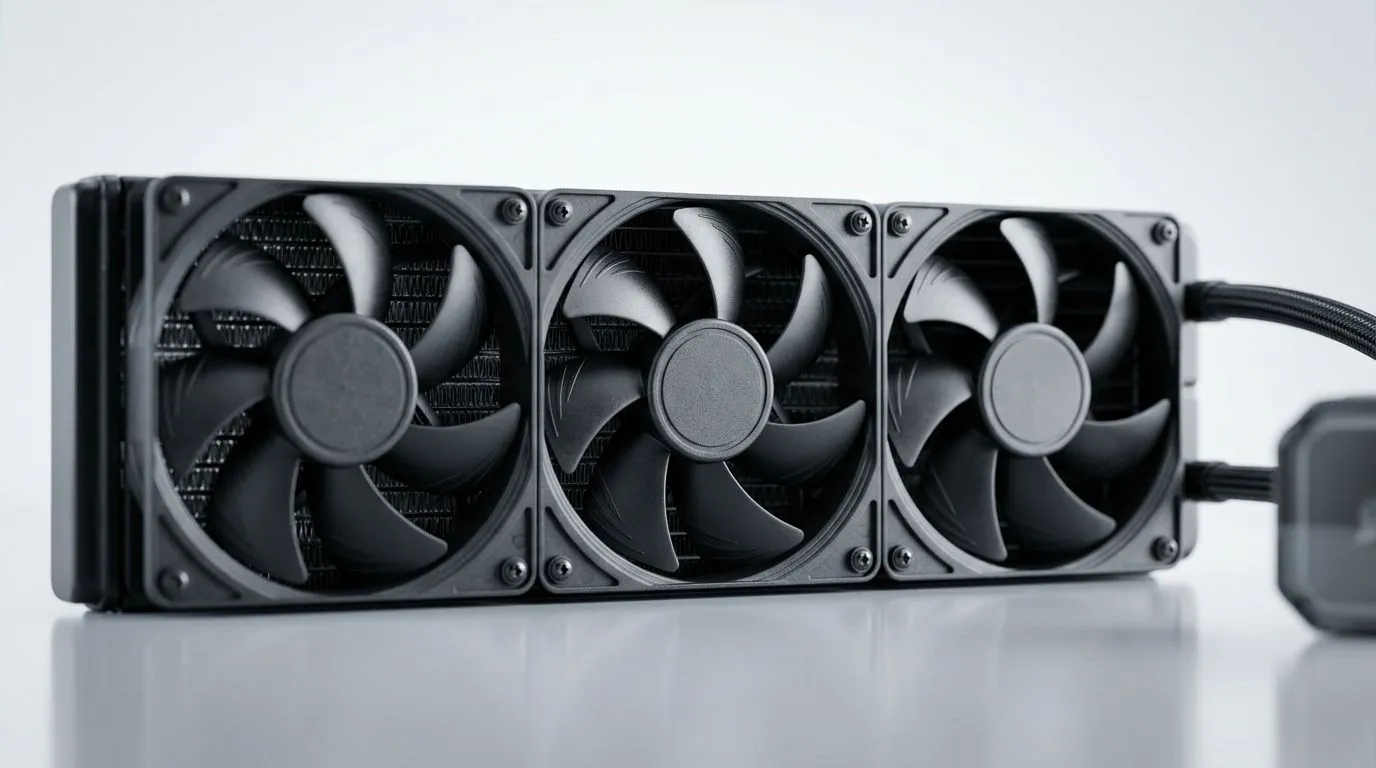
Every South African gamer knows that a cool CPU means smoother gameplay and longer hardware life. When you pair a 360mm radiator with 120mm PWM fans, tuning the fan curves right can make an incredible difference. Achieve that sweet balance between whisper-quiet operation and effective heat dissipation — perfect for those intense sessions on your fibre-connected battlestations. 🕹️⚡
360mm radiators provide superior cooling surface area, ideal for liquid cooling solutions. But without optimised 120mm PWM fan curves, your rig can either run too loud or too hot. PWM (pulse-width modulation) fans adjust speed automatically based on temperature, giving you dynamic control.
Gentle fan curves keep your airflow efficient without ramping up noise. Push the fans too hard too early, and your headset fills with turbine noise. Keep them too slow, and your CPU temps spike under load. Proper curve tuning helps you glide easily between these extremes.
Evetech’s range of liquid coolers with 360mm radiators is ideal for tailoring your build’s thermal profile.
Start by defining your baseline: idle temps, load temps, and noise levels at various fan speeds. Many motherboards let you create custom fan curves within BIOS or through software like Corsair iCUE or Deepcool’s control suite.
Micro-tuning your fan curve prevents overheating during gaming marathons while keeping the ambient sound pleasant.
This Precision pays off especially when using popular brands like CORSAIR AIO coolers or Deepcool liquid coolers with 120mm fans. Both offer software tools and hardware designs suited to fine curve adjustments.
While 240mm radiators are often paired with 120mm fans too, the larger 360mm side provides more heat dissipation space, reducing the need for aggressive fan speeds. Check if your setup supports 240mm radiators if you want a smaller footprint and tune your fan curves accordingly.
The extra radiator surface on a 360mm means your fan curve can run more conservative. The result? Cool quietly and play longer.
Adjust your PWM fan curve with gentle gradients. Sharp spikes in fan speed cause sudden noise, but smooth transitions maintain silence and performance. Lower your fan curve by 5% to shave off 2 °C—quieter rig, same FPS.
Ready to build or upgrade with the best cooling parts? Browse Evetech’s CPU coolers collection for options tailored to South African gamers. Whether you want reliable air coolers or liquid cooling AIOs, we stock gear that meets the demands of local gaming conditions.
The right 120mm PWM fans, combined with our selection of 360mm radiators, help keep rigs chill under pressure. Plus, you enjoy Evetech’s trusted service and competitive ZAR pricing—ideal for budget-conscious gamers who want to squeeze top performance.
Upgrade Your Cooling, Boost Your Gameplay Master your system’s cooling with expertly designed 120mm PWM fan curves on 360mm radiators. Ready to take the next step? Shop now at Evetech for performance that leaves lag in the dust.
Start with a low idle RPM, then ramp gradually at 40–60°C and reach full speed near 75–80°C for stable cooling without constant noise.
Use smoother ramp steps, avoid sudden RPM jumps, and set a minimum PWM that prevents stalling before increasing toward your target speeds.
Stepped curves can reduce oscillation, while linear curves feel smoother. For noise control, use fewer big jumps and more gentle mid-range ramps.
Set the minimum above the fan’s reliable start point. Then keep it low during idle to reduce noise while still maintaining airflow through the radiator.
Add faster ramp response in the mid-to-high range, but keep the initial section gentle. This handles spikes while avoiding constant high RPM.
Use the most stable radiator-related sensor your system provides (often CPU package or liquid temp). Keep it consistent so tuning stays predictable.
Aim for a gradual curve that targets a comfortable RPM range during sustained load, then only ramp aggressively when temps approach your thermal limit.
Fan curves can be overridden by motherboard software profiles, GPU controls, or BIOS settings. Verify only one controller manages the radiator fans.
GPU Setup Guide Gamers. Clear setup instructions with SA-specific considerations, troubleshooting tips & recommended components.
Read more
When Will the RTX 6090 Launch in South Africa Detailed answer with SA data, expert analysis & practical recommendations for local buyers.

Top Valorant Settings for RTX 5070: FPS Optimisation picks evaluated on performance, value & SA availability with current Rand pricing from Evetech.

RDNA 3.5 Graphics in Ryzen AI 400? Can You Game. Plain-English explanation of what it means, why it matters & how it affects your buying decisions in SA.

GPU Price Index : December Report. Current stock data & price tracking for SA buyers. See what is available and where prices are heading.

Core i5-14600K + B760 + RTX 5060 Build Under. Full parts list, Rand pricing & expected performance. Build confidently with SA-available components.

RX 7600 Apex Legends at 4K: FPS Benchmark. Real-world benchmark data, FPS numbers & performance analysis. What SA gamers can actually expect.

RX 7900 XTX GTA 6 at 4K: FPS Benchmark & Optimal. Real-world benchmark data, FPS numbers & performance analysis. What SA gamers can actually expect.

Head-to-head comparison of RTX 5070 vs RX 9070 XT: Gaming Performance for SA gamers. Performance benchmarks, Rand pricing & which delivers better value.
GPU Setup Guide Gamers. Clear setup instructions with SA-specific considerations, troubleshooting tips & recommended components.

Top RTX 5090 Under R12000 picks evaluated on performance, value & SA availability with current Rand pricing from Evetech.

Call of Duty Warzone 2 Settings on RX 7600. Real-world benchmark data, FPS numbers & performance analysis. What SA gamers can actually expect.

GTA 6 Settings on RTX 5070 Ti: Performance. Real-world benchmark data, FPS numbers & performance analysis. What SA gamers can actually expect.