


GTA 6 Max Settings on RTX 5070: Complete Guide
GTA 6 Max Settings on RTX 5070. Tested & verified settings for best FPS and visual quality on SA hardware budgets.
Read moreIs a 14-inch OLED laptop display big enough for your workflow? We break down the productivity and media benefits of these compact, vibrant panels to help you decide. 💻✨
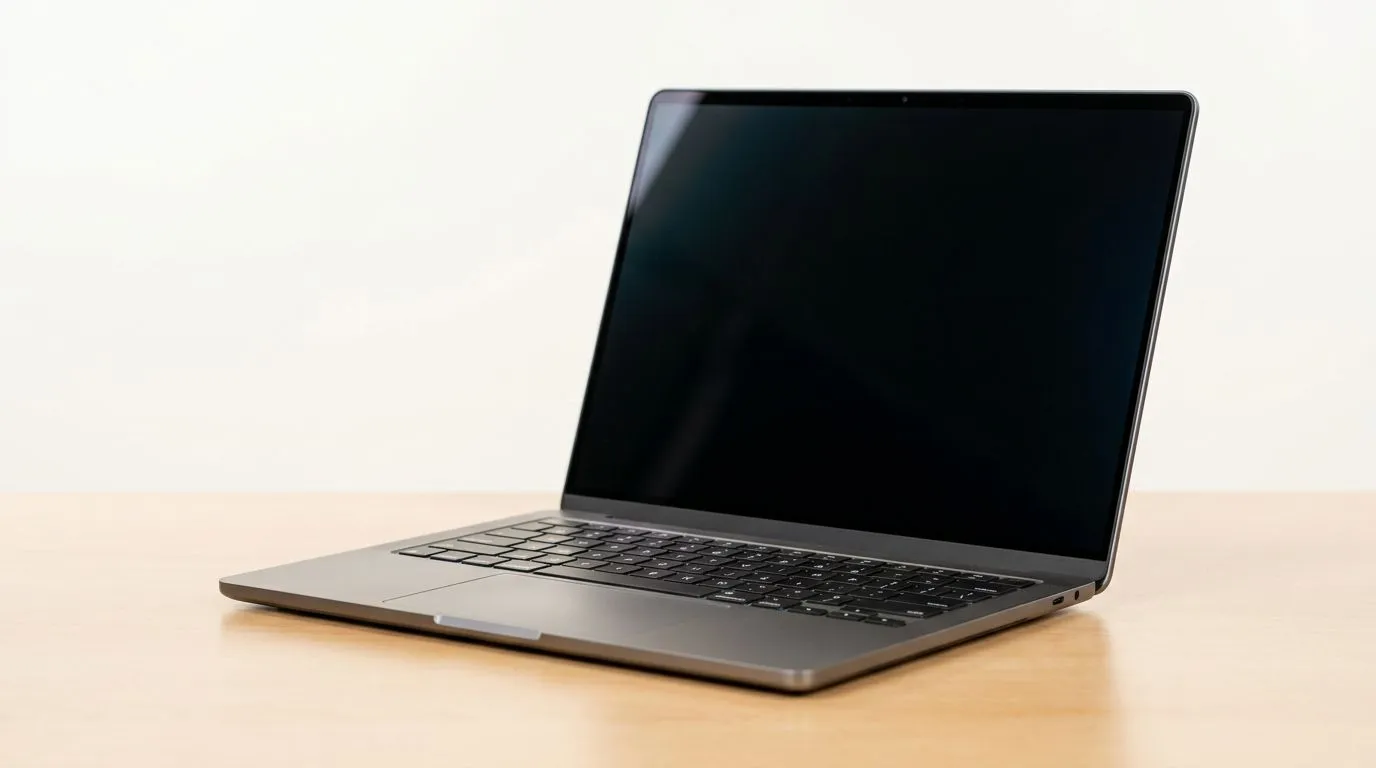
As a South African student, gamer, or dev who bounces between essays, spreadsheets, and Discord… screen size matters. A 14-inch OLED can feel compact at first, but it’s not automatically “too small” for productivity. The real question is whether it gives you enough space to work comfortably without squinting, scrolling endlessly, or forcing constant zooming.
In this deep dive, we’ll break down when a 14-inch OLED display works brilliantly… and when it starts fighting your workflow.
A 14-inch laptop sits in the “portable-first” sweet spot. You can carry it to campus, LAN parties, or the office without feeling like you’re lugging a desktop replacement.
But productivity isn’t just about portability. It’s about day-to-day comfort:
If you mainly do focused work (writing, reading, coding, light spreadsheet use), 14 inches often hits the mark. If you live in dozens of tabs and want to see multiple documents side-by-side, you’ll probably feel constrained.
On Windows and macOS, display scaling determines how much “usable space” you get. If scaling is set too high, text gets crisp but your layout shrinks back into scrolling mode. If it’s too low, everything becomes tiny and you’ll strain your eyes.
Rule of thumb: start at recommended display scaling, then adjust in small steps until text is readable without leaning in.
On Windows, use the PowerToys FancyZones utility to create custom snap layouts for your windows. It's a lifesaver for managing multiple apps on an ultrawide monitor, letting you organise your timeline, preview window, and asset folders perfectly for video editing.
Let’s make this practical. Here’s how different buyers usually experience 14-inch productivity:
If you’re:
…then a 14-inch OLED can feel “just right” once scaling is dialled in.
If your workflow depends on:
…you might spend more time zooming than working. In that case, look at larger displays (or use external monitors when at a desk).
Even with a smaller panel, you can build a smoother workflow.
Instead of opening everything at once:
This reduces cognitive load, and it’s kinder to your eyes than frantic scrolling.
For web work, pick a zoom level you can stick to. For docs and code editors, standardise font sizes. The goal is consistency, so your brain stops adapting every time you switch apps.
If you expect to work long hours at home, consider pairing your laptop with an external monitor. Your 14-inch OLED becomes a powerful portable screen… while the external display becomes your productivity canvas.
Now, let’s point you to deals and ranges that are worth checking depending on your preference.
If you want to start with Intel options on special, browse the current selection here: Intel laptops on special.
Prefer AMD-powered machines? You can compare Ryzen laptop deals here: Ryzen laptop deals.
If you’re also gaming between work sessions, it’s smart to check gaming-focused line-ups that still work for productivity: best gaming laptop deals.
On a tighter budget, keep value in mind. For more options around everyday productivity needs and everyday gaming, look at: buy gaming laptops under R20k.
And if your priority is smooth gaming performance, especially with NVIDIA graphics, this page is a good place to start: GeForce RTX gaming laptops on special.
For most people, yes. But it’s “big enough” only when you adjust scaling, use smart window layouts, and match your workflow to the screen size.
If you’re mobile and focused, 14-inch OLED can be an excellent productivity companion. If you’re a heavy multitasker on split-screen all day, you’ll likely want a larger internal display… or a desk monitor.
Ready to upgrade thoughtfully? Start with the deals above, then choose based on your real work style.
Ready to Find Your Perfect Match? The Mac vs Windows debate is complex, but for maximum power, choice, and value in South Africa, Windows is hard to beat. Explore our massive range of laptop specials and find the perfect machine to conquer your world.
Yes, provided you use Windows Snap features or virtual desktops. The high resolution of OLED panels allows for crisp text, making split-screen work comfortable.
OLED screens offer superior contrast and deep blacks, which reduces eye strain during long work hours, making them excellent for intensive productivity tasks.
While 14 inches is compact, the color accuracy of OLED panels makes it a viable choice for mobile creators who prioritize portability over massive screen real estate.
A 16-inch display offers more workspace, but 14-inch OLED laptops provide a better balance of mobility and visual clarity for users on the move.
Absolutely. With a high-quality 14-inch OLED display, you can comfortably handle primary work tasks and connect to an external monitor when at your desk.
OLED technology is the gold standard for media consumption, offering vibrant colors and perfect black levels that make movies and games look stunning.
GTA 6 Max Settings on RTX 5070. Tested & verified settings for best FPS and visual quality on SA hardware budgets.
Read more
Cyberpunk 2077 Max Settings on RTX 5080. Tested & verified settings for best FPS and visual quality on SA hardware budgets.
Read more
Starfield Max Settings on RTX 5070 Ti. Tested & verified settings for best FPS and visual quality on SA hardware budgets.
Read more
Can RTX 4080 Super Run AI Workloads for SA Developers Detailed answer with SA data, expert analysis & practical recommendations for local buyers.

Can RTX 4090 Run AI Workloads for SA Developers Detailed answer with SA data, expert analysis & practical recommendations for local buyers.

Top Settings for Intel Arc B580 at Ultrawide 1440p picks evaluated on performance, value & SA availability with current Rand pricing from Evetech.

RX 7600 Overclocking Guide: Safe OC Settings for. Real-world benchmark data, FPS numbers & performance analysis. What SA gamers can actually expect.

RTX 4060 CS2 Low Settings at 1080p: FPS Results. Real-world benchmark data, FPS numbers & performance analysis. What SA gamers can actually expect.

Visual Artifacts: Possible GPU Issue Issue #1. Diagnosis steps, proven fixes & when to seek professional help. SA-specific support info included.

Can the RTX 4090 Handle 1440p 144Hz Gaming. Performance testing verdict with real data & practical recommendations for SA buyers.

Top ASUS GPU Under R15000 picks evaluated on performance, value & SA availability with current Rand pricing from Evetech.
GTA 6 Max Settings on RTX 5070. Tested & verified settings for best FPS and visual quality on SA hardware budgets.
Cyberpunk 2077 Max Settings on RTX 5080. Tested & verified settings for best FPS and visual quality on SA hardware budgets.
Starfield Max Settings on RTX 5070 Ti. Tested & verified settings for best FPS and visual quality on SA hardware budgets.

Top RTX 5090 Under R5000 picks evaluated on performance, value & SA availability with current Rand pricing from Evetech.