


GTA 6 Max Settings on RTX 5070: Complete Guide
GTA 6 Max Settings on RTX 5070. Tested & verified settings for best FPS and visual quality on SA hardware budgets.
Read moreThe "1ms response time explained" promise on gaming monitors sounds amazing, but what does it really mean for your gameplay? We're cutting through the marketing hype to reveal the truth about GTG vs. MPRT, ghosting, and if that ultra-fast spec is truly worth it. 🎮 Get the facts before you buy!
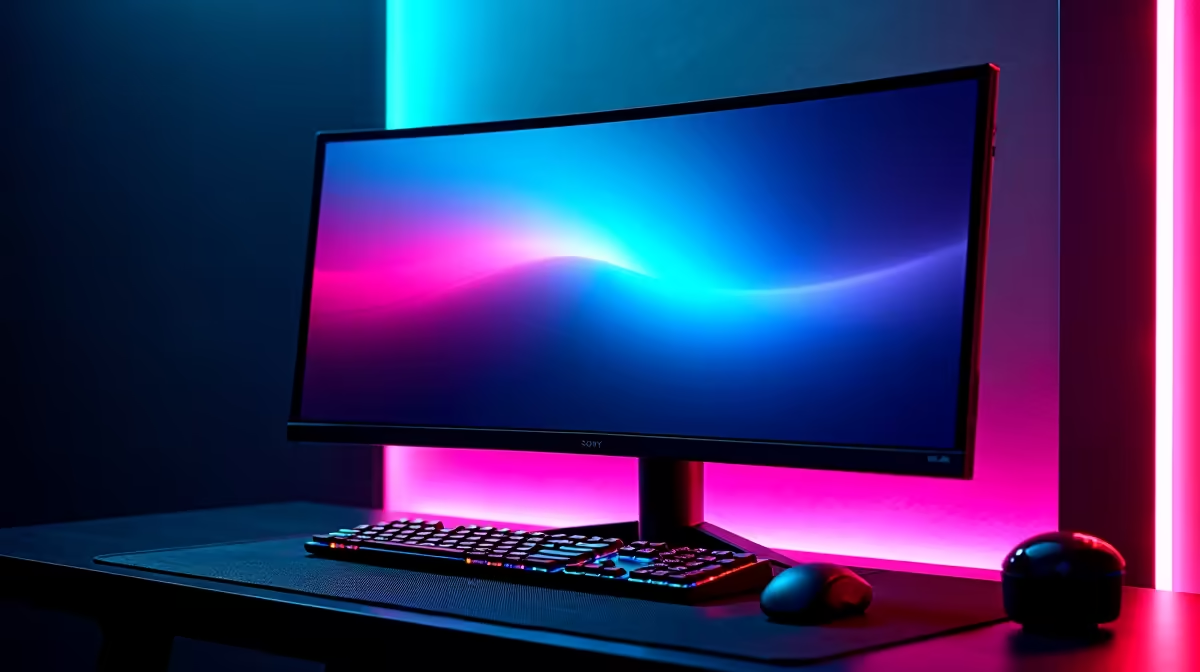
Ever lined up the perfect headshot in Apex Legends, only for your target to become a blurry mess as you track them? That frustrating ghosting is often a sign of slow pixel response. Many manufacturers shout about a 1ms response time, but what does that number actually mean for your gaming experience here in South Africa? Let's break it down, so you can make a smarter choice for your next upgrade. 🎯
At its core, response time is the speed at which a single pixel on your screen can change from one colour to another. It's typically measured in milliseconds (ms). The most common industry standard is "Grey-to-Grey" (GtG), which measures the time it takes for a pixel to shift from one shade of grey to another.
Think of it like this: a lower number means a faster, more agile pixel. A faster pixel can keep up with rapid on-screen action, resulting in a sharper, clearer image. This is a crucial spec for all modern PC monitors, but it's especially vital for gaming.
For everyday tasks like browsing or writing emails, a response time of 5ms or even 8ms is perfectly fine. But in the fast-paced world of gaming, every millisecond counts. A monitor with a 1ms response time offers two major advantages:
Here's where things get a bit technical, but it's important for making an informed choice. You'll often see two different response time specs advertised: GtG and MPRT.
While a 1ms MPRT can look very smooth, it can sometimes come with trade-offs like reduced brightness or potential flicker. For most gamers, a low GtG spec is the more reliable indicator of a top-tier panel. This is especially true for immersive curved gaming monitors where smooth motion is key to the experience.
Many monitors achieve their advertised 1ms response time using an "Overdrive" or "Trace Free" setting. While effective, setting this to its maximum level can sometimes cause "inverse ghosting" (a bright or dark trail). Check professional reviews to see which setting offers the best balance of speed and visual quality for your specific model.
A 1ms response time is fantastic, but it's just one piece of the puzzle. A truly great gaming experience comes from a balanced set of specs. Here's what else to consider:
The demand for low latency is so high that even specialised screens like portable monitors are being optimised for gaming on the go. To complete your battle station, a good VESA mount from our range of monitor accessories can perfect your ergonomic setup.
So, do you absolutely need a monitor with a 1ms response time?
If you're a competitive gamer playing fast-paced titles like Valorant, CS2, or Warzone, the answer is a resounding yes. The clarity and responsiveness provide a clear advantage that can genuinely improve your performance.
For casual gamers who prefer slower-paced strategy games or story-driven RPGs, a monitor with a response time under 5ms will still deliver a fantastic, smooth experience. Ultimately, it's about matching the tech to your needs and budget. Keep an eye on the best PC monitor deals to snag a high-performance screen without breaking the bank.
Ready to See the Difference? A low response time can transform your gaming. Whether you're a pro esports athlete or a weekend warrior, the right screen gives you the edge. Explore our massive range of gaming monitors and find the perfect display to dominate the competition.
For most gamers, a response time of 1-4ms is excellent. While 1ms is marketed for competitive esports, the visible difference is often minimal for casual or solo play.
GTG (Gray-to-Gray) measures how quickly a pixel can change colors. MPRT (Moving Picture Response Time) measures how long a pixel is visible, often using blur reduction tech.
Not entirely. While a fast response time helps reduce ghosting, factors like panel type (TN vs. IPS) and overdrive settings also play a huge role in overall motion clarity.
No. The "1ms" claim is often achieved under ideal test conditions or by using the MPRT metric. Always check independent reviews for a monitor's real-world performance.
Not at all. A high-quality IPS panel with a 4ms response time can provide a better overall experience with superior colors than a 1ms TN panel with poor motion handling.
Manufacturers often measure it using the fastest possible pixel transition or overdrive setting, which may not be practical for daily use due to visual artifacts like inverse ghosting.
GTA 6 Max Settings on RTX 5070. Tested & verified settings for best FPS and visual quality on SA hardware budgets.
Read more
Cyberpunk 2077 Max Settings on RTX 5080. Tested & verified settings for best FPS and visual quality on SA hardware budgets.
Read more
Starfield Max Settings on RTX 5070 Ti. Tested & verified settings for best FPS and visual quality on SA hardware budgets.
Read more
AMD RX 9050 XT: Rumoured Specs, Price & Release. SA-focused analysis with local pricing data, real-world insights & actionable buying advice.

Can RTX 4080 Super Run AI Workloads for SA Developers Detailed answer with SA data, expert analysis & practical recommendations for local buyers.

Can RTX 4090 Run AI Workloads for SA Developers Detailed answer with SA data, expert analysis & practical recommendations for local buyers.

Top Settings for Intel Arc B580 at Ultrawide 1440p picks evaluated on performance, value & SA availability with current Rand pricing from Evetech.

RTX 4060 CS2 Low Settings at 1080p: FPS Results. Real-world benchmark data, FPS numbers & performance analysis. What SA gamers can actually expect.

Visual Artifacts: Possible GPU Issue Issue #1. Diagnosis steps, proven fixes & when to seek professional help. SA-specific support info included.

Can the RTX 4090 Handle 1440p 144Hz Gaming. Performance testing verdict with real data & practical recommendations for SA buyers.

Top ASUS GPU Under R15000 picks evaluated on performance, value & SA availability with current Rand pricing from Evetech.
GTA 6 Max Settings on RTX 5070. Tested & verified settings for best FPS and visual quality on SA hardware budgets.
Cyberpunk 2077 Max Settings on RTX 5080. Tested & verified settings for best FPS and visual quality on SA hardware budgets.
Starfield Max Settings on RTX 5070 Ti. Tested & verified settings for best FPS and visual quality on SA hardware budgets.

Top RTX 5090 Under R5000 picks evaluated on performance, value & SA availability with current Rand pricing from Evetech.