


GPU Setup Guide for SA Gamers
GPU Setup Guide Gamers. Clear setup instructions with SA-specific considerations, troubleshooting tips & recommended components.
Read moreWondering if a 220W CPU air cooler thermal capacity is enough? Get a clear breakdown of what 220W actually supports for your CPU, temps, and boost behavior—so you can buy with confidence. ❄️✅
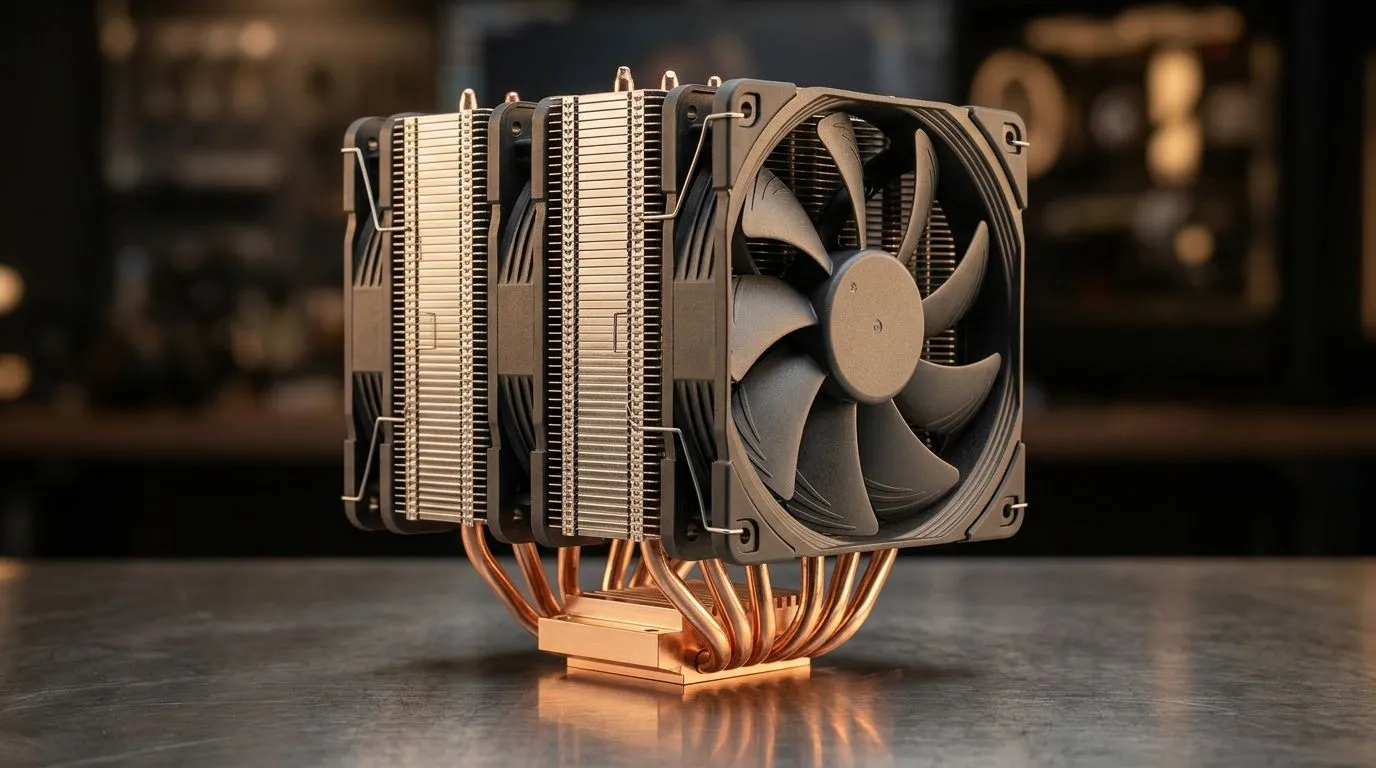
If you’ve ever heard your PC ramp up during a raid or a shader-heavy session, you’re not imagining things. Cooling isn’t just about comfort... it’s about staying within safe temperatures so your CPU can boost for longer. In South Africa, where power and room temperatures can vary, choosing the right cooler is a smart way to protect performance and stability. 🔧
When people shop for “220W” CPU coolers, they’re really asking: “Will this keep my CPU cool under load?” Let’s break it down clearly, especially for air cooling.
“Thermal capacity” for a CPU air cooler is typically discussed as the cooler’s ability to dissipate around a given heat load (often measured as TDP support ranges). A 220W-rated air cooler is designed to handle CPUs that can draw significant power when boosting.
But here’s the key nuance: real-world heat depends on your CPU model, turbo behaviour, ambient temperature, and airflow through your case. So instead of treating 220W as a guaranteed “comfort blanket,” treat it as a planning guideline.
For official shopping filters and to compare air cooler options in one place, start with Evetech’s dedicated CPU cooler category here: https://www.evetech.co.za/PC-Components/cpu-coolers-84
Air cooling lives and dies by airflow. A bigger tower heatsink can move more heat, and properly sized fans keep the fins working efficiently. That’s why many shoppers focus on fan size and heatsink footprint.
Evetech lists air coolers here (useful if you’re comparing multiple models fast): https://www.evetech.co.za/PC-Components/cpu-coolers-84?attributes-coolertype=Air+Cooler
If you want to narrow down by fan size, check 120mm fan air coolers. Bigger fans often move more air at lower RPM, which can mean less noise under load: https://www.evetech.co.za/PC-Components/cpu-coolers-84?attributes-coolertype=Air+Cooler&attributes-coolingsize=120mm+Fans
Brand matters less than fit and performance, but it helps you compare ecosystems and build styles. If you’re browsing Deepcool air coolers, you can filter here: https://www.evetech.co.za/PC-Components/cpu-coolers-84?attributes-coolertype=Air+Cooler&brands=Deepcool And if you’re comparing EINAREX options, start here: https://www.evetech.co.za/PC-Components/cpu-coolers-84?attributes-coolertype=Air+Cooler&brands=EINAREX
For gaming, your CPU load isn’t always at 100%... but your cooling should still handle the peaks. Competitive titles and simulation games can hammer the CPU for long periods, especially with background tasks like Discord, streaming, and browser tabs.
A useful approach:
On Windows, use Task Manager to monitor CPU package power and temperatures during a game session. If your CPU stays near thermal limits, you’ll feel stutter or clock drops. Then adjust your fan curve in BIOS or fan software and re-test for stable boost under the same in-game scenario.
Before you commit, verify:
This is where “220W thermal capacity” becomes practical. A cooler that fits and gets airflow will perform closer to its design intent. One that doesn’t fit will disappoint fast. ✨
Ready to stop guessing and start building with confidence? Use Evetech’s air cooler filters to compare capacity, fan size, and brand options in minutes. Then pick the cooler that matches both your CPU and your case airflow needs. 🚀
Ready to Find Your Perfect Match? The Mac vs Windows debate is complex, but for maximum power, choice, and value in South Africa, Windows is hard to beat. Explore our massive range of laptop specials and find the perfect machine to conquer your world.
It depends on your CPU’s real sustained draw and turbo behavior. Compare your CPU power targets to the cooler’s 220W rating and leave thermal headroom for noise and stability.
Not always. TDP is a guideline, while real package power (sustained and turbo peaks) can be higher or behave differently, affecting cooling needs beyond the listed 220W.
Expect results to vary by CPU model, case airflow, ambient temperature, and fan curve. Adequate headroom usually keeps boost closer to peak without heavy thermal throttling.
A common approach is to size for more than your expected sustained draw. Extra headroom helps reduce throttling risk and allows quieter fan speeds under load.
Sometimes, but overclocking increases real power consumption. If your overclock raises sustained package power near or above 220W, performance may depend heavily on airflow and cooling headroom.
Case airflow, cooler mounting pressure, fan quality and curves, CPU heat spreader contact, and ambient temperature can shift performance more than the headline thermal capacity.
Look at your CPU’s sustained load behavior during games, not only peak boosts. Then match that to the cooler’s thermal capacity with headroom for warmer rooms and long sessions.
GPU Setup Guide Gamers. Clear setup instructions with SA-specific considerations, troubleshooting tips & recommended components.
Read more
When Will the RTX 6090 Launch in South Africa Detailed answer with SA data, expert analysis & practical recommendations for local buyers.

Top Valorant Settings for RTX 5070: FPS Optimisation picks evaluated on performance, value & SA availability with current Rand pricing from Evetech.

RDNA 3.5 Graphics in Ryzen AI 400? Can You Game. Plain-English explanation of what it means, why it matters & how it affects your buying decisions in SA.

GPU Price Index : December Report. Current stock data & price tracking for SA buyers. See what is available and where prices are heading.

Core i5-14600K + B760 + RTX 5060 Build Under. Full parts list, Rand pricing & expected performance. Build confidently with SA-available components.

RX 7600 Apex Legends at 4K: FPS Benchmark. Real-world benchmark data, FPS numbers & performance analysis. What SA gamers can actually expect.

RX 7900 XTX GTA 6 at 4K: FPS Benchmark & Optimal. Real-world benchmark data, FPS numbers & performance analysis. What SA gamers can actually expect.

Head-to-head comparison of RTX 5070 vs RX 9070 XT: Gaming Performance for SA gamers. Performance benchmarks, Rand pricing & which delivers better value.

Top Laptop with Ryzen 5 + RTX 4090 Laptop: Picks picks evaluated on performance, value & SA availability with current Rand pricing from Evetech.

Top Budget GPU for Marvel Rivals picks evaluated on performance, value & SA availability with current Rand pricing from Evetech.

Valorant Settings on RTX 5070: Performance. Real-world benchmark data, FPS numbers & performance analysis. What SA gamers can actually expect.

Top Budget GPU for Assassins Creed Shadows picks evaluated on performance, value & SA availability with current Rand pricing from Evetech.