


GPU Setup Guide for SA Gamers
GPU Setup Guide Gamers. Clear setup instructions with SA-specific considerations, troubleshooting tips & recommended components.
Read more220W thermal capacity explained: what it really means for CPU cooling performance, temps, and sustained boost. Learn how to match 220W TDP labels to your chip for quieter, cooler builds. ❄️🔧
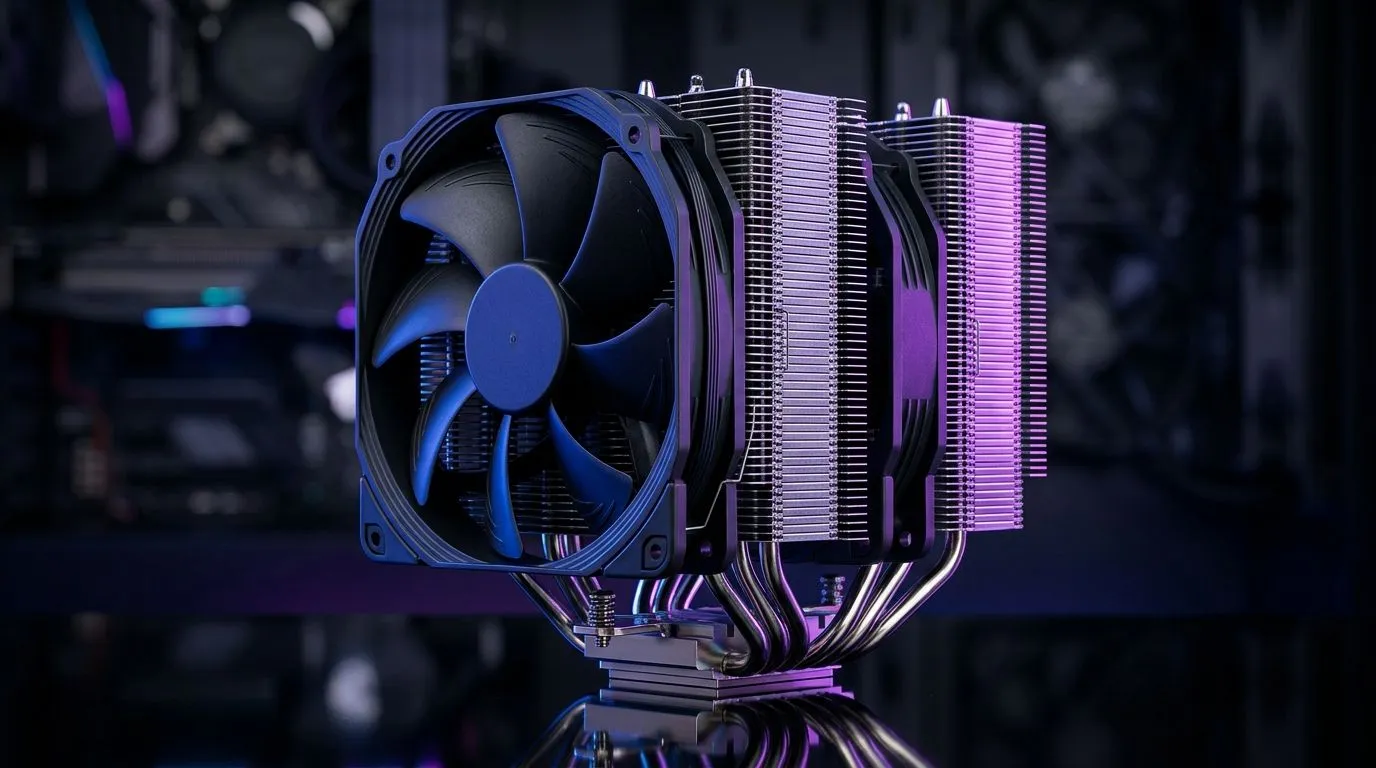
South African gamers, have you ever wondered what "220W thermal capacity" means for your CPU cooler? Knowing this can save your rig from overheating during intense gaming marathons or heavy workloads. The 220W thermal capacity tells you how much heat your CPU cooler can safely dissipate, keeping your processor running smoothly and efficiently. Whether you’re upgrading or building a new PC, understanding this will boost your performance without burning a hole in your pocket. 🔧
Thermal capacity, measured in watts, represents the maximum heat your cooler can handle from the CPU. A cooler with a 220W thermal capacity is designed for high-performance CPUs that generate lots of heat under stress. If your CPU's thermal design power (TDP) nears or exceeds 220W, you need a cooler capable of that capacity to prevent throttling or damage.
To compare, many standard CPUs operate around 65W to 105W TDP, so a 220W cooler is primed for heavy-duty CPUs or overclocking setups. Choosing the right cooler ensures thermal stability, even during long gaming sessions or creative workload spikes.
When shopping, you’ll find options like air coolers and liquid coolers that specify their cooling capacity upfront. For example, Evetech’s wide selection of CPU coolers includes models rated for high thermal capacities, perfect for beefier builds.
Air coolers remain popular for their reliability and ease of maintenance. Some models, especially those with larger heatsinks and multiple fans, easily reach 220W thermal capacity. Explore specialised Air Coolers designed for power users who demand quiet yet effective heat dissipation.
Fan size impacts the airflow and cooling efficiency. For example, 120mm fans hit a sweet spot for performance and noise levels. Certain trusted brands like Deepcool and EINAREX offer models optimised for high thermal load, combining quality materials and innovative designs.
{{TipBox title:"Pro Tip for Maximum Cooling"} Make sure your PC case supports the dimensions of your cooler. Bigger cooler? Bigger airflow needed. Combine it with quality thermal paste to squeeze out every degree of performance. }
Here in South Africa, where ambient room temperatures can rise, a cooler with a 220W thermal capacity helps maintain consistent performance by compensating for higher environmental heat. This means your rig won’t throttle during long gaming sessions or video editing marathons. Plus, efficient cooling extends component lifespan—saving you money down the line.
Choosing a cooler with this capacity also means more headroom for future CPU upgrades or overclocking adventures. So, you invest once and game hard for years.
Level Up Your CPU Cooling Discover coolers with the robust 220W thermal capacity you need for blazing performance. Don’t let heat slow you down—Shop now at Evetech for performance that leaves lag in the dust.
It means the cooler is designed to dissipate up to about 220W of heat under typical conditions, helping maintain lower CPU temps and boosts.
Not always. 220W is a cooler capability rating, while CPU TDP (and boosting behavior) can exceed or differ from base TDP depending on load and power limits.
It can reduce throttling risk by keeping temps in check, but real results depend on your CPU’s sustained power draw, case airflow, and ambient temperature.
Aim for headroom above your CPU’s typical sustained power during heavy loads. If your chip consistently draws near the rating, temps may rise quickly.
The rating is based on testing assumptions. Your actual performance still depends on fan configuration, case airflow, mounting pressure, and heatsink design.
Both can work, but AIOs may handle high sustained loads more consistently in some setups. Air coolers can excel with strong airflow and proper clearance.
Check cooler technology (heatsink size or radiator), fan speeds, installation quality, CPU power limits, and whether your case airflow supports the cooler.
GPU Setup Guide Gamers. Clear setup instructions with SA-specific considerations, troubleshooting tips & recommended components.
Read more
When Will the RTX 6090 Launch in South Africa Detailed answer with SA data, expert analysis & practical recommendations for local buyers.

Top Valorant Settings for RTX 5070: FPS Optimisation picks evaluated on performance, value & SA availability with current Rand pricing from Evetech.

RDNA 3.5 Graphics in Ryzen AI 400? Can You Game. Plain-English explanation of what it means, why it matters & how it affects your buying decisions in SA.

GPU Price Index : December Report. Current stock data & price tracking for SA buyers. See what is available and where prices are heading.

Core i5-14600K + B760 + RTX 5060 Build Under. Full parts list, Rand pricing & expected performance. Build confidently with SA-available components.

RX 7600 Apex Legends at 4K: FPS Benchmark. Real-world benchmark data, FPS numbers & performance analysis. What SA gamers can actually expect.

RX 7900 XTX GTA 6 at 4K: FPS Benchmark & Optimal. Real-world benchmark data, FPS numbers & performance analysis. What SA gamers can actually expect.

Head-to-head comparison of RTX 5070 vs RX 9070 XT: Gaming Performance for SA gamers. Performance benchmarks, Rand pricing & which delivers better value.

Top Laptop with Ryzen 5 + RTX 4090 Laptop: Picks picks evaluated on performance, value & SA availability with current Rand pricing from Evetech.

Top Budget GPU for Marvel Rivals picks evaluated on performance, value & SA availability with current Rand pricing from Evetech.

Valorant Settings on RTX 5070: Performance. Real-world benchmark data, FPS numbers & performance analysis. What SA gamers can actually expect.

Top Budget GPU for Assassins Creed Shadows picks evaluated on performance, value & SA availability with current Rand pricing from Evetech.