


RTX 4060 Ti Throttling Under Load: SA Temperature Guide
RTX 4060 Ti Throttling Under Load: Temperature. Everything you need to know with SA pricing, step-by-step instructions & expert recommendations.
Read more3-2-1 backup strategy protects your photos and documents by keeping 3 copies, 2 local copies on different devices, and 1 offsite copy. This guide shows simple steps, device choices, and affordable cloud options for home users. 🔒💾
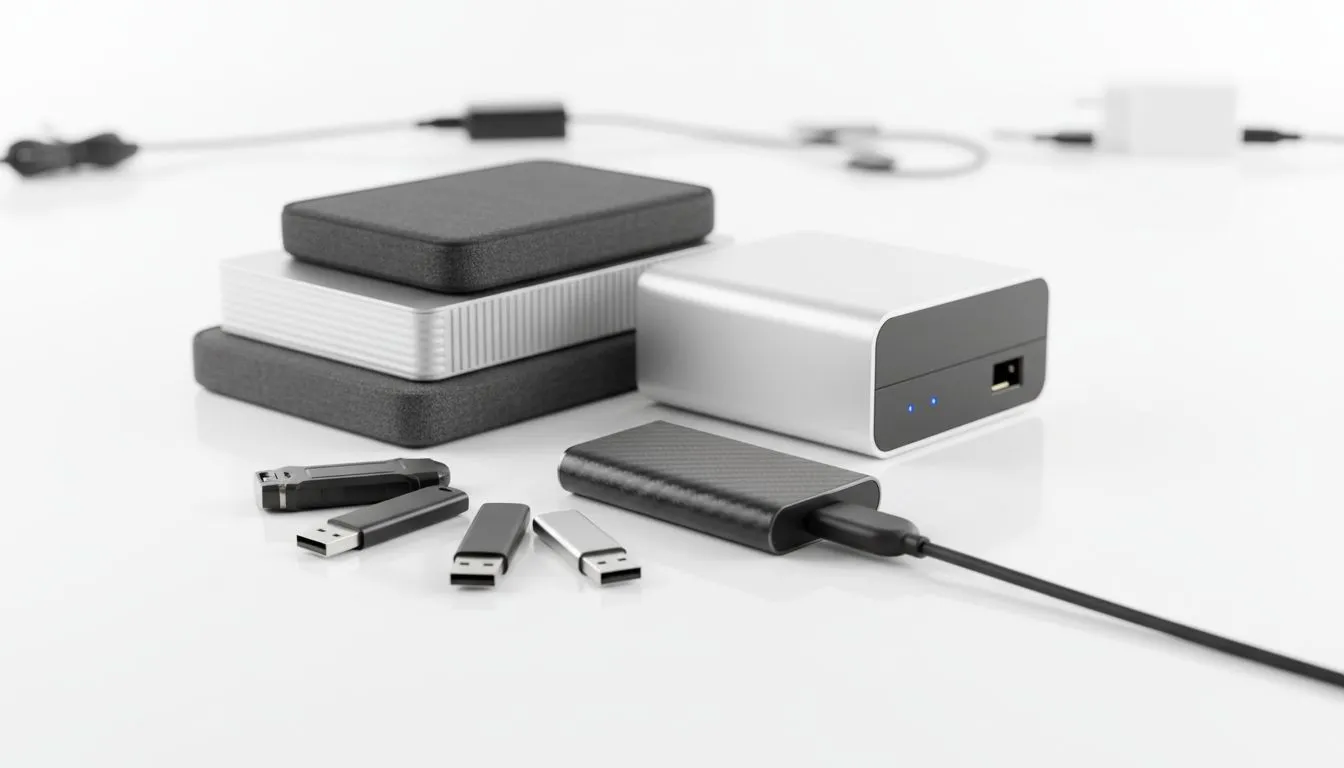
Imagine losing your entire digital life because of a sudden power surge or a drive failure. In South Africa, where loadshedding and lightning strikes are common, your data is always at risk. The 3-2-1 backup strategy for home users provides a foolproof practical setup guide to protect your files. It ensures your photos, games, and documents survive even the worst hardware catastrophes... 🔧
The logic is simple. You need three total copies of your data. Two should be local but on different devices. One must be offsite. For most South Africans, the easiest way to start is by picking up a high-quality external SSD to act as your primary backup destination.
Your first copy is the data living on your PC. To make the second copy, you need a dedicated device. Relying on a single internal drive is risky. If your motherboard fries during a power restoration, everything inside might go with it. Using secondary solid state drives for internal backups is a great start... but you should still mirror that data to an external source.
Don't rely on your memory to run backups. Use Windows File History or Mac Time Machine to automate the process. Set it to run every hour when your external drive is plugged in. This ensures that even if you forget to click save, your latest work is already tucked away safely on your secondary storage.
For those who move between home and the office, choosing a drive with a dedicated external form factor is essential for portability. These drives are designed to handle the occasional bump in a laptop bag while keeping your data secure.
The "2" in the 3-2-1 rule means using two different types of media. This reduces the chance of a "common mode failure" where the same defect affects both copies. You might use a mechanical HDD for mass storage and a fast SSD for your active projects. If you are looking for reliability, brands like ADATA offer excellent value for local storage.
Alternatively, many local enthusiasts trust Western Digital for their long-term storage needs. By mixing brands or technologies, you add an extra layer of psychological peace of mind. Even if one manufacturing batch has an issue, your other copy remains safe.
The final "1" is the offsite copy. This protects you against physical threats like theft or fire. For South African users, cloud storage is the most practical offsite solution. However, if you have massive video files or a huge 4K movie library, uploading to the cloud can be slow on capped or throttled lines. 🚀
In these cases, "sneaker-net" works best. Keep a backup drive at your office or a relative's house and swap it out once a month. If you are working with massive files and need the fastest possible local transfer speeds before taking a drive offsite, upgrading to Gen 5 NVME storage will significantly cut down your sync times. Spending around R2,000 on a solid backup plan today can save you thousands in professional data recovery fees later. ✨
Ready to Secure Your Digital Life? Don't wait for a drive failure to realise the importance of a backup. From lightning-fast NVMe drives to rugged portable storage, we have the hardware you need to stay protected. Explore our massive range of storage specials and build your 3-2-1 backup strategy today.
The 3-2-1 backup strategy keeps 3 copies of your data: 2 local on different devices and 1 offsite copy to guard against hardware failure and disasters.
Use your PC plus an external drive as two local copies, and add a cloud backup or offsite drive. Automate backups and verify restores regularly.
Yes, the offsite copy can be cloud backup or a physical drive stored offsite. Cloud backup solutions are convenient and fit most home setups.
Choose a reliable HDD or SSD with ample capacity and USB 3.0/USB-C. Look for drives with good reviews for durability and warranty coverage.
Backup frequency depends on how often data changes. For most home users, daily automated backups and weekly verification are ideal.
Yes. A NAS can serve as a local copy (one of the two) and some NAS models can sync to cloud backup solutions for the offsite copy.
Periodically restore sample files and full folders to a separate device. Testing confirms your automated backup software and restore process work.
RTX 4060 Ti Throttling Under Load: Temperature. Everything you need to know with SA pricing, step-by-step instructions & expert recommendations.
Read more
Apex Legends Max Settings on RTX 4080. Tested & verified settings for best FPS and visual quality on SA hardware budgets.
Read more
GPU Buying Guide. Everything you need to know with SA pricing, step-by-step instructions & expert recommendations.
Read more
GPU Terms Guide. Everything you need to know with SA pricing, step-by-step instructions & expert recommendations.
Read more
AMD Adrenalin Download & Setup Guide: GPU. Clear setup instructions with SA-specific considerations, troubleshooting tips & recommended components.
Read more
Back-to-School GPU Buying Guide. Everything you need to know with SA pricing, step-by-step instructions & expert recommendations.
Read more
Can RTX 4080 Super Run AI Workloads for SA Developers Detailed answer with SA data, expert analysis & practical recommendations for local buyers.

Can RTX 4090 Run AI Workloads for SA Developers Detailed answer with SA data, expert analysis & practical recommendations for local buyers.

Top Settings for Intel Arc B580 at Ultrawide 1440p picks evaluated on performance, value & SA availability with current Rand pricing from Evetech.

RX 7600 Overclocking Guide: Safe OC Settings for. Real-world benchmark data, FPS numbers & performance analysis. What SA gamers can actually expect.

RTX 4060 CS2 Low Settings at 1080p: FPS Results. Real-world benchmark data, FPS numbers & performance analysis. What SA gamers can actually expect.

Visual Artifacts: Possible GPU Issue Issue #1. Diagnosis steps, proven fixes & when to seek professional help. SA-specific support info included.

Can the RTX 4090 Handle 1440p 144Hz Gaming. Performance testing verdict with real data & practical recommendations for SA buyers.

Top ASUS GPU Under R15000 picks evaluated on performance, value & SA availability with current Rand pricing from Evetech.
RTX 4060 Ti Throttling Under Load: Temperature. Everything you need to know with SA pricing, step-by-step instructions & expert recommendations.
Apex Legends Max Settings on RTX 4080. Tested & verified settings for best FPS and visual quality on SA hardware budgets.
GPU Buying Guide. Everything you need to know with SA pricing, step-by-step instructions & expert recommendations.
GPU Terms Guide. Everything you need to know with SA pricing, step-by-step instructions & expert recommendations.