


Glorious Keyboard Switches Explained: Which Switch Is Right for You?
Glorious Keyboard Switches Explained: Which. Plain-English explanation of what it means, why it matters & how it affects your buying decisions in SA.
Read more4K 60Hz USB-C to HDMI hub explained: discover why 60Hz matters for smooth motion, gaming, and professional work and which specs ensure true 4k60 output ⚡🖥️
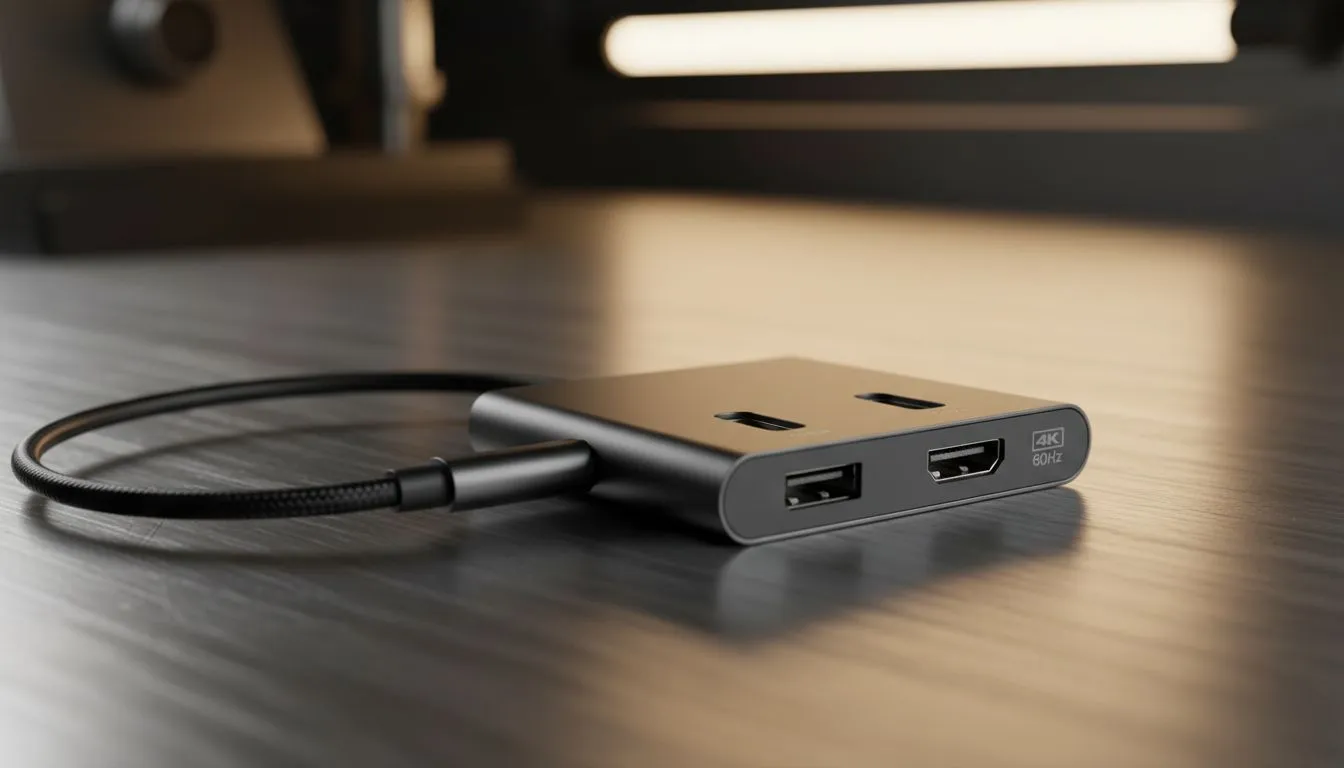
So, you’ve got a powerful new laptop and a stunning 4K monitor or TV. You’re ready for some glorious, high-resolution gaming or productivity… but there’s a catch. Your laptop only has USB-C ports. You grab a random dongle, plug it in, and the picture is… choppy. Laggy. Disappointing. This is where understanding why a 4K 60Hz USB-C to HDMI hub isn't just a nice-to-have, but an absolute essential for any modern setup in South Africa.
Modern laptops are sleek and powerful, but they've sacrificed traditional ports like HDMI and USB-A for the universal USB-C. While convenient, this means you need an adapter to connect to most external displays. The problem? Not all adapters are created equal. Many cheaper or older hubs only support 4K at a frustrating 30Hz (30 frames per second).
For everyday browsing, that might be okay. But for gaming or even just moving your mouse cursor smoothly across the screen, 30Hz feels like you’re dragging it through mud. A proper 4K 60Hz USB-C to HDMI hub delivers double the frames, resulting in a buttery-smooth experience that matches the performance you expect from your high-end gear. It’s one of the most crucial PC gaming accessories for a modern rig. ✨
Let's break down what that "60Hz" really means for you. Hertz (Hz) is a measure of refresh rate—how many times your screen updates the image per second.
In gaming, a higher refresh rate means a smoother, more responsive experience. While competitive gamers chase 144Hz or higher, 60Hz is the gold standard for crisp, fluid gameplay on 4K TVs and standard monitors. Trying to play Elden Ring or Call of Duty at 30Hz is a recipe for frustration, with noticeable input lag and visual stutter. A quality 4K 60Hz hub ensures your signal path isn't bottlenecking your performance. Keep an eye on our gaming accessories deals to snag a high-quality hub without breaking the bank.
The benefits aren't just for gaming. If you're a video editor, graphic designer, or just someone who juggles multiple windows, 60Hz makes a world of difference. Your mouse moves fluidly, video playback is seamless, and the overall experience feels snappy and professional. It reduces eye strain and makes long work sessions far more comfortable.
Not all HDMI cables are equal. To guarantee a stable 4K 60Hz signal from your hub, make sure you're using an HDMI 2.0 or higher certified cable. An old, unrated cable from the back of your cupboard can be a hidden bottleneck, forcing your connection down to 30Hz or causing signal dropouts.
The best USB-C hubs do more than just connect to a monitor. They are multi-tool powerhouses that can transform your laptop's connectivity. When shopping, consider what else you need.
A good USB-C to HDMI hub often includes:
The right hub consolidates your entire desk setup, making it a key part of our curated Gaming Accessories lineup. It’s the simple, elegant solution to the port problem, ensuring your powerful laptop can connect to everything you need without compromise.
Ready to Unleash Your 4K Potential? Don't let a poor connection hold your setup back. A quality 4K 60Hz USB-C to HDMI hub is the key to unlocking crisp, smooth visuals for gaming and work. Explore our massive range of PC components and accessories and find the perfect hub to conquer your world.
No. Many hubs only support 4K at 30Hz. Choose a usb-c to hdmi 4k60 adapter or a hub with HDMI 2.0 or DP Alt Mode for true 4k60.
Look for HDMI 2.0+ or DisplayPort Alt Mode over USB-C, 18 Gbps+ bandwidth, and quality cables to ensure 4k 60hz monitor usb-c hub support.
Not always. Many USB-C ports with DP Alt Mode support 4k60, but Thunderbolt 3/4 guarantees the bandwidth for usb-c 4k60hz docking station setups.
Many modern MacBooks can via Thunderbolt 3/4. Confirm your model and use a compatible hub and cable labeled for macbook usb-c 4k 60hz output.
No. Use certified High Speed or Premium HDMI cables rated for HDMI 2.0/18Gbps. Cheap cords may drop to 30Hz or lose HDR on 4k60.
Yes. HDR increases bandwidth needs. For 4k60 HDR choose hubs and cables rated for 4k60hz hdr to avoid color or frame drops.
Pick a hub advertising 4k60, low latency, HDMI 2.0/2.1 support and proven usb-c to hdmi 4k60 adapter compatibility for smooth gameplay.
Glorious Keyboard Switches Explained: Which. Plain-English explanation of what it means, why it matters & how it affects your buying decisions in SA.
Read more
Winter Keyboard Buying Guide. Everything you need to know with SA pricing, step-by-step instructions & expert recommendations.
Read more
Keyboard Buying Guide. Everything you need to know with SA pricing, step-by-step instructions & expert recommendations.
Read more
LGBTQ+ Gamers Keyboard Guide: January Edition. Everything you need to know with SA pricing, step-by-step instructions & expert recommendations.
Read more
Keyboard Maintenance Guide Gamers. Everything you need to know with SA pricing, step-by-step instructions & expert recommendations.
Read more
Accessibility Focused Keyboard Guide: January. Everything you need to know with SA pricing, step-by-step instructions & expert recommendations.
Read more
Snapdragon X2 NPU Explained: How 80 TOPS Changes. Plain-English explanation of what it means, why it matters & how it affects your buying decisions in SA.

HBM? High Bandwidth Memory Used in GPUs and AI. Plain-English explanation of what it means, why it matters & how it affects your buying decisions in SA.

How much should you spend on sim racing accessories in South Africa for a realistic setup? We break down budgets by quality tiers, so you buy smart gear and avoid overspending 🎮💸

G-Sync and FreeSync? Variable Refresh Rate. Plain-English explanation of what it means, why it matters & how it affects your buying decisions in SA.

AMD Laptop: Value. SA-focused analysis with local pricing data, real-world insights & actionable buying advice.

How MacBook Neo Handles 30+ Chrome Tabs with Only. SA-focused analysis with local pricing data, real-world insights & actionable buying advice.

Why Apple Put 8GB RAM in MacBook Neo: The A18 Pro. SA-focused analysis with local pricing data, real-world insights & actionable buying advice.

Upgrade your work laptop with a New Motherboard. Step-by-step instructions with SA-specific tips, common pitfalls to avoid & expert recommendations.

MacBook Pro 16-Inch M5 Max: Complete Specs,. Everything you need to know with SA pricing, step-by-step instructions & expert recommendations.

Travelling With a MacBook: Travellers. Everything you need to know with SA pricing, step-by-step instructions & expert recommendations.

Back-to-School Parent Guide: Laptops. Everything you need to know with SA pricing, step-by-step instructions & expert recommendations.

MacBook Air 13-Inch M5: Complete Specs, Features. Everything you need to know with SA pricing, step-by-step instructions & expert recommendations.