


Complete Guide: Setting Up Monitor Light
Setting Up Monitor Light. Tested & verified settings for best FPS and visual quality on SA hardware budgets.
Read more4TB external SSD for gaming, content creation and backup workflows made simple ⚡ Learn how to set it up, speed up transfers, and organize files for smoother play and safer storage.
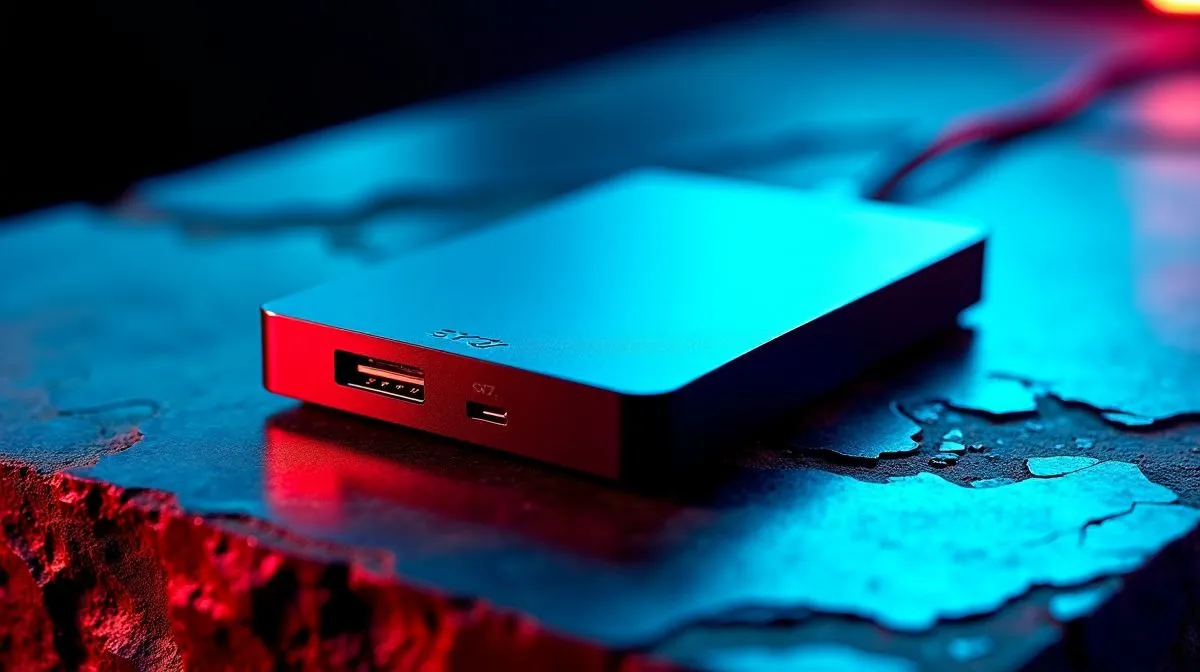
Tired of deleting your favourite games just to install the latest 150GB update? Modern titles and heavy 4K video files eat up space quickly. Storage anxiety is a real struggle for South African gamers and creators. Add load shedding to the mix, and you need fast, reliable backups. A 4TB external SSD for gaming, creation and backup is the perfect fix. Let us get your storage sorted.
Modern games demand serious speed. Running games off an old mechanical hard drive means painful load times. You also get annoying texture pop-ins. Upgrading to a massive 4TB external SSD for gaming gives you instant loading speeds. You can literally carry your entire Steam library in your pocket.
This is especially helpful for South African gamers. We often play on multiple setups or visit LAN events. You no longer need to redownload massive files over your fibre line. If you want to explore the best options, browse our massive range of solid state drives to see what fits your ZAR budget.
Content creators know the sheer panic of running out of space mid-edit. A 4TB external SSD for backup and creation lets you scrub through heavy 4K footage easily. You will not drop a single frame. Moving gigabytes of data takes seconds rather than hours.
Brands really matter when you trust them with your hard work. You might prefer reliable ADATA solid state drives for their excellent durability. Alternatively, high-performance Kingston SSDs offer incredible read and write speeds. They make transferring massive video projects an absolute breeze.
Did you know you can easily build your own portable drive? It is often more cost-effective. It also gives you complete control over your hardware.
First, you need to pick a high-speed internal drive. A standard M.2 2280 form factor SSD is the exact size you need. It fits perfectly into most sleek portable enclosures. Next, carefully slot the drive into a compatible USB-C enclosure and secure the screw. It takes less than two minutes.
If you want absolute bleeding-edge speeds for heavy video rendering, you have options. You can look into ultra-fast Gen 5 NVMe drives to ensure your setup handles anything. Just ensure your enclosure supports those extreme speeds 🚀.
When setting up your new 4TB external SSD for gaming, format it to exFAT if you plan to swap files between Windows and Mac laptops. If you are strictly gaming on a Windows rig, stick to NTFS for the best possible performance and stability.
Ready to Supercharge Your Storage? Finding the right storage solution does not have to be a headache. Whether you need a 4TB external SSD for gaming, creation and backup, or just a fast drive for your laptop, Evetech has you covered. Explore our massive range of SSD specials and find the perfect drive to secure your digital world today.
Yes. A fast 4TB external SSD can store and run many games with quick load times, especially over USB 3.2 or USB-C.
Yes. A portable SSD for content creation works well for project files, media caches, and moving large footage between devices.
Use exFAT for cross-platform use. If you only use one system, choose NTFS for Windows or APFS for Mac.
Use a simple backup workflow external SSD routine: separate folders, scheduled copies, and at least one extra backup location.
No, but backup tools and game launchers can improve organization, syncing, and file management.
It can improve load times and reduce waiting, but it will not increase FPS like a GPU upgrade.
Setting Up Monitor Light. Tested & verified settings for best FPS and visual quality on SA hardware budgets.
Read more
Assassins Creed Shadows Ultrawide Support: 21:9. Clear setup instructions with SA-specific considerations, troubleshooting tips & recommended components.
Read more
Complete Gaming Setup Guide for the Collector. Clear setup instructions with SA-specific considerations, troubleshooting tips & recommended components.
Read more
Will the Steam Deck 2 Have an OLED Screen? Leaked. Plain-English explanation of what it means, why it matters & how it affects your buying decisions in SA.
Read more
Setting Up Ultrawide 144Hz. Tested & verified settings for best FPS and visual quality on SA hardware budgets.
Read more
Kingdom Come: Deliverance 2 Ultrawide Support. Clear setup instructions with SA-specific considerations, troubleshooting tips & recommended components.
Read more
When Will the RTX 6090 Launch in South Africa Detailed answer with SA data, expert analysis & practical recommendations for local buyers.

Top Valorant Settings for RTX 5070: FPS Optimisation picks evaluated on performance, value & SA availability with current Rand pricing from Evetech.

RDNA 3.5 Graphics in Ryzen AI 400? Can You Game. Plain-English explanation of what it means, why it matters & how it affects your buying decisions in SA.

GPU Price Index : December Report. Current stock data & price tracking for SA buyers. See what is available and where prices are heading.

Core i5-14600K + B760 + RTX 5060 Build Under. Full parts list, Rand pricing & expected performance. Build confidently with SA-available components.

RX 7600 Apex Legends at 4K: FPS Benchmark. Real-world benchmark data, FPS numbers & performance analysis. What SA gamers can actually expect.

RX 7900 XTX GTA 6 at 4K: FPS Benchmark & Optimal. Real-world benchmark data, FPS numbers & performance analysis. What SA gamers can actually expect.

Head-to-head comparison of RTX 5070 vs RX 9070 XT: Gaming Performance for SA gamers. Performance benchmarks, Rand pricing & which delivers better value.

Starfield Max Settings on RTX 5070. Tested & verified settings for best FPS and visual quality on SA hardware budgets.

Top RX 7800 XT Model Under R8,000 picks evaluated on performance, value & SA availability with current Rand pricing from Evetech.

RTX 5070 Valorant Optimised Settings: Graphics. Real-world benchmark data, FPS numbers & performance analysis. What SA gamers can actually expect.

Top Laptop with Core i7 + RX 7700S: Picks picks evaluated on performance, value & SA availability with current Rand pricing from Evetech.