

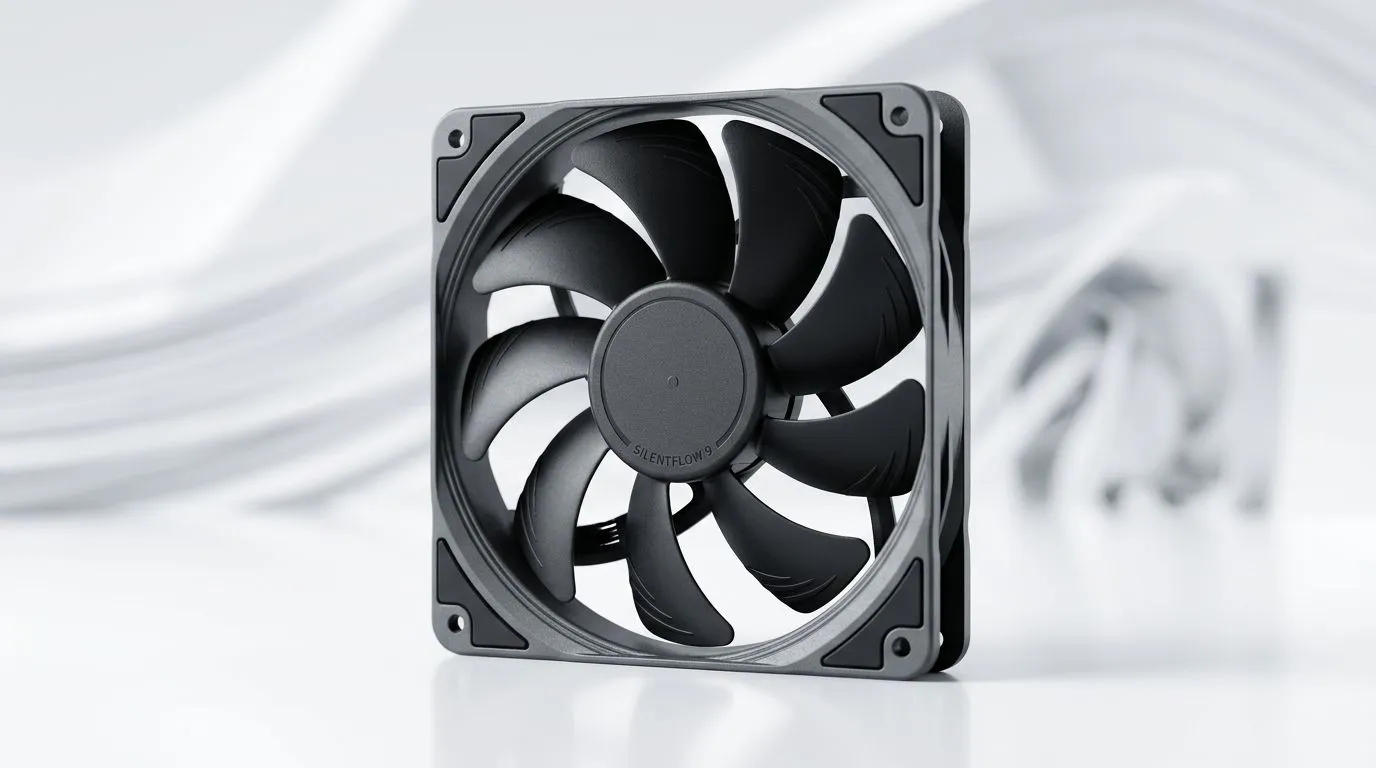
Can a 9-Blade Fan Design Reduce Noise While Cooling? Here’s what SA gamers should know 🔇
If your PC sounds like it’s revving up for take-off every time you boot Tarkov or run a heavy game… you’re not alone. Noise usually comes from a mix of fan speed, airflow, and design details. So the big question is: Can a 9-Blade Fan Design Reduce Noise While Cooling without sacrificing temperatures? Let’s break it down in plain terms, then talk about what to buy (and what to avoid) when upgrading your case cooling.
9 blades vs 7 blades: will it actually cool and stay quiet? ✨
A higher blade count can help in two ways:
- More blades can create smoother airflow. That can reduce the “blade-slap” noise some fans make.
- It may allow the fan to move air at lower RPM. Lower RPM generally means lower noise.
But it’s not magic. A “quieter” fan is usually the result of several factors working together:
- Fan RPM range and how low it can go while still pushing enough air.
- Blade shape (not just number of blades).
- Bearing quality (long-term noise matters).
- Case airflow design (front intake vs rear exhaust balance).
For fans you can shop right now, check Evetech’s wide selection of case fans:
- browse the full range here: case fans for your build
And if you already know what brand ecosystem you want, narrow it down:
- consider CORSAIR case fans for consistent, mainstream compatibility.
- or try Deepcool fans when you want strong performance per rand.
The noise problem: where it usually starts 🎮
In real gaming rigs, the biggest “noise moments” are often:
- Fan ramping under load. When your GPU spikes, your fans chase the heat.
- Vibration. Cheap mounting or an unbalanced fan can turn resonance into a high-pitched buzz.
- Airflow mismatch. If intake and exhaust don’t balance, fans work harder.
This is why “more blades” only helps if the fan still has enough static pressure or airflow to move air where it matters. For tight front panels or radiator stacks, static pressure matters more than pure airflow. If you’re building around a radiator, match fan type to mounting situation.
120mm vs 140mm: which one tends to feel quieter? 🔧
Bigger fans often allow lower speeds for the same airflow. In practice, that can mean less noise, especially in mid-load gaming sessions.
Evetech lets you filter by size:
- 120mm case fans if your chassis or radiator only supports that footprint.
- 140mm case fans if you want the “move air gently” approach.
If you’re unsure, measure first. In many ATX cases, 140mm slots give you better long-term comfort, and your ears will notice.
Productivity Pro Tip ⚡
On Windows, use Task Manager to watch CPU and GPU temperatures while you test fan behaviour. If temps are stable but the fans still scream, adjust your fan curve in your motherboard BIOS or with your controller software. Aim for low RPM at idle and only ramp aggressively once you’re truly under sustained load.
RGB or no RGB: noise isn’t the only trade-off ✨
RGB doesn’t automatically mean louder fans. But it can affect cost, wiring complexity, and sometimes even fan control features. If your goal is quiet, keep your setup simple.
If you want a clean look without lighting distractions:
And if you’re building a full theme:
A quick buying checklist for quieter cooling 🔇
Before you add fans, think like a system designer:
- Check compatibility: fan size and connector type (motherboard headers vs hub).
- Prioritise airflow balance: at least one front intake, one rear/upper exhaust pattern.
- Set a fan curve: don’t let your fans jump to high RPM instantly.
- Look for good bearings if you plan to keep the PC for years.
So… can a 9-Blade Fan Design Reduce Noise While Cooling? Often, yes. But the real win is choosing a fan that can run effectively at lower RPM in your specific case airflow setup.
Shop the right fans and tune your rig for quiet gaming 🚀
Ready to Find Your Perfect Match? The Mac vs Windows debate is complex, but for maximum power, choice, and value in South Africa, Windows is hard to beat. Explore our massive range of laptop specials and find the perfect machine to conquer your world.











