


RTX 4060 Ti Throttling Under Load: SA Temperature Guide
RTX 4060 Ti Throttling Under Load: Temperature. Everything you need to know with SA pricing, step-by-step instructions & expert recommendations.
Read moreAI development PC planning starts with the right balance of CPU, GPU, RAM, storage, and networking 🚀 Discover what to prioritise for faster training, smoother workflows, and reliable performance in South Africa.
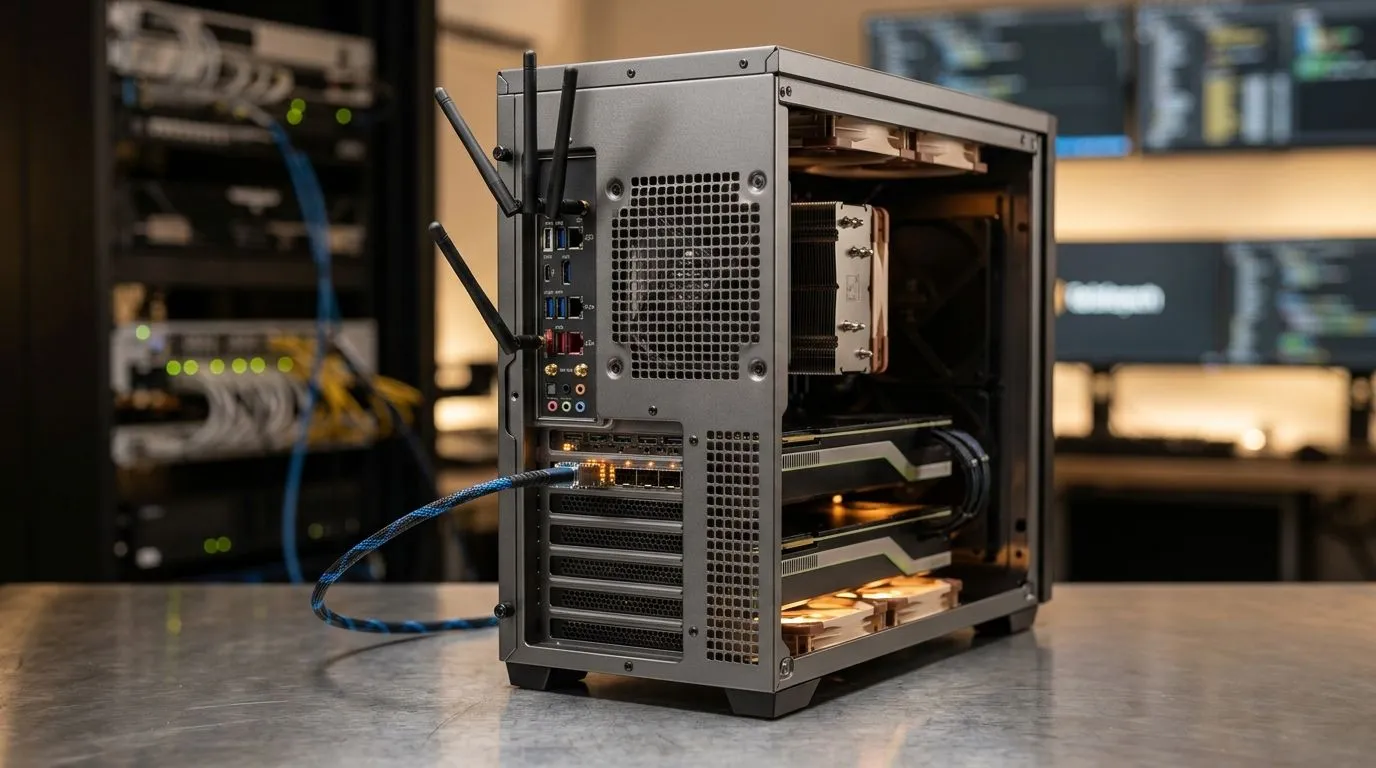
If you’re building an AI dev setup in South Africa, you’re probably balancing ambition with electricity, storage limits, and a tight rand budget. Maybe you’re training small models at home, fine-tuning for a game mod pipeline, or just want faster local experimentation. The good news? A smart AI Development PC plan beats chasing the biggest numbers on a spec sheet every time. 🔧
This guide focuses on what actually matters for an AI Development PC: your GPU-first strategy, memory sizing, storage that won’t choke, and the practical things like cooling and power stability. Let’s make your next purchase count.
For most AI workloads, the GPU does the heavy lifting. If you’ll run local inference, fine-tune smaller models, or use CUDA-accelerated tools, prioritise a capable NVIDIA GPU first (drivers and ecosystem support are excellent in general AI dev practice).
But don’t buy blindly. Ask:
A great way to test the “right size” is to start with a small target: pick one workload you’ll do weekly, then size VRAM and RAM accordingly. That reduces costly upgrades later.
If your goal is “AI experiments and dev tasks” rather than maximum throughput, mini PCs can still deliver. They also tend to fit better into smaller spaces common in SA flats, where noise and heat matter.
For options worth browsing, check out these mini PC ranges:
AI dev is often “GPU-bound”… but you can still lose days to slow loading, constant swapping, or choking dataset pipelines.
For local development (datasets, notebooks, containers, caching), more RAM usually means less waiting. If you’re doing model work alongside tools like IDEs and browsers, aim for a comfortable buffer. A common pitfall is having plenty of GPU power while RAM becomes the bottleneck.
You’ll feel it when:
Use an SSD as your “active workspace” drive. If you can, keep datasets separate from your OS so you’re not constantly shuffling files.
On an AI dev workstation, keep your dataset folder on a fast SSD and set your ML workspace to use that location for caches. This reduces repeated downloads and reprocessing, so your notebook sessions start faster and you spend more time experimenting instead of waiting.
In South Africa, power stability is part of the experience, especially if your dev machine also acts as a gaming PC.
What to prioritise:
If your system is running hot, throttling can reduce performance dramatically. For AI workloads, steadier thermals usually means steadier results.
Before checkout, confirm:
That’s how you avoid “it looks great on paper” regret.
Ready to Find Your Perfect Match? The Mac vs Windows debate is complex, but for maximum power, choice, and value in South Africa, Windows is hard to beat. Explore our massive range of laptop specials and find the perfect machine to conquer your world.
Choose a modern multi-core CPU for faster compiling, preprocessing, and multitasking in an AI development PC.
32GB is a strong starting point, while 64GB helps with larger datasets and smoother machine learning workflows.
Yes. A strong GPU speeds up training and inference, especially for deep learning and local model testing.
High-speed networking improves dataset transfers, cloud access, backups, and collaboration on AI projects.
Yes. NVMe SSDs cut load times and keep large datasets moving quickly in an AI workstation.
Prioritise stable gigabit Ethernet or faster, plus a quality router and ISP plan for reliable AI development.
RTX 4060 Ti Throttling Under Load: Temperature. Everything you need to know with SA pricing, step-by-step instructions & expert recommendations.
Read more
Apex Legends Max Settings on RTX 4080. Tested & verified settings for best FPS and visual quality on SA hardware budgets.
Read more
GPU Buying Guide. Everything you need to know with SA pricing, step-by-step instructions & expert recommendations.
Read more
GPU Terms Guide. Everything you need to know with SA pricing, step-by-step instructions & expert recommendations.
Read more
AMD Adrenalin Download & Setup Guide: GPU. Clear setup instructions with SA-specific considerations, troubleshooting tips & recommended components.
Read more
Back-to-School GPU Buying Guide. Everything you need to know with SA pricing, step-by-step instructions & expert recommendations.
Read more
Can RTX 4080 Super Run AI Workloads for SA Developers Detailed answer with SA data, expert analysis & practical recommendations for local buyers.

Can RTX 4090 Run AI Workloads for SA Developers Detailed answer with SA data, expert analysis & practical recommendations for local buyers.

Top Settings for Intel Arc B580 at Ultrawide 1440p picks evaluated on performance, value & SA availability with current Rand pricing from Evetech.

RX 7600 Overclocking Guide: Safe OC Settings for. Real-world benchmark data, FPS numbers & performance analysis. What SA gamers can actually expect.

RTX 4060 CS2 Low Settings at 1080p: FPS Results. Real-world benchmark data, FPS numbers & performance analysis. What SA gamers can actually expect.

Visual Artifacts: Possible GPU Issue Issue #1. Diagnosis steps, proven fixes & when to seek professional help. SA-specific support info included.

Can the RTX 4090 Handle 1440p 144Hz Gaming. Performance testing verdict with real data & practical recommendations for SA buyers.

Top ASUS GPU Under R15000 picks evaluated on performance, value & SA availability with current Rand pricing from Evetech.
RTX 4060 Ti Throttling Under Load: Temperature. Everything you need to know with SA pricing, step-by-step instructions & expert recommendations.
Apex Legends Max Settings on RTX 4080. Tested & verified settings for best FPS and visual quality on SA hardware budgets.
GPU Buying Guide. Everything you need to know with SA pricing, step-by-step instructions & expert recommendations.
GPU Terms Guide. Everything you need to know with SA pricing, step-by-step instructions & expert recommendations.