


RTX 4060 Ti Throttling Under Load: SA Temperature Guide
RTX 4060 Ti Throttling Under Load: Temperature. Everything you need to know with SA pricing, step-by-step instructions & expert recommendations.
Read moreAI Mini PC budget guide for South Africa 💻🤖 Learn how much to spend for serious development, which specs matter, and where to avoid overspending.
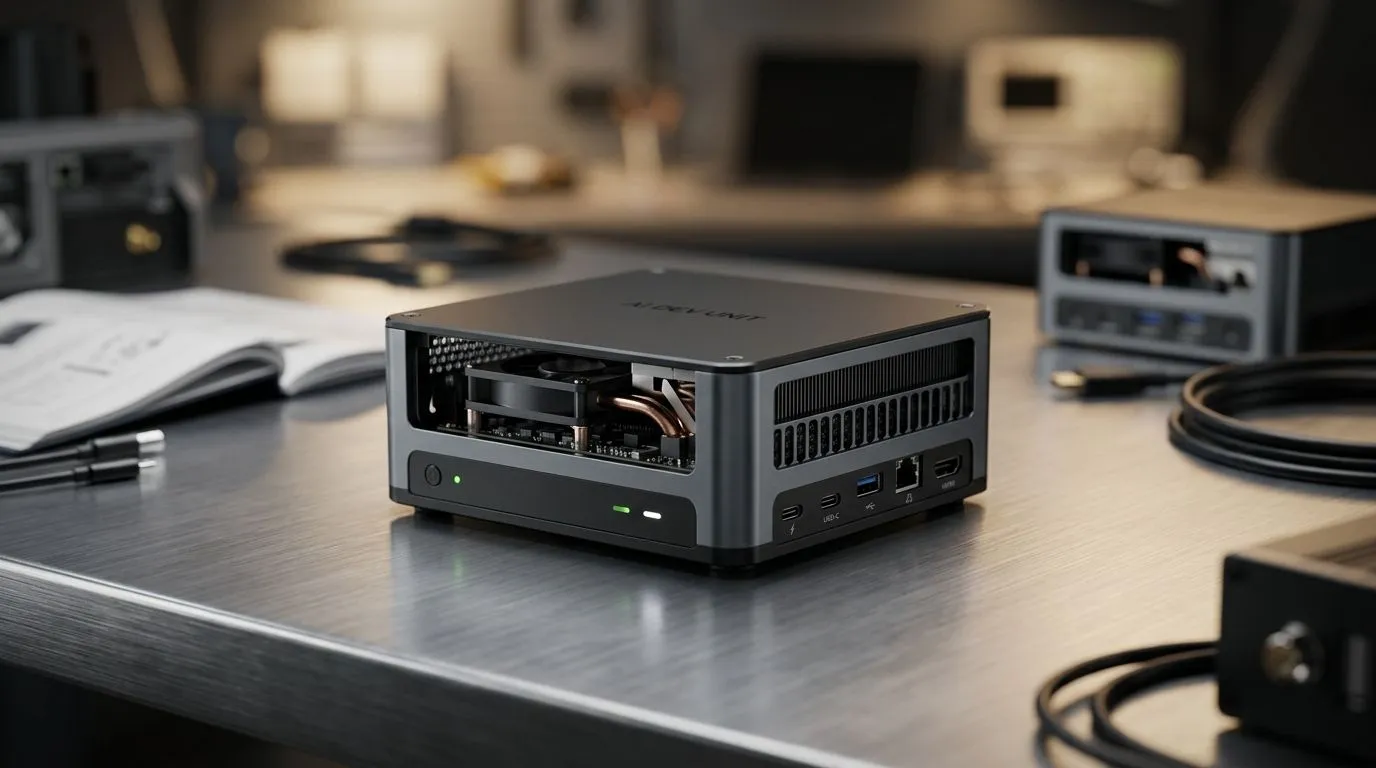
If you’re building a new home setup, you’ve probably seen those “AI mini PC” ads and wondered: is it actually worth it? 🔥 In South Africa, budgets swing fast between load shedding friendly upgrades and full workstation dreams. The sweet spot is knowing what you’re buying, what you’ll use it for, and how long it should last.
A good rule of thumb is simple: spend according to your use case, not hype. In this guide, we’ll break down how much you should spend on an AI mini PC in South Africa, so you can buy once and upgrade later. ⚡
Most “AI mini PC” buyers aren’t training models from scratch. They’re running AI tools locally, like image upscalers, voice features, and desktop assistants. For that, you mainly need stable CPU performance, enough RAM, and either an iGPU or a supported GPU solution (depending on the workloads).
Evetech’s mini PC categories make it easier to shop by form factor and brand rather than guessing. Start here: Browse mini PCs at Evetech
Here’s a practical way to think in ZAR, assuming you want something that’s genuinely useful for everyday AI tasks and general gaming/creator work (not just a “try it once” gadget).
Note: exact performance depends on the specific CPU/RAM/GPU, so always check the configuration before buying.
If you’re comparing models, filter by brand to see what’s available in your price bracket. For example, Minisforum options can be easier to compare in one place: Minisforum mini PCs
You can also look at the broader mini PC listing first: All mini PCs
And if you’re considering Ninkear-based options: Ninkear mini PCs
Or MSI configurations: MSI mini PCs
On Windows, set up a dedicated workspace for AI apps. Create separate folders for models, outputs, and downloads, then pin them in File Explorer. This avoids the ‘where did that file go?’ chaos when you’re testing multiple tools back-to-back.
Picture this: you buy a mini PC for R11,000, install a couple of AI tools, and… it works… but projects take forever. Then you upgrade RAM later and suddenly the workflow becomes tolerable. If you already know you’ll run multiple apps and keep results locally, spending a bit more upfront can save money later. That’s the whole point of choosing the right tier.
Ready to Find Your Perfect Match? The Mac vs Windows debate is complex, but for maximum power, choice, and value in South Africa, Windows is hard to beat. Explore our massive range of laptop specials and find the perfect machine to conquer your world.
For serious development, aim for a mid-range AI mini PC with strong CPU, 32GB RAM, and fast SSD storage. That usually gives the best value.
Prioritise CPU cores, RAM, NVMe SSD speed, and an AI-capable processor. These matter more than flashy extras for local AI development.
16GB can work for light tasks, but 32GB is better for multitasking, containers, and larger AI mini PC development workflows.
Not always. Many AI mini PC setups can handle coding, testing, and light inference without a GPU, but heavier training benefits from one.
The best value often sits in the mid-range tier, where you get better CPU performance, 32GB RAM support, and faster storage without overspending.
Yes, if you use an external monitor and peripherals. A mini PC can be a strong desktop replacement for development and AI workflows.
Avoid weak CPUs, soldered low RAM, and slow storage. These bottlenecks hurt AI mini PC performance more than you might expect.
RTX 4060 Ti Throttling Under Load: Temperature. Everything you need to know with SA pricing, step-by-step instructions & expert recommendations.
Read more
Apex Legends Max Settings on RTX 4080. Tested & verified settings for best FPS and visual quality on SA hardware budgets.
Read more
GPU Buying Guide. Everything you need to know with SA pricing, step-by-step instructions & expert recommendations.
Read more
GPU Terms Guide. Everything you need to know with SA pricing, step-by-step instructions & expert recommendations.
Read more
AMD Adrenalin Download & Setup Guide: GPU. Clear setup instructions with SA-specific considerations, troubleshooting tips & recommended components.
Read more
Back-to-School GPU Buying Guide. Everything you need to know with SA pricing, step-by-step instructions & expert recommendations.
Read more
Can RTX 4080 Super Run AI Workloads for SA Developers Detailed answer with SA data, expert analysis & practical recommendations for local buyers.

Can RTX 4090 Run AI Workloads for SA Developers Detailed answer with SA data, expert analysis & practical recommendations for local buyers.

Top Settings for Intel Arc B580 at Ultrawide 1440p picks evaluated on performance, value & SA availability with current Rand pricing from Evetech.

RX 7600 Overclocking Guide: Safe OC Settings for. Real-world benchmark data, FPS numbers & performance analysis. What SA gamers can actually expect.

RTX 4060 CS2 Low Settings at 1080p: FPS Results. Real-world benchmark data, FPS numbers & performance analysis. What SA gamers can actually expect.

Visual Artifacts: Possible GPU Issue Issue #1. Diagnosis steps, proven fixes & when to seek professional help. SA-specific support info included.

Can the RTX 4090 Handle 1440p 144Hz Gaming. Performance testing verdict with real data & practical recommendations for SA buyers.

Top ASUS GPU Under R15000 picks evaluated on performance, value & SA availability with current Rand pricing from Evetech.
RTX 4060 Ti Throttling Under Load: Temperature. Everything you need to know with SA pricing, step-by-step instructions & expert recommendations.
Apex Legends Max Settings on RTX 4080. Tested & verified settings for best FPS and visual quality on SA hardware budgets.
GPU Buying Guide. Everything you need to know with SA pricing, step-by-step instructions & expert recommendations.
GPU Terms Guide. Everything you need to know with SA pricing, step-by-step instructions & expert recommendations.