


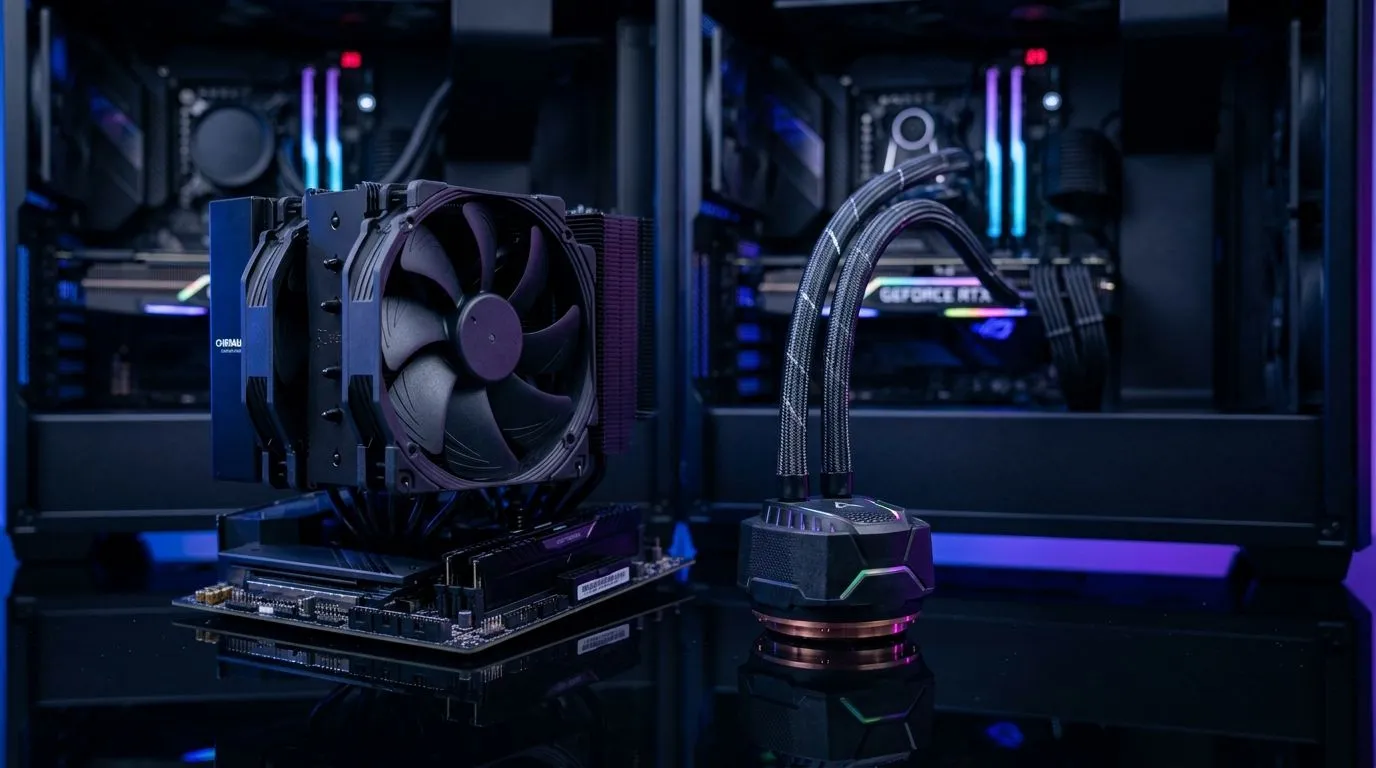
Air Cooling vs Liquid Cooling for High-TDP CPUs: Which keeps your rig quiet, cool, and stable?
If you’re running a high‑TDP CPU in South Africa’s summer heat, you’ve probably wondered: air or liquid cooling? 🔥 Either can work brilliantly, but the “best” choice depends on your case airflow, noise tolerance, and budget in ZAR. For gamers, the goal is simple… consistent boost clocks and fewer thermal throttling moments during long sessions. Let’s break down Air Cooling vs Liquid Cooling for High-TDP CPUs in a practical, no‑fluff way.
Air Cooling vs Liquid Cooling for High-TDP CPUs: The real-world differences that matter
How air coolers handle high heat
Air coolers use heatsinks plus fans to move heat into your case. Their main advantage is reliability. There are fewer failure points, and installation is often straightforward. For high‑TDP CPUs, you typically want a larger tower cooler and strong fan support. This is where modern models shine, especially when paired with good case airflow.
A quick way to sanity-check your setup is to compare cooler height and ensure it fits your case. Then look at fan size and airflow potential.
How liquid cooling actually performs
Liquid cooling (AIO) moves heat from the CPU to a radiator using a pump. Fans then exhaust that heat out the case. AIO coolers can offer strong thermals, particularly in cases where air coolers struggle with clearance. They can also be quieter at the same cooling level, but it depends on fan curves and radiator size.
If your case supports a proper radiator layout (often top or front), an AIO can look like a “clean” solution. But the pump and radiator fans do mean you should be a little more deliberate with maintenance habits and airflow choices.
Noise and maintenance: the often-overlooked trade-offs
Air coolers can run very well with fewer moving parts. Most owners simply clean dust filters and fans every few months. With AIOs, you still clean dust, but you’re also trusting the pump and radiator over time. That doesn’t make AIOs risky… just different.
Air Cooling vs Liquid Cooling for High-TDP CPUs: A buying checklist for South African builds
Match the cooler to your case and airflow
Before you choose a cooler type, confirm:
- Your case supports the cooler height (air) or radiator size (AIO)
- You have at least decent intake airflow (front/bottom fans)
- Your CPU load is realistic (gaming spikes are different from render workloads)
The simplest path is to browse options and filter by cooler type and fan size.
You can start with Evetech’s CPU cooler range here: CPU coolers at Evetech. If you’re leaning air cooling, use this filter: Air Cooler options. Want to narrow further for bigger fan setups? Try: 120mm Air Coolers.
Brand fans looking for a specific lineup can also shop by manufacturer. For Deepcool air coolers, check: Deepcool Air Coolers. And if EINAREX is your preference: EINAREX Air Coolers.
Productivity under load… without cooking your CPU
If you do both gaming and productivity, think long sessions. A cooler that holds steady temperatures under sustained load will feel better than a “peak” performer.
Productivity Pro Tip 🔧
text: "On Windows, set a balanced fan profile (or use your motherboard’s PWM control) and test with a short CPU stress run. Then adjust curves in small steps until idle stays quiet and load stays stable. Your ears will thank you during night gaming sessions."
Air Cooling vs Liquid Cooling for High-TDP CPUs: Quick decision guide
Choose air cooling if you want:
- Simpler installation and fewer moving parts
- Great value in ZAR for most mainstream and many enthusiast builds
- Reliable day-to-day ownership with easy cleaning
Choose liquid cooling (AIO) if you want:
- Better fit in cases with tall cooler clearance issues
- Potentially lower noise at similar temperatures (depends on your fan setup)
- A cleaner look with radiator mounting options
If you’re still unsure, start by checking what your case supports and what noise you can tolerate. Then shop within that boundary.
Ready to Find Your Perfect Match? The Mac vs Windows debate is complex, but for maximum power, choice, and value in South Africa, Windows is hard to beat. Explore our massive range of laptop specials and find the perfect machine to conquer your world.











