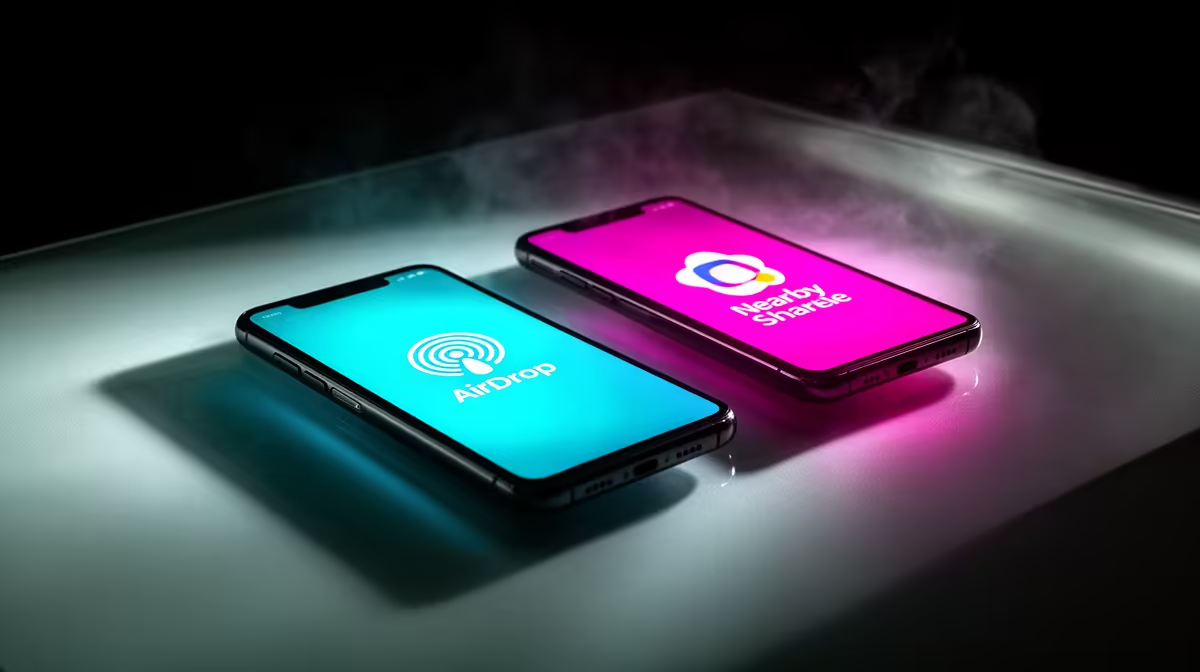
You’ve just snapped the perfect photo at the braai, and everyone wants it. Now comes the awkward dance: “Are you on iPhone?” “Nah, Android.” The familiar sigh. In the fast-paced world of tech, the AirDrop vs Nearby Share debate is a daily reality for South Africans. It’s the digital wall between ecosystems. But which service truly offers the fastest, most reliable file transfer for your devices? Let's settle the score. ⚡
Understanding AirDrop: Apple's Walled Garden Wonder
If you own an iPhone, iPad, or Mac, you know AirDrop. It’s Apple’s proprietary wireless transfer service that uses a combination of Bluetooth and Wi-Fi to send photos, videos, documents, and more between Apple devices with incredible speed and simplicity.
For those deep in the Apple ecosystem, it feels like magic. There’s no setup required; you just tap the share icon, pick a nearby Apple device, and your file is sent in seconds. The downside? It’s a classic case of a walled garden. If your friend has an Android phone or a Windows PC, AirDrop is completely off the table, leaving you to resort to slower methods like WhatsApp, which often compresses your files. A seamless experience is great, but only when everyone has the right gear, like a powerful MacBook from our wide range of laptop specials for sale in South Africa.
Exploring Nearby Share: Google's Versatile Challenger
Nearby Share is Google’s answer to AirDrop, and its biggest strength is its versatility. It’s built into modern Android phones and is also available for Windows PCs and Chromebooks. This makes it the go-to solution for the majority of device users in South Africa, bridging the gap between phones and laptops effortlessly. 📱
It works similarly to AirDrop, using Bluetooth, Wi-Fi Direct, or WebRTC to find nearby devices and transfer files. You can choose to be visible to everyone, just your contacts, or only your own devices, giving you excellent control over your privacy. While it might require a quick one-time setup on a Windows PC, its ability to connect different brands makes it a powerful tool for any tech user, especially when you're transferring huge game clips from one of the best gaming laptop deals around.
The Showdown: AirDrop vs Nearby Share Head-to-Head
So, when the dust settles in the AirDrop vs Nearby Share battle, who comes out on top? It boils down to a few key differences.
Key Comparison Points
- Compatibility: This is the biggest decider. AirDrop is strictly for Apple devices. Nearby Share works across Android, Windows, and ChromeOS, making it far more universal.
- Speed: Both are incredibly fast for small and large files, often maxing out the local Wi-Fi connection. For most practical purposes, any speed difference is negligible.
- Ease of Use: AirDrop is slightly more intuitive out of the box, as it's deeply integrated into iOS and macOS. Nearby Share is just as simple on Android but requires installing an app on Windows.
- Integration: Your choice depends on your daily driver. A powerful machine is key to ensuring these transfers are handled without a hiccup, whether you're running top-tier AMD laptops on special or the latest hardware from other brands.
Pro Tip: Get Nearby Share on Your PC
Want to bridge the gap between your Android phone and Windows laptop? Download the official "Nearby Share from Google" app for your Windows PC. After a quick setup, you can send files back and forth between your phone and computer just as seamlessly as AirDrop users.
The Verdict: Which Fast File Transfer is for You?
Ultimately, there’s no single winner in the AirDrop vs Nearby Share showdown. The best service is the one that fits your personal tech ecosystem. ✨
If your entire household and office use Apple products, AirDrop is the undisputed champion for its flawless integration. However, for the vast majority of South Africans living in a mixed-device world, Nearby Share is the more practical and versatile solution. It breaks down the walls between platforms, ensuring you can share what you want, with whomever you want, regardless of the logo on their device. The latest processors found in modern Intel laptops on special handle these background processes with ease, making file sharing a truly seamless experience.
Upgrade Your Sharing Power
Don't let a slow device bottleneck your workflow or fun. A powerful laptop makes everything, from file transfers to gaming, faster and smoother. Explore our laptop specials for sale in South Africa for performance that leaves lag in the dust.