

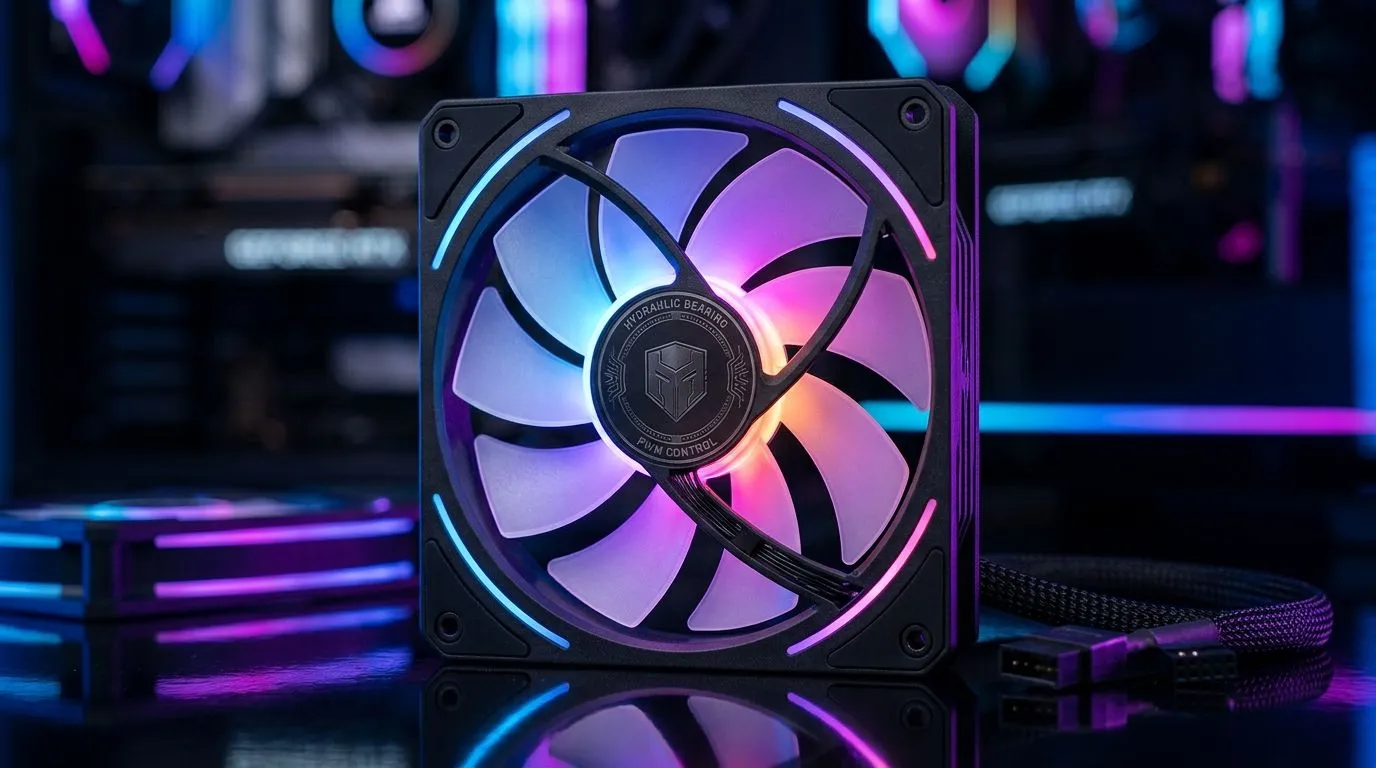
ARGB Case Fan Features Explained: why your airflow and lighting both matter
If you’ve ever stared at a PC case full of fans and wondered which specs actually change performance… you’re not alone. In South Africa, we game on everything from budget rigs to RGB-heavy battlestations, and case fans are the quiet workhorses. 🔧 ARGB can look awesome, but the fan tech decides whether your CPU stays cool during a raid or a ranked grind. Let’s break down ARGB Case Fan Features Explained: PWM control, hydraulic bearings, and LED sync… in plain English.
ARGB Case Fan Features Explained: PWM vs “just spin” control
Most modern case fans offer PWM (Pulse Width Modulation), which is how the motherboard tells a fan to ramp up or down smoothly. Instead of a fixed speed, PWM lets your system use targeted cooling curves based on temperature. That usually means less noise at idle, and stronger airflow when it matters.
Hydraulic bearings (more on those next) pair well with PWM because the fan can spin quietly at lower speeds for long periods, then increase airflow under load. ⚡
Cooling Pro Tip ⚡
If your motherboard has 4-pin PWM headers, plug your main intake and exhaust fans in there and set a balanced fan curve in BIOS. For most gaming setups, aim for lower RPM at idle, then ramp up once CPU GPU temps rise.
For product shopping, it helps to compare options directly using Evetech’s case fan listings:
- Browse general case fan options here: case fans at Evetech
- Or, if you’re building around brand preference, check CORSAIR case fans for consistent performance and software control ecosystems.
ARGB Case Fan Features Explained: hydraulic bearings for smoother, longer life
Fan bearings affect noise over time and how “stable” a fan feels when it spins. Hydraulic bearings use oil-impregnated technology to reduce friction. In practical terms, that can mean quieter operation and better longevity compared to simpler sleeve designs.
Evetech also carries brands that specify bearing and fan characteristics clearly. If you want a Deepcool-focused build, start here: Deepcool case fans. ✨
When deciding between bearing types, think about your use case:
- If your PC runs daily for work and gaming, durability and low noise matter.
- If you only game occasionally, any reputable bearing type might be fine, but smoother control still helps temps.
ARGB Case Fan Features Explained: LED sync and what “ARGB” really enables
ARGB isn’t only about “pretty lights”. LED sync lets you coordinate lighting across fans and other compatible components. The goal is a unified effect instead of mismatched colours flickering like a disco.
Evetech’s listings make it easy to filter by lighting effects:
- Explore ARGB and RGB lighting effects options when you want visible colour.
- Or if you’re after a stealth build, browse non-lighting (None) options.
Also pay attention to LED control compatibility (fan controller vs motherboard addressable headers). If the sync matters to you, plan that first, then choose airflow fans that match.
ARGB Case Fan Features Explained: choosing 120mm vs 140mm for real airflow
Size changes what a fan can move at a given RPM. Generally, 140mm fans can provide strong airflow with lower RPM, which can mean quieter cooling. 120mm fans are still excellent, especially in tighter cases where clearance is limited.
Evetech has both sizes available:
- Check 120mm case fans
- Or browse 140mm case fans
Quick layout rule that works for many gaming builds: front intake + rear or top exhaust, then adjust based on CPU cooler type and GPU length. If your case is airflow-limited, swapping a single fan can feel like a big upgrade… even before you touch thermal paste.
ARGB Case Fan Features Explained: the fastest way to pick the right fan set
Here’s a simple decision flow:
- Choose size (120mm for constraints, 140mm for quieter airflow).
- Prioritise PWM control for smoother temperature-based speed.
- Look for hydraulic bearings if you want reduced noise over time.
- Pick lighting based on whether you want sync and a consistent look.
Then, buy the exact number of fans you need to avoid mixing mismatched effects and curves.
Ready to Find Your Perfect Match? The Mac vs Windows debate is complex, but for maximum power, choice, and value in South Africa, Windows is hard to beat. Explore our massive range of laptop specials and find the perfect machine to conquer your world.











