


GPU Setup Guide for SA Gamers
GPU Setup Guide Gamers. Clear setup instructions with SA-specific considerations, troubleshooting tips & recommended components.
Read moreLearn how ARGB lighting with AURA Sync works on modern PC case fans—covering headers, daisy-chain wiring, and sync effects. Get setup tips for smoother control and fewer color issues ✨🖥️
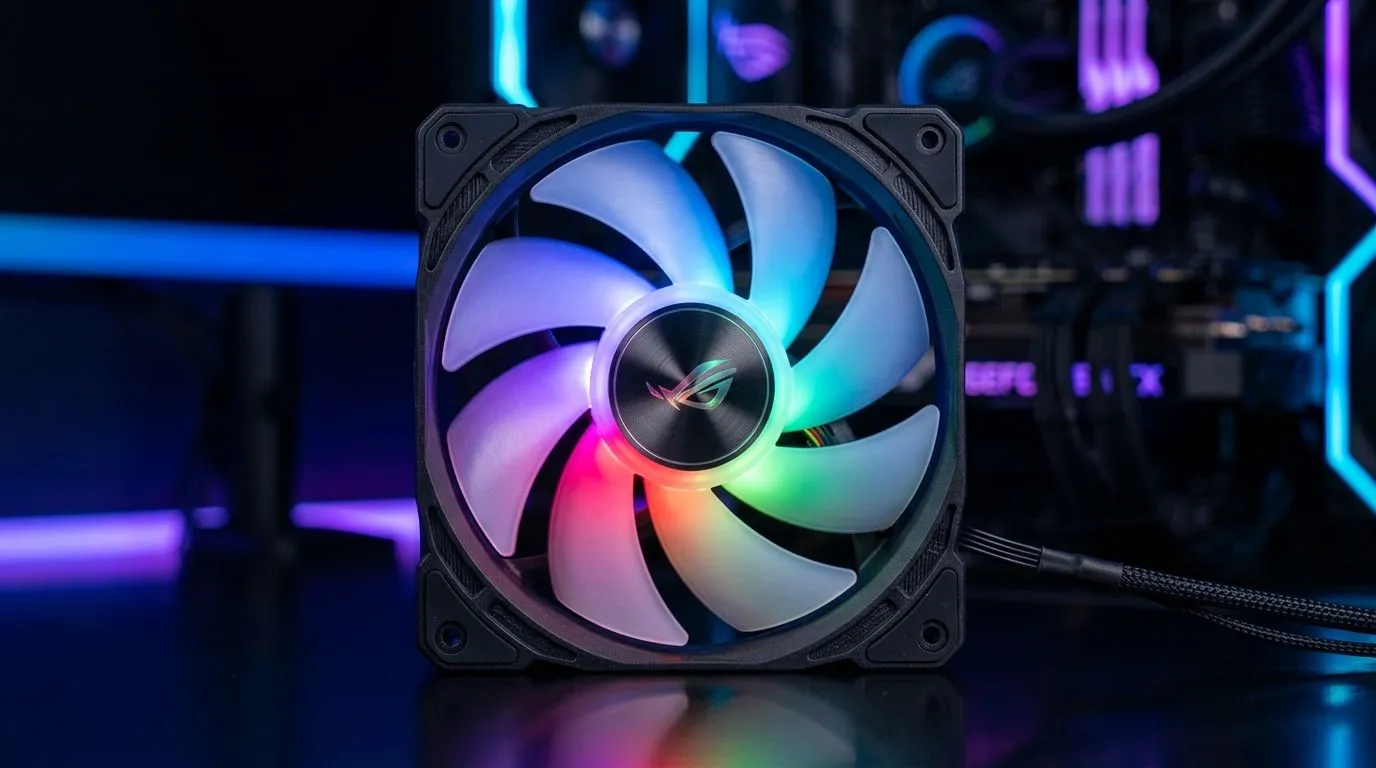
If you’ve ever watched your PC fire up and the fans “breathe” in sync with your motherboard… you get it. That first 10 seconds can make or break the whole build vibe. South African gamers also care about the basics: stable temps, low noise, and lighting that doesn’t randomly flicker. ⚡
So how does How ARGB Lighting With AURA Sync Works on PC Fans actually work? Let’s break it down in plain terms, then I’ll show you how to set it up without frustration.
Before you plug anything in, understand the signal type:
For ARGB fans and lighting options, Evetech stocks plenty of choices across sizes and lighting types, including ARGB/RGB filtering on their case fan range:
Aura Sync is an ASUS lighting ecosystem. When it works, the motherboard becomes the “conductor.” Here’s the typical chain:
Why you may see uneven effects: if the fans aren’t truly addressable on the correct header, or you’ve mixed incompatible lighting standards, the motherboard can’t map the LEDs correctly. Addressable means the controller needs to know LED positions and order.
When you’re building or upgrading, do this in order:
On your first test boot, set a single fixed colour in Aura Sync before enabling complex animations. It’s easier to spot bad connections or reversed headers quickly, and it prevents you from chasing flicker effects that are actually wiring problems.
Lighting is cool, but performance is what keeps your FPS stable during those long rank sessions. Most people start with case fan sizing because it decides your airflow path.
Evetech carries common 120mm and 140mm options. If your case supports multiple sizes, choose based on clearance first, then noise and airflow targets:
Also, if you’re aiming for a specific lighting style, it helps to filter the shop results by lighting type. For non-addressable lighting you’ll see different behaviour compared to ARGB, so don’t assume “RGB” means the same thing across brands:
Aura Sync support depends on the lighting ecosystem and the controller. Many builds work great with major partners, but there can be limitations if you mix brands without the right connections.
If you’re selecting from ASUS ecosystem-friendly brands, consider how the fans are listed and what’s supported. Evetech stocks options across brand filters, for example:
Once the wiring is correct, the last mile is aesthetics:
Ready to get the right ARGB fans for your case and Aura Sync setup? Let’s make it easy.
Ready to Find Your Perfect Match? The Mac vs Windows debate is complex, but for maximum power, choice, and value in South Africa, Windows is hard to beat. Explore our massive range of laptop specials and find the perfect machine to conquer your world.
ARGB uses individually addressable LEDs. AURA Sync controls color and effects by sending timed data through the ARGB header to your case fans.
Yes. ARGB fans require a compatible addressable RGB header on the motherboard for AURA Sync. Without it, you will need an ARGB controller.
Connect the 3-pin ARGB data + 5V + ground plug to the motherboard ARGB header. Match pin labeling carefully to avoid incorrect colors.
Often yes. Many ARGB fans support daisy-chaining, but you must respect fan/LED power limits and keep connections stable for consistent effects.
Wrong header type, reversed pins, too many LEDs on one header, or unstable daisy-chaining can cause flicker or color mismatch with AURA Sync.
Typically AURA Sync uses ASUS Aura software and compatible motherboard lighting ecosystems. Some cases need additional drivers for best results.
Check for 5V addressable RGB support and verify your motherboard has the correct ARGB header. Product specs should mention AURA Sync compatibility.
Confirm the ARGB header is correct, reseat the 3-pin connector, verify you used the addressable RGB port, and test with fewer fans if needed.
GPU Setup Guide Gamers. Clear setup instructions with SA-specific considerations, troubleshooting tips & recommended components.
Read more
When Will the RTX 6090 Launch in South Africa Detailed answer with SA data, expert analysis & practical recommendations for local buyers.

Top Valorant Settings for RTX 5070: FPS Optimisation picks evaluated on performance, value & SA availability with current Rand pricing from Evetech.

RDNA 3.5 Graphics in Ryzen AI 400? Can You Game. Plain-English explanation of what it means, why it matters & how it affects your buying decisions in SA.

GPU Price Index : December Report. Current stock data & price tracking for SA buyers. See what is available and where prices are heading.

Core i5-14600K + B760 + RTX 5060 Build Under. Full parts list, Rand pricing & expected performance. Build confidently with SA-available components.

RX 7600 Apex Legends at 4K: FPS Benchmark. Real-world benchmark data, FPS numbers & performance analysis. What SA gamers can actually expect.

RX 7900 XTX GTA 6 at 4K: FPS Benchmark & Optimal. Real-world benchmark data, FPS numbers & performance analysis. What SA gamers can actually expect.

Head-to-head comparison of RTX 5070 vs RX 9070 XT: Gaming Performance for SA gamers. Performance benchmarks, Rand pricing & which delivers better value.

Top Laptop with Ryzen 5 + RTX 4090 Laptop: Picks picks evaluated on performance, value & SA availability with current Rand pricing from Evetech.

Top Budget GPU for Marvel Rivals picks evaluated on performance, value & SA availability with current Rand pricing from Evetech.

Valorant Settings on RTX 5070: Performance. Real-world benchmark data, FPS numbers & performance analysis. What SA gamers can actually expect.

Top Budget GPU for Assassins Creed Shadows picks evaluated on performance, value & SA availability with current Rand pricing from Evetech.