


GPU Setup Guide for SA Gamers
GPU Setup Guide Gamers. Clear setup instructions with SA-specific considerations, troubleshooting tips & recommended components.
Read moreARGB vs RGB PC fan lighting: learn the real customisation differences, wiring needs, and software control options before you buy. Make the right upgrade for your setup ✨🔧
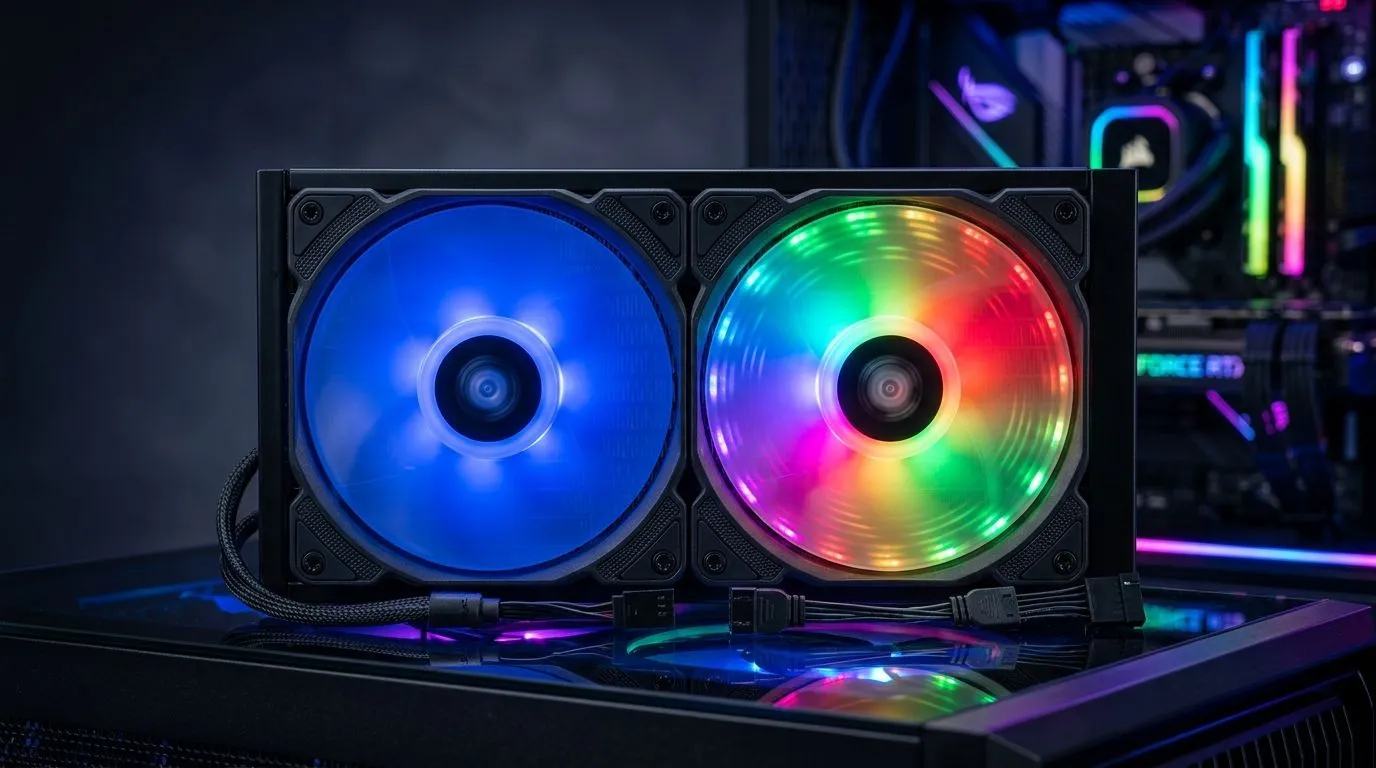
Whether you’re tuning a rig for Counter-Strike 2, building a creator PC, or just want your setup to look clean on your desk… fan lighting matters. 🔥 RGB can look great, but it’s ARGB that usually unlocks the “wow, that’s precise” effect. If you’re shopping in South Africa and trying to avoid buyer’s remorse, this guide breaks down the real differences: control, colour precision, and what you can (and can’t) customise in everyday use.
At a high level, RGB typically means each fan uses multiple LEDs driven as a single set, so you get “zones” that change together. ARGB (addressable RGB) breaks the LED strip into individual pixels (or smaller segments), letting each section display different colours at the same time. That’s why ARGB can do effects like flowing gradients, chasing patterns, and more detailed animations.
The practical result? With ARGB, you’re not just choosing a colour. You’re shaping the pattern across the fan.
For example, when you browse Evetech’s case fan selection, you’ll see filters for lighting effects and other build-friendly options like size. That makes it easier to match what your motherboard (or controller) can actually drive. ✨
Before you buy, check two things: (1) does your motherboard have an ARGB header (often 5V), and (2) do you want software control or simple presets?
If you buy RGB fans for a board that only supports ARGB (or vice versa), you may still get lighting… but you could lose advanced effects, or need a controller.
Here’s how to sanity-check your options while shopping:
Start by narrowing the lighting style you want. If you specifically want RGB effects, browse with lighting-effect filters like this: RGB lighting effects on case fans at Evetech
If you’re building a stealth rig and prefer minimal lighting, you can also filter for no lighting effects: Case fans with no lighting effects
Most mid-towers support multiple sizes. 120mm fans are common and often easier to source. 140mm fans can move air effectively with lower noise, depending on the fan model and curve.
Use the filters to match your case mounts: 120mm case fans 140mm case fans
If you already know you want a specific ecosystem, filter by brand. For instance, if CORSAIR is your route: CORSAIR case fans
Or, if your build leans Deepcool: Deepcool case fans
Let’s make it concrete. Imagine you’re setting up for a LAN at home. You want lighting that complements your gear without distracting during competitive play.
And if you stream or record, ARGB’s finer detail often looks better on camera because the transitions are smoother and less uniform.
On Windows, use the PowerToys FancyZones utility to create custom snap layouts for your windows. It's a lifesaver for managing multiple apps on an ultrawide monitor, letting you organise your timeline, preview window, and asset folders perfectly for video editing.
If you’re still unsure where to start, browse the general case fan range here, then apply filters for your build: Evetech case fans selection
Ready to Find Your Perfect Match? If you want your rig to look intentional, ARGB usually delivers the most real customisation… but the best choice depends on your motherboard and case fit. Explore our massive range of case fans and build smarter from day one: Shop Evetech case fans .
RGB usually shows one color at a time per strip, while ARGB is addressable so each LED can change independently for finer effects.
Yes. ARGB commonly uses a 5V 3-pin header, while traditional RGB uses a 12V 4-pin header. Check your motherboard labels.
Usually not directly. ARGB and RGB use different voltage and data requirements. Use the right controller or compatible hub.
Most ARGB fans support motherboard lighting software or a dedicated ARGB controller. You typically sync effects via the matching ecosystem.
ARGB supports per-LED addressing, enabling gradients, waves, and more complex patterns rather than single-zone color changes.
Installation is similar, but ARGB is more sensitive to header type and voltage. Confirm 3-pin 5V ARGB vs 4-pin RGB before connecting.
Choose ARGB if you want advanced, synced effects with software control. Choose RGB for simpler looks and broader compatibility.
GPU Setup Guide Gamers. Clear setup instructions with SA-specific considerations, troubleshooting tips & recommended components.
Read more
When Will the RTX 6090 Launch in South Africa Detailed answer with SA data, expert analysis & practical recommendations for local buyers.

Top Valorant Settings for RTX 5070: FPS Optimisation picks evaluated on performance, value & SA availability with current Rand pricing from Evetech.

RDNA 3.5 Graphics in Ryzen AI 400? Can You Game. Plain-English explanation of what it means, why it matters & how it affects your buying decisions in SA.

GPU Price Index : December Report. Current stock data & price tracking for SA buyers. See what is available and where prices are heading.

Core i5-14600K + B760 + RTX 5060 Build Under. Full parts list, Rand pricing & expected performance. Build confidently with SA-available components.

RX 7600 Apex Legends at 4K: FPS Benchmark. Real-world benchmark data, FPS numbers & performance analysis. What SA gamers can actually expect.

RX 7900 XTX GTA 6 at 4K: FPS Benchmark & Optimal. Real-world benchmark data, FPS numbers & performance analysis. What SA gamers can actually expect.

Head-to-head comparison of RTX 5070 vs RX 9070 XT: Gaming Performance for SA gamers. Performance benchmarks, Rand pricing & which delivers better value.

Top Laptop with Ryzen 5 + RTX 4090 Laptop: Picks picks evaluated on performance, value & SA availability with current Rand pricing from Evetech.

Top Budget GPU for Marvel Rivals picks evaluated on performance, value & SA availability with current Rand pricing from Evetech.

Valorant Settings on RTX 5070: Performance. Real-world benchmark data, FPS numbers & performance analysis. What SA gamers can actually expect.

Top Budget GPU for Assassins Creed Shadows picks evaluated on performance, value & SA availability with current Rand pricing from Evetech.