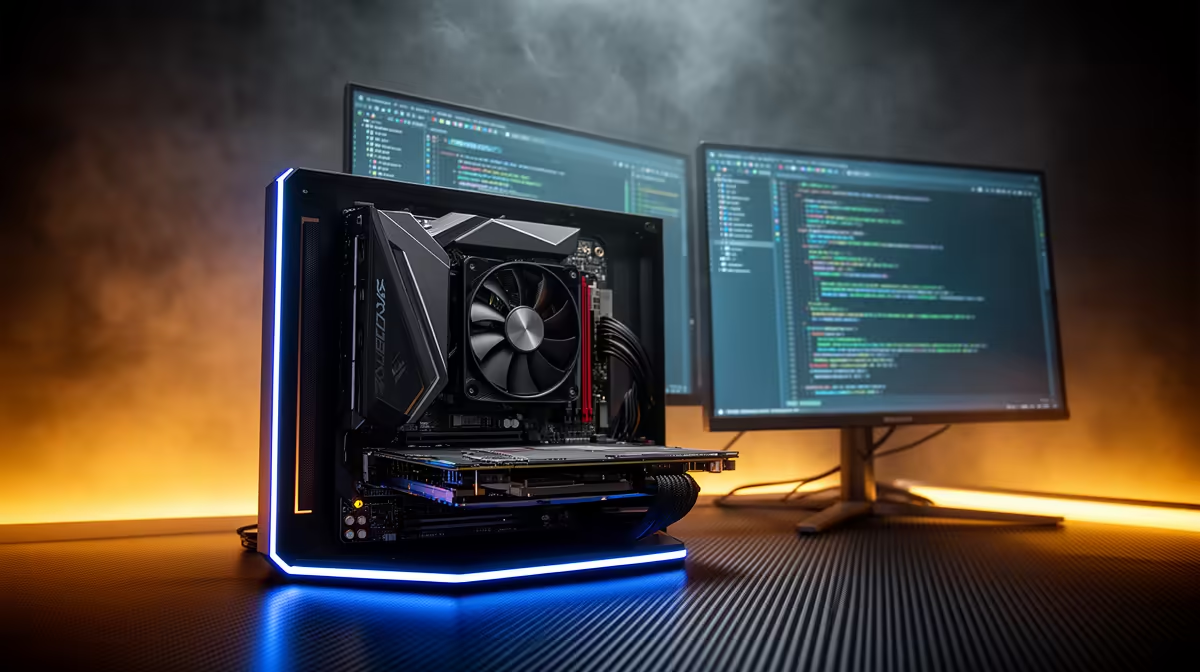
There is a budget tier where AI coding stops being a pure cloud subscription and starts living on your own machine, and it sits right around R20,000 to R35,000. At this spend a South African developer can put a 16GB-class GPU like the RTX 5080 into a build that runs smaller coding models locally while still calling a cloud agent when the task needs raw scale. That mix is the practical entry point to local inference, and it changes how predictable your monthly developer costs become.
Quick Answer
In the R20,000 to R35,000 range you are buying entry-level local inference, anchored by an RTX 5080 16GB. That VRAM comfortably loads quantised 7B to 13B coding models, which typically need 4GB to 6GB or more depending on quantisation, while leaving headroom for context. You keep a cloud agent for the heavy lifting and run fast local completions and refactors offline. It is the first tier where you genuinely stop depending on cloud tokens for everything.
Why this budget is the local-inference threshold
Below roughly R20,000 you are looking at 8GB cards that struggle to hold a useful coding model plus its context window without aggressive quantisation that hurts output quality. The jump to a 16GB GPU is what makes local inference comfortable rather than a constant exercise in trimming. VRAM, not raw compute, is the gate: a model either fits in memory or it spills to system RAM and slows to a crawl.
The R35,000 ceiling keeps you in single-GPU, consumer-platform territory, which is exactly right for entry-level local work. You are not building a server, you are building a workstation that happens to run models. AI-ready desktops at this tier are configured for that balance, and the AI PC range at Evetech groups machines built specifically around capable GPUs and fast memory rather than gaming aesthetics.
What the RTX 5080 16GB actually runs locally
With 16GB of VRAM you can run quantised 7B coding models with room to spare, and 13B models at common quantisation levels with a usable context window. In practice that covers code completion, inline refactoring, docstring generation, and answering questions about a file you have open, all without a network round trip. Latency is local, so completions feel instant compared to a cloud call over a South African connection.
Where local models shine
Repetitive, well-bounded tasks are the sweet spot. Boilerplate, unit-test scaffolding, renaming across a function, and quick explanations run fine on a local 7B to 13B model. Because the model never leaves your machine, you can also work on code you would rather not send to a third-party endpoint, which matters for client or proprietary work.
Where you still reach for the cloud
A 13B local model is not a frontier model. For architecture-level reasoning, large multi-file changes, or anything needing the deepest reasoning, a cloud agent still wins. The point of this tier is not to replace the cloud, it is to handle the 70 percent of routine prompts locally so your cloud usage drops to the genuinely hard 30 percent.
Building the R20k to R35k machine sensibly
Spend the largest single slice on the GPU, because VRAM decides what you can run. Back it with 32GB of system RAM so the operating system, editor and model loader stay out of each other's way, and choose a fast NVMe SSD given that model weight files are large and reloaded regularly. A mid-range current-generation CPU is plenty; coding inference leans on the GPU, not the processor.
Avoid the temptation to overspend on a flashy case or extreme cooling and underspend on the GPU. The GPU is the machine for this purpose. To see how a balanced spend looks across price bands, the top PC builds at Evetech show real configurations buyers are choosing right now.
Picking and quantising the right model
Model choice matters as much as hardware. A 7B coding model quantised to a 4-bit format fits with plenty of room and runs quickly, which is the safest default on a 16GB card. A 13B model gives stronger reasoning and better completions but eats more VRAM, so you balance the larger model against the context window you can keep loaded. The practical move is to keep a fast 7B model for instant completions and a 13B model for harder questions, switching as the task demands.
Quantisation in plain terms
Quantisation compresses model weights to reduce VRAM requirements, trading a small amount of accuracy for a large reduction in memory use. On a 16GB card, 4-bit and similar formats are what make 13B models viable at all. Heavier quantisation fits bigger models but degrades output, so the goal is the largest model that fits at a quantisation level you cannot feel hurting quality.
Tooling that ties it together
You will run the model through a local runner that exposes it to your editor. Many of these mimic a standard API, so your existing editor extension can point at the local endpoint instead of the cloud. That is what lets you swap routine prompts to local while keeping the same workflow, and it is the glue that makes this tier feel seamless rather than like a science project.
Cost over time, not just on day one
The reason this budget makes sense is the running cost, not the purchase price alone. A cloud-only workflow bills you per token for every completion, every day, indefinitely. Once you own a 16GB GPU, the routine prompts that make up most of your usage cost nothing to run. The hardware pays for itself over months for a developer who codes daily, and it keeps working offline when your connection drops.
There is a quieter benefit too. Predictable cost matters for planning, and a one-time hardware spend is far easier to budget than a variable monthly token bill that scales with how hard you happen to be working that month. For a South African developer watching the exchange rate on every cloud invoice, that predictability has real value.
Who this tier is and is not for
This setup suits a working developer who already pays for a cloud coding agent and wants to cut token spend, protect sensitive code, and get instant local completions. It also suits students and self-taught developers who want to learn model behaviour hands-on without a recurring bill for every experiment.
It is not for someone who only needs occasional AI help, where a pure cloud subscription is cheaper, nor for someone training models, which demands far more VRAM and a different budget entirely. Match the tier to the workload: this one is built for running inference daily, not occasionally.
Frequently Asked Questions
Can an RTX 5080 16GB really run useful coding models?
Yes. 16GB of VRAM holds quantised 7B models easily and 13B models at common quantisation with a workable context window. That covers completions, refactors and code questions running locally and fast, which is exactly the entry-level local-inference goal.
Do I still need a cloud AI subscription with this setup?
For most developers, yes, but a much smaller one. Local models handle routine tasks, while you reserve the cloud agent for deep reasoning and large multi-file work. The result is lower token spend, not zero.
How much RAM and storage should I pair with the GPU?
32GB of RAM minimum and a quick NVMe drive. Model weight files are large and you load them often, so drive speed determines how fast you can swap between models, while generous RAM keeps your editor and loader from contending for the same pool.
Is 16GB of VRAM enough, or should I wait for more?
For 7B to 13B coding models, 16GB is the practical entry point and a sensible buy now. Larger models need 24GB or more, which pushes well past this budget. Buy for the models you will actually run daily.
Why not just use the cloud for everything?
Cloud-only works until token costs, latency over a local connection, or sending proprietary code off-machine become problems. Local inference fixes all three for routine work, which is most of what a coding assistant does in a day.
Want to move from cloud-only to local inference? Explore the AI PC range and current best-selling builds at Evetech to find an RTX 5080-class machine sized for your budget.