




IPS vs VA for Strategy and Sim Games in SA
IPS vs VA for strategy and sim games should be judged by fit, not a single winner. Compare compatibility, latency, capacity, upgrade path, cost planning, and South African setup needs.
Read moreFrigate is open-source NVR software that runs AI object detection entirely on your own hardware with no cloud dependency and no subscription cost.
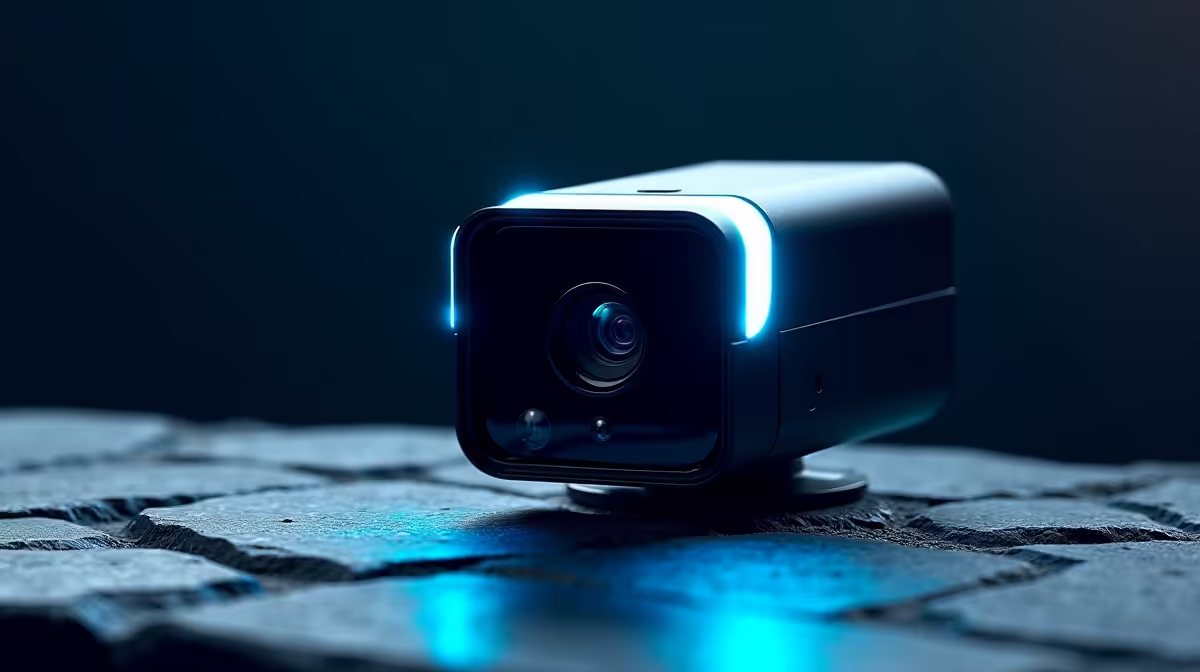
Cloud security cameras quietly trap you twice: your footage lives on someone else's server, and the useful features sit behind a monthly fee. Frigate breaks that arrangement. It is open-source network video recorder software that runs AI object detection entirely on your own hardware, with no cloud and no subscription, but it only works well if your cameras feed it the right kind of stream.
The best cameras for a Frigate build are ONVIF-compliant IP cameras that publish a documented RTSP stream, such as the Reolink RLC-810A or the Amcrest IP8M-2496EB, both roughly 90 to 110 US dollars internationally. They give Frigate a clean main stream for recording and a low-resolution substream for AI detection, which is exactly what keeps detection fast and your hardware load manageable.
Frigate does the detection work itself, on your machine, rather than relying on the camera's own cloud brain. That means the camera does not need to be clever. What it must do is expose a reliable RTSP video stream that Frigate can pull, and ideally a second lower-resolution substream dedicated to the detection pipeline so the AI is not chewing through full 4K frames.
This flips the usual shopping logic. Brands built around closed apps and subscriptions, including Ring, Nest, Arlo, and Blink, generally do not publish RTSP URLs and lock features to their cloud, which makes them poor Frigate cameras regardless of image quality. The cameras that perform well here are the unglamorous ONVIF-standard IP units that document their RTSP paths openly. You can see the kind of connected hardware that fits a self-hosted setup in the security camera range at Evetech.
This is non-negotiable. Frigate pulls video over RTSP, so the camera must support it and the manufacturer should publish the URL format. If RTSP is not in the documentation, assume the camera is built to lock you into an app and skip it.
A camera that offers both a high-resolution main stream and a separate low-resolution substream is ideal. Frigate records the main stream for evidence quality and runs detection on the substream, which is far lighter on your detector. Feeding full-resolution frames into detection wastes processing power for no benefit.
ONVIF is the interoperability standard that keeps a camera from being locked to one ecosystem. Profile S compliance signals the camera will behave predictably with third-party software like Frigate, which is why the reliable picks all support it.
Some cameras, like the Reolink RLC-810A, run basic person and vehicle detection on the camera itself. This is not required, but it can reduce the load on your detector by pre-filtering motion, which helps when you are running several cameras at once.
Reolink PoE cameras are among the most common Frigate choices because they expose clean RTSP streams and ONVIF Profile S. A practical note: stick to 5MP and lower Reolink models for the most consistent behaviour; some higher-resolution 4K-plus Reolink variants have shown inconsistent substream handling in user reports. Amcrest cameras are a strong alternative, as they are based on Dahua hardware and expose ONVIF and RTSP cleanly, with good documentation for third-party integration. TP-Link Tapo C120 is a more budget-friendly ONVIF-compatible option that supports RTSP and records to local microSD, which is useful as an entry point for a small Frigate build.
Cameras are only half the build. Frigate runs on a host machine, and object detection benefits enormously from an AI accelerator. A Google Coral USB TPU has long been the efficient default, handling roughly six to eight cameras at low-resolution detection, though Frigate now also supports other accelerators and increasingly recommends them for new builds where power budget allows. As of the 0.17 release line, Frigate also supports Ollama for local vision LLM descriptions, so events can carry plain-English summaries rather than just object labels. The host needs enough storage for continuous recording too, and fast, high-endurance drives matter here. Picking suitable storage from the accessories best sellers keeps recordings flowing without dropped frames.
Plan the detector around how many cameras you run. A single Coral USB comfortably covers a handful of cameras on 1080p substreams. Push past roughly eight and you are at its limit, so a second accelerator or a more capable detector becomes the sensible move. Matching detector capacity to camera count up front avoids a sluggish, frame-dropping system later.
Wired PoE cameras are the preferred input for a Frigate system. Each camera runs one Cat6 cable to a PoE switch or NVR, staying on a stable, interference-free connection that gives Frigate a consistent stream to pull. Wi-Fi cameras introduce packet loss and reconnection events that cause dropped frames and detection gaps, which undermine the reliability the whole build is aiming for. For a practical Frigate install, run your cameras on a dedicated VLAN that isolates camera traffic from the rest of the network, which also prevents cameras from initiating outbound connections to manufacturer cloud services.
The appeal is ownership. Footage stays on your hardware, detection runs locally with no data leaving your network, and there is no recurring fee for the features that matter. It integrates tightly with Home Assistant for automations, so a person detected at the gate can trigger lights or a notification without any cloud round trip. The trade-off is setup effort: you are assembling cameras, a host, a detector, and storage yourself rather than buying a sealed box. For a DIYer who values control and privacy, that effort is the entire point.
A documented RTSP stream, ONVIF Profile S support, and ideally dual streams so Frigate can record in high resolution while detecting on a lighter substream. Reolink and Amcrest IP cameras are common reliable choices for these reasons.
Those brands are built around closed apps and cloud subscriptions and generally do not publish RTSP URLs or support ONVIF Profile S. Frigate cannot pull a stream it is not given, so these cameras do not fit a self-hosted, subscription-free setup.
Not strictly. The Coral USB remains a power-efficient detector that handles six to eight cameras, but Frigate now supports other AI accelerators and often recommends them for new builds. The choice depends on your camera count and host hardware.
Correct. Frigate is open-source and runs entirely on your own hardware. There is no cloud dependency and no recurring fee. Your only costs are the cameras, the host machine, a detector, and storage, all bought once.
Yes, and that pairing is a big reason DIYers choose it. Frigate integrates with Home Assistant so detection events can drive automations, send notifications, and surface camera feeds in your dashboard, all locally.
Ready to own your footage instead of renting access to it? Plan your camera and storage hardware from the smart home and appliances range at Evetech and build a Frigate system that answers to you alone.
A documented RTSP stream, ONVIF Profile S support, and ideally dual streams so Frigate can record in high resolution while detecting on a lighter substream. Reolink and Amcrest IP cameras are common reliable choices for these reasons.
Those brands are built around closed apps and cloud subscriptions and generally do not publish RTSP URLs or support ONVIF Profile S. Frigate cannot pull a stream it is not given, so these cameras do not fit a self-hosted, subscription-free setup.
Not strictly. The Coral USB remains a power-efficient detector that handles six to eight cameras, but Frigate now supports other AI accelerators and often recommends them for new builds. The choice depends on your camera count and host hardware.
Correct. Frigate is open-source and runs entirely on your own hardware. There is no cloud dependency and no recurring fee. Your only costs are the cameras, the host machine, a detector, and storage, all bought once.
Yes, and that pairing is a big reason DIYers choose it. Frigate integrates with Home Assistant so detection events can drive automations, send notifications, and surface camera feeds in your dashboard, all locally.
IPS vs VA for strategy and sim games should be judged by fit, not a single winner. Compare compatibility, latency, capacity, upgrade path, cost planning, and South African setup needs.
Read more
Gen 5 NVMe SSD guide for Bloemfontein gamers should be shortlisted around the job it must do. South African buyers should compare capacity, speed, thermals, and motherboard support, warranty path, and upgrade room before treating any pick as best.
Read more
Skip the RTX 5070 if your first-time builder budget needs better balance. Better SA picks can free room for the right CPU, PSU, case, monitor, storage, and cooling while still giving a strong first gaming PC experience this year in South Africa.
Read more
RTX 5080: weighing the pros and cons for SA should be shortlisted around the job it must do. South African buyers should compare GPU tier, VRAM, cooling, and PSU headroom, warranty path, and upgrade room before treating any pick as best.
Read more
Core i5-13400F gives South African PC builders a capable mid-range CPU choice with clear limits. Check its gaming fit, discrete GPU requirement, LGA1700 platform costs, and upgrade path before locking in your parts list.
Read more
Pros and cons of the Wi-Fi 7 routers for SA should be shortlisted around the job it must do. South African buyers should compare WiFi standard, coverage, latency, and device support, warranty path, and upgrade room before treating any pick as best.
Read more
Steam content servers unreachable needs a download-path check, not an immediate reinstall of every game. Restart the client, inspect download settings and compare another connection when practical. Clearing the download cache is separate from deleting installed games.

Keychron G6 HE has built-in and swappable battery versions with different weights. The product brief lists 42g and 46g respectively, each with a 3g tolerance. Choose by grip and battery preference before treating one headline weight as universal.

Corsair HS80 v2 MAX supports 2.4GHz wireless and Bluetooth. Its maximum battery figures use RGB-off conditions and differ by connection. Check microphone routing, comfort and the exact device support before assuming every wireless mode behaves alike.

Windows taskbar notification badges can be shown or hidden in Taskbar behaviours. This changes the small app indicators, not the underlying messages. Choose a calmer desktop while keeping a deliberate routine for checking important conversations and app updates.
Windows taskbar notification badges can be shown or hidden in Taskbar behaviours. This changes the small app indicators, not the underlying messages. Choose a calmer desktop while keeping a deliberate routine for checking important conversations and app updates.

Windows USB device in use can mean a program still has the drive open. Finish transfers and close files before retrying ejection. Better performance caching requires safe removal; a replacement drive is not the first fix for an open-file warning.

Windows Nearby Sharing not working starts with feature, Bluetooth and visibility checks on both PCs. My devices only depends on matching Microsoft accounts. Test a small harmless file before buying networking hardware or changing your home router.

Windows hardware reserved RAM is different from memory used by applications. Compare installed memory with firmware detection and the usable amount before buying modules. Reservations and reporting limits vary by system; no universal setting restores every byte.

Windows title bar window shake can minimise other open windows when you shake the active window by its title bar. Inspect the Multitasking setting and switch it off if that gesture interrupts your work. The preference costs R0 and does not require new hardware.

Windows Print Screen opens Snipping Tool when its keyboard preference is enabled. Change the option under Accessibility, Keyboard to choose another workflow. Test whether you need a clipboard image or a saved file.

Windows desktop icons missing may be a visibility setting. Right-click the desktop, choose View and inspect Show desktop icons. If only system icons are absent, use Desktop icon settings. Check the Desktop folder before assuming files were deleted.

Windows set time zone automatically greyed out calls for a location and device-policy check. Automatic time-zone selection relies on location services. A manual time-zone choice is separate from synchronising the clock; check both before replacing hardware.