


Humidity Damage to PC Components: Recovery Guide
Humidity Damage to PC Components: Recovery Guide. Everything you need to know with SA pricing, step-by-step instructions & expert recommendations.
Read moreBest cooling solutions for compact PCs in South Africa that help reduce CPU temps and throttling in hot summers. Choose the right air or AIO, airflow, and thermal tips for quieter performance. 🌡️❄️
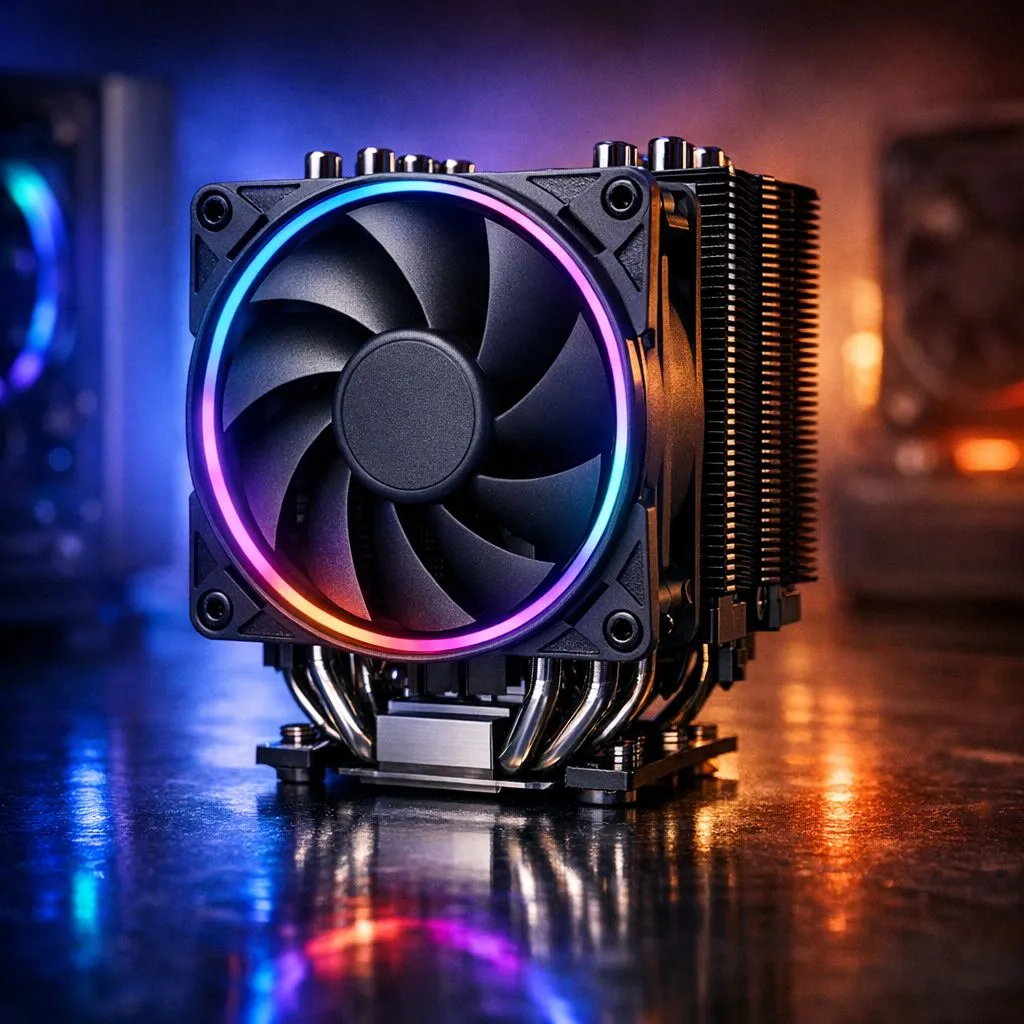
Trying to squeeze desktop power into a shoebox case without frying your components? The Best Cooling Solutions for Compact PCs in South Africa can save your build... and your GPU. Whether you’re gaming in a cramped student room or building an SFF workstation, smart choices in fans, airflow and AIOs keep temps down and framerates up. 🔧
Fans are the first defence in compact builds. In tight cases, 120mm fans often outperform bigger models for static pressure and radiator mounting. See 120mm options to match your chassis.
Where clearance allows, 140mm fans move more air at lower RPM, which drops noise without sacrificing cooling. Check 140mm fans if your case supports them.
Prefer premium airflow? Corsair has reliable PWM fans and magnetic levitation bearings. Browse Corsair fans.
Budget or value-focused builds can benefit from Deepcool’s range; they often balance price and performance. Explore Deepcool.
If you want flair, RGB fans add style and visual feedback while gaming. See RGB options.
Want a stealthy, no-frills look? No-lighting fans keep interiors clean and reduce controller complexity. Shop no-lighting models.
A small AIO cooler can be the fastest route to lower CPU temps in a compact case. Measure clearance before you buy; many SFF builds accept 120mm or 140mm rads only. For a broad selection of case fans and cooling parts, see Evetech’s case fans category.
Liquid cooling needs careful cable and airflow planning, but an AIO plus a quality intake fan often beats stock coolers for thermal headroom. ✨
For compact cases, prioritise intake airflow and a single high static pressure fan on radiators. Push-pull helps only if your chassis allows both sides of the radiator; otherwise focus on positive pressure and clean dust filters.
Plan fan direction: front and bottom intakes, rear and top exhausts when possible. Short cables and a single SATA-powered fan hub simplify neatness and airflow. If noise matters, aim for lower RPM fans and larger blades where possible.
I once moved a mate’s GTX 1660 build into a smaller case and swapped stock fans for a 140mm intake. Temps dropped 6–8°C and the PC sounded calmer... proof that small changes matter. 🚀
Final checks: secure fans with rubber mounts, clean dust filters monthly, and monitor temps with software. For local support and parts in ZAR, Evetech lists compatible fans and accessories across brands and sizes. ✨
Remember to use available fan headers and a PWM controller, and monitor temperatures with reliable software. Small investments in quality fans save stress and extend component lifespan; clean dust filters regularly for airflow.
Ready to Find Your Perfect Match? The Mac vs Windows debate is complex, but for maximum power, choice, and value in South Africa, Windows is hard to beat. Explore our massive range of laptop specials and find the perfect machine to conquer your world.
Focus on airflow, a compatible low-profile cooler or AIO, and correct fan curves. These reduce CPU temps and prevent thermal throttling in hot SA weather.
A low-profile air cooler with good heat-pipe coverage or a correctly sized AIO works best. Match height limits and ensure strong intake/exhaust airflow.
Improve airflow first: add intake and exhaust fans, set realistic fan curves, and use quality thermal paste. Also check radiator or cooler mounting pressure.
AIOs can perform very well if your case supports radiator placement and tube routing. Air cooling may be simpler and quieter in tighter spaces.
Use balanced intake and exhaust, avoid blocked vents, and route cables cleanly. For compact builds, prioritize steady intake and a strong exhaust path.
Place the radiator where it can draw cool air and expel warm air efficiently. Confirm thickness clearance and fan compatibility before buying.
Targets vary by CPU, but generally aim to keep sustained gaming temps reasonable and avoid frequent throttling. Use monitoring to adjust fan curves.
If performance drops or temps climb, consider refreshing thermal paste. Keep mounting consistent and avoid overheating from dust buildup.
Humidity Damage to PC Components: Recovery Guide. Everything you need to know with SA pricing, step-by-step instructions & expert recommendations.
Read more
Gamer Spending Trends April : Complete Setups. Clear setup instructions with SA-specific considerations, troubleshooting tips & recommended components.
Read more
Setting Up DDR5 32GB Kit. Tested & verified settings for best FPS and visual quality on SA hardware budgets.
Read more
Tech Setup Guide for SPU Res Students. Clear setup instructions with SA-specific considerations, troubleshooting tips & recommended components.
Read more
Monster Hunter Wilds Ultrawide Support: 21:9 and. Clear setup instructions with SA-specific considerations, troubleshooting tips & recommended components.
Read more
Apple iPad Durability Guide: Cases, Screen. Practical breakdown of costs, regulations & whether it makes financial sense for SA buyers.
Read more
AMD RX 9050 XT: Rumoured Specs, Price & Release. SA-focused analysis with local pricing data, real-world insights & actionable buying advice.

Can RTX 4080 Super Run AI Workloads for SA Developers Detailed answer with SA data, expert analysis & practical recommendations for local buyers.

Can RTX 4090 Run AI Workloads for SA Developers Detailed answer with SA data, expert analysis & practical recommendations for local buyers.

Top Settings for Intel Arc B580 at Ultrawide 1440p picks evaluated on performance, value & SA availability with current Rand pricing from Evetech.

RTX 4060 CS2 Low Settings at 1080p: FPS Results. Real-world benchmark data, FPS numbers & performance analysis. What SA gamers can actually expect.

Visual Artifacts: Possible GPU Issue Issue #1. Diagnosis steps, proven fixes & when to seek professional help. SA-specific support info included.

Can the RTX 4090 Handle 1440p 144Hz Gaming. Performance testing verdict with real data & practical recommendations for SA buyers.

Top ASUS GPU Under R15000 picks evaluated on performance, value & SA availability with current Rand pricing from Evetech.

GTA 6 Max Settings on RTX 5070. Tested & verified settings for best FPS and visual quality on SA hardware budgets.

Cyberpunk 2077 Max Settings on RTX 5080. Tested & verified settings for best FPS and visual quality on SA hardware budgets.

Starfield Max Settings on RTX 5070 Ti. Tested & verified settings for best FPS and visual quality on SA hardware budgets.

Top RTX 5090 Under R5000 picks evaluated on performance, value & SA availability with current Rand pricing from Evetech.