


GTA 6 Max Settings on RTX 5070: Complete Guide
GTA 6 Max Settings on RTX 5070. Tested & verified settings for best FPS and visual quality on SA hardware budgets.
Read moreDiscover digital art monitors with built-in pens that streamline your workflow. 🎨 Boost creativity with our curated picks! Read the full breakdown →
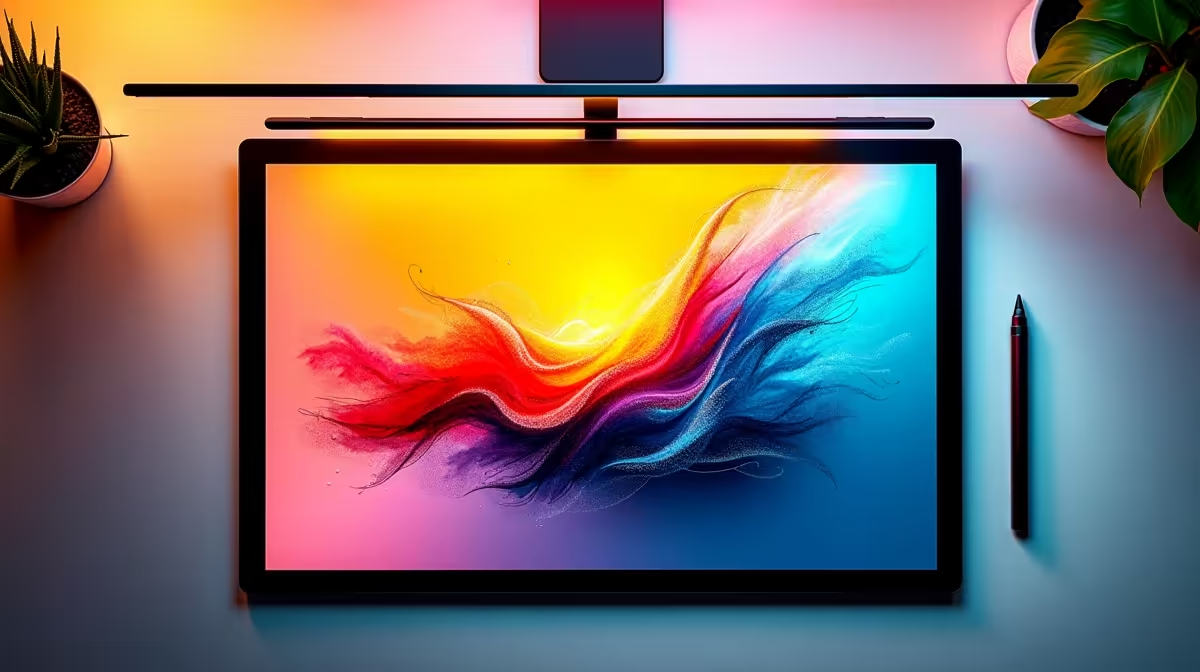
Tired of that awkward disconnect between your drawing tablet and your screen? You sketch a line on your desk, but your eyes are glued to the monitor, trying to predict where the cursor will land. For South African artists, animators, and designers, this workflow can feel clunky and slow. What if you could draw directly onto your display, just like with pen and paper? That's the magic of the best digital art monitors with built-in pens. 🎨
Moving from a standard graphics tablet to a pen display monitor is a massive leap in creative freedom. The primary benefit is the intuitive workflow. You're no longer translating hand movements from one surface to another; you're directly manipulating pixels on the screen. This direct interaction drastically improves accuracy and speed, whether you're sketching character concepts, retouching photos, or sculpting in 3D.
For professionals, this means a faster turnaround on projects. For hobbyists, it means a more enjoyable and immersive creative process. It bridges the gap between traditional art and digital creation, making technology feel more natural and less like a barrier. Essentially, you're upgrading from a simple tool to a complete digital canvas, a core part of any modern PC monitor setup for creatives.
Not all drawing monitors are created equal. When you're ready to invest, there are a few non-negotiable features you need to understand to make sure you get the right tool for your art.
This is what makes a digital pen feel like a real pencil or brush. Pressure sensitivity determines how the monitor interprets the force you apply. Press lightly for a thin, faint line; press harder for a thick, bold stroke. Most professional digital art monitors with built-in pens offer over 8,000 levels of pressure sensitivity. Tilt response mimics how a real brush or pencil changes its stroke shape when you angle it, allowing for more expressive and varied mark-making. ✨
What you see should be what you get. Colour accuracy is crucial, especially if your work is destined for print or needs to match specific brand guidelines. Look for monitors that cover a high percentage of the sRGB and Adobe RGB colour gamuts. High resolution is just as important. Working on high-resolution 4K screens means you can see every tiny detail without constantly zooming in, making your workflow smoother.
Your new monitor's factory settings are a good start, but for pro-level colour accuracy, use a colour calibration tool. This ensures your on-screen colours perfectly match print outputs and look consistent across different devices. It's a small step that makes a huge difference.
Parallax is the small gap between the glass surface you draw on and the actual display panel underneath. A large gap can create a noticeable offset between your pen tip and the cursor, which feels unnatural. The best digital art monitors use laminated displays to fuse the glass and the screen, reducing parallax to almost zero. This makes it feel like you're truly drawing on the image itself, similar to the instant response you'd find in top-tier gaming monitors.
A common misconception is that these displays are only for drawing. In reality, a good pen display is a versatile beast. It's an exceptional primary monitor for photo editors using Lightroom or Photoshop, offering precise control for dodging and burning. 3D artists in Blender or ZBrush can use the pen for intuitive sculpting.
Furthermore, it can be a fantastic part of a multi-monitor setup. Imagine having your main tools and references on an immersive curved monitor while you do the detailed work on your pen display. Or, for the creator on the move, pairing your main setup with a handy portable monitor creates a powerful, mobile studio. Don't forget to grab the right essential monitor accessories like an adjustable stand to perfect your ergonomics. 🚀
Ready to Create Without Limits? Stop drawing on one screen while looking at another and unlock a more natural, efficient workflow. Explore our best PC monitor deals at Evetech to find the perfect creative partner for your desk.
Top models offer pressure-sensitive styli, vibrant displays, and seamless touchscreen integration for digital artists. ✨
Yes, they cut costs by combining a display and stylus, ideal for digital drawing tablets. 💡
Absolutely! Look for high-resolution creative pen displays and precise stylus accuracy. 🎯
Modern pen displays minimize lag for smoother digital art workflows. ⚡
Explore mid-range art monitors with stylus features that balance cost and performance. 💰
Use touchscreen calibration tools for built-in pens to enhance digital drawing precision. 🛠️
GTA 6 Max Settings on RTX 5070. Tested & verified settings for best FPS and visual quality on SA hardware budgets.
Read more
Cyberpunk 2077 Max Settings on RTX 5080. Tested & verified settings for best FPS and visual quality on SA hardware budgets.
Read more
Starfield Max Settings on RTX 5070 Ti. Tested & verified settings for best FPS and visual quality on SA hardware budgets.
Read more
AMD RX 9050 XT: Rumoured Specs, Price & Release. SA-focused analysis with local pricing data, real-world insights & actionable buying advice.

Can RTX 4080 Super Run AI Workloads for SA Developers Detailed answer with SA data, expert analysis & practical recommendations for local buyers.

Can RTX 4090 Run AI Workloads for SA Developers Detailed answer with SA data, expert analysis & practical recommendations for local buyers.

Top Settings for Intel Arc B580 at Ultrawide 1440p picks evaluated on performance, value & SA availability with current Rand pricing from Evetech.

RTX 4060 CS2 Low Settings at 1080p: FPS Results. Real-world benchmark data, FPS numbers & performance analysis. What SA gamers can actually expect.

Visual Artifacts: Possible GPU Issue Issue #1. Diagnosis steps, proven fixes & when to seek professional help. SA-specific support info included.

Can the RTX 4090 Handle 1440p 144Hz Gaming. Performance testing verdict with real data & practical recommendations for SA buyers.

Top ASUS GPU Under R15000 picks evaluated on performance, value & SA availability with current Rand pricing from Evetech.
GTA 6 Max Settings on RTX 5070. Tested & verified settings for best FPS and visual quality on SA hardware budgets.
Cyberpunk 2077 Max Settings on RTX 5080. Tested & verified settings for best FPS and visual quality on SA hardware budgets.
Starfield Max Settings on RTX 5070 Ti. Tested & verified settings for best FPS and visual quality on SA hardware budgets.

Top RTX 5090 Under R5000 picks evaluated on performance, value & SA availability with current Rand pricing from Evetech.