

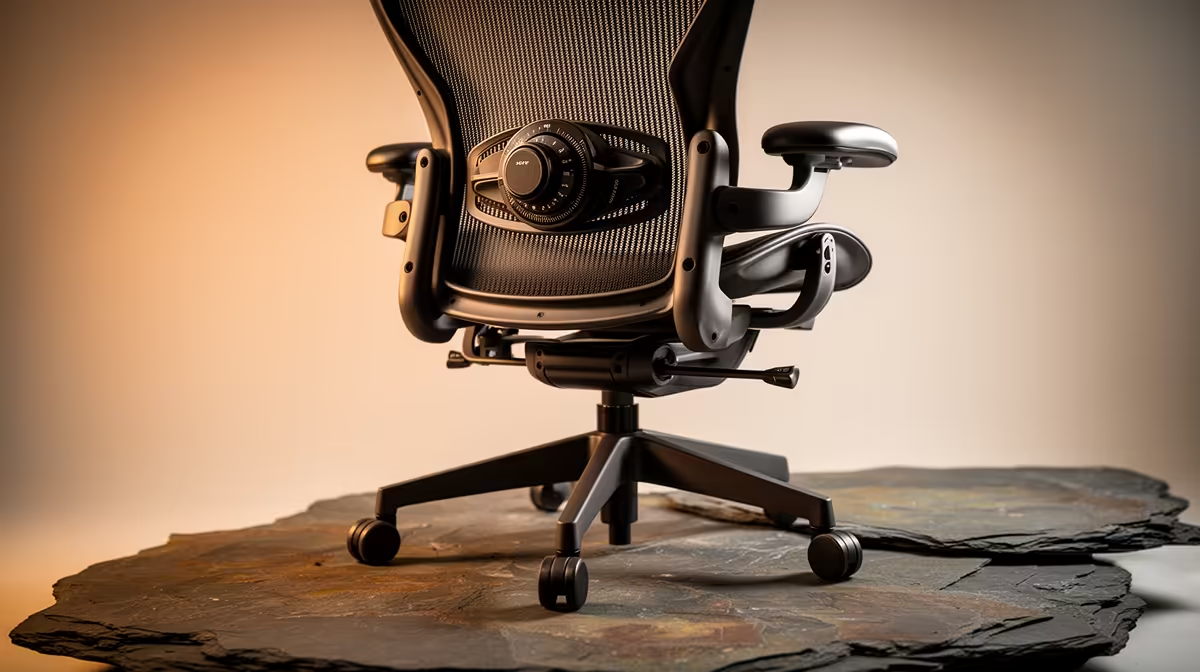
Let's be honest, that lumpy lumbar pillow that came with your chair isn't cutting it. It slips, it's too thick, and it never feels quite right. For South African gamers and professionals spending hours at a desk, this isn't just an annoyance… it's a recipe for back pain. What if you could dial in the perfect support with millimetre precision? That's the magic of the best built-in lumbar dials office chairs. ⚡
Why a Built-In Lumbar Dial Beats a Pillow Every Time
The standard foam pillow is a one-size-fits-all solution for a problem that’s unique to every person's spine. An office chair with a built-in lumbar dial, however, offers dynamic, customisable support that adapts to you, not the other way around.
Instead of just pushing your lower back forward, a proper integrated system supports the natural S-curve of your spine. This reduces muscle strain, improves posture, and helps prevent the fatigue that kills your focus during a long work sprint or a tense final-circle showdown. It’s about moving from passive cushioning to active ergonomic support, a crucial upgrade for anyone serious about their comfort and health. For a comprehensive look at what modern seats offer, exploring the full range of gaming chairs in South Africa is a great place to start.
Key Features of the Best Built-In Lumbar Dials Office Chairs
Finding the right chair goes beyond just the dial. A truly great ergonomic throne is a combination of several high-performance features working in harmony. When you're shopping, keep an eye out for these key elements to ensure you’re getting a top-tier product.
The Lumbar Mechanism: 2D vs. 4D Support
Not all lumbar dials are created equal. Most will offer 2D adjustment, allowing you to control the depth (in/out) of the support. This is a massive improvement over a static pillow. However, premium models often feature 4D systems, which add height adjustment (up/down) to the mix. This allows you to position the support exactly at the curve of your lower back for truly personalised comfort. These advanced systems are often found in high-end gaming chairs above R4000, where flagship ergonomic technology is standard.
Pro Tip: Find Your Neutral Spine
Before adjusting, sit up straight and find your neutral spine position. Now, turn the dial until you feel gentle, firm support cradling your lower back—it shouldn't feel like it's pushing you off the chair. A little support goes a long way!
Beyond the Backrest: Full-Body Ergonomics
A chair is more than just its back support. Look for these features to complete your ergonomic setup:
- 4D Armrests: Adjustability in four directions (up/down, forward/back, in/out, and rotation) helps support your arms and shoulders, reducing neck strain.
- Seat Material: Breathable fabric is excellent for long sessions in the South African heat, while high-quality PU leather offers a premium feel and easy cleaning.
- Tilt & Recline: A multi-function tilt mechanism with a lock allows you to recline safely and find the perfect angle for gaming, working, or relaxing. 🚀
Finding Your Perfect Fit Without Emptying Your Wallet
You don't need to spend a fortune to get a chair with excellent built-in lumbar support. Technology that was once exclusive to premium models is now becoming more common across all price points. You can find fantastic options with robust features, including these precise adjustment dials, in a very accessible price bracket.
Many of the best gaming chairs under R4000 now prioritise ergonomics, offering incredible value for gamers and home-office workers who want to invest in their well-being without breaking the bank. It's about finding that sweet spot of features, comfort, and price that works for your setup.
Ready to Upgrade Your Comfort? Stop settling for subpar support and give your back the care it deserves. Check out the latest gaming chair deals at Evetech and find the perfect throne for your command centre.











