


Starfield Max Settings on RTX 5070: Complete Guide
Starfield Max Settings on RTX 5070. Tested & verified settings for best FPS and visual quality on SA hardware budgets.
Read moreBest microphone features for gaming in South Africa: nail clearer voice, control background noise, and reduce latency for Discord, streaming, and remote work 🎮🎧—without overpaying. Here’s what matters most.
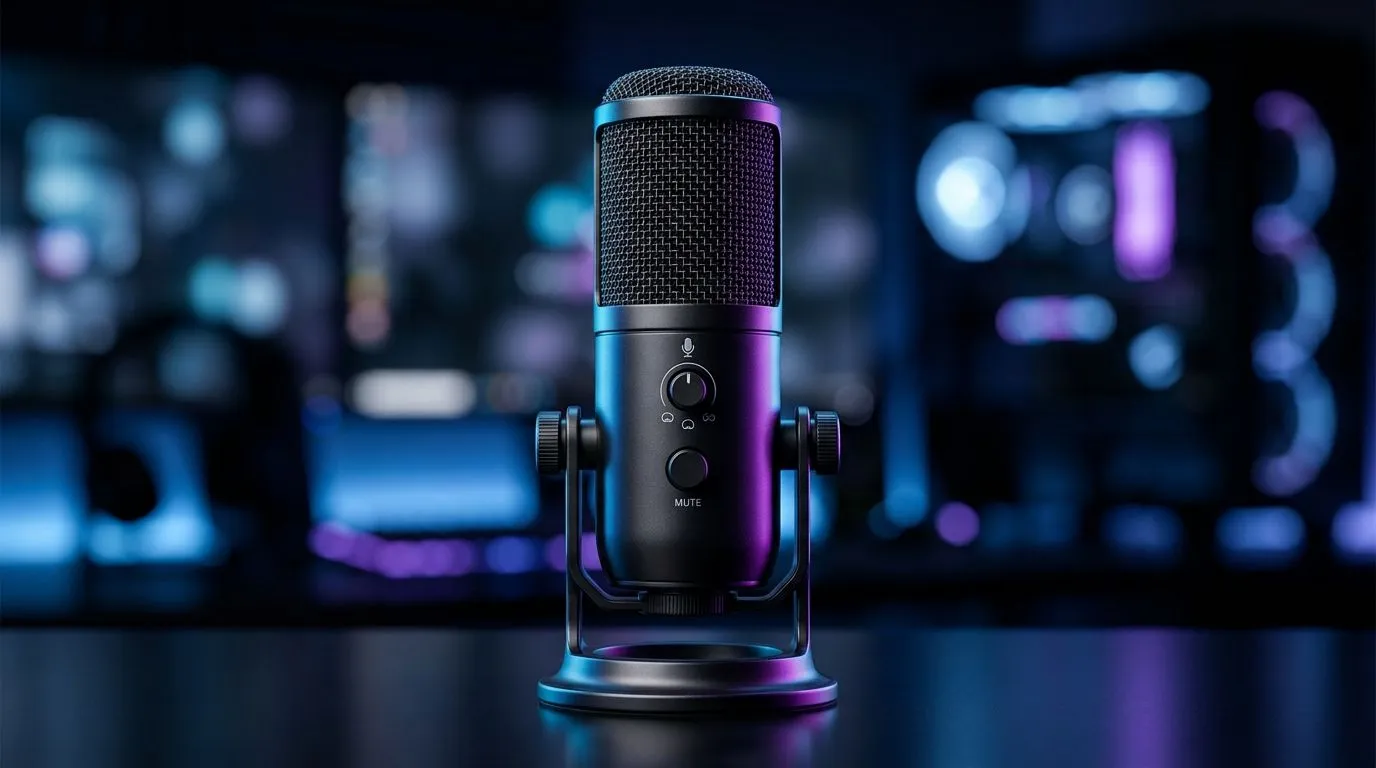
South African gamers know crisp and clear communication tops the list when hunting for the best microphone features for gaming in South Africa. Whether you’re squad-calling during a late-night CS:GO match or streaming live on Twitch, your voice should cut through the noise with ease. But what exactly sets one gaming mic apart from another? Let’s unpack the features that truly matter for local gamers and content creators.
For starters, having a microphone that supports noise cancellation and clear vocal pickup is essential in noisy homes or shared spaces. Plus, seamless integration with your PC or console is non-negotiable. Dive deeper into the best streaming essentials to see mics that check all these boxes and more.
The pickup pattern of your mic drastically affects what it captures. For most gaming setups, a cardioid pattern is ideal—it focuses on your voice and filters out background noise. This feature is crucial for gamers playing in busy South African households or airing streams from loud urban areas.
Sound quality, measured in frequency response and bit depth, is another factor to weigh. Condenser microphones generally offer a richer sound but need quiet surroundings and sometimes an external power source. Dynamic mics are tougher and better at filtering ambient sounds—a good call for local LAN sessions with friends.
Corsair’s range caters well here if you want a reliable brand tailored for gaming needs. Check out their options at Corsair streaming essentials to find quality and durability in one package.
Wondering about USB versus XLR connectors? USB mics plug directly into your PC or console, making setup a breeze. XLR mics require an audio interface but offer better sound control—ideal if you’re serious about streaming or content creation. South African gamers using fibre-optic internet will appreciate the reduced latency USB models provide.
Also, compatibility with popular gaming consoles like PS5 and Xbox Series X can be a dealmaker or breaker. Mics like those from Cololight blend smart aesthetics with solid performance and exceptional plug-and-play support. Browse their models at Cololight streaming essentials for an eye-catching setup.
Pick a mic with built-in pop filters or invest in an external one to avoid harsh popping sounds during intense gaming moments. It makes your voice crisp and keeps teammates engaged.
If streaming or video chatting is your game, microphone quality shouldn’t be your only focus. A crisp image supports your brand and keeps your community hooked. Consider pairing your mic with a reliable webcam that captures all your reactions without lag or blurriness. Evetech’s webcam selection offers options that balance price with performance—perfect for South African gamers stepping up their streaming game.
Partnering great mics with sharp visuals builds professionalism and viewer trust. It’s a simple way to elevate your channel or gaming hangouts without blowing your budget in rand.
Upgrade Your Gaming Setup Now Don’t settle for muffled chat or frustrating tech gear—Shop now at Evetech for performance that leaves lag in the dust. Elevate your voice and gameplay with the best microphone features for gaming in South Africa.
Focus on clear voice pickup, strong background noise control, and low latency. A good pickup pattern and stable USB connection help too.
You benefit from noise control, especially in busy homes. Look for directional pickup and reliable DSP, then fine-tune settings for your room.
Cardioid usually performs best for gaming because it rejects more sound from the sides and rear, reducing background noise.
Yes for most creators and remote workers. USB is simple and often low-latency, but check gain, monitoring, and voice quality.
USB is plug-and-play; XLR offers more upgrade flexibility with an interface. Choose based on your budget and editing workflow.
Use USB with monitoring, avoid heavy audio effects, and choose low-latency drivers. Also verify Windows or console input settings.
Prioritize intelligibility: controlled gain, a consistent pickup pattern, and optional pop filtering or wind noise reduction for clean audio.
Pick a directional mic with dependable noise control and a decent frequency response for speech. Set proximity close to the mic for best results.
Starfield Max Settings on RTX 5070. Tested & verified settings for best FPS and visual quality on SA hardware budgets.
Read more
When Will the RTX 6090 Launch in South Africa Detailed answer with SA data, expert analysis & practical recommendations for local buyers.

Top Valorant Settings for RTX 5070: FPS Optimisation picks evaluated on performance, value & SA availability with current Rand pricing from Evetech.

RDNA 3.5 Graphics in Ryzen AI 400? Can You Game. Plain-English explanation of what it means, why it matters & how it affects your buying decisions in SA.

GPU Price Index : December Report. Current stock data & price tracking for SA buyers. See what is available and where prices are heading.

Core i5-14600K + B760 + RTX 5060 Build Under. Full parts list, Rand pricing & expected performance. Build confidently with SA-available components.

RX 7600 Apex Legends at 4K: FPS Benchmark. Real-world benchmark data, FPS numbers & performance analysis. What SA gamers can actually expect.

RX 7900 XTX GTA 6 at 4K: FPS Benchmark & Optimal. Real-world benchmark data, FPS numbers & performance analysis. What SA gamers can actually expect.

Head-to-head comparison of RTX 5070 vs RX 9070 XT: Gaming Performance for SA gamers. Performance benchmarks, Rand pricing & which delivers better value.

GPU Setup Guide Gamers. Clear setup instructions with SA-specific considerations, troubleshooting tips & recommended components.

Top RTX 5090 Under R12000 picks evaluated on performance, value & SA availability with current Rand pricing from Evetech.

Call of Duty Warzone 2 Settings on RX 7600. Real-world benchmark data, FPS numbers & performance analysis. What SA gamers can actually expect.

GTA 6 Settings on RTX 5070 Ti: Performance. Real-world benchmark data, FPS numbers & performance analysis. What SA gamers can actually expect.