


PCIe 5.0 vs PCIe 4.0 for Cinematic Story Games in SA
PCIe 5.0 and PCIe 4.0 differ most in lane support, compatibility, and upgrade value for cinematic story games. SA buyers should match the choice to their actual hardware and games.
Read moreThe best mini PC for Plex in SA is an Intel N100 unit: its Quick Sync engine hardware-transcodes 4K to 1080p Plex streams at just 6W idle. SA living rooms running a Plex library benefit from near-silent operation and direct HDMI 2.0 output for 4K TV connection. 🎬
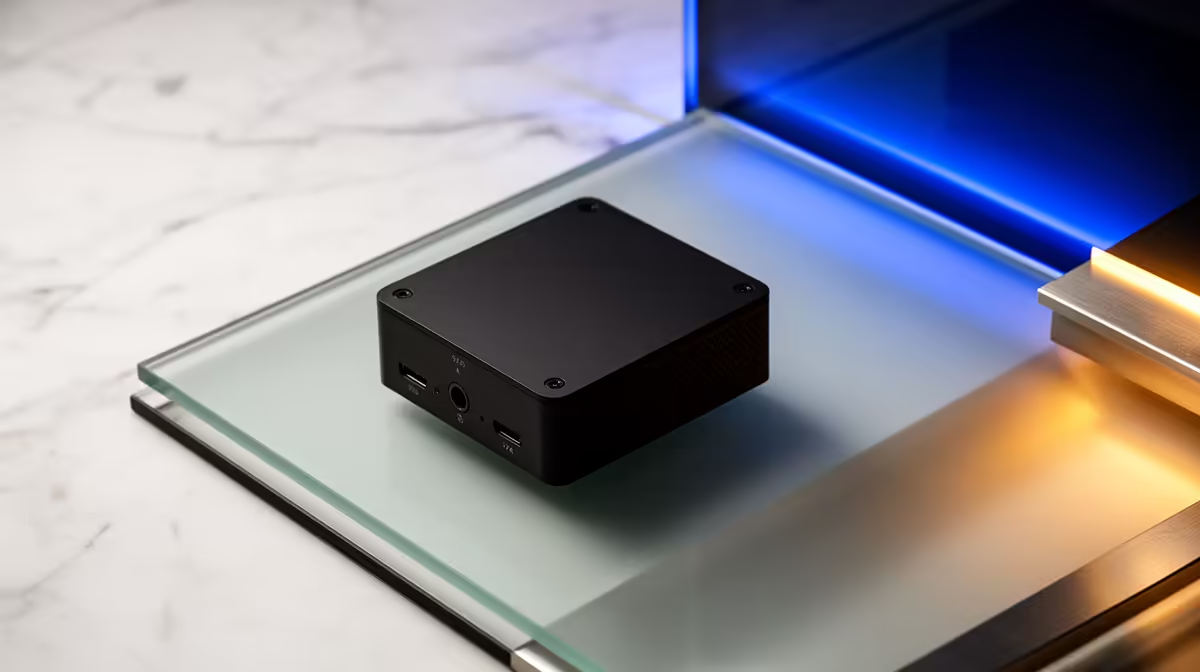
A Plex server should be the thing in your living room you forget exists: silent, sipping power, and ready the moment someone hits play. The machine that pulls that off best is not a big tower humming in a cupboard, it is a tiny Intel N100 mini PC parked behind the TV. Its built-in Quick Sync engine handles the heavy lifting of transcoding 4K down to a watchable 1080p stream at single-digit watts.
For a Plex and HTPC box in South Africa, an Intel N100 mini PC is the sweet spot. Its Quick Sync hardware transcodes 4K to 1080p Plex streams while idling at around 6W, runs near silent, and outputs 4K directly to your TV over HDMI 2.0. It does the job a far bigger PC would, at a fraction of the power and noise.
The job of a Plex server has two parts: store your library and, when a device cannot play a file directly, transcode it into something that device can handle. Transcoding is the demanding bit, and brute-forcing it with a CPU runs hot and loud.
The N100 sidesteps that. Its integrated Quick Sync video engine does transcoding in dedicated hardware, so a single 4K-to-1080p stream barely raises a sweat or the power draw. You get the capability of a much larger machine without the heat, the fan noise, or the electricity bill, which is exactly what a living-room appliance should be.
Quick Sync is Intel's hardware media engine, and for Plex it is the single most important feature in the box. It accelerates both decoding and encoding of video in silicon rather than on the general-purpose CPU cores.
When a phone or older smart TV cannot play a high-bitrate 4K file, Plex transcodes it on the fly. With Quick Sync doing that work, the N100 handles it smoothly while staying cool and quiet. The CPU is freed up, the fan stays calm, and the stream just plays. This is the difference between a media box that copes and one that stutters under load.
This is where a mini PC pulls decisively ahead of a repurposed desktop. An N100 unit idles at roughly 6W, which means you can leave it running continuously without thinking about it. Many of these mini PCs are fanless or near-silent, so there is no hum competing with whatever you are watching.
Low power matters for a box that stays on around the clock, and low noise matters in a lounge or bedroom where the server lives in the same room as the screen. The N100 wins on both counts in a way a full tower never will.
For a true HTPC, direct 4K output to the television is essential, and N100 mini PCs typically provide HDMI 2.0 (and often more than one display output) for clean 4K connection straight to the panel. That lets the same little box act as both the Plex server and the player you sit in front of, if you want it to.
For storage, you can run your library on the unit's internal drive for smaller collections, or attach external storage or a network drive for a larger one. Plan storage around how big your library will grow. Browse the form factors and port options across the mini PC range at Evetech to find a unit with the outputs and drive bays your setup needs.
An N100 comfortably handles a single 4K transcode and direct play to multiple devices, which covers the vast majority of home setups. If you expect several simultaneous heavy transcodes across a busy household, you may want to step up to a more powerful unit, but for one or two streams at a time the N100 is ideal and economical. To see what complete small-form builds SA buyers are choosing, the popular PC picks right now is a handy reference point.
Quick Sync handles H.264, HEVC and VP9 efficiently, but there is one known limitation worth knowing before you buy. On Windows, hardware-based HDR tone mapping is not supported, which means 4K HDR Blu-ray MKV files are handed to the CPU for tone mapping rather than the Quick Sync engine. The N100 copes in most cases, but heavily encoded HDR sources can cause stuttering if the file demands peak CPU performance simultaneously.
For South African Plex users whose libraries are mostly 1080p or standard 4K H.265 rips, this is rarely a practical problem. If your collection is heavy on HDR disc rips, running the Plex server on Linux resolves the limitation because the driver stack does support hardware HDR tone mapping on Quick Sync processors on that platform.
Storage planning is the other side of the Plex equation. The N100 mini PC handles playback and transcoding smoothly, but the media has to live somewhere accessible. For smaller libraries up to a few hundred films, the unit's internal NVMe drive works fine. For larger collections, connecting external drives over USB 3.0 or pointing the server at a NAS on the local network keeps the mini PC's footprint small while the library grows without limits.
A wired ethernet connection is worth prioritising over Wi-Fi for a living-room Plex box. A gigabit-capable LAN port, which most N100 mini PCs include, delivers the stable throughput that uninterrupted 4K playback demands, especially if the server and the player are on the same network segment.
Its Quick Sync hardware media engine transcodes video efficiently in dedicated silicon, so it can convert a 4K file to a 1080p stream while idling at around 6W and staying near silent. That is exactly what a living-room media server needs.
It comfortably manages a single 4K transcode plus direct play to other devices, which suits most homes. For several simultaneous heavy transcodes, a more powerful mini PC is the better fit.
Yes. N100 mini PCs typically include HDMI 2.0 for direct 4K output to a television, so the same box can serve and play your media. Confirm the specific model's display outputs before buying.
An N100 mini PC idles at roughly 6W, which makes it cheap to leave running continuously as an always-on Plex server. Even under a transcode the draw stays modest compared with a full desktop.
For smaller libraries, the mini PC's internal drive is fine. For larger collections, attach external storage or a network drive. Choose your storage based on how big you expect the library to grow.
Want a silent, low-power Plex box for the lounge? Browse the mini PC range at Evetech (https://www.evetech.co.za/PC-Components/mini-pcs-194) and pick an N100 unit with the HDMI output and storage your media library needs.
Its Quick Sync hardware media engine transcodes video efficiently in dedicated silicon, so it can convert a 4K file to a 1080p stream while idling at around 6W and staying near silent. That is exactly what a living-room media server needs.
It comfortably manages a single 4K transcode plus direct play to other devices, which suits most homes. For several simultaneous heavy transcodes, a more powerful mini PC is the better fit.
Yes. N100 mini PCs typically include HDMI 2.0 for direct 4K output to a television, so the same box can serve and play your media. Confirm the specific model's display outputs before buying.
An N100 mini PC idles at roughly 6W, which makes it cheap to leave running continuously as an always-on Plex server. Even under a transcode the draw stays modest compared with a full desktop.
For smaller libraries, the mini PC's internal drive is fine. For larger collections, attach external storage or a network drive. Choose your storage based on how big you expect the library to grow.
PCIe 5.0 and PCIe 4.0 differ most in lane support, compatibility, and upgrade value for cinematic story games. SA buyers should match the choice to their actual hardware and games.
Read more
ATX 3.1 vs ATX 3.0 for streaming on Twitch and YouTube buyers - what changes is mostly about compatibility, budget, upgrade path, and setup fit. SA buyers should check device support and real needs before expecting a clear win from either option.
Read more
OLED vs Mini-LED for video editing in 4k is mainly about fit, features, compatibility, cost, and upgrade path, not one automatic winner. SA buyers should match the choice to the setup.
Read more
The real world difference between IPS and VA for streaming on Twitch and YouTube is colour consistency versus contrast. For SA creators, match the panel to OBS previews, chat visibility, camera work, and long editing sessions after live streams.
Read more
IPS vs OLED for Couch Co-Op Gaming comes down to contrast, motion, burn-in care, refresh needs, desk use, and game type. SA buyers should match the choice to their setup instead of assuming one option always wins.
Read more
FSR 4 and FSR 3.1 affect competitive esports only if they preserve clarity, latency, and stable frame pacing. SA players should compare response feel, motion quality, and support in the specific titles they grind.
Read more
Wi-Fi 7 vs Wi-Fi 6e for cinematic story games comes down to router support, latency goals, device compatibility, and coverage. SA buyers should match the choice to the real network setup.

The real world difference between PCIe 5.0 and PCIe 4.0 for MMO and live-service games is usually about loading, patches, and headroom. SA players should weigh NVMe speed, GPU lanes, CPU limits, and platform cost.

Windows 11 gaming laptop dead pixel checks begin with a full-screen colour test. This how to fix dead pixel windows 11 gaming laptop guide helps SA users compare settings, drivers, external screens, and warranty routes.

AM5 motherboard stuck pixel fixes in South Africa start with panel, cable, GPU output, and Windows checks. Use a clean test path before blaming the motherboard or replacing screen hardware.

FPS drops blamed on a wireless mouse often point to input, driver, USB, network, or system-load checks. Use a quick SA-friendly troubleshooting flow to isolate software, firmware, thermals, storage, and game settings before replacing hardware.

How to fix fps drops on steam deck starts with power profile, shader cache, storage health, and per-game settings. For South Africa, check charger quality, heat, and download stability before assuming the handheld needs repair. Retest after updates.

How to fix low FPS after an RTX 5080 build upgrade starts with driver cleanup, display settings, thermals, and power mode. For SA gamers, verify GPU usage, PCIe speed, RAM profile, and CPU limits before changing parts.

Hollow Knight Silksong at 4K needs a GPU matched to settings, VRAM, CPU balance, and monitor goals. Use this SA guide to compare tiers without treating FPS target or prices as fixed.
How to fix FPS drops after a Ryzen 9 9950X3D starts with BIOS, chipset, EXPO, power, and GPU driver checks. It helps isolate upgrade stutter on high-end SA gaming rigs before you change hardware, reinstall Windows, or retune cooling.
PCIe 5.0 and PCIe 4.0 differ most in lane support, compatibility, and upgrade value for cinematic story games. SA buyers should match the choice to their actual hardware and games.
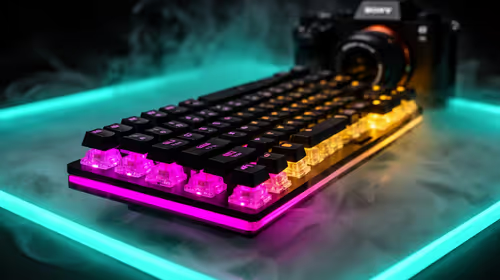
FPS drops Windows 11 mechanical keyboard issues can come from USB polling, keyboard utilities, power settings, or overlays. This gaming checklist helps test input-device causes before deeper GPU or CPU troubleshooting.
ATX 3.1 vs ATX 3.0 for streaming on Twitch and YouTube buyers - what changes is mostly about compatibility, budget, upgrade path, and setup fit. SA buyers should check device support and real needs before expecting a clear win from either option.