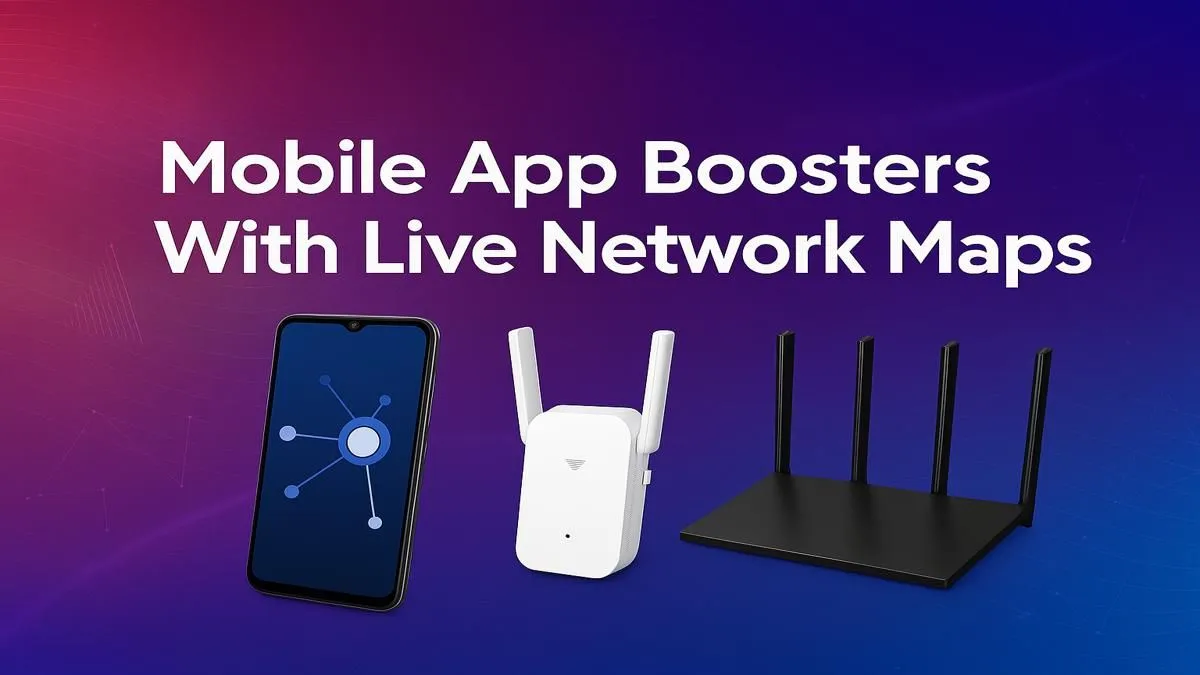
You’re in the final circle. The tension is thick. You line up the perfect shot… and then it happens. A lag spike freezes your screen for a split second. By the time it clears, you’re staring at the defeat screen. It’s a uniquely South African frustration. You’ve got a beast of a rig, but your network is holding you back. What if you could pinpoint the exact problem? Using one of the best mobile app boosters with live network maps can feel like having a superpower.
Understanding Why Your Connection Falters
Before you blame your ISP, it's crucial to understand that your internet connection is a journey with many stops. Data travels from your PC, through your router, across your local exchange, and through dozens of servers before reaching the game's server. A delay at any of these "hops" results in high ping.
Often, the bottleneck isn't halfway across the world; it's right inside your home. An old router, Wi-Fi interference, or a weak signal to your PC can be the real culprit. This is where a diagnostic app shines, but a hardware upgrade is often the permanent fix. A powerful wireless adapter can significantly improve the stability of your PC's connection to your home network, eliminating that first, critical point of failure.
Finding the Right Mobile App Booster with a Live Network Map
So, what should you look for in these apps? Forget the ones that promise to magically "boost" your internet speed with a single tap. Those are mostly smoke and mirrors. The real value comes from apps that provide detailed diagnostics. 🚀
The key feature is the live network map or "traceroute" visualiser. This tool shows you the complete path your data takes to the game server, measuring the response time (ping) at every single hop. The best mobile app boosters with live network maps will clearly display:
- Real-time Ping: A constant reading of your latency.
- Packet Loss: Shows if data is being dropped along the route (a major cause of stutter).
- Route Visualisation: The map itself, helping you see if a problem is local or further away.
While these apps diagnose the route, the foundation of your entire home network is your router. If the first hop from your PC to your router shows high ping, no app can fix that. It might be time to look at modern wireless routers designed for the demands of gaming.
Pro Tip: LAN vs. Wi-Fi Test
If you suspect your Wi-Fi is the problem, run a network test while connected via Wi-Fi, then run the same test with a LAN cable. If your ping and stability improve dramatically on the cable, you've found your bottleneck. It’s your wireless signal!
How to Read a Network Map Like a Pro 🔧
When you fire up a network analysis app, don't be intimidated by the numbers. It’s simpler than it looks.
- The First Hop: This is your PC connecting to your router. This number should be extremely low, ideally under 2ms. If it's high or shows packet loss, the problem is your home Wi-Fi signal or an old router.
- The Early Hops: These next few steps are your connection travelling to your ISP's local hub. A sudden spike here could indicate a problem in your neighbourhood.
- The Later Hops: This is the wider internet. You have less control here, but this is where some "booster" apps try to find a more efficient route for your game data.
If your map shows a stable connection until your signal has to cross a large room or go through a thick wall, the issue is signal strength. A simple fix can be one of the many effective wireless range extenders available, which can eliminate those frustrating dead zones. ✨
From Diagnosis to Dominance
Using a mobile app with a live network map is the first step: diagnosis. It empowers you with the knowledge of why you're lagging. But knowledge alone doesn't lower your ping.
Once you’ve identified that the issue is within your own home—a weak signal, an overloaded router, or poor coverage—you can move to the solution. The app gives you the data; better hardware gives you the win. Investing in your home network is one of the most effective upgrades a gamer can make, ensuring your premium rig can perform at its absolute best. Check out Evetech’s full range of wireless networking gear to build a rock-solid foundation for gaming.
Ready to Conquer Lag for Good?
Stop guessing and start winning. A powerful router is the heart of a stable gaming connection, ensuring your skills are what determine the outcome, not a random spike. Shop our top-rated wireless routers at Evetech for performance that leaves lag in the dust.