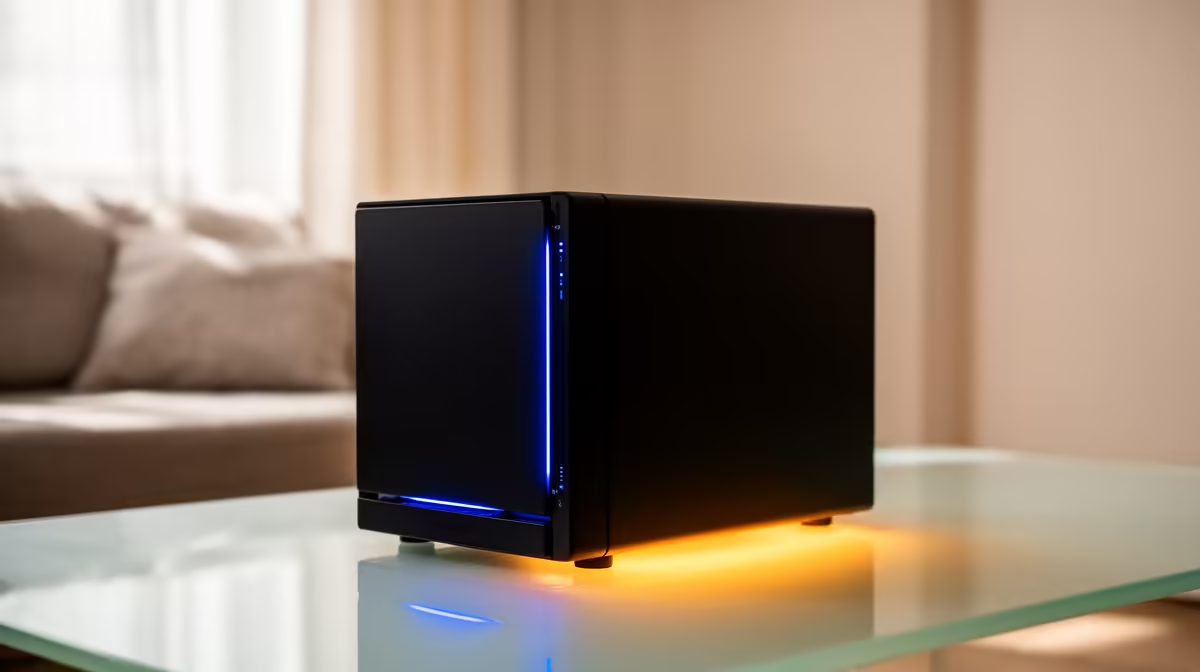
Every phone in the house is quietly filling up, and each person is paying their own monthly cloud bill to deal with it. A family NAS replaces that scattered arrangement with one device at home: each member gets a private account, the household shares the albums that should be shared, and every phone's camera roll backs up automatically. One purchase, in rands, instead of several recurring subscriptions billed per person.
Quick Answer
A family NAS gives every household member a private user account plus shared family albums, and an app like Synology Photos or Immich auto-backs up each phone's camera roll in the background. It does locally what multiple cloud subscriptions do, with no monthly fee, no storage tiers, and face recognition that runs on your own hardware rather than in someone else's cloud.
What "family" really means on a NAS
The defining feature of a family NAS is per-person separation with shared overlap. Each member signs in to their own account and sees their own library, exactly as they would on a phone, while shared albums let the household pool the photos everyone wants, holidays, birthdays, the kids, without merging everyone's private camera rolls into one heap.
That balance is what makes it work for a real family. Your teenager's photos stay theirs, the family holiday album is visible to all, and nobody has to surrender privacy to get shared access. It is the structure a per-person cloud plan gives you, rebuilt on hardware you own and control. If you are choosing the box, the diskless NAS range at Evetech lets you pick the right size and add drives to match your household's library.
Automatic backup for every phone in the house
The feature families actually feel day to day is hands-off backup. Install the companion app on each phone, sign in to that person's account, and the app uploads new photos and videos to the NAS in the background, no manual copying, no remembering. Each camera roll lands safely on the household device without anyone thinking about it.
Two apps dominate here. Synology Photos is the most polished and easiest to live with, with a familiar timeline, automatic organisation by date and place, and shared albums built in. Immich is the keener alternative for set-and-forget syncing, with mobile apps that run continuous background uploads aggressively on both iOS and Android, behaving closer to the cloud services people are used to. Synology Photos suits families who want effortless and tidy, Immich suits those who want the most reliable automatic sync.
Face recognition that stays at home
Both apps offer face recognition that groups photos by person, and crucially that processing happens on the NAS itself. Your family's faces are never shipped off to a cloud to be analysed, which is a meaningful privacy gain over the big photo services. The NAS indexes faces locally and lets you browse by person, so finding every photo of one child across years takes seconds, with none of it leaving your home.
Replacing the stack of cloud subscriptions
Here is the financial heart of it. A typical family runs several individual cloud photo plans, each billed monthly, often in dollars, which the exchange rate turns into a creeping rand cost that only grows as libraries fill. A single NAS replaces all of them with one upfront purchase you own outright, after which storing the family's photos costs nothing but the electricity to keep it running.
You do give up a little. The cloud giants have slightly sharper search and on-device suggestions, and you take on responsibility for your own backups rather than trusting a provider. For most families that trade, full control, no subscriptions, no per-person fees, in exchange for managing your own device, is clearly worth it. The drives and accessories that complete the build sit in the best-selling SSDs at Evetech, useful for the caching that keeps a busy family NAS responsive.
Beyond photos: backing up the whole household
A family NAS quickly proves useful for more than camera rolls, and it is worth planning for that from the start. The same device can act as the backup target for every computer in the home, so laptops and desktops save their files to it automatically over the network, giving the household one place where important documents, school work and records live safely. That turns the NAS from a photo box into the family's central data hub.
It can also serve files back out. Shared folders let the household keep documents, recipes, school projects and media in one accessible place, reachable from any device on the home network and, with the right setup, securely from outside the house too. Many families end up using the NAS to stream their own media library as well, replacing yet another subscription. Choosing a unit with a little processing headroom at purchase keeps all of these roles running smoothly at once rather than bogging the device down.
Setting it up so the family will actually use it
The best technical setup fails if the household finds it fiddly, so ease of use deserves real weight in the choice. Pick a NAS with a polished, friendly app, install it on each person's phone, sign them in once, and let background backup handle the rest. The goal is that after the initial setup nobody thinks about it again, photos simply appear safely on the NAS, which is the behaviour people expect from the cloud services they are replacing.
Account structure matters for adoption too. Give each family member their own login from day one so their library is private by default, then create the shared albums everyone contributes to. Spending a little time getting the accounts and permissions right at the start avoids confusion later and makes the system feel natural to non-technical members of the household. A NAS the whole family trusts and uses is worth far more than a powerful one that only the person who set it up understands.
Keep a backup, even at home
One important habit: the NAS is the family's primary store, but RAID across its drives protects only against a drive failing, not against accidental deletion, corruption or theft. Keep at least one separate backup of the irreplaceable albums, ideally a copy that lives somewhere other than the NAS itself. With that in place, the household's photos are both convenient and genuinely safe, which is more than a single phone or a single cloud account ever offers.
Frequently Asked Questions
Does each family member get their own private space?
Yes. Every member signs in to their own account and sees their own library, while shared albums let the household pool chosen photos. Private camera rolls stay private; only what you put in shared albums is visible to others.
Which app is best for automatic phone backup?
Synology Photos is the most polished and easiest, while Immich offers the most aggressive, reliable background sync across iOS and Android. Choose Synology Photos for effortless tidiness, or Immich for the closest set-and-forget experience to a cloud service.
Is my family's face data kept private?
Yes. Both Synology Photos and Immich run face recognition on the NAS itself, so photos are never sent to a cloud for analysis. The grouping by person happens locally and never leaves your home.
Can a NAS really replace our cloud photo subscriptions?
For most families, yes. One NAS handles auto-backup, shared albums, timelines and face grouping for everyone, replacing several monthly per-person plans with a single upfront purchase you own outright.
Do I still need a separate backup?
Yes. RAID protects against a drive failing but not against accidental deletion, corruption or theft. Keep at least one separate backup of your irreplaceable albums so the family's memories are truly safe.
Ready to bring every family photo home and ditch the monthly fees? Choose the right unit from the diskless NAS range at Evetech and back up every phone in the house automatically.