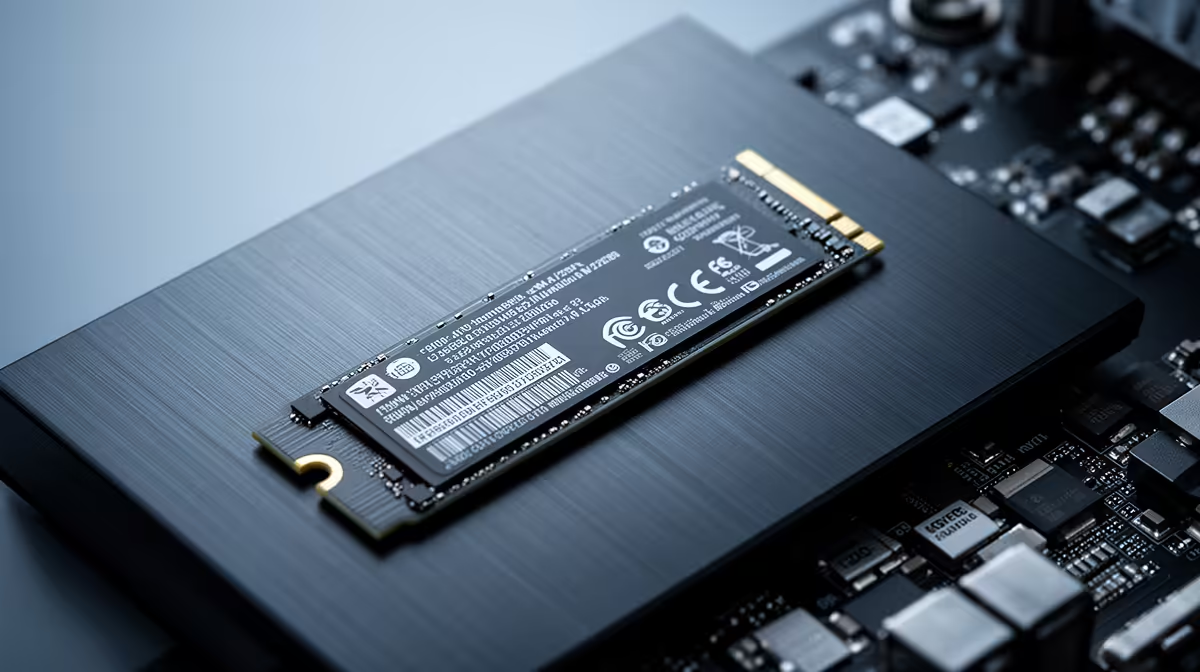
Most mini PCs ship with their primary M.2 slot already filled by a boot drive, but a surprising number include a second M.2 2280 slot sitting empty. That extra slot is the cheapest, easiest upgrade a mini PC owner can make. Drop in the right NVMe SSD for a mini PC and you turn a tidy little box into a machine with a fast boot drive and a roomy, separate storage drive, no cables, no enclosure, no compromise. The trick is choosing a drive that fits the slot, runs cool in a cramped chassis, and matches the speed your machine can actually use.
Quick Answer
For a mini PC's second slot, fit a single-sided M.2 2280 PCIe 4.0 NVMe drive such as the WD Black SN7100 or a Samsung 990 PRO. The WD Black SN7100 is a single-sided Gen4 drive rated around 7,250MB/s read, which keeps it cool and slim in a tight chassis. Match the drive to your slot's supported PCIe generation and confirm the 2280 length before buying.
Confirm the Slot Before You Buy
The first job is verifying what your mini PC actually offers, because mini PCs vary far more than full-size desktops. Check the specification or the service manual for three things: the slot length, the PCIe generation, and whether the slot is full PCIe or a slower SATA-only M.2.
Most mini PCs use the 2280 size, which is 22mm wide and 80mm long, and many slots also physically accept shorter 2260 and 2242 drives. The 2280 length is the safest and most widely stocked choice. The PCIe generation matters for speed: a Gen4 slot lets a Gen4 drive run at full pace, while a Gen3 slot caps any drive at Gen3 speeds even if the drive itself is faster. Buying a Gen5 drive for a Gen3 slot wastes money, because the slot is the ceiling.
Why Single-Sided Drives Matter in a Mini PC
This is the detail that trips up first-time mini PC upgraders. A desktop has room for a double-sided SSD with chips on both faces. A mini PC often does not. The secondary slot can sit close to the chassis floor or under another component, and a double-sided drive may not physically clear the gap, or it may run hot with no airflow over the underside.
A single-sided drive puts all its chips on one face, which keeps it slim and lets the heat escape upward toward whatever cooling the case provides. The WD Black SN7100 is single-sided across all its capacities, which is exactly why it suits this job. If a drive's listing does not state single-sided, treat that as a question to answer before you buy, especially at higher capacities where double-sided designs are common.
DRAM-less Versus DRAM Drives
You will see two architectures. DRAM-less drives like the SN7100 borrow a slice of system memory for their mapping tables, which keeps them cool, slim and affordable while still hitting strong real-world speeds. DRAM-equipped drives like the Samsung 990 PRO carry their own cache, which helps under sustained heavy random workloads. For a mini PC used as a media server, a light desktop, or general storage, a good DRAM-less Gen4 drive is the sweet spot. For heavier, sustained workloads, the extra consistency of a DRAM drive can be worth it.
Capacity and Speed: What Actually Helps
For the boot drive in the primary slot, speed is nice but the difference between a fast Gen4 drive and a blistering Gen5 one is barely felt in everyday use. The second slot is usually about capacity. Sizing it to your library makes more sense than chasing the highest sequential number on the box.
- 1TB is a sensible floor for a storage drive, enough for a games library or a working set of files.
- 2TB is the value sweet spot in 2026, where price per terabyte is most favourable and the 2TB WD Black SN7100 is a standout among DRAM-less drives.
- 4TB suits a media server or anyone storing large video libraries on a Jellyfin or Plex-style setup.
Sequential read and write figures look impressive, but for a second storage drive what you feel day to day is capacity and consistency, not whether it tops 7,000 or 12,000MB/s.
Heat: The Silent Mini PC Killer
A cramped chassis with limited airflow is the worst environment for an SSD, and heat is what throttles performance. Two things keep temperatures in check. First, the single-sided design already mentioned, which lets heat radiate away from the board. Second, a low-power, efficient drive. A DRAM-less Gen4 drive generally runs cooler than a power-hungry Gen5 model pushed to its limits, which is another reason Gen4 is the pragmatic pick for a mini PC unless you have confirmed both a Gen5 slot and decent cooling. If your mini PC came with a small heatsink or thermal pad for the second slot, use it; if not, a thin M.2 heatsink can help, provided it still clears the chassis lid.
Putting It Together
Installation is genuinely simple. Power down and unplug, open the bottom panel, locate the empty 2280 slot, slide the drive in at an angle, press it flat and secure the retaining screw. Boot up, initialise the new drive in your operating system's disk tool, and format it. From there you have a separate volume for storage, games or media, leaving your boot drive uncluttered. The full NVMe SSD range at Evetech covers the single-sided Gen4 options that suit mini PCs, and if you would rather start with a machine that has the second slot ready to fill, the best-selling compact desktops are a good place to compare.
Frequently Asked Questions
What size SSD fits a mini PC's second M.2 slot?
Most mini PCs use the M.2 2280 size, which is 22mm by 80mm. Many slots also accept shorter 2260 and 2242 drives, but 2280 is the most widely stocked and the safest choice. Always confirm the supported length in your mini PC's specification first.
Should I buy a single-sided or double-sided SSD for a mini PC?
Single-sided, where possible. Mini PCs often have tight clearance under the second slot, so a single-sided drive both fits more reliably and dissipates heat better. The WD Black SN7100 is single-sided across all capacities, which makes it well suited.
Is a PCIe 4.0 or PCIe 5.0 SSD better for a mini PC?
For most mini PCs, PCIe 4.0 is the better practical choice. Gen5 drives run hotter and cost more, and many mini PC slots only support Gen4 anyway, which caps a Gen5 drive at Gen4 speeds. Check your slot's supported generation before deciding.
How much storage should the second drive have?
1TB is a reasonable minimum, 2TB is the current value sweet spot, and 4TB suits media servers and large video libraries. Size the drive to your actual needs rather than the headline speed.
Do I need a heatsink on the second SSD?
It helps in a cramped mini PC with limited airflow. If your mini PC included a thermal pad or small heatsink for the slot, use it. Otherwise a thin M.2 heatsink can keep temperatures down, as long as it still clears the chassis lid.
Filling that empty M.2 slot is the best-value mini PC upgrade going. Browse the mini PCs and NVMe storage at Evetech and turn a single-drive box into a fast, spacious all-rounder.