


GTA 6 Max Settings on RTX 5070: Complete Guide
GTA 6 Max Settings on RTX 5070. Tested & verified settings for best FPS and visual quality on SA hardware budgets.
Read moreBest PC cooling solutions for hot climate gaming rooms in South Africa: learn which fans, AIOs, air coolers, and airflow setups reduce throttling and protect your rig. Stay cooler with smart upgrades ❄️🌍
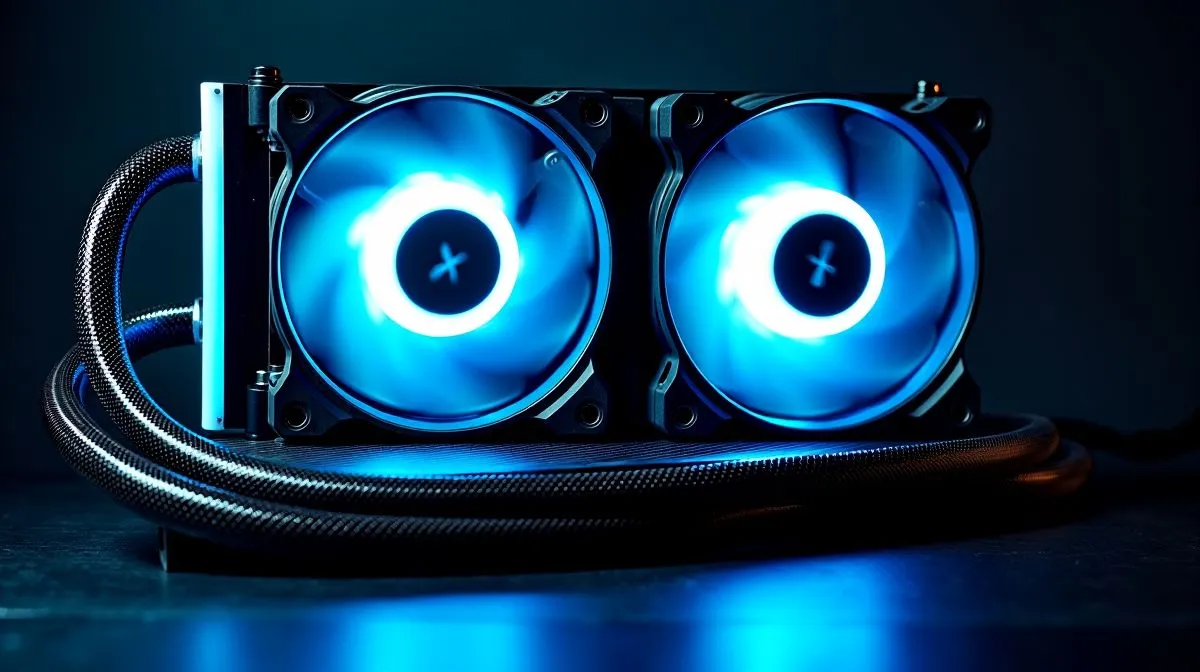
If your gaming room turns into a sauna by mid-afternoon, your PC feels it too. Frames can dip. Fans get louder. Temperatures creep up. In South Africa, that is not just annoying… it can affect comfort and consistency during long sessions. The good news? A smarter cooling setup can help your rig stay calm when the room is not. For a starting point, browse Evetech’s CPU coolers range.
Heat builds fast in closed rooms, especially when you are gaming on a warm summer day. Your CPU and case fans must move more air when ambient temperatures rise, because the system cannot cool below room temperature. That is simple physics, and it matters more than many buyers expect. According to Intel’s and AMD’s general guidance on processor thermals, stable cooling supports sustained performance and quieter operation. If you want to keep things practical, start with the cooler type that suits your chip and room size.
For many gamers, the first decision is between air cooling and liquid cooling. High-end air coolers are reliable, simple, and often great value. They are ideal if you want less maintenance and fewer moving parts. If your CPU runs hotter, or you prefer cleaner case airflow, an AIO may be worth a look.
You can filter straight to liquid cooler options on Evetech, then narrow down by brand if you already trust a favourite. For example, CORSAIR AIO coolers are popular with builders who want polished finishes and strong support. If you are comparing value, Deepcool AIO coolers are also worth checking.
Radiator size affects how much heat an AIO can move. A 360mm radiator usually suits larger cases and higher-heat builds. A 240mm radiator can be a sweet spot for many mid-tower PCs. The right choice depends on case clearance, CPU output, and airflow.
Make sure your case has clear intake and exhaust paths before buying a bigger cooler. A powerful cooler in a poorly ventilated case still struggles in hot weather. Clean dust filters monthly, and check that front fans are pulling in cool air, not recirculating warm air.
Place your tower away from sunlight and tight corners. Leave space behind the case for exhaust. If you use a desk with a closed cabinet, move the PC out if possible. Also, avoid stacking consoles, routers, and external drives right beside the intake. Every bit of extra warmth adds up.
If you are shopping for the best PC cooling solutions for hot climate gaming rooms SA, think beyond just the CPU cooler. Good case airflow, tidy cable management, and regular dust cleaning all help. A well-ventilated rig often feels quieter too, which is a nice bonus when you are grinding late into the night ✨
There is no universal “best” cooler. There is only the best match for your case, CPU, and room conditions. That is why it helps to compare options before you spend. In South Africa, where summer heat can hit hard, the right cooler is not just about performance. It is about keeping your setup stable, your noise down, and your gaming sessions comfortable. If your current cooler is struggling, now is the time to plan an upgrade.
Ready to Find Your Perfect Match? The Mac vs Windows debate is complex, but for maximum power, choice, and value in South Africa, Windows is hard to beat. Explore our massive range of laptop specials and find the perfect machine to conquer your world.
Use a balanced intake/exhaust airflow layout, choose a high-performance CPU cooler, and add targeted GPU and case fans to reduce overheating.
Air coolers often shine on reliability and cost, while AIOs can offer strong cooling. In hot rooms, airflow and fan curves matter most.
Aim for more cool air intake than heat exhausting, keep intakes unobstructed, and place exhaust fans at the rear and top for hot air removal.
Look for a cooler with strong thermal performance and quiet operation, plus enough clearance for your case. Pair it with good case airflow.
Improve case airflow, ensure the GPU has space for intake air, clean dust regularly, and consider lowering aggressive fan-stop settings.
Start with case airflow (fans and filters). If temps stay high under load, then upgrade CPU or GPU cooling to gain more headroom.
Use a responsive curve that ramps fans sooner under load. Match curves to temperature sensors and avoid overly aggressive noise spikes.
Clean dust filters and fans every few weeks during heavy use. Regular maintenance improves airflow and keeps temperatures consistent.
GTA 6 Max Settings on RTX 5070. Tested & verified settings for best FPS and visual quality on SA hardware budgets.
Read more
Cyberpunk 2077 Max Settings on RTX 5080. Tested & verified settings for best FPS and visual quality on SA hardware budgets.
Read more
Starfield Max Settings on RTX 5070 Ti. Tested & verified settings for best FPS and visual quality on SA hardware budgets.
Read more
AMD RX 9050 XT: Rumoured Specs, Price & Release. SA-focused analysis with local pricing data, real-world insights & actionable buying advice.

Can RTX 4080 Super Run AI Workloads for SA Developers Detailed answer with SA data, expert analysis & practical recommendations for local buyers.

Can RTX 4090 Run AI Workloads for SA Developers Detailed answer with SA data, expert analysis & practical recommendations for local buyers.

Top Settings for Intel Arc B580 at Ultrawide 1440p picks evaluated on performance, value & SA availability with current Rand pricing from Evetech.

RTX 4060 CS2 Low Settings at 1080p: FPS Results. Real-world benchmark data, FPS numbers & performance analysis. What SA gamers can actually expect.

Visual Artifacts: Possible GPU Issue Issue #1. Diagnosis steps, proven fixes & when to seek professional help. SA-specific support info included.

Can the RTX 4090 Handle 1440p 144Hz Gaming. Performance testing verdict with real data & practical recommendations for SA buyers.

Top ASUS GPU Under R15000 picks evaluated on performance, value & SA availability with current Rand pricing from Evetech.
GTA 6 Max Settings on RTX 5070. Tested & verified settings for best FPS and visual quality on SA hardware budgets.
Cyberpunk 2077 Max Settings on RTX 5080. Tested & verified settings for best FPS and visual quality on SA hardware budgets.
Starfield Max Settings on RTX 5070 Ti. Tested & verified settings for best FPS and visual quality on SA hardware budgets.

Top RTX 5090 Under R5000 picks evaluated on performance, value & SA availability with current Rand pricing from Evetech.