


PCIe 5.0 vs PCIe 4.0 for Cinematic Story Games in SA
PCIe 5.0 and PCIe 4.0 differ most in lane support, compatibility, and upgrade value for cinematic story games. SA buyers should match the choice to their actual hardware and games.
Read moreThe best portable monitor for travel is an OLED model like the ASUS ZenScreen MQ16AH at around 1.6 lbs and 9mm thick, powered and fed video through a single USB-C cable. That thinness lets it slide into a laptop sleeve without consuming meaningful bag space.
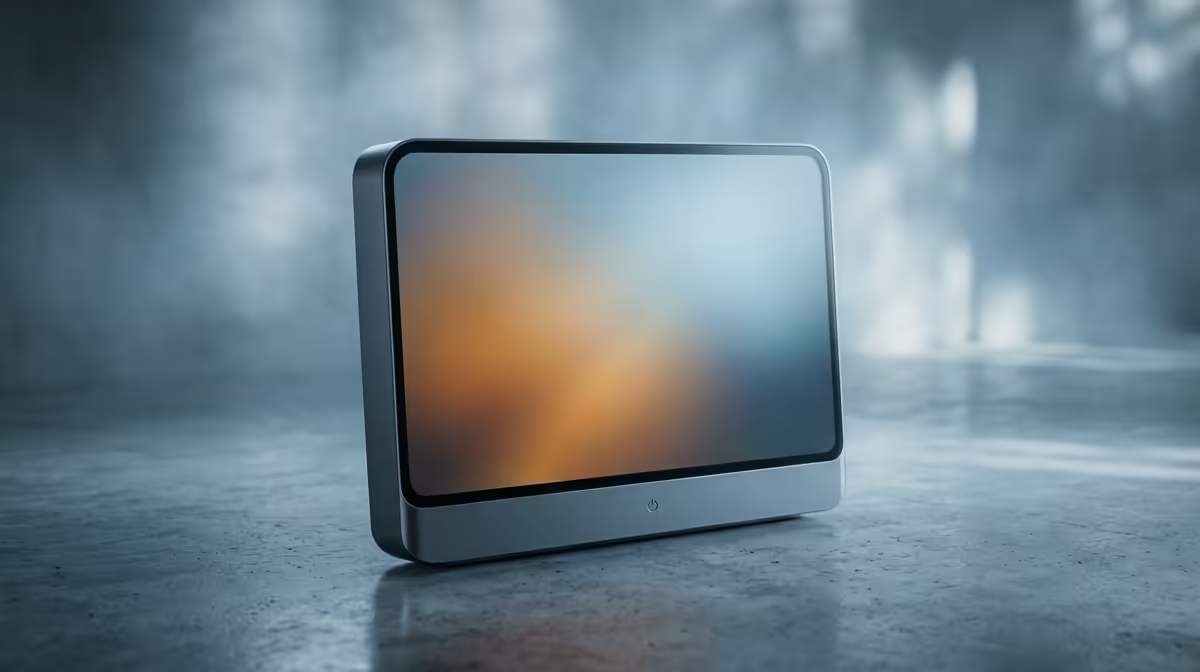
A great portable monitor for travel disappears into your bag and runs off a single cable. The benchmark right now is an OLED panel like the ASUS ZenScreen MQ16AH, roughly 1.6 lbs and about 9 mm thick, drawing both power and video from one USB-C connection. That slimness lets it slide into a laptop sleeve without claiming meaningful space, which is the entire reason a travel monitor earns its place in your kit.
For travel, an OLED model around 1.6 lbs and 9 mm thick, fed by a single USB-C cable, is the format to buy. The ASUS ZenScreen MQ16AH is a strong reference point: light enough to forget, thin enough to pack flat, and powered without a separate brick.
A second screen only travels if carrying it costs almost nothing. At about 1.6 lbs, an OLED travel monitor adds less than a full water bottle to your load. At 9 mm thick, it lies flat against a laptop in the same sleeve rather than forcing a bigger bag.
Heavier 15.6-inch panels exist and often cost less, but the ones people actually keep packing are the thin, light ones. Every extra few hundred grams and millimetres is one more reason to leave it at home, which defeats the purpose entirely.
The cleanest travel monitors take power and video over one USB-C cable from a laptop or phone that supports DisplayPort Alt Mode. No wall adapter, no separate HDMI run, no clutter on a cramped hotel desk or a co-working bench in Cape Town.
Two things break the single-cable dream. First, a host device that cannot supply enough power over USB-C may need the monitor's secondary USB-C port fed from a power bank or charger. Second, older laptops with only HDMI output need an HDMI cable plus separate power. Before buying, check that your laptop's USB-C port carries video, not just data and charging.
OLED panels light each pixel individually, so blacks are genuinely black and contrast is far deeper than a typical IPS travel panel. On a 15 to 16-inch screen that translates to punchier photos and video and easier reading in dim cabins or late-night work. The trade-off is price, but for a screen you will stare at on every trip, the upgrade is the one most people notice immediately.
OLED panels also tend to consume less power at typical screen brightness than IPS equivalents, since dark pixels draw almost nothing. That lower draw matters when you are powering the screen from your laptop battery and want to stretch the session.
USB-C with DisplayPort Alt Mode is the main connection for single-cable setups, but a good travel monitor also includes a micro HDMI or mini HDMI port as a backup. That second input is insurance: if you encounter a device that cannot output over USB-C, HDMI keeps the screen useful rather than turning it into a bag ornament.
Some travel monitors also include a USB-A hub port or a second USB-C port for pass-through charging. The pass-through feature is particularly convenient on the road: one charger plugged into the monitor powers the monitor and continues charging the laptop, so you manage one wall adapter instead of two.
A good travel monitor includes a folding cover that doubles as a stand and protects the panel in transit. Look for one that props the screen at a usable angle in both landscape and portrait, since portrait is handy for code, documents, and long web pages.
Build matters because this screen gets shoved into bags and pulled out daily. A slim metal chassis survives that life better than thin plastic. You can compare current travel-friendly models across the portable monitor range at Evetech, which lists the panel types and connection options side by side. If you also want a sense of what desktop buyers rate highly, the wider monitor best sellers put the portable picks in context.
OLED panels can develop permanent image retention if the same static elements stay on screen for extended periods, but for a travel monitor the risk is lower than it sounds. A travel screen typically shows changing content: documents, browsing, video playback, code editors. The scenarios that lead to visible burn-in, a static taskbar or logo left on the same spot for thousands of hours at high brightness, are more a concern for a fixed desktop display used eight hours a day than for a screen pulled out on trips.
Practical steps to manage the risk: reduce brightness to a comfortable working level rather than running at maximum, use a screensaver or auto-off setting when stepping away, and vary the content when possible rather than leaving a static window open for long stretches. Most OLED monitor manufacturers include pixel-refresh cycles and screen shift features in the firmware that run automatically during idle periods, which further reduces the risk. For a travel monitor used several hours per day across business trips and exams, OLED is a sensible choice rather than a fragile one.
A portable monitor can extend a smartphone or tablet into a proper desktop-style working setup, which is useful when travelling without a laptop. Many recent Android phones with USB-C output and Samsung DeX-capable devices can drive a portable monitor directly, turning the phone into the computing unit and the monitor into the full-resolution display. This works over a single USB-C cable when both the phone and monitor support DP Alt Mode and the cable is rated for video.
iPads with USB-C can mirror or extend their screen to a portable monitor over USB-C, though the feature set and resolution support vary by model and iPadOS version. Tablets with USB-C Thunderbolt support, such as iPad Pro models, handle this most reliably. Confirm compatibility before travelling with only a tablet and a monitor, because some combination of OS version, cable quality and app behaviour can break the setup unexpectedly. A quick test at home before any trip avoids the frustration of a two-device kit that does not cooperate.
A travel monitor suits anyone who works from changing locations: consultants living out of a carry-on, students moving between res and home, or developers who want a second screen in a coffee shop. If you mostly work at one desk, a full-size monitor is better value. The portable's whole case rests on packing light and setting up anywhere in seconds.
A 15 to 16-inch OLED panel around 1.6 lbs and 9 mm thick, powered and fed video over a single USB-C cable. That combination keeps weight and bulk low enough to pack on every trip.
Yes, if your laptop or phone has a USB-C port that supports DisplayPort Alt Mode and can supply enough power. Older devices with only HDMI output, or low-power USB-C ports, may need a second cable for power.
For most buyers, yes. OLED delivers true blacks and deeper contrast than IPS travel panels, which makes media and reading noticeably better. The premium is real but it is the upgrade people notice most.
The best ones sit around 1.6 lbs, roughly the weight of a slim tablet. Anything much heavier tends to get left behind, which undermines the point of owning a portable screen.
If the phone has a USB-C port supporting video output and DisplayPort Alt Mode, yes. Many recent Android phones can drive a portable monitor directly over one cable for a desktop-style view.
Generally yes. OLED pixels only draw power when lit, so dark content and typical screen content both consume less than a backlit IPS panel at equivalent brightness. That means less drain on your laptop battery when running the screen from one USB-C cable.
Ready to add a second screen that actually travels? Browse the portable monitor range at Evetech and pick a light, single-cable OLED model that slips into your laptop sleeve.
A 15 to 16-inch OLED panel around 1.6 lbs and 9 mm thick, powered and fed video over a single USB-C cable. That combination keeps weight and bulk low enough to pack on every trip.
Yes, if your laptop or phone has a USB-C port that supports DisplayPort Alt Mode and can supply enough power. Older devices with only HDMI output, or low-power USB-C ports, may need a second cable for power.
For most buyers, yes. OLED delivers true blacks and deeper contrast than IPS travel panels, which makes media and reading noticeably better. The premium is real but it is the upgrade people notice most.
The best ones sit around 1.6 lbs, roughly the weight of a slim tablet. Anything much heavier tends to get left behind, which undermines the point of owning a portable screen.
If the phone has a USB-C port supporting video output and DisplayPort Alt Mode, yes. Many recent Android phones can drive a portable monitor directly over one cable for a desktop-style view.
Generally yes. OLED pixels only draw power when lit, so dark content and typical screen content both consume less than a backlit IPS panel at equivalent brightness. That means less drain on your laptop battery when running the screen from one USB-C cable.
PCIe 5.0 and PCIe 4.0 differ most in lane support, compatibility, and upgrade value for cinematic story games. SA buyers should match the choice to their actual hardware and games.
Read more
ATX 3.1 vs ATX 3.0 for streaming on Twitch and YouTube buyers - what changes is mostly about compatibility, budget, upgrade path, and setup fit. SA buyers should check device support and real needs before expecting a clear win from either option.
Read more
OLED vs Mini-LED for video editing in 4k is mainly about fit, features, compatibility, cost, and upgrade path, not one automatic winner. SA buyers should match the choice to the setup.
Read more
The real world difference between IPS and VA for streaming on Twitch and YouTube is colour consistency versus contrast. For SA creators, match the panel to OBS previews, chat visibility, camera work, and long editing sessions after live streams.
Read more
IPS vs OLED for Couch Co-Op Gaming comes down to contrast, motion, burn-in care, refresh needs, desk use, and game type. SA buyers should match the choice to their setup instead of assuming one option always wins.
Read more
FSR 4 and FSR 3.1 affect competitive esports only if they preserve clarity, latency, and stable frame pacing. SA players should compare response feel, motion quality, and support in the specific titles they grind.
Read more
Wi-Fi 7 vs Wi-Fi 6e for cinematic story games comes down to router support, latency goals, device compatibility, and coverage. SA buyers should match the choice to the real network setup.

The real world difference between PCIe 5.0 and PCIe 4.0 for MMO and live-service games is usually about loading, patches, and headroom. SA players should weigh NVMe speed, GPU lanes, CPU limits, and platform cost.

Windows 11 gaming laptop dead pixel checks begin with a full-screen colour test. This how to fix dead pixel windows 11 gaming laptop guide helps SA users compare settings, drivers, external screens, and warranty routes.

AM5 motherboard stuck pixel fixes in South Africa start with panel, cable, GPU output, and Windows checks. Use a clean test path before blaming the motherboard or replacing screen hardware.

FPS drops blamed on a wireless mouse often point to input, driver, USB, network, or system-load checks. Use a quick SA-friendly troubleshooting flow to isolate software, firmware, thermals, storage, and game settings before replacing hardware.

How to fix fps drops on steam deck starts with power profile, shader cache, storage health, and per-game settings. For South Africa, check charger quality, heat, and download stability before assuming the handheld needs repair. Retest after updates.

How to fix low FPS after an RTX 5080 build upgrade starts with driver cleanup, display settings, thermals, and power mode. For SA gamers, verify GPU usage, PCIe speed, RAM profile, and CPU limits before changing parts.

Hollow Knight Silksong at 4K needs a GPU matched to settings, VRAM, CPU balance, and monitor goals. Use this SA guide to compare tiers without treating FPS target or prices as fixed.
How to fix FPS drops after a Ryzen 9 9950X3D starts with BIOS, chipset, EXPO, power, and GPU driver checks. It helps isolate upgrade stutter on high-end SA gaming rigs before you change hardware, reinstall Windows, or retune cooling.
PCIe 5.0 and PCIe 4.0 differ most in lane support, compatibility, and upgrade value for cinematic story games. SA buyers should match the choice to their actual hardware and games.

FPS drops Windows 11 mechanical keyboard issues can come from USB polling, keyboard utilities, power settings, or overlays. This gaming checklist helps test input-device causes before deeper GPU or CPU troubleshooting.
ATX 3.1 vs ATX 3.0 for streaming on Twitch and YouTube buyers - what changes is mostly about compatibility, budget, upgrade path, and setup fit. SA buyers should check device support and real needs before expecting a clear win from either option.